1. Uvod
Thank you for choosing the CHEREEKI Wireless Gamepad for PS-4. This manual provides detailed instructions on how to set up, operate, and maintain your new controller. Please read this manual carefully before use to ensure optimal performance and longevity of your device. This controller is designed to enhance your gaming experience with its advanced features and ergonomic design.
2. Proizvod je gotovview
2.1 Ključne karakteristike
- Kompatibilnost: Compatible with PS-4, PS-4 Slim, and PS-4 Pro consoles, providing a stable signal up to 8 meters without delay.
- Ergonomski dizajn: Manually mounted with highly sensitive buttons and classic analog stick design for precise and comfortable gaming.
- 6-Axis Sensor & Dual Motors: Equipped with a built-in 6-axis sensor (gyroscope and accelerometer) and dual vibration motors for immersive gaming feedback.
- Touchpad & Light Bar: Features a multi-touch touchpad and an integrated light bar for new gaming possibilities.
- Dug vijek trajanja baterije: 600mAh battery provides up to 7 hours of playtime on a 2-3 hour charge.
- Funkcija dijeljenja: Includes a dedicated SHARE button for easy sharing of video clips and screenshots.
- Stereo Headphone Socket: A 3.5mm audio jack allows connection of headphones for immersive audio.
2.2 Sadržaj paketa
- CHEREEKI Wireless Gamepad
- USB kabl za punjenje
- Uputstvo za upotrebu
2.3 Izgled kontrolera

Slika 2.3.1: Prednji i zadnji view of the CHEREEKI Wireless Gamepad, highlighting key components such as the R1/R2/L1/L2 buttons, Light Bar, Micro USB Port, SHARE button, OPTIONS button, Directional Buttons, Left Stick, Home Button, Right Stick, Extension Port, and Stereo Headset Jack.
Familiarize yourself with the various buttons and ports on your controller:
- Smjerni tasteri (D-Pad): Za precizan smjerni unos.
- Analogne palice lijevo/desno: Za kretanje od 360 stepeni i kontrolu kamere.
- Dugmad za akcije (trougao, krug, krst, kvadrat): Za akcije u igri.
- Dugme ZA DIJELJENJE: To share gameplay moments.
- Dugme OPCIJE: To access in-game menus and options.
- PS Button (Home Button): To turn on/off the controller, access the PS-4 home screen.
- Touchpad: Multi-touch surface for interactive gameplay.
- L1/R1 dugmad: Dugmad za ramena.
- L2/R2 Triggers: Analogni okidači za precizan unos.
- Light Bar: Indicates player number, health, and other game information.
- Mikro USB port: Za punjenje i žičanu vezu.
- Stereo Headset Jack: 3.5mm port for connecting headphones or headsets.
- Priključak za proširenje: For connecting compatible accessories.
3. Podešavanje
3.1 Initial Connection & Pairing
For the first-time connection, the controller must be paired with your PS-4 console using a USB cable.
- Ensure your PS-4 console is powered on.
- Connect one end of the provided USB charging cable to the Micro USB port on the controller and the other end to a USB port on your PS-4 console.
- Press the PS button (Home button) on the controller. The light bar will flash and then glow solid, indicating successful pairing.
- Once paired, you can disconnect the USB cable to use the controller wirelessly.
3.2 Reconnecting Wirelessly
After initial pairing, the controller will automatically attempt to reconnect wirelessly to the last paired PS-4 console when you press the PS button.
3.3 Punjenje kontrolera

Slika 3.3.1: Illustration of the CHEREEKI Wireless Gamepad's battery life, indicating a charging time of 2 hours for 7 hours of play time.
The controller is equipped with a 600mAh rechargeable Lithium-Ion battery.
- Connect the controller to your PS-4 console or a standard USB charger (5V/1A) using the provided USB cable.
- The light bar will slowly flash orange while charging.
- Once fully charged (approximately 2-3 hours), the light bar will turn off.
- Potpuno punjenje omogućava do 7 sati neprekidnog igranja.
4. Uputstvo za upotrebu
4.1 Uključivanje/isključivanje
- Za uključivanje: Press the PS button. The controller will attempt to connect to the PS-4 console.
- Za isključivanje: If connected to the PS-4, hold the PS button for about 10 seconds until the light bar turns off. The controller will also power off automatically after a period of inactivity.
4.2 Kompatibilnost

Slika 4.2.1: The CHEREEKI Wireless Gamepad demonstrating wide compatibility with PS4, PS4 Slim, and PS4 Pro consoles.
This controller is fully compatible with PlayStation 4, PlayStation 4 Slim, and PlayStation 4 Pro consoles. It provides a stable and responsive connection for all compatible PS-4 titles.
4.3 Motion Sensor (Gyro) Control
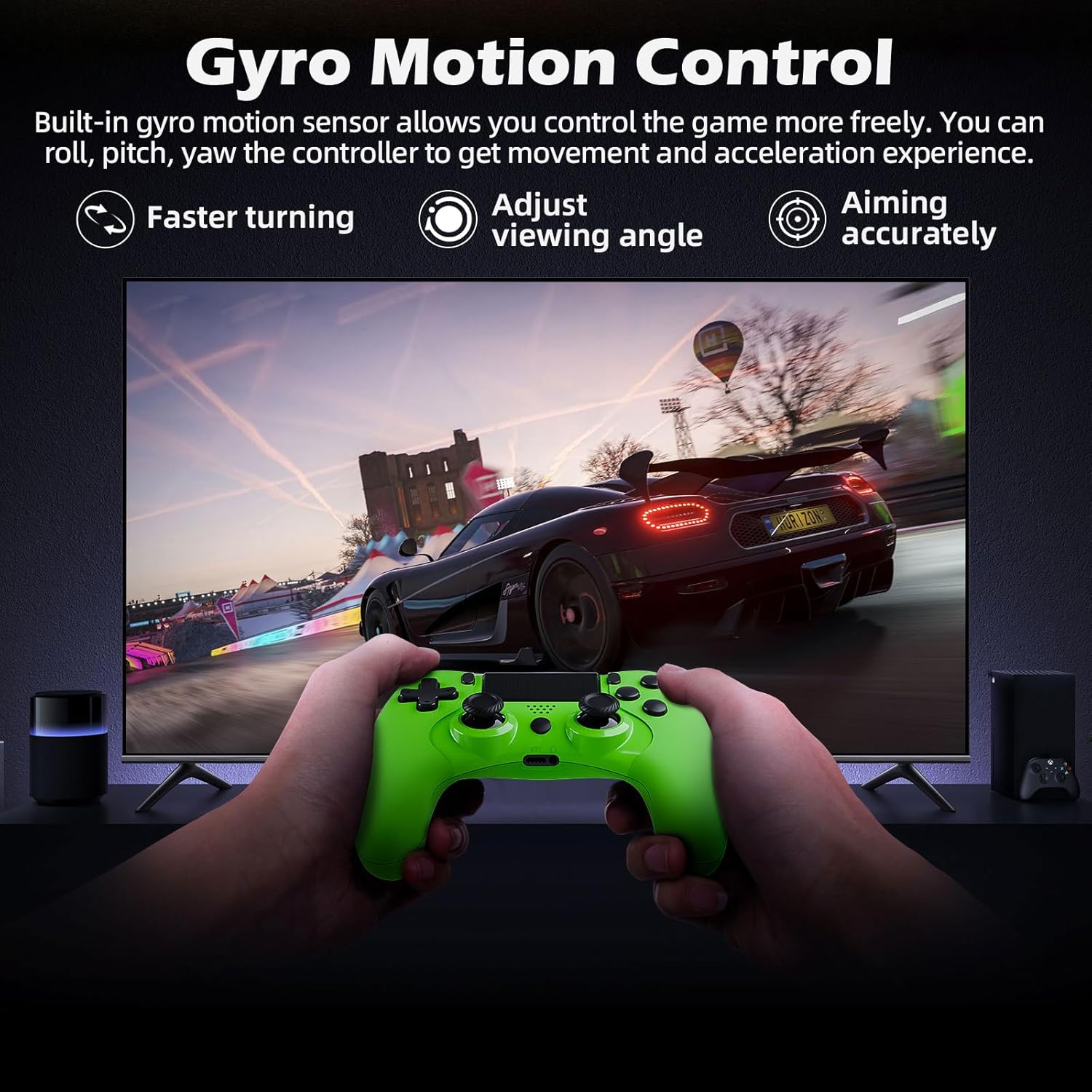
Slika 4.3.1: A user playing a racing game with the CHEREEKI Wireless Gamepad, demonstrating the built-in gyro motion sensor for controlling movement and acceleration, allowing for faster turning, adjusting viewing angle, and accurate aiming.
The built-in 6-axis motion sensor allows for intuitive control in games that support motion sensing. You can roll, pitch, and yaw the controller to control in-game actions, providing a more immersive and dynamic gaming experience, especially for racing or aiming.
4.4 Vibracije dvostrukog motora

Slika 4.4.1: The CHEREEKI Wireless Gamepad illustrating its dual motor vibration feature, designed to provide an immersive tactile feedback experience during gameplay.
The integrated dual vibration motors provide realistic feedback for in-game events such as crashes, explosions, or impacts, making your gaming experience more immersive and engaging.
4.5 Korištenje dodirne table
The multi-touch touchpad on the front of the controller can be used for navigation, gestures, and specific in-game interactions, depending on the game's design.
4.6 Audio veza
Plug any standard 3.5mm stereo headset or headphones into the audio jack at the bottom of the controller for in-game audio and voice chat (if supported by the headset).
4.7 Sharing Gameplay
Press the SHARE button to access the sharing menu. From here, you can easily upload screenshots, video clips, or start live broadcasts of your gameplay.
5. Održavanje
5.1 Čišćenje
- Koristite meku, suhu krpu za brisanje površine kontrolera.
- Za tvrdokornu prljavštinu, lagano dampen krpu vodom ili blagim rastvorom za čišćenje.
- Do not use strong chemicals, abrasive cleaners, or allow water to enter the controller's ports.
5.2 Skladištenje
- Kontroler čuvajte na hladnom i suhom mjestu, dalje od direktne sunčeve svjetlosti i ekstremnih temperatura.
- Izbjegavajte ispuštanje kontrolera ili njegovo izlaganje jakim udarcima.
- Ako skladištite bateriju duži period, periodično je punite (npr. svaka 3-6 mjeseci) kako biste je održali u ispravnom stanju.
6. Otkrivanje problema
6.1 Controller Not Connecting/Responding
- Provjerite USB vezu: Ensure the USB cable is securely connected to both the controller and the PS-4 console.
- Re-pair Controller: Connect the controller to the PS-4 with a USB cable and press the PS button to re-pair.
- Resetiraj kontroler: Locate the small reset button on the back of the controller (often near the L2 button, inside a tiny hole). Use a paperclip to press and hold the button for 3-5 seconds. Then, reconnect via USB and press the PS button.
- Napunite bateriju: Osigurajte da kontroler ima dovoljno napunjene baterije.
- smetnje: Move closer to the PS-4 console or ensure there are no strong wireless interference sources nearby.
6.2 Input Lag or Disconnection
- Udaljenost: Ensure you are within the effective wireless range (up to 8m).
- Nivo baterije: Low battery can affect wireless performance. Charge the controller.
- smetnje: Other wireless devices (Wi-Fi routers, Bluetooth devices) can cause interference. Try to minimize these or move the console/controller.
- Resetiraj kontroler: Perform a hard reset as described above.
6.3 Problemi s naplatom
- Provjerite kabl: Pokušajte s drugim USB kabelom kako biste isključili mogućnost neispravnog kabela.
- Provjerite priključak za punjenje: Ensure the Micro USB port on the controller is clean and free of debris.
- Izvor napajanja: Try charging from a different USB port on the PS-4 or a different USB wall adapter.
7. Specifikacije
| Feature | Specifikacija |
|---|---|
| Broj modela | STK-4006L |
| Povezivanje | Wireless (Bluetooth), Wired (USB) |
| Kompatibilnost | PS-4, PS-4 Slim, PS-4 Pro |
| Vrsta baterije | Lithium Ion |
| Kapacitet baterije | 600 mAh |
| Vrijeme punjenja | Pribl. 2-3 sati |
| Play Time | Do 7 sati |
| bežični domet | Do 8 metara |
| Dimenzije | 17.4 x 12.1 x 7.3 cm |
| Težina | 210 g |
| Senzori | 6-axis motion sensing system (gyroscope, accelerometer) |
| Vibracije | Dvostruki vibracioni motori |
| Audio port | 3.5 mm priključak za stereo slušalice |
8. Garancija i podrška
8.1 Informacije o garanciji
This CHEREEKI product is covered by a standard manufacturer's warranty against defects in materials and workmanship. Please refer to your purchase documentation for specific warranty terms and duration. The warranty does not cover damage caused by misuse, accidents, unauthorized modifications, or normal wear and tear.
8.2 Korisnička podrška
For technical support, troubleshooting assistance, or warranty claims, please contact CHEREEKI customer service. You can typically find contact information on the product packaging, the retailer's website, or the official CHEREEKI brand store on Amazon.
When contacting support, please have your product model number (STK-4006L) and purchase details ready.


