Dobrodošli
This manual provides essential information for using your new OPPO F27 5G smartphone. Please read it carefully to ensure proper operation and to maximize your device's capabilities.
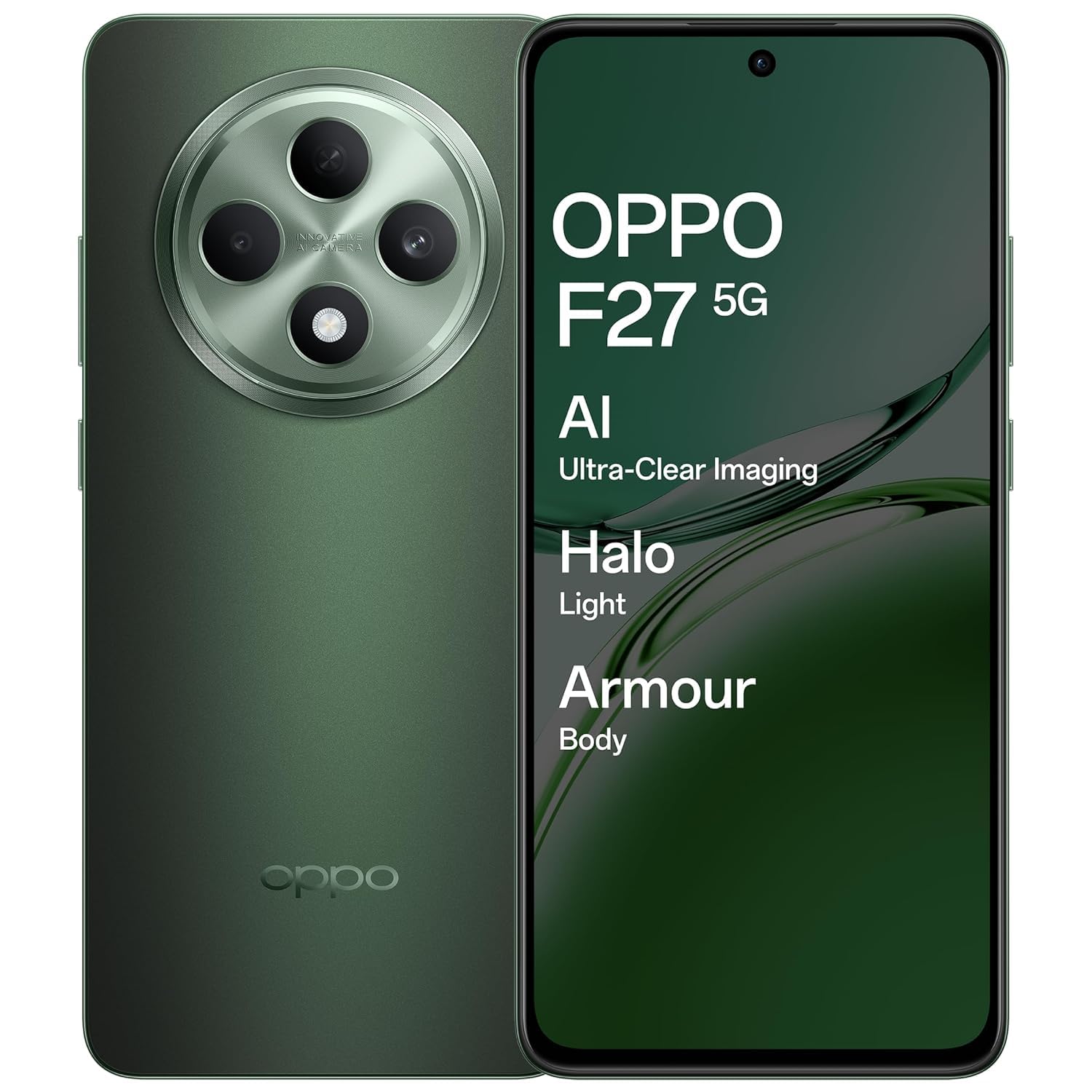
An image showing the OPPO F27 5G smartphone, highlighting its sleek design and display.
Sadržaj paketa
Provjerite da li se u paketu vašeg proizvoda nalaze svi artikli:
- OPPO F27 5G Smartphone
- Case za telefon
- Adapter za napajanje
- USB kabel
- Izbacivač SIM ležišta
Initial Setup
1. Umetnite SIM karticu
Locate the SIM card tray on the side of your device. Use the provided SIM tray ejector tool to open the tray. Insert your Nano-SIM card(s) and/or microSD card into the tray, ensuring correct orientation. Close the tray securely.
2. Uključite napajanje
Press and hold the Power button (usually on the right side) until the OPPO logo appears. Follow the on-screen instructions to complete the initial setup, including language selection, Wi-Fi connection, and Google account login.
3. Napunite bateriju
Before first use, it is recommended to fully charge your device. Connect the USB cable to the power adapter and then to your phone's USB-C port. Plug the power adapter into a wall outlet.
Basic Operation
Power On/Off/Restart
To power on, press and hold the Power button. To power off or restart, press and hold the Power button and Volume Up button simultaneously, then select the desired option from the menu.
Pokreti na ekranu osetljivom na dodir
- Dodirnite: Odaberite stavku ili otvorite aplikaciju.
- Dodirnite i držite: Pristupite kontekstualnim menijima ili premjestite stavke.
- Prevucite: Navigate through screens or scroll lists.
- štipanje: Uvećavanje ili smanjivanje slika i web stranice.
Upućivanje poziva
Open the Phone app, enter the number, and tap the call icon. To answer an incoming call, swipe up on the screen. To reject, swipe down.
Slanje poruka
Open the Messages app, tap the new message icon, enter the recipient's number or select from contacts, type your message, and tap send.
Povezivanje na Wi-Fi
Idi na Postavke > Wi-Fi, uključite Wi-Fi i odaberite željenu mrežu. Unesite lozinku ako se to od vas zatraži.
Povezivanje na Bluetooth uređaje
Idi na Postavke > Bluetooth, turn Bluetooth on, and select the device you wish to pair with from the list of available devices.
Upotreba kamere
The OPPO F27 5G features a versatile camera system:
- stražnja kamera: 50MP main sensor + 2MP depth sensor for clear photos.
- Prednja kamera: 32MP za selfije visoke rezolucije.
AI Portrait Retouching
Utilize AI Portrait Retouching for enhanced portrait photos, automatically optimizing facial features and skin tones.
Video Recording
Switch to video mode in the camera app to record high-quality videos.
Prikaz informacija
Your device is equipped with a 6.67-inch FHD+ AMOLED 120Hz Ultra Bright Display.
- Brzina osvježavanja od 120Hz: Provides smoother scrolling and improved responsiveness.
- Ultra svijetli ekran: Obezbjeđuje jasnu vidljivost čak i pri jakom osvjetljenju na otvorenom.
- Screen-to-body ratio of 92.2%: Nudi impresivan doživljaj viewing iskustvo.
Display Settings
Adjust brightness, color temperature, and dark mode settings via Postavke > Prikaz i svjetlina.
Upravljanje baterijom
The OPPO F27 5G is powered by a 5000mAh Hyper Energy Battery, designed for extended usage.
45W SUPERVOOC bljeskalično punjenje
Use the provided 45W SUPERVOOC charger for rapid charging. This technology allows for quick power replenishment.
Pametno punjenje
The device features Smart Charging to optimize battery health and longevity over time.
Battery Optimization Tips
- Smanjite svjetlinu ekrana.
- Isključite Wi-Fi, Bluetooth i GPS kada ih ne koristite.
- Zatvorite aplikacije u pozadini.
- Enable power saving modes.
Device Care
Čišćenje vašeg uređaja
Koristite meku krpu koja ne ostavlja dlačice za čišćenje ekrana i kućišta telefona. Izbjegavajte upotrebu jakih hemikalija ili abrazivnih materijala.
Ažuriranja softvera
Redovno provjeravajte i instalirajte sistemska ažuriranja putem Postavke > O uređaju > Ažurirano kako bi se osigurale optimalne performanse i sigurnost.
Storage Management
Povremeno brišite nepotrebne files, cache data, and uninstall unused applications to free up storage space. Go to Postavke > Pohrana za detalje.
Backup Data
Redovno pravite sigurnosne kopije važnih podataka na uslugu u oblaku ili na računar kako biste spriječili gubitak podataka.
Uobičajeni problemi i rješenja
Uređaj se ne uključuje
Ensure the battery is charged. Connect the charger and wait a few minutes before attempting to power on again. If unresponsive, try a force restart by holding the Power button and Volume Up button for about 10 seconds.
Problemi sa punjenjem
Provjerite kabel za punjenje i adapter da li su oštećeni. Osigurajte da je USB-C priključak čist i bez ostataka. Pokušajte s drugim punjačem ako je dostupan.
Problemi s mrežnom vezom
Toggle Airplane Mode on and off. Restart your device. Check SIM card insertion. Verify network settings in Postavke > Mobilna mreža.
Applications Crashing/Freezing
Close and reopen the application. Clear the app's cache (Settings > Apps > [App Name] > Storage usage > Clear cache). Ako problem i dalje postoji, deinstalirajte i ponovo instalirajte aplikaciju.
Factory Reset
Upozorenje: Vraćanje na fabrička podešavanja će izbrisati sve podatke na vašem telefonu. Napravite sigurnosnu kopiju važnih podataka prije nego što nastavite. Idi na Postavke > Postavke sistema > Sigurnosna kopija i resetiranje > Resetiraj telefon > Izbriši sve podatke.
Tehničke specifikacije
| Feature | Specifikacija |
|---|---|
| Broj modela | CPH2637 |
| Operativni sistem | MediaTek Dimensity 6300 |
| RAM | 8 GB |
| Display | 6.67-inch FHD+ AMOLED, 120Hz Refresh Rate |
| Zadnja kamera | 50MP + 2MP |
| Prednja kamera | 32MP |
| Kapacitet baterije | 5000 mAh |
| Punjenje | 45W SUPERVOOC bljeskalično punjenje |
| Dimenzije (DxŠxV) | 16.3 x 7.6 x 0.8 cm |
| Težina | 187 g |
| Povezivanje | Bluetooth, Cellular, Wi-Fi, NFC |
| Audio Jack | USB Type-C |
| Posebne karakteristike | Built-In GPS, Dual SIM, Fast Charging Support, Mobile Hotspot Capability, Stereo Speakers |
Garancija i korisnička podrška
Informacije o garanciji
Your OPPO F27 5G device comes with a standard manufacturer's warranty. Please refer to the warranty card included in your package for specific terms and conditions, including coverage period and limitations.
Korisnička podrška
For technical assistance, service, or warranty claims, please contact OPPO customer support:
- Telefon: 18001032777
- Adresa proizvođača: OPPO Mobiles India Pvt Ltd, 5th FLOOR, Tower B, BUILDING, N-8, DLF Cyber City, DLF Phase 2, Gurugram, Haryana 122002
Online resursi
Posjetite službeni OPPO website for additional support, FAQs, and software downloads.


