Uvod
This manual provides comprehensive instructions for setting up, operating, and maintaining your Aura Walden 15" WiFi Digital Picture Frame. The Aura Walden frame is designed to display your cherished photos and videos with ease, offering a high-definition display and smart features for an enhanced viewing experience. Please read this manual thoroughly before using your device to ensure optimal performance and longevity.

Image: The Aura Walden 15" digital picture frame in white with a mat, shown alongside a smartphone displaying the Aura app interface. This illustrates the frame's design and its connectivity with the mobile application.
Vodič za postavljanje
1. Raspakivanje i prvi pregled
Pažljivo izvadite sve komponente iz pakovanja. Provjerite da li su uključene sljedeće stavke:
- Aura Walden 15" Digital Picture Frame
- Adapter za napajanje
- Tabletop Frame Stand (pre-attached or separate)
- Komplet za montažu na zid (ako postoji)
- Vodič za brzi početak
Inspect the frame for any visible damage. If any components are missing or damaged, contact Aura support immediately.
2. Powering On the Frame
Connect the power adapter to the frame's power port and then plug it into a standard electrical outlet. The frame will automatically power on and display the Aura logo.
3. Instalacija aplikacije i kreiranje računa
The Aura frame requires the Aura app for setup and photo management.
- Download the free Aura app from the Apple App Store (for iOS devices) or Google Play Store (for Android devices).
- Open the Aura app and follow the on-screen prompts to create a new Aura account or log in if you already have one.
4. Povezivanje na Wi-Fi
The Aura app will guide you through connecting your frame to your home Wi-Fi network. Ensure your frame is within range of your Wi-Fi router.
- Select your Wi-Fi network from the list provided in the app.
- Unesite svoju Wi-Fi lozinku ako se to od vas zatraži.
- The frame will confirm successful connection.
5. Adding Photos and Videos
Once connected, you can begin adding photos and videos to your frame using the Aura app.
- In the Aura app, navigate to the "Photos" or "Add Photos" section.
- Select photos and videos from your device's gallery or cloud services.
- Upload them to your frame. Aura offers free, unlimited storage for your memories.

Image: A family scene showing a person using the Aura app on a smartphone, emphasizing the ability to add unlimited photos and videos to the frame. This highlights the user-friendly nature of the app for content management.
6. Frame Placement (Tabletop or Wall Mount)
The Walden 15" frame can be placed on a tabletop or mounted on a wall.
- Ploča stola: Use the integrated stand to position the frame in either portrait or landscape orientation.
- Zidni nosač: Utilize the included wall mounting kit and follow the specific instructions provided with the kit for secure installation. Ensure the frame is level and securely fastened.

Slika: Stražnji dio view of the Aura Walden 15" frame, highlighting its interactive touchbar, built-in speaker for video playback, and the design that allows for both portrait and landscape orientations. This image demonstrates the frame's versatility in display orientation.
Uputstvo za upotrebu
1. Basic Controls: Interactive Touch Bar
The Aura Walden frame features an interactive touch bar located on the top edge (when in landscape) or side edge (when in portrait).
- Prevucite lijevo/desno: To manually advance or go back through photos.
- Dodirnite: To reveal photo details (e.g., who added it).
- Dugi pritisak: To delete a photo from the frame (requires confirmation in the app).
2. Viewsnimanje fotografija i video zapisa
The frame automatically cycles through your uploaded photos and videos.
- Photos are displayed in full HD resolution.
- Videos will play with sound through the built-in speaker.
- The frame intelligently crops photos to fit the display while preserving key elements.
3. Adjusting Settings via Aura App
All advanced settings and preferences are managed through the Aura app.
- Svjetlina: Adjust screen brightness. The frame also has an ambient light sensor for automatic brightness adjustment.
- Automatsko uključivanje/isključivanje: Set schedules for the frame to automatically turn on and off, conserving energy.
- Photo Order: Choose between chronological, shuffled, or other display orders.
- Frame Orientation: The frame automatically detects and adjusts to portrait or landscape orientation.

Image: A close-up of the Aura Walden 15" frame, detailing its anti-glare, matte-finish high-resolution screen, the auto on/off sensor, and the textured white mat. This image emphasizes the quality and smart features of the display.
4. Inviting Others to Share
You can invite family and friends to contribute photos and videos to your frame from anywhere in the world.
- In the Aura app, go to the "Members" or "Invite" section.
- Send an invitation link via text, email, or other messaging services.
- Once accepted, invited members can upload photos directly to your frame.
Održavanje
1. Čišćenje okvira
To maintain the clarity of your display:
- Nežno obrišite ekran mekom krpom koja ne ostavlja dlačice.
- Za tvrdokorne mrlje, lagano dampIsperite krpu vodom. Izbjegavajte jake hemikalije ili abrazivna sredstva za čišćenje.
- Clean the frame's body with a dry, soft cloth.
2. Ažuriranja softvera
Aura regularly releases software updates to improve performance and add new features. Ensure your frame is connected to Wi-Fi for automatic updates. The app will notify you if an update is available or required.
Rješavanje problema
| Problem | Moguće rješenje |
|---|---|
| Frame not powering on. | Ensure the power adapter is securely connected to both the frame and a working electrical outlet. Try a different outlet. |
| Nije moguće povezati se na Wi-Fi. |
|
| Photos not appearing on the frame. |
|
| Frame screen is blank or frozen. | Unplug the power adapter from the frame, wait 10 seconds, then plug it back in to restart the device. |
| Video sound is not playing. | Ensure the frame's volume is not muted or set too low in the Aura app settings. Check the video file itself for sound issues. |
Resetiranje okvira
If issues persist, a factory reset may be necessary. This will erase all photos from the frame and disconnect it from your Wi-Fi. You will need to set it up again through the Aura app. Refer to the Aura app's help section for specific instructions on performing a factory reset.
Specifikacije
| Feature | Detalj |
|---|---|
| Model | Walden 15" |
| Veličina ekrana | 15 inča (dijagonala) |
| Rezolucija | Puni HD (1280p) |
| Povezivanje | Wi-Fi |
| Skladištenje | Free, Unlimited Cloud Storage |
| Dimenzije (proizvod) | 8.13 x 15 x 0.99 inča |
| Težina artikla | 7.72 funte |
| Kompatibilni uređaji | Smartphones (Apple iOS, Android) |
| Karakteristike | Anti-glare screen, Auto on/off sensor, Built-in speaker, Interactive touch bar, Portrait/Landscape orientation, Wall mountable. |
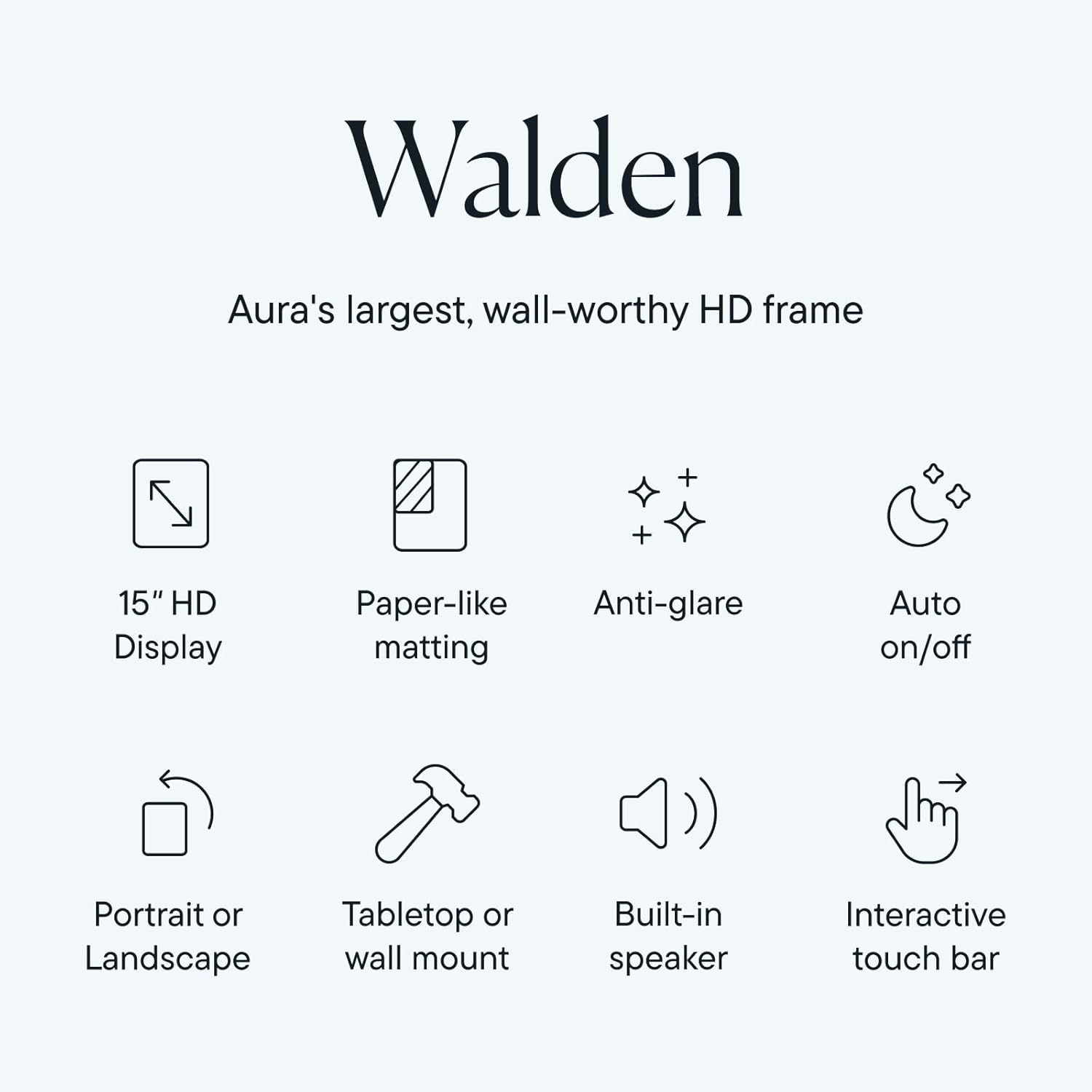
Image: An infographic summarizing the key features of the Aura Walden frame, including its 15" HD display, paper-like matting, anti-glare properties, auto on/off function, dual orientation capability, tabletop/wall mount options, built-in speaker, and interactive touch bar.
Garancija i podrška
Informacije o garanciji
Your Aura Walden 15" WiFi Digital Picture Frame comes with a standard manufacturer's warranty. For specific details regarding the warranty period and coverage, please refer to the warranty card included in your product packaging or visit the official Aura webSačuvajte dokaz o kupovini za slučaj reklamacije.
Korisnička podrška
For further assistance, technical support, or warranty inquiries, please contact Aura customer support:
- Online podrška: Visit the official Aura support webstranica za često postavljana pitanja, vodiče za rješavanje problema i kontakt obrasce.
- Aura App: Access support resources directly through the Aura mobile application.
When contacting support, please have your frame's model number (Walden 15") and serial number (found on the back of the frame or in the app settings) ready.


