Uvod
This manual provides detailed instructions for the setup, operation, maintenance, and troubleshooting of your Sorandy Wired Mechanical Gaming Keyboard. Please read this manual thoroughly before using the product to ensure optimal performance and longevity.
Sadržaj paketa
- Sorandy Wired Mechanical Gaming Keyboard
- Korisnički priručnik (ovaj dokument)
Setup
Follow these steps to connect your keyboard to your computer:
- Raspakujte tastaturu i provjerite da li su sve komponente prisutne.
- Pronađite slobodan USB port na vašem računaru (desktop računaru ili laptopu).
- Umetnite USB konektor kabla tastature u USB port.
- Vaš operativni sistem bi trebao automatski prepoznati i instalirati potrebne upravljačke programe. Ovaj proces može potrajati nekoliko trenutaka.
- Nakon završetka instalacije, tastatura je spremna za upotrebu.

Uputstvo za upotrebu
Osnovne funkcije tastature
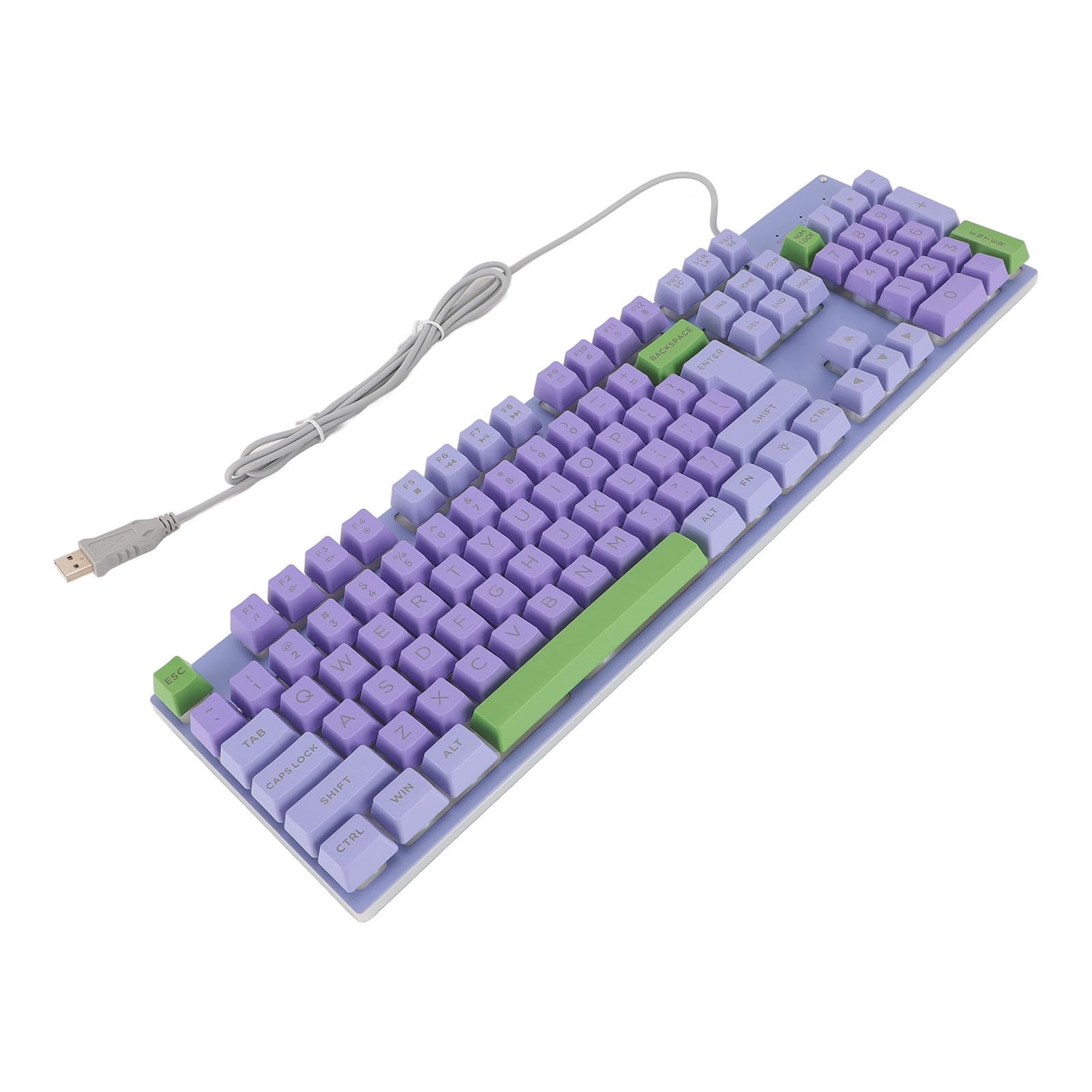
The keyboard features a standard QWERTY layout with mechanical switches for responsive typing and gaming. All standard alphanumeric keys, function keys (F1-F12), navigation keys, and a numeric keypad are present.

Backlighting Features
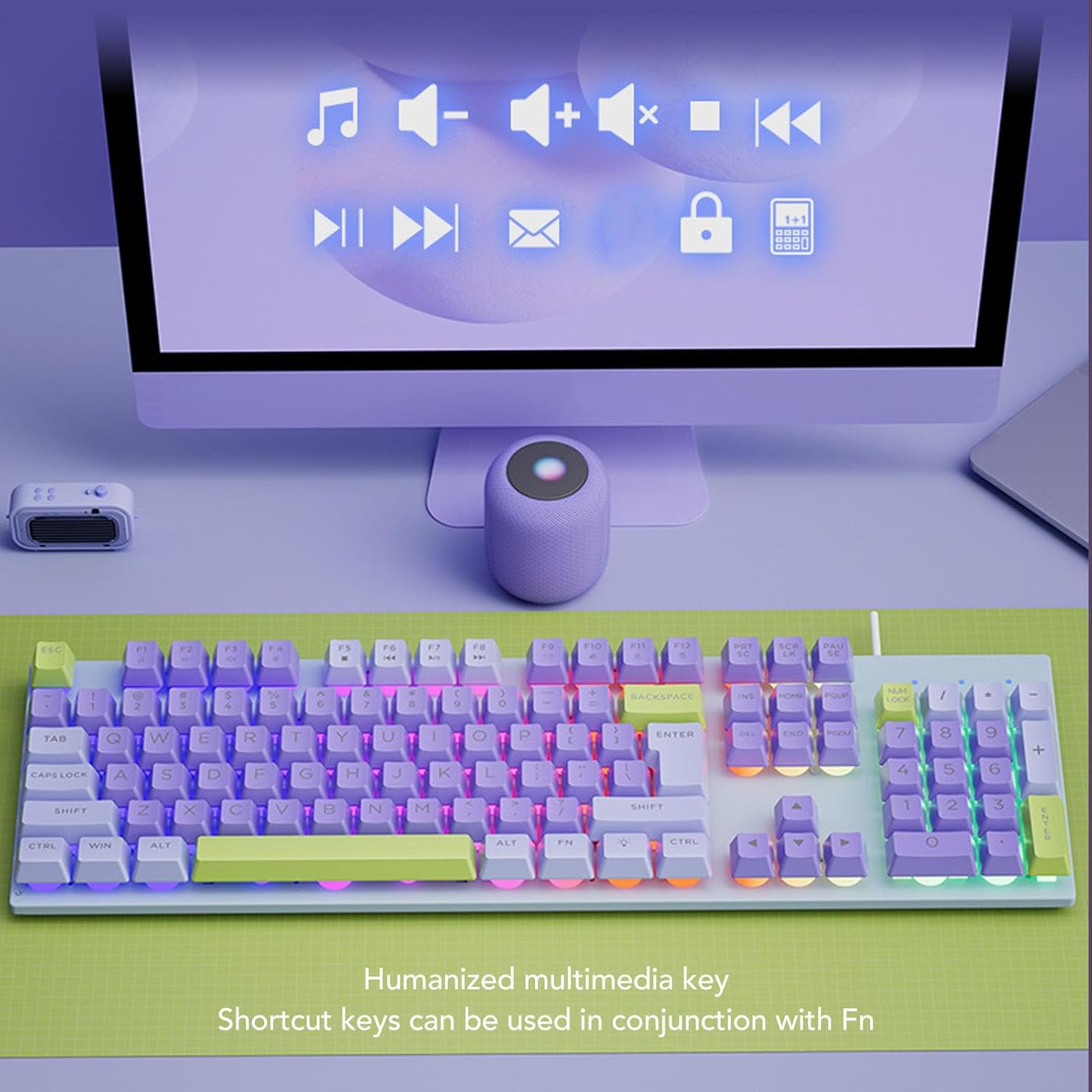
This keyboard features rainbow backlighting. The backlighting is automatically enabled upon connection. Specific controls for adjusting brightness or modes are typically accessed via function key combinations (e.g., Fn + specific F-keys). Refer to the keyboard's keycap legends for any dedicated backlight control icons.
Multimedijalni tasteri
The keyboard includes humanized multimedia keys, which can be accessed by pressing the Fn key in conjunction with the corresponding function keys (F1-F12). These keys allow quick control over media playback, volume, and other system functions.
- Fn+F1-F12: Specific multimedia functions (e.g., volume up/down, play/pause, mute, calculator, email, web browser). Refer to the icons on the F-keys for their specific functions.
Održavanje
Pravilno održavanje osigurava dugotrajnost i performanse vaše tastature.
- Čišćenje: Use a soft, dry cloth to wipe the surface of the keyboard. For deeper cleaning, use a can of compressed air to remove dust and debris from between the keys. Avoid using harsh chemicals or abrasive materials.
- Izlijevanja: In case of liquid spills, immediately disconnect the keyboard from your computer. Turn it upside down to drain any liquid and allow it to dry completely before reconnecting.
- SkladištenjeTastaturu čuvajte na hladnom i suhom mjestu, dalje od direktne sunčeve svjetlosti i ekstremnih temperatura.
- Cable Care: Avoid bending or twisting the USB cable excessively to prevent damage.

Rješavanje problema
Ako imate problema s tastaturom, pogledajte sljedeća uobičajena rješenja:
| Problem | Rješenje |
|---|---|
| Tastatura ne reaguje |
|
| Pozadinsko osvjetljenje ne radi |
|
| Tipke su ljepljive ili ne reagiraju |
|
Specifikacije
| Feature | Detalj |
|---|---|
| Brand | Sorandy |
| Broj modela | Sorandy0bovasc7un-12 |
| Tehnologija povezivanja | USB Wired |
| Opis tastature | Ergonomic, Full Size |
| Tip prekidača | Mehanički |
| Raspored tipkovnice | QWERTY |
| Kompatibilni uređaji | Laptop, PC |
| Hand Orientation | Ambidextrous |
| Pozadinsko osvetljenje | Rainbow Backlit |
Garancija i podrška
For warranty information and technical support, please refer to the retailer's return policy or contact Sorandy customer service directly. Details for contacting support are typically provided with your purchase documentation or on the official Sorandy website.


