Uvod
Thank you for choosing the FINTIE AZERTY Backlit Bluetooth Keyboard. This manual provides detailed instructions for setting up, operating, and maintaining your new keyboard. Designed for compatibility with iPadOS and Android tablets, this slim, lightweight, and rechargeable keyboard features 7-color backlighting and optimized multimedia keys for an enhanced typing experience.
Setup
1. Punjenje tastature
Before initial use, fully charge the keyboard. Connect the provided USB-C charging cable to the keyboard's charging port and to a USB power source. The charging indicator light will illuminate during charging and turn off when fully charged.

Image: The FINTIE AZERTY Bluetooth Keyboard connected to a USB-C charging cable, illustrating the charging process.
2. Uključivanje / isključivanje napajanja
Locate the ON/OFF switch on the keyboard. Slide it to the 'ON' position to power on the keyboard. Slide it to 'OFF' to power it down.
3. Bluetooth uparivanje
- Provjerite je li tastatura napunjena i uključena.
- Press the 'Connect' button on the keyboard. The Bluetooth indicator light will start blinking, indicating it is in pairing mode.
- On your device (tablet, smartphone), go to Bluetooth settings and enable Bluetooth.
- Traži available devices. The keyboard will appear as 'Bluetooth Keyboard' or similar.
- Select the keyboard from the list to pair. Your device may prompt you to enter a code displayed on the screen. Type the code on the FINTIE keyboard and press Enter.
- Once paired, the Bluetooth indicator light on the keyboard will stop blinking.
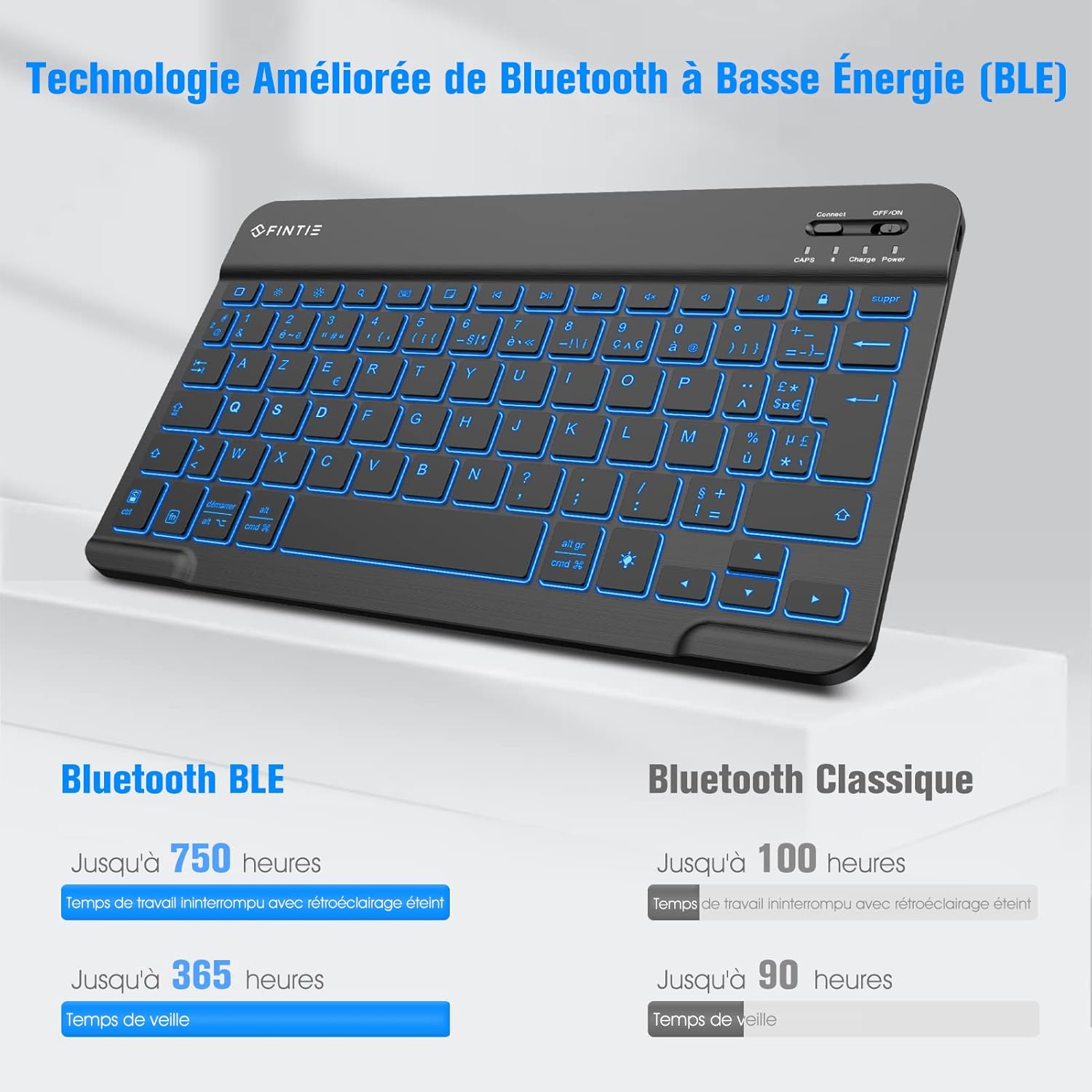
Image: A close-up of the FINTIE AZERTY Bluetooth Keyboard highlighting the 'Connect' button and the ON/OFF power switch, essential for Bluetooth pairing.
4. Kompatibilnost
This keyboard is compatible with iPadOS systems (including iPad Air 11-inch, iPad Air 5/4, iPad 10.9/10.2/9.7-inch, iPad Pro 11/10.5-inch) and Android tablets.

Image: The FINTIE AZERTY Bluetooth Keyboard positioned next to a tablet and a smartphone, demonstrating its multi-device compatibility.
Uputstvo za upotrebu
1. Kontrola pozadinskog osvjetljenja
The keyboard features 7 backlight colors and 3 brightness levels. You can also activate a breathing backlight effect.
- Pritisnite Ključ ikone sijalice za cikličku promjenu boja pozadinskog osvjetljenja.
- Pritisnite Fn + tipka sa ikonom sijalice za podešavanje svjetline pozadinskog osvjetljenja (3 nivoa).
- Pritisnite Fn + Alt (or similar combination, refer to keyboard markings) to activate/deactivate the breathing light effect.

Slika: Višestruki krupni plan views of the FINTIE AZERTY Bluetooth Keyboard keys, showcasing the 7 available backlight colors.
2. Optimized Multimedia Keys
The top row of keys provides quick access to various functions. Use the Fn key in combination with these keys for their secondary functions.
| Ikona ključa | Funkcija |
|---|---|
| Početna (1) | Povratak na početni ekran. |
| Brightness - / Brightness + (2) | Podesite svjetlinu ekrana. |
| Search (3) | Open search function. |
| Keyboard Display (4) | Show/hide on-screen keyboard. |
| Screenshot (5) | Napravite snimak ekrana. |
| Previous Track / Play-Pause / Next Track (6) | Kontrolirajte reprodukciju medija. |
| Mute / Volume - / Volume + (7) | Control audio volume. |
| Screen Lock (8) | Lock the device screen. |
| Backlight On/Off (9) | Uključite ili isključite pozadinsko osvjetljenje. |
| Power Display (10) | Prikaz nivoa baterije. |

Slika: Pogled odozgo view of the FINTIE AZERTY Bluetooth Keyboard, with numbers indicating the various optimized multimedia keys and their corresponding functions listed below.
3. Iskustvo u kucanju
The keyboard features scissor-switch keys, designed for comfortable and quiet typing with quick response.

Slika: Uvećana view of the FINTIE AZERTY Bluetooth Keyboard keys, illustrating the scissor-switch mechanism for responsive and quiet typing.
Održavanje
1. Čišćenje
Da biste očistili tastaturu, nježno obrišite površinu mekom,amp krpom. Izbjegavajte upotrebu jakih hemikalija ili abrazivnih materijala koji bi mogli oštetiti završnu obradu ili unutrašnje komponente. Prije čišćenja provjerite je li tastatura isključena iz napajanja.
2. Održavanje baterije
The integrated rechargeable battery is designed for long-term use. To prolong battery life:
- Izbjegavajte često potpuno pražnjenje baterije.
- Tastaturu čuvajte na hladnom i suhom mjestu kada je ne koristite duži period.
- The automatic sleep function helps conserve power when the keyboard is idle.
Rješavanje problema
1. Tastatura se ne povezuje putem Bluetootha
- Provjerite je li tastatura uključena i potpuno napunjena.
- Provjerite je li Bluetooth omogućen na vašem uređaju.
- Pritisnite dugme 'Poveži' na tastaturi da biste ušli u režim uparivanja.
- Forget the keyboard from your device's Bluetooth list and attempt to re-pair.
- Ponovo pokrenite i tastaturu i uređaj.
2. Pozadinsko osvetljenje ne radi
- Uvjerite se da je tastatura uključena.
- Press the backlight key (light bulb icon) to cycle through colors or turn it on.
- Provjerite nivo baterije; slaba baterija može onemogućiti pozadinsko osvjetljenje.
3. Tipke ne reagiraju
- Provjerite je li tastatura povezana putem Bluetootha.
- Provjerite nivo baterije.
- Ponovo pokrenite tastaturu i uređaj.
Specifikacije
| Feature | Detalj |
|---|---|
| Brand | FINTIE |
| Model | B0DBQ4QMB6 |
| Tehnologija povezivanja | Bluetooth |
| Posebne karakteristike | Lightweight, Rechargeable, Backlit |
| Kompatibilni uređaji | Tablet, Smartphone (iPadOS, Android) |
| Raspored tipkovnice | AZERTY |
| Tip prekidača | Membrane |
| Izvor napajanja | Battery Powered |
| Vrsta baterije | 1 Lithium-polymer battery |
| Dimenzije (D x Š x V) | 24.6 cm x 14.9 cm x 0.6 cm |
| Materijal | ABS |
| Battery Life (Backlight Off, BLE) | Up to 750 hours (working), 365 hours (standby) |
| Battery Life (Backlight Off, Classic Bluetooth) | Up to 100 hours (working), 90 hours (standby) |
| Zemlja porijekla | Kina |

Image: The FINTIE AZERTY Bluetooth Keyboard with its length (24.6 cm), width (14.9 cm), and thickness (0.6 cm) clearly indicated, highlighting its minimalist and slim design.

Image: A hand placing the FINTIE AZERTY Bluetooth Keyboard into a bag, demonstrating its portable and ultra-thin design for easy transport.
Garancija i podrška
For warranty information and customer support, please refer to the documentation included with your purchase or contact the seller directly. FINTIE strives to provide high-quality products and customer satisfaction.


