Uvod
The Maxcom FW59 Kiddo is a 4G smartwatch specifically designed for children, offering a blend of safety features and communication capabilities. It allows parents to stay connected with their children and monitor their location, providing peace of mind. Key features include video and voice calls, GPS tracking with safe zone definition, an SOS button for emergencies, and a user-friendly interface.
This manual provides detailed instructions on how to set up, operate, and maintain your Maxcom FW59 Kiddo smartwatch to ensure optimal performance and safety.
Sadržaj paketa
Molimo označite kućicu za sljedeće stavke:
- Maxcom FW59 Kiddo Smartwatch
- USB kabl za punjenje
- Korisnički priručnik (ovaj dokument)
- Alat za izbacivanje SIM kartice (ako je primjenjivo)
Vodič za postavljanje
1. Instalacija SIM kartice
The Maxcom FW59 Kiddo requires a nano SIM card for 4G connectivity, enabling calls and GPS tracking. Ensure the SIM card is active and supports 4G LTE networks.
- Pronađite utor za SIM karticu sa strane pametnog sata.
- Using the provided SIM ejector tool or a small pin, gently press into the small hole next to the SIM slot to open the tray.
- Carefully place the nano SIM card into the tray with the gold contacts facing down, ensuring it is correctly oriented.
- Gently push the SIM tray back into the slot until it clicks into place.
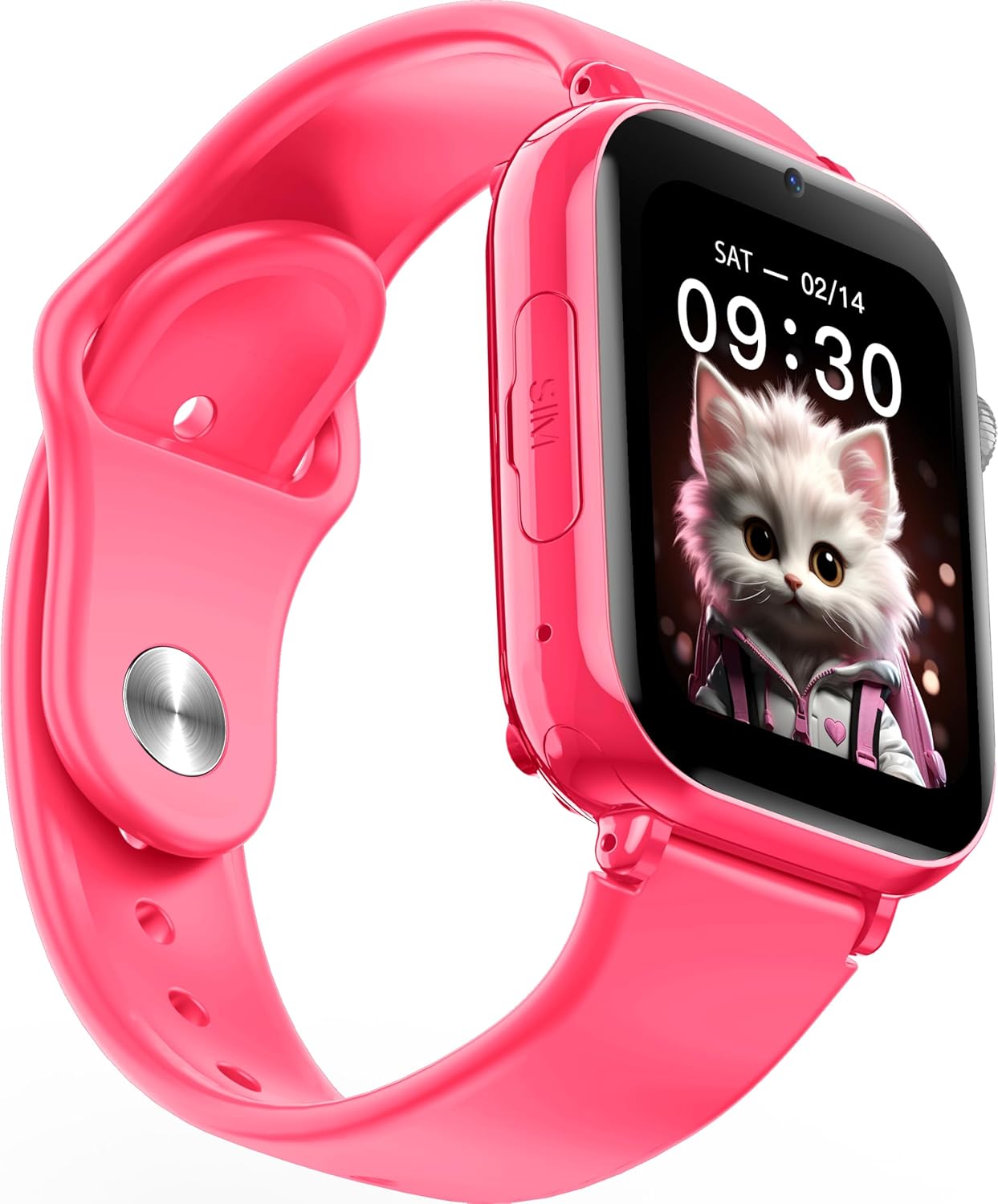
Slika: Ugaona view of the Maxcom FW59 Kiddo smartwatch, highlighting the location of the SIM card slot on the side.
2. Punjenje pametnog sata
Before first use, fully charge the smartwatch. The device is equipped with a 670 mAh Lithium Ion battery.
- Connect the USB charging cable to the charging port on the smartwatch.
- Drugi kraj USB kabla priključite na kompatibilni USB adapter za napajanje (nije uključen) ili na USB priključak računara.
- The screen will indicate charging status. A full charge typically takes approximately 2-3 hours.
3. Instalacija i uparivanje aplikacije
To utilize all features, parents must install the "MAXCOM TRACKER" mobile application on their smartphone and pair it with the smartwatch.
- Download the "MAXCOM TRACKER" app from your smartphone's app store (Google Play Store for Android or Apple App Store for iOS).
- Otvorite aplikaciju i kreirajte račun ili se prijavite ako ga već imate.
- Follow the in-app instructions to add a new device. This usually involves scanning a QR code displayed on the smartwatch screen or manually entering the device ID.
- Once paired, you can configure settings, add contacts, define safe zones, and track the smartwatch's location from the app.
Upravljanje pametnim satom
Osnovna navigacija
The Maxcom FW59 Kiddo features a 1.85" IPS touchscreen display for easy interaction. Swipe left/right or up/down to navigate through menus and applications. Press the side button to return to the home screen or wake the device.

Slika: Front view of the Maxcom FW59 Kiddo smartwatch displaying the time and a cute cat wallpaper.
Video and Voice Calls
With a nano SIM card inserted, the smartwatch supports both video and voice calls to pre-approved contacts.
- Pozivanje: Navigate to the "Contacts" or "Phone" application, select the desired contact, and choose to initiate a voice or video call.
- Primanje poziva: When a call comes in, the smartwatch will ring and display the caller ID. Tap the green icon to answer or the red icon to decline.
SOS funkcija
The dedicated SOS button provides an immediate way for the child to alert pre-set emergency contacts.
- Aktiviranje SOS-a: Press and hold the SOS button (usually a prominent side button) for a few seconds.
- The smartwatch will automatically call the emergency contacts in a pre-defined sequence until one answers. It will also send an alert with the child's current location to the parent's app.
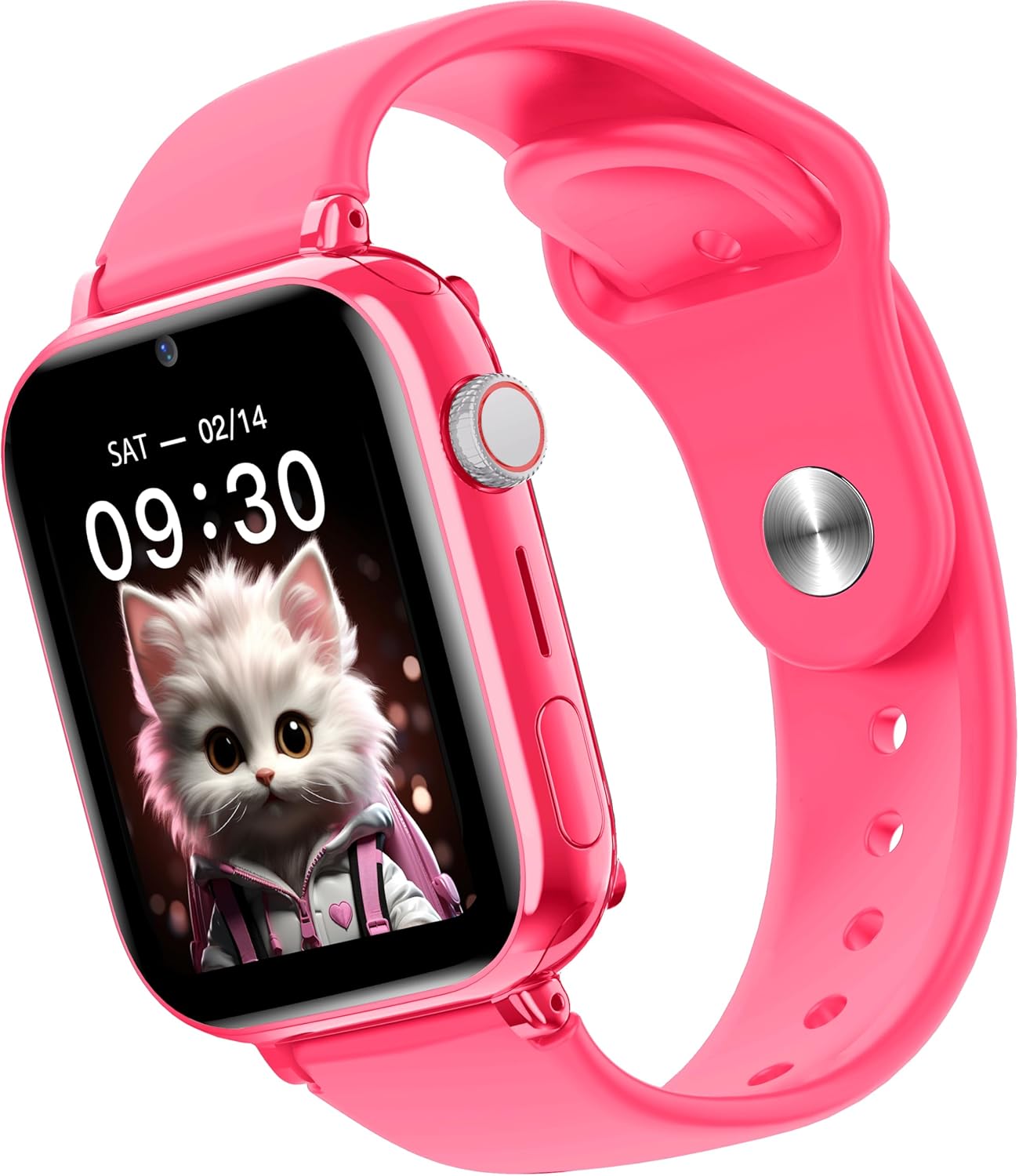
Slika: Sa strane view of the Maxcom FW59 Kiddo smartwatch, illustrating the physical buttons, including the SOS button.
GPS Tracking and Safe Zones
Parents can monitor the child's location in real-time via the MAXCOM TRACKER app.
- Praćenje u realnom vremenu: Open the MAXCOM TRACKER app on your smartphone to view the smartwatch's current location on a map.
- sigurne zone: In the app, you can define virtual geographic boundaries (e.g., home, school). You will receive notifications when the smartwatch enters or exits these designated safe zones.
- Route History: The app also allows you to review the historical movement data of the smartwatch.
Funkcija kamere
The smartwatch includes a built-in camera. Children can take photos directly from the watch, and parents can remotely activate the camera from the MAXCOM TRACKER app to capture images of the surroundings.
Phone Book Management
Contacts can only be added and managed through the MAXCOM TRACKER app by the parent. This ensures that the child can only communicate with pre-approved numbers.
Održavanje
Čišćenje
To keep your smartwatch clean and in good condition:
- Obrišite ekran i kućište mekom krpom koja ne ostavlja dlačice.
- Za tvrdokorne mrlje, lagano dampIsperite krpu vodom. Izbjegavajte upotrebu jakih hemikalija ili abrazivnih materijala.
- Ensure the charging port and SIM slot are free of dust and debris.
Battery Care
Proper battery care extends the life of your device:
- Izbjegavajte ekstremne temperature, jer mogu smanjiti performanse baterije.
- Redovno punite uređaj, ali izbjegavajte da ga ostavljate potpuno ispražnjenog duži period.
- Koristite samo priloženi kabl za punjenje.
Rješavanje problema
If you encounter issues with your Maxcom FW59 Kiddo, refer to the following common solutions:
- Pametni sat se ne uključuje: Provjerite je li baterija napunjena. Spojite je na punjač i pričekajte nekoliko minuta prije nego što pokušate uključiti uređaj.
- Nema mrežnog signala/ne mogu se upućivati pozivi:
- Check if the nano SIM card is correctly inserted and active.
- Verify that the SIM card has sufficient credit or an active data plan.
- Ensure you are in an area with 4G network coverage.
- GPS location inaccurate:
- Osigurajte da pametni sat ima jasan view neba za optimalan prijem GPS signala.
- Location accuracy can be affected by dense buildings, underground areas, or poor network signal.
- Check the MAXCOM TRACKER app settings to ensure location services are enabled for the smartwatch.
- Nije moguće upariti s aplikacijom:
- Ensure the smartwatch is powered on and has a network connection.
- Verify that the QR code or device ID is entered correctly in the app.
- Try restarting both the smartwatch and your smartphone.
- Kratko trajanje baterije:
- Frequent video calls, high screen brightness, and continuous GPS tracking can consume more battery.
- Adjust settings in the app to optimize battery usage (e.g., location update frequency).
If the issue persists, please contact Maxcom customer support for further assistance.
Specifikacije
| Feature | Detalj |
|---|---|
| Brand | Maxcom |
| Naziv modela | FW59 Kiddo |
| Veličina ekrana | 1.85 inča |
| Display Type | IPS (240 x 280 resolution) |
| Operativni sistem | Closed OS |
| Kapacitet memorije | 2 MB |
| Kapacitet baterije | 670 mAh (litijum jonski) |
| Cellular Technology | 4G |
| Tehnologija povezivanja | Bluetooth, radio frekvencija |
| Posebne karakteristike | Kids Tracking, SOS Button, Video/Voice Calls |
| Težina artikla | 300 g |
Garancija i podrška
For information regarding warranty coverage and terms for your Maxcom FW59 Kiddo smartwatch, please refer to the warranty card included with your purchase or visit the official Maxcom website. For technical support, troubleshooting beyond this manual, or service inquiries, please contact Maxcom customer support through their official channels.


