1. Proizvod je gotovview
This manual provides essential information for the safe and effective use of your Morpilot 25.2V 6500mAh Li-ion Replacement Battery for Dyson V10 series vacuum cleaners. This high-capacity battery is designed to extend the operational time of your vacuum, offering a reliable power source for various cleaning tasks.

Image: The Morpilot replacement battery for Dyson V10, showing its sleek design and the included screws for installation.
2. Ključne karakteristike
The Morpilot V10 replacement battery incorporates several features designed for enhanced performance and user experience:
- LED Breathing Light: Provides clear visual indication of charging status and battery health.
- High-Quality ABS Material: Ensures durability and a robust build for long-term use.
- Precise Charging Port: Designed for seamless compatibility with original Dyson V10 chargers and docking stations.

Slika: Detaljna view highlighting the LED breathing light, the high-quality ABS material construction, and the precisely engineered charging port of the Morpilot replacement battery.
3. Kompatibilnost
The Morpilot replacement battery is designed for perfect compatibility with the following Dyson V10 series vacuum cleaner models:
- Dyson Cyclone V10 Animal
- Dyson V10 Absolute
- Dyson V10 Motorhead
- Dyson V10 Fluffy
- Dyson V10 Allergy
- Dyson V10 Total Clean
- Dyson V10 SV12
It is engineered to fit the original V10 charger and charging station.

Image: Visual representation of the Morpilot battery's compatibility with various Dyson V10 vacuum models, including V10 Animal, Absolute, Fluffy, Motorhead, Total Clean, and Cyclone.
4. Specifications and Performance
| Feature | Detalj |
|---|---|
| Voltage | 25.2V |
| Kapacitet | 6500mAh |
| Vrsta baterije | Litijum-jonski |
| Estimated Cycles | 600+ ciklusa |
| Težina artikla | 1.26 funte |
| Dimenzije paketa | 6.97 x 4.21 x 3.98 inča |
| Materijal | Visokokvalitetni ABS materijal |
Procijenjeno vrijeme trajanja:
- Standardni način rada: Otprilike 65-67 minuta
- MAX način rada: Otprilike 6-7 minuta

Image: A graphic illustrating the improved battery endurance of the Morpilot battery, showing estimated run times for both standard and MAX power modes.

Slika: Stil rendgenskog snimka view of the battery, highlighting its internal structure, 6500mAh capacity, 25.2V voltage, and over 600 charge cycles, indicating its durable construction.
5. Safety Information and Protection System
Your Morpilot replacement battery is equipped with an advanced intelligent protection design to ensure safe and reliable operation. This system includes:
- Zaštita od prekomjernog punjenja: Sprečava oštećenja od prekomjernog punjenja.
- Zaštita od dubokog pražnjenja: Protects the battery from being fully depleted, which can reduce lifespan.
- Overvoltage Zaštita: Zaštitne mjere protiv voltage spikes.
- Zaštita od prekomjerne struje: Sprečava oštećenja uzrokovana prekomjernim protokom struje.
- Zaštita od pregrijavanja: Monitors and regulates battery temperature to prevent overheating.
- Zaštita od kratkog spoja na izlazu: Automatski isključuje napajanje u slučaju kratkog spoja.
- Charging Undervoltage Zaštita: Ensures safe charging voltage nivoe.
- Discharge Overcurrent Protection: Protects during high power discharge.
- Discharge High Temperature Protection: Prevents overheating during discharge.
Važne sigurnosne mjere:
- Do not disassemble, modify, or repair the battery.
- Do not expose the battery to fire, high temperatures, or direct sunlight.
- Nemojte kratko spajati polove baterije.
- Držite bateriju dalje od vode ili drugih tečnosti.
- Čuvajte bateriju na hladnom i suvom mestu kada nije u upotrebi.
- Ako baterija pokazuje znakove oštećenja, oticanja ili curenja, odmah prekinite upotrebu i odložite je na odgovarajući način.

Image: Diagram illustrating the "Smart Protect System" with various safety features like overcharge, deep discharge, overvoltage, overcurrent, and overheating protection, ensuring the battery's longevity and safety.
6. Vodič za instalaciju
Replacing your Dyson V10 battery is a straightforward process. Follow these steps carefully:
- Pripremite vakuum: Ensure your Dyson V10 vacuum cleaner is turned off and unplugged from any power source.
- Pronađite vijke: Identify the two screws securing the existing battery to the vacuum cleaner. One screw is typically visible on the handle, and the other might be located near the dustbin or motor housing. You may need to remove the dustbin to access the second screw.
- Unscrew and Remove: Using an appropriate screwdriver (often a Phillips head), carefully unscrew both screws. Once loosened, gently pull out the primary (old) battery from its housing.
- Umetnite novu bateriju: Align the Morpilot replacement battery with the battery slot in your Dyson V10. Gently push it into place until it sits flush.
- Zategnite zavrtnje: Reinsert the screws and tighten them securely. Do not overtighten, as this can damage the plastic housing.
- Test: Once installed, reattach the dustbin (if removed) and attempt to power on your vacuum cleaner to confirm proper installation.
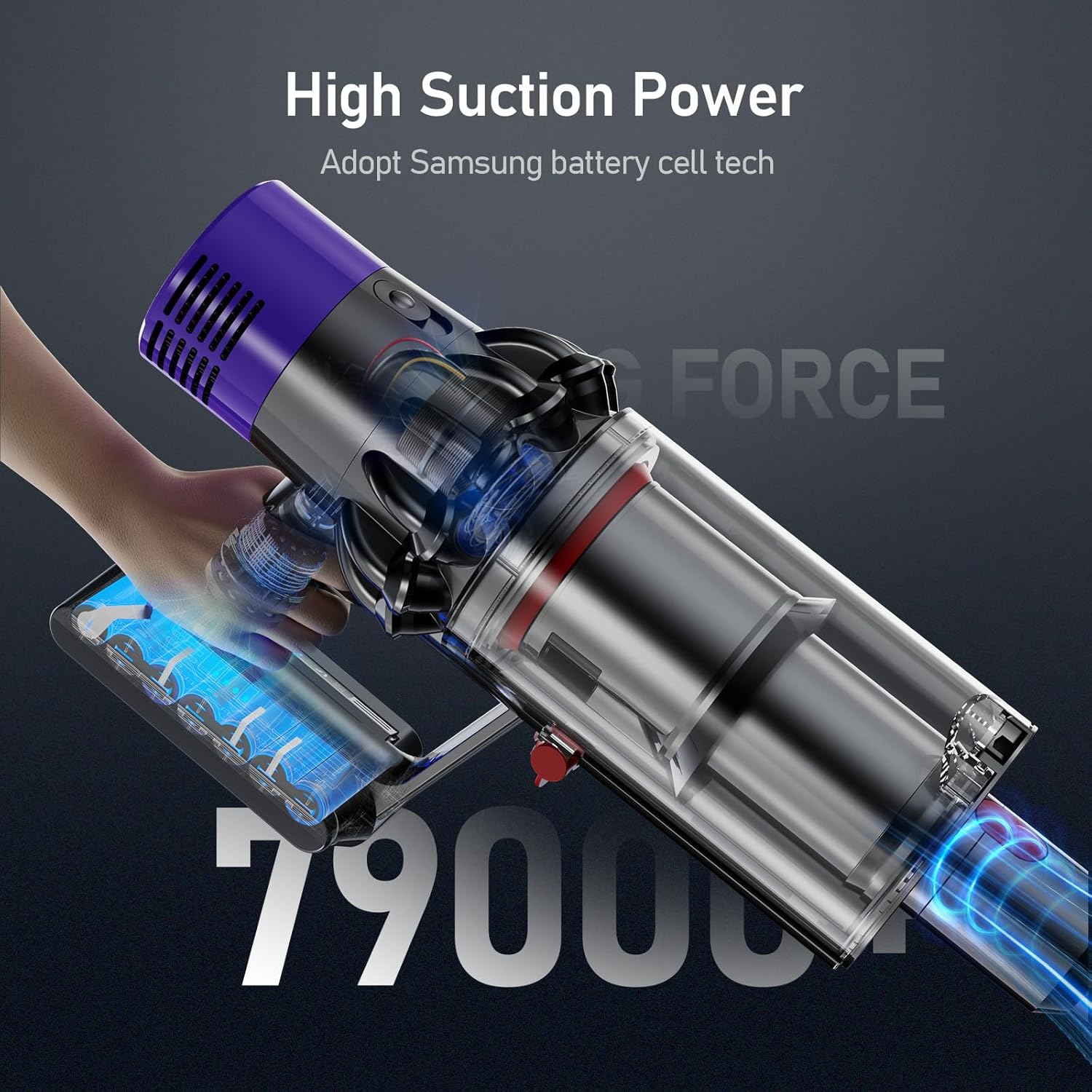
Image: A Dyson V10 vacuum cleaner with the Morpilot replacement battery attached, demonstrating the seamless fit and high suction power.
7. Upute za punjenje
The Morpilot replacement battery is designed to be charged using your original Dyson V10 charger and charging station. The battery features an LED breathing light indicator for charging status.
Metode punjenja:
- Direct Plug-in Charging: Connect the original Dyson charger directly to the charging port on the battery.
- Drop-in Docking: Place the vacuum cleaner with the installed battery into its wall-mounted docking station.
The LED indicators on the battery will show the charging status:
- Plava svjetla: Punjenje je u toku.
- All Blue Lights Solid: Potpuno napunjen.
- žuto svjetlo: High temperature protection activated (charging paused).
- crveno svjetlo: Battery fault protection activated.

Image: Illustration of the two charging methods for the Morpilot battery: direct connection to the charger and charging via the wall-mounted docking station, along with LED indicator meanings.
8. Održavanje i njega
To maximize the lifespan and performance of your Morpilot replacement battery, follow these maintenance guidelines:
- Redovno punjenje: Charge the battery fully after each use to maintain optimal performance. Avoid leaving the battery completely discharged for extended periods.
- Kontrola temperature: Operate and store the battery within recommended temperature ranges (typically 0°C to 40°C or 32°F to 104°F). Extreme temperatures can degrade battery performance and lifespan.
- Čisti kontakti: Periodically inspect and clean the battery contacts on both the battery and the vacuum cleaner to ensure a good connection. Use a dry, clean cloth.
- Dugotrajno skladištenje: If storing the battery for an extended period (e.g., several months), charge it to approximately 50-60% capacity and store it in a cool, dry place. Recharge it every 3-6 months to prevent deep discharge.
- Izbjegnite fizička oštećenja: Protect the battery from drops, impacts, and excessive vibration, which can damage internal components.
9. Otkrivanje problema
If you encounter issues with your Morpilot replacement battery, refer to the following common problems and solutions:
| Problem | Mogući uzrok | Rješenje |
|---|---|---|
| Baterija se ne puni |
|
|
| Kratko vrijeme rada |
|
|
| Usisivač se ne uključuje |
|
|
10. Garancija i korisnička podrška
Morpilot provides a warranty for this V10 replacement battery for 12 mjeseca from the date of purchase. We are committed to ensuring your satisfaction with our product.
For any problems, questions, or concerns, please do not hesitate to contact our friendly customer support team. We offer 24 sata, 7 dana u sedmici support to assist you.
Molimo pogledajte dokumentaciju o kupovini ili upute prodavača website for specific contact methods (e.g., email, phone number).


