Uvod
This manual provides comprehensive instructions for the safe and efficient operation, setup, maintenance, and troubleshooting of your FJD FR4000 Robot Lawn Mower. The FR4000 is designed to provide precise and autonomous lawn care, utilizing industrial-grade RTK technology and advanced vision systems for optimal performance.
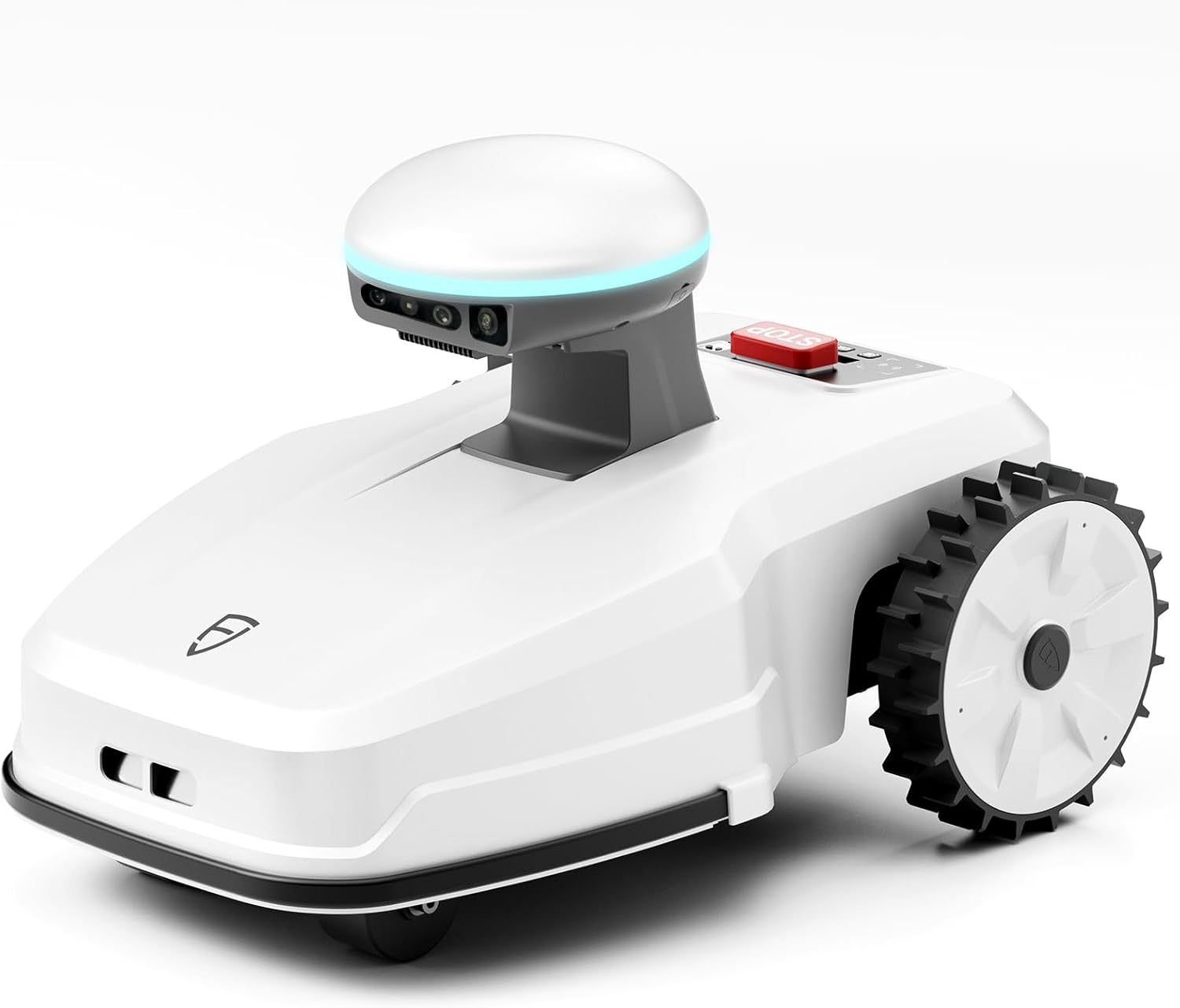
Image: The FJD FR4000 Robot Lawn Mower, a white robotic device with large rear wheels and a central dome housing sensors.
Sigurnosne informacije
Always read and understand all safety warnings and instructions before operating the FR4000. Failure to follow these instructions may result in electric shock, fire, and/or serious injury.
- Držite ruke i noge dalje od oštrica za rezanje.
- Do not operate the mower in wet conditions or during rain, unless specifically designed for it (FR4000 has rain sensor, but caution is advised).
- Ensure the emergency stop button is easily accessible and functional.
- Keep children and pets away from the mowing area during operation.
- Regularly inspect the mower for damage and wear.
- Koristite samo rezervne dijelove i pribor koje je odobrio proizvođač.

Slika: Krupni plan views of the FR4000's emergency stop button and its rain sensor, highlighting key safety features.
Sadržaj paketa
The FJD FR4000 comes with an all-in-one accessory bundle to ensure you have everything needed for immediate setup and operation.
- FR4000 Robot Lawn Mower Unit
- Charging Station Kit
- RTK Base Station Kit
- Garage (for charging station)
- Zamjenski noževi
- All-in-one Tool Kit
- Korisnički priručnik (ovaj dokument)

Image: A comprehensive display of all items included in the FJD FR4000 package, including the mower, charging station, RTK base station, garage, and various tools and accessories.
Setup
Setting up your FR4000 is designed to be quick and effortless, typically taking 5-10 minutes.
1. Install the RTK Reference Station
Mount the RTK reference station in an elevated location with a clear view of the sky to ensure optimal signal reception. Secure it firmly with the provided screws.

Image: The RTK base station mounted on a wall, illustrating its placement for optimal signal reception.
2. Position the Charging Station
Place the charging station in a suitable location within your lawn, preferably in a shaded area and near a power outlet. Ensure the area around the charging station is clear for the mower to dock easily.
3. Initial Mower Placement and App Calibration
Once the RTK and charging stations are set up, place the FR4000 on the charging station. Download the FJDynamics app and follow the on-screen instructions to calibrate the product information and define your mowing area. The app allows for easy mapping of virtual boundaries and no-go zones.

Image: The FJD FR4000 robot mower on a lawn, with an overlay showing the mobile app interface for setting up virtual boundaries and controlling the mower.
Uputstvo za upotrebu
Intelligent Mowing Path Planning
The FR4000 utilizes intelligent algorithms to optimize mowing paths, dynamically adapting to changes within the contour of a lawn and seamlessly navigating around new obstacles or garden alterations. This ensures complete coverage without missing spots or over-mowing.

Slika: Iz zraka view of a lawn divided into zones, illustrating the FR4000's intelligent path planning for multi-zone management and avoidance of "no-go" areas like swimming pools.

Image: The FR4000 mowing a lawn, demonstrating its ability to achieve up to 99% complete coverage through smart path planning.
Seamless App Control
Control your FR4000 from anywhere using the mobile app. You can start, stop, schedule mowing tasks, and monitor the mower's progress. The app also supports one-click firmware upgrades to keep your mower up-to-date.

Image: A person using a smartphone to control the FR4000, with a detailed view of the app interface showing mowing progress and settings.
Multi-Zone Management
Tailor mowing schedules and patterns for different zones of your lawn. This feature allows you to customize care for specific areas, ensuring every part of your lawn looks its best.

Slika: Pogled odozgo view of a property with different lawn areas designated as "Front Yard," "Back Yard," and "Play Yard," along with a "No go zone" around a pool, demonstrating the multi-zone management feature.
Detekcija i izbjegavanje objekata
Equipped with 3D and RGB cameras, the FR4000 perceives its environment to identify and position obstacles, both dynamic and static. This allows for real-time adjustment of mowing paths, avoiding objects precisely even in complete darkness or light rain.

Image: An illustration showing the FR4000 detecting and navigating around an obstacle on the lawn, highlighting its stereo camera, RGB camera, and bumper for object detection.
Ključne karakteristike
Industrial-Grade RTK Technology
The FR4000 boasts an extraordinary positioning accuracy of 1cm, significantly surpassing the standard 5cm accuracy of many other robotic mowers. This industrial-grade RTK technology ensures precise navigation even on uneven terrain and provides wide-range stable signal coverage.

Image: An illustration depicting the FR4000 robot mower receiving signals from satellites and an RTK base station, demonstrating its industrial-grade RTK technology for precise positioning.

Image: A comparison showing the efficient, parallel mowing pattern of the FR4000 (4 hours) versus a less efficient, random pattern of another mower (8 hours), highlighting the precision of RTK technology.
3D & RGB Cameras for Visual Positioning
The fusion of stereo and RGB cameras allows the FR4000 to perceive its environment in vivid shapes and colors, enhancing its ability to identify and position obstacles accurately in real-time. Supplementary lighting ensures precise object avoidance even in complete darkness or light rain.

Slika: Eksplodirala view of the FR4000's sensor head, illustrating the components of its 3D and RGB camera system and supplementary lighting for visual positioning.
Exceptional Gradeability and Lightweight Design
With an exceptional gradeability of 33 degrees (65%), the FR4000 can easily climb steep slopes and navigate grooves and tight corners. Being 20% lighter than comparable models, it reduces strain on the grass, contributing to a pristine lawn finish.

Image: The FR4000 robot mower on a sloped lawn, demonstrating its 33-degree (65%) climbing ability and lighter design, with insets showing various lawn terrains it can handle.
Top-Notch Security Features
The FR4000 includes smart anti-theft features. You can set virtual boundaries for your lawn, and if the mower leaves the designated area, you will receive an instant theft alert, providing peace of mind.

Image: Two smartphone screens displaying alerts from the FR4000 app: one for an "Out-of-bounds Alert" when the mower leaves its designated area, and another for a "Tilt Warning" when the mower is lifted or overturned.
Održavanje
Regular maintenance ensures the longevity and optimal performance of your FR4000 Robot Lawn Mower.
- Zamjena oštrice: Inspect blades regularly for sharpness and damage. Replace dull or chipped blades to maintain cutting efficiency. Replacement blades are included in the accessory bundle.
- čišćenje: Periodically clean the mower's chassis, wheels, and cutting deck to remove grass clippings and debris. Use a soft brush or cloth. Avoid using high-pressure water jets directly on the mower.
- Čišćenje senzora: Ensure the vision sensors (3D & RGB cameras) and RTK dome are clean and free from obstructions for accurate navigation.
- Kontakti za punjenje: Clean the charging contacts on both the mower and the charging station to ensure a reliable connection.
- Skladištenje: During off-season or extended periods of non-use, store the mower and charging station in a dry, protected area. Ensure the battery is fully charged before storage.
Rješavanje problema
This section provides solutions to common issues you might encounter with your FR4000.
| Problem | Mogući uzrok | Rješenje |
|---|---|---|
| Mower not starting/charging | Charging contacts dirty; Power supply issue; Battery low. | Clean charging contacts; Check power connection to charging station; Allow mower to charge fully. |
| Mower getting stuck frequently | Obstacles in path; Uneven terrain beyond gradeability; Blades clogged. | Clear mowing area; Check for excessive debris under mower; Clean blades. |
| Poor mowing coverage/missed spots | Incorrect boundary setup; Dull blades; RTK signal interference. | Review and adjust virtual boundaries in the app; Replace blades; Ensure RTK base station has clear sky view. |
| Problemi sa povezivanjem aplikacija | Wi-Fi signal weak; Mower out of range; App outdated. | Ensure strong Wi-Fi signal; Move mower closer to Wi-Fi source; Update app to latest version. |
| Theft alert triggered unexpectedly | Mower moved outside defined boundary; GPS drift. | Verify mower's position; Re-calibrate boundaries if necessary. |
If the problem persists after attempting these solutions, please contact FJDynamics customer support.
Specifikacije
| Atribut | Detalj |
|---|---|
| Brand | FJDynamics |
| Broj modela | FR4000 |
| Izvor napajanja | AC |
| Boja | Bijelo |
| Težina artikla | 13.3 kilograma (29.3 funti) |
| Širina rezanja | 10 inča |
| Način rada | Automatski |
| Dimenzije proizvoda | 25.4"D x 16.5"Š x 17.5"H |
| Nagibnost | 33 degrees (65%) |
| Preciznost pozicioniranja | 1cm (with RTK) |
| Vision System | 3D & RGB Cameras |
Garancija i podrška
For warranty information and customer support, please refer to the official FJDynamics website or contact their customer service directly. Details regarding warranty periods and service procedures are typically provided with your purchase documentation.
Također možete posjetiti FJDynamics Store on Amazon za dodatne resurse i kontakt informacije.


