1. Važne informacije o sigurnosti
Please read and understand all safety instructions before assembling and using this product. Keep this manual for future reference.
- Uvijek slijedite priložena uputstva za montažu.
- Do not overload the shelves. The overall load capacity is 55.12 lbs (25 kg), with each shelf supporting up to 11.02 lbs (5 kg).
- Secure the cabinet to the wall using the provided anti-tip device and wall anchors. This is crucial for stability, especially in households with children or pets.
- Never leave children or pets unattended near the cabinet.
- Ensure all connections are tight before use. Periodically check and re-tighten fasteners as needed.

2. Sadržaj paketa
Prije početka montaže provjerite jesu li sve komponente prisutne. Ako bilo koji dijelovi nedostaju ili su oštećeni, obratite se korisničkoj podršci VEVOR-a.

Lista hardvera:
- 12 x Perfect Stickers
- 12 x Shelf Supports
- 6 x 6*30 Wooden Dowels
- 12 x 3.5*35 Self-Tapping Screws
- 1 x Anti-Tip Connector
- 1 x Anti-Tip Connector Plastic Case
- 1 x 4*35 Expansion Self-Tapping Screw
- 1 x M6*30 Expansion Tube
- 1 x 3*12 mm Self-Tapping Screw
- 1 x Phillips odvijač
- 8 x Plastic Buckles
- 8 x M3*14 vijci
3. Upute za sastavljanje
Assembly is required for this media storage cabinet. Follow these steps carefully. It is recommended to use a manual screwdriver to avoid overtightening screws.
Vodič korak po korak:
- Raspakujte i identifikujte dijelove: Carefully unpack all components and compare them with the "Package Contents" list and Figure 2.
- Sastavite bočne panele: Attach the side panels to the base and top panel using the wooden dowels and self-tapping screws. Ensure all connections are secure.
- Ugradnja fiksnih polica: Insert the fixed shelves into their designated slots.
- Ugradnja podesivih polica: Place the shelf supports into the desired holes on the side panels. Then, rest the adjustable shelves on these supports. Refer to the "Operation" section for guidance on adjusting shelf height.
- Pričvrstite zadnju ploču: Secure the back panel to the cabinet using the provided plastic buckles and M3*14 screws.
- Instalirajte uređaj protiv prevrtanja:
- Pronađite odgovarajući zidni nosač ili upotrijebite odgovarajuće zidne tiple za vaš tip zida.
- Attach the anti-tip connector to the top rear of the cabinet using the 3*12 mm self-tapping screw.
- Mark the corresponding spot on the wall. Drill a pilot hole if necessary.
- Insert the M6*30 expansion tube into the wall.
- Secure the anti-tip connector plastic case to the wall using the 4*35 expansion self-tapping screw.
- Connect the cabinet's anti-tip connector to the wall-mounted plastic case.
- Konačna provjera: Provjerite jesu li svi vijci zategnuti i je li kućište stabilno.

4. Operacija
The VEVOR Media Storage Cabinet is designed for flexible and organized storage of your media collection and other items.
4.1 Adjustable Storage Space
The cabinet features adjustable shelves, allowing you to customize the height of the shelves to fit various items such as DVDs, CDs, video games, books, or decorative ornaments.
- To adjust a shelf, remove any items from the shelf.
- Carefully lift the shelf and remove the shelf supports from their current holes.
- Reinsert the shelf supports into the desired new holes at the same height on both side panels.
- Vratite policu na nosače, pazeći da bude ravna i sigurno pričvršćena.

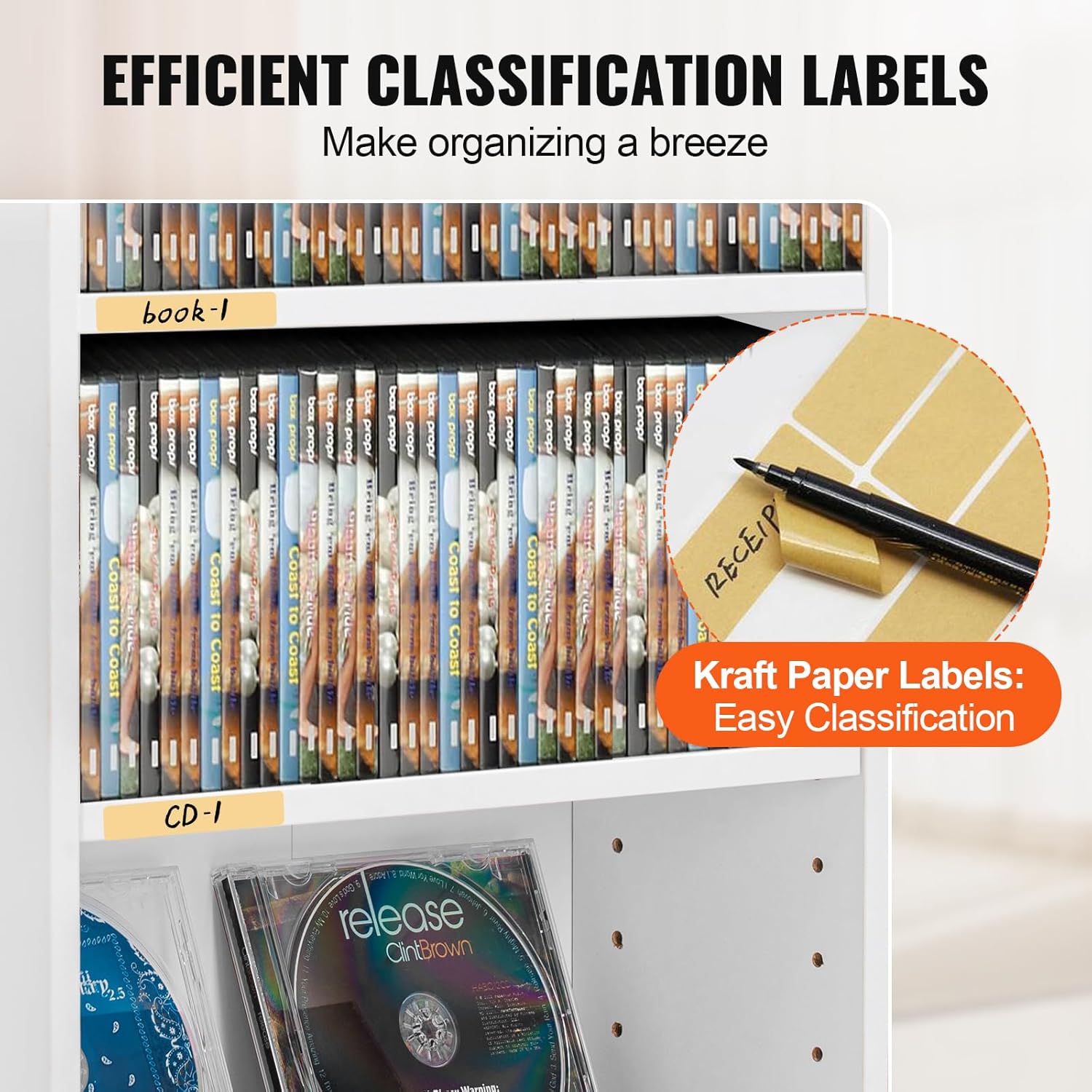
4.2 Efficient Organization with Labels
Utilize the included kraft classification labels to categorize and manage your collection effectively. This helps in maintaining a tidy and easily accessible media library.
- Write the category (e.g., "DVDs," "CDs," "Books," "Video Games") on the kraft labels.
- Attach the labels to the front edge of the shelves or directly to the media items for quick identification.
4.3 Svestrana upotreba
Beyond media, this cabinet can store various items, adapting to your needs.

5. Održavanje
Proper maintenance ensures the longevity and appearance of your VEVOR Media Storage Cabinet.
- čišćenje: Obrišite površine mekom, damp cloth. Avoid harsh chemicals or abrasive cleaners, which can damage the painted finish.
- Otprašivanje: Regularly dust the cabinet and shelves to prevent buildup.
- Provjera pričvršćivača: Povremeno provjeravajte sve vijke i spojeve kako biste bili sigurni da su čvrsto zategnuti. Po potrebi ih ponovo zategnite kako biste održali stabilnost.
- Izbjegavajte vlagu: Keep the cabinet away from excessive moisture or direct sunlight to prevent warping or fading of the material.
6. Otkrivanje problema
If you encounter any issues with your media storage cabinet, refer to the following common problems and solutions.
| Problem | Mogući uzrok | Rješenje |
|---|---|---|
| Ormarić se ljulja ili je nestabilan. |
|
|
| Police nisu ravne. |
|
|
| Teškoće sa sastavljanjem dijelova. |
|
|
7. Specifikacije
| Feature | Detalj |
|---|---|
| Broj modela | KLDS-01 |
| Brand | VEVOR |
| Materijal | Konstruisano drvo (iverica) |
| Boja | Bijelo |
| Broj polica | 5 (podesivo) |
| Dimenzije proizvoda (D x Š x V) | 19.02" x 7.01" x 35.98" (483 x 178 x 914 mm) |
| Težina artikla | 13.56 lbs (6.15 kg) |
| Ukupna nosivost | 55.12 lbs (25 kg) |
| Nosivost po polici | 11.02 lbs (5 kg) |
| Obavezna montaža | Da |
| Posebne karakteristike | Adjustable Shelves, Anti-Tip Device, Widened Base |
8. Informacije o garanciji
VEVOR products are designed and manufactured to high-quality standards. For specific warranty details regarding your VEVOR Media Storage Cabinet KLDS-01, please refer to the warranty card included with your purchase or visit the official VEVOR webSačuvajte račun kao dokaz o kupovini u slučaju bilo kakvih reklamacija.
9. Korisnička podrška
If you have any questions, require assistance with assembly, or need to report missing/damaged parts, please contact VEVOR customer support.
- Online podrška: Posjetite službenu stranicu VEVOR-a webstranica za najčešća pitanja, vodiče za rješavanje problema i kontakt informacije.
- Email: Pogledajte pakovanje proizvoda ili VEVOR webweb-stranicu za odgovarajuću adresu e-pošte korisničke službe.
- Telefon: Contact numbers may be available on the VEVOR websajt za vašu regiju.
When contacting support, please have your model number (KLDS-01) and purchase information readily available.


