1. Uvod
Thank you for choosing the BOTSLAB HK30 Car Dash Cam. This manual provides detailed instructions for the installation, operation, and maintenance of your new dash camera system. Please read this manual thoroughly before using the product to ensure proper function and safety. Keep this manual for future reference.
2. Sigurnosne informacije
- Ne upravljajte kamerom za automobil niti pristupajte njenim postavkama tokom vožnje. Uvijek se sigurno zaustavite prije bilo kakvih podešavanja.
- Provjerite je li kamera za automobil sigurno montirana i ne ometa vozačev view ili ometati aktiviranje zračnog jastuka.
- Use only the original power adapter and cables provided with the device. Using unauthorized accessories may damage the product and void the warranty.
- Izbjegavajte izlaganje kamere za automobil ekstremnim temperaturama, direktnoj sunčevoj svjetlosti tokom dužeg perioda ili prekomjernoj vlazi.
- Ne pokušavajte sami rastaviti ili popraviti uređaj. Obratite se korisničkoj podršci za pomoć.
- Regularly format the memory card to ensure optimal recording performance.
3. Sadržaj paketa
Molimo Vas da provjerite paket za sljedeće stavke:
- BOTSLAB HK30 Dash Cam Unit
- Auto punjač (kabel za napajanje)
- Mounting Bracket (with adhesive pad)
- Uputstvo za upotrebu
- Optional: Rear Camera (if purchased as a bundle)
- Optional: GPS Module
4. Proizvod je gotovview
The BOTSLAB HK30 is a multi-channel dash cam designed to provide comprehensive coverage of your driving environment. It features a main front camera with 4K resolution, and supports additional cameras for rear and interior views (sold separately or as part of a bundle).

Image: The main BOTSLAB HK30 dash cam unit, showing the front lens and the Botslab branding.
Ključne karakteristike uključuju:
- 4K prednja kamera: Captures high-resolution video of the road ahead.
- 140° Wide Viewugao ugla: Pruža široku pokrivenost, minimizirajući slijepe tačke.
- Noćni vid u boji: Enhances visibility and clarity in low-light conditions.
- Ugrađeni GPS: Records speed and location data for your journeys.
- G-senzor: Automatski zaključava video filepri udaru kako bi se spriječilo prepisivanje.
- Snimanje u petlji: Kontinuirano snima prepisivanjem najstarijih files kada je memorijska kartica puna.
- Nadgledanje parkinga: Offers 24-hour surveillance with time-lapse recording and collision-triggered normal recording (requires buck line kit, sold separately).
- Kontrola aplikacije: Connects to your smartphone for easy settings adjustment, live view, and video download.

Image: An illustration demonstrating the 140-degree wide viewing angle of the dash cam, showing its ability to capture a broad perspective of the road.
5. Postavljanje i instalacija
5.1 Umetanje memorijske kartice
Before first use, insert a high-speed (Class 10 or higher) microSD card (up to 256GB recommended) into the dash cam's memory card slot. Ensure the card is inserted correctly until it clicks into place. Format the card via the dash cam's settings menu or the mobile app before initial recording.
5.2 Montiranje kamere za automobil
- Očistite područje vjetrobranskog stakla gdje namjeravate montirati kameru za automobil. Provjerite da nema prašine i masnoće.
- Attach the adhesive pad to the mounting bracket, then firmly press the bracket onto the chosen spot on your windshield, ideally behind the rearview ogledalo za optimalno view i minimalnu opstrukciju.
- Slide the dash cam unit onto the mounted bracket until it locks securely.
- Adjust the camera lens angle to ensure it captures the road ahead clearly, with approximately 60% road and 40% sky visible.
5.3 Priključak za napajanje
- Connect the provided car charger cable to the dash cam's power input port.
- Drugi kraj auto punjača priključite na 12V utičnicu u vozilu (utičnicu za upaljač za cigarete).
- Route the power cable neatly along the edge of the windshield and dashboard to conceal it and prevent interference with driving.
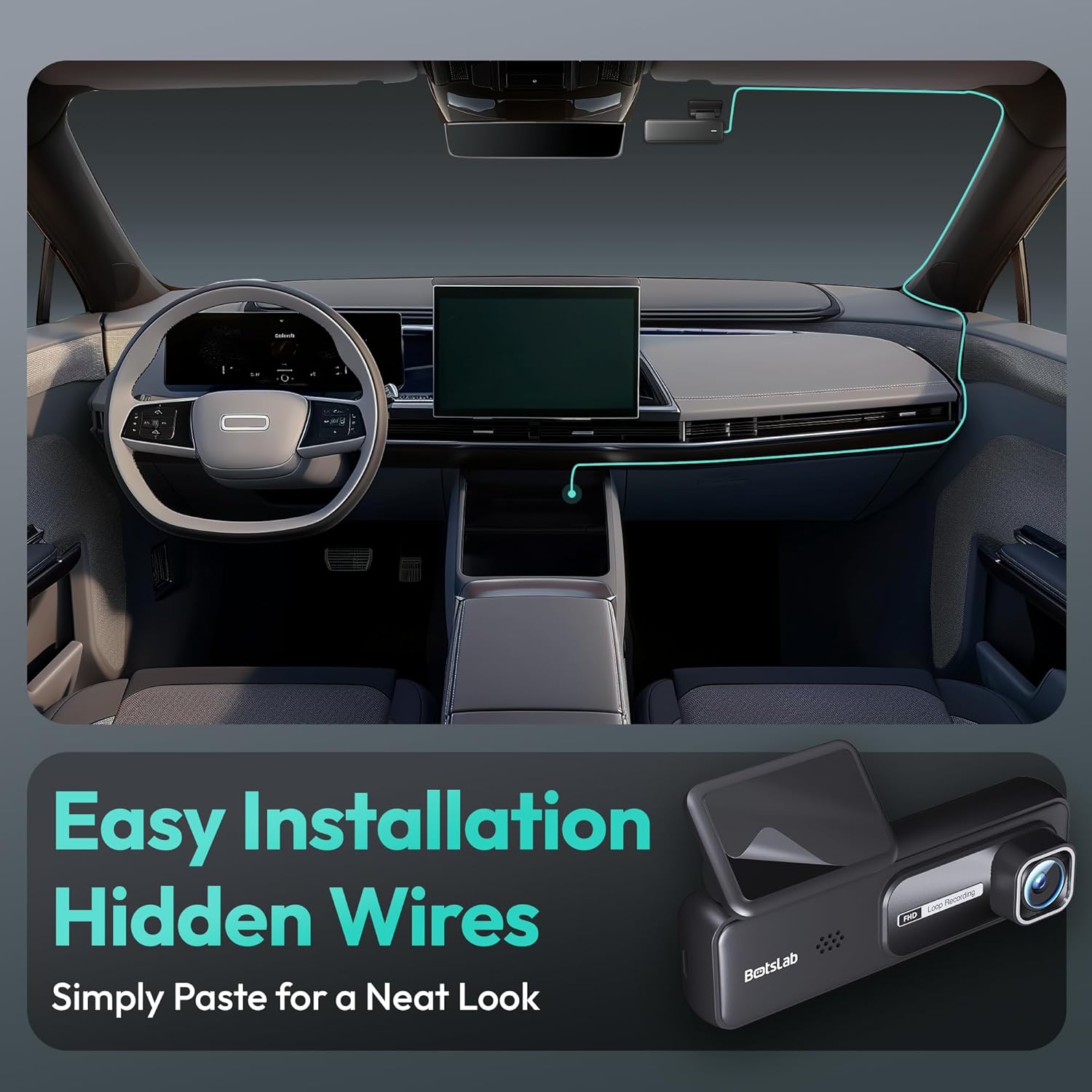
Image: A visual guide illustrating the process of easy dash cam installation with hidden wires, showing how to route the cable neatly along the car's interior for a clean look.
5.4 Povezivanje GPS modula (ako je primjenjivo)
If your package includes a separate GPS module, connect it to the designated port on the dash cam. Ensure the GPS module is placed in an area with a clear view neba za optimalan prijem signala.
6. Uputstvo za upotrebu
6.1 Automatsko snimanje
Once powered on and connected to your vehicle's ignition, the dash cam will automatically start recording when the engine is started. It will stop recording and power off shortly after the engine is turned off.
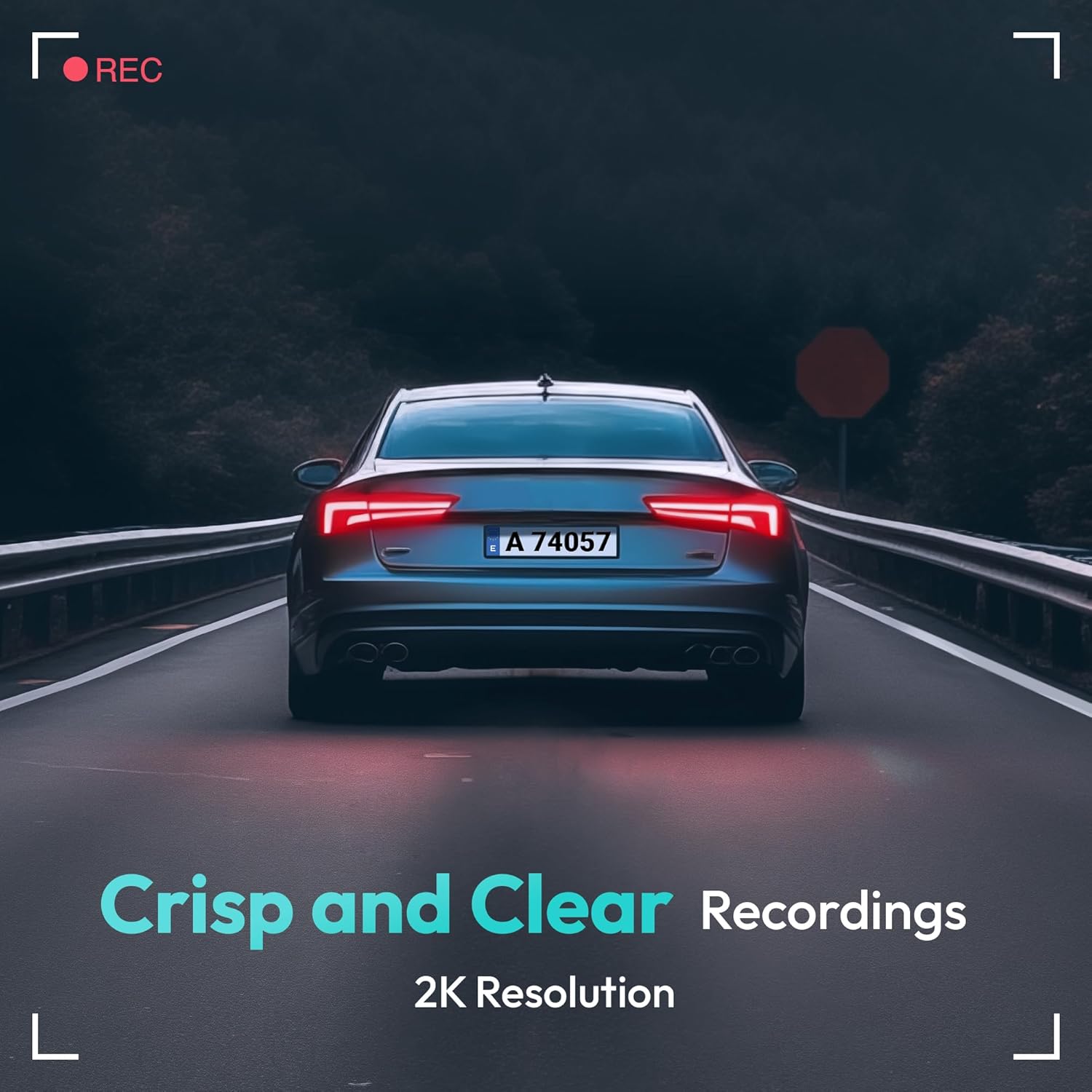
Image: A visual representation highlighting the crisp and clear recording capabilities of the dash cam, indicating 2K resolution for detailed footage.
6.2 Snimanje u petlji
The dash cam records video in continuous loops (e.g., 1, 3, or 5-minute segments). When the memory card is full, the oldest unlocked fileće biti automatski prepisani novim snimcima. Ovo osigurava kontinuirano snimanje bez ručne intervencije.
6.3 G-senzor (Hitno snimanje)
The built-in G-Sensor detects sudden impacts or collisions. When an impact is detected, the current video segment will be automatically locked and saved to a protected folder on the memory card, preventing it from being overwritten by loop recording. These files are crucial for accident evidence.
6.4 Nadgledanje parkinga
For 24-hour parking surveillance, a hardwire kit (buck line) is required (sold separately). Once installed, the dash cam can utilize:
- Snimanje u intervalima: Records continuously at a low frame rate to save storage space while providing a full overview of parking events.
- Collision-Triggered Recording: If an impact is detected while parked, the dash cam will wake up and record a short video segment, which will be locked.

Image: An illustration depicting the 24/7 parking monitoring feature, highlighting time-lapse recording and collision-triggered normal recording capabilities, with a shield icon indicating protection.
6.5 App Control and Connectivity
Download the official BOTSLAB app from your smartphone's app store. Connect your phone to the dash cam's Wi-Fi network (SSID and password usually found on the device or in the manual). Through the app, you can:
- View prijenos videa uživo.
- Adjust dash cam settings (resolution, G-sensor sensitivity, loop recording duration, etc.).
- Reprodukcija snimljenih video zapisa.
- Download video filedirektno na vaš telefon.
- Ažurirajte firmver.
6.6 GPS Tracking and Playback
With the GPS module connected, the dash cam records your vehicle's speed and location data. This information can be viewed during video playback using the dedicated PC viewer software (available for download from the BOTSLAB website) or within the mobile app, often overlaid on a map (e.g., Google Maps).
7. Održavanje
7.1 Čišćenje uređaja
Use a soft, dry cloth to clean the dash cam's lens and body. Do not use liquid cleaners or abrasive materials, as they may damage the device.
7.2 Upravljanje memorijskim karticama
It is recommended to format the microSD card once a month to maintain optimal performance and prevent data corruption. Back up any important files prije formatiranja.
7.3 Ažuriranja firmvera
Periodically check the BOTSLAB official website or the mobile app for available firmware updates. Firmware updates can improve performance, add new features, or fix bugs. Follow the instructions provided with the firmware update carefully.
8. Otkrivanje problema
| Problem | Mogući uzrok | Rješenje |
|---|---|---|
| Kamera za automobil se ne uključuje. | No power supply; faulty cable; vehicle's power outlet issue. | Check power cable connection; try another power outlet; ensure vehicle ignition is on. |
| Snimanje se zaustavlja ili zamrzava. | Memorijska kartica puna ili oštećena; spora memorijska kartica; problem sa firmverom. | Format memory card; use a high-speed (Class 10+) card; update firmware. |
| Kvalitet videa je loš. | Prljav objektiv; zaštitna folija je još uvijek na objektivu; neispravne postavke rezolucije. | Clean the lens; remove protective film; set recording resolution to highest available. |
| GPS signal nije pronađen. | GPS module not connected; poor satellite reception. | Ensure GPS module is connected; move vehicle to an open area with clear sky view. |
| Ne mogu se povezati na Wi-Fi/aplikaciju. | Incorrect Wi-Fi password; phone too far from device; app not updated. | Verify Wi-Fi password; ensure phone is close to dash cam; update app. |
9. Specifikacije
| Feature | Detalj |
|---|---|
| Naziv modela | HK30 |
| Rezolucija video snimanja | Front: 4K (1944p), Rear/Interior: 1080P (if applicable) |
| Viewing Angle | 140° (Naprijed) |
| Tehnologija povezivanja | USB, bežično (Wi-Fi) |
| Posebne karakteristike | App Control, G-Sensor, Loop Recording, Parking Monitor, Color Night Vision |
| Skladištenje | MicroSD Card (up to 256GB, Class 10 or higher) |
| Vrsta montaže | Nosač vjetrobranskog stakla |
| Izvor napajanja | Auto punjač (12V) |
| Dimenzije proizvoda | 2 x 5.5 x 5.5 inča |
| Težina artikla | 9.6 unce |
10. Garancija i podrška
BOTSLAB products come with a limited warranty. Please refer to the warranty card included in your package or visit the official BOTSLAB website for detailed warranty terms and conditions. For technical support, troubleshooting assistance, or any inquiries, please contact BOTSLAB customer service through the contact information provided on their official websajtu ili unutar mobilne aplikacije.
Webstranica: www.botslab.com (Npramplink, molimo pogledajte stvarnu dokumentaciju proizvoda za ispravne URL)


