Uvod
Thank you for choosing the T&G Wireless Speaker TG619C. This manual provides essential information for setting up, operating, and maintaining your new portable speaker. Please read this manual carefully before use to ensure optimal performance and longevity of your device.
The T&G Wireless Speaker TG619C is designed to deliver rich, immersive audio with the convenience of wireless connectivity. It features a 1200mAh battery for extended playtime and supports various audio sources including Bluetooth, memory cards, and USB drives.
Sigurnosne informacije
- Ne izlažite zvučnik vodi, vlazi ili ekstremnim temperaturama.
- Izbjegavajte ispuštanje ili izlaganje zvučnika jakim udarcima.
- Ne pokušavajte sami rastavljati, popravljati ili modificirati zvučnik. Po potrebi se obratite kvalificiranom servisnom osoblju.
- Držite zvučnik dalje od izvora toplote, direktne sunčeve svjetlosti i zapaljivih materijala.
- Use only the provided or a certified charger cable for charging.
- Čuvati van domašaja djece.
Sadržaj paketa
Molimo Vas da provjerite sadržaj paketa nakon otvaranja. Ako bilo koji artikl nedostaje ili je oštećen, obratite se prodavaču.
- 1 x T&G Wireless Speaker TG619C
- 1 x kabl za punjač
Product Overview
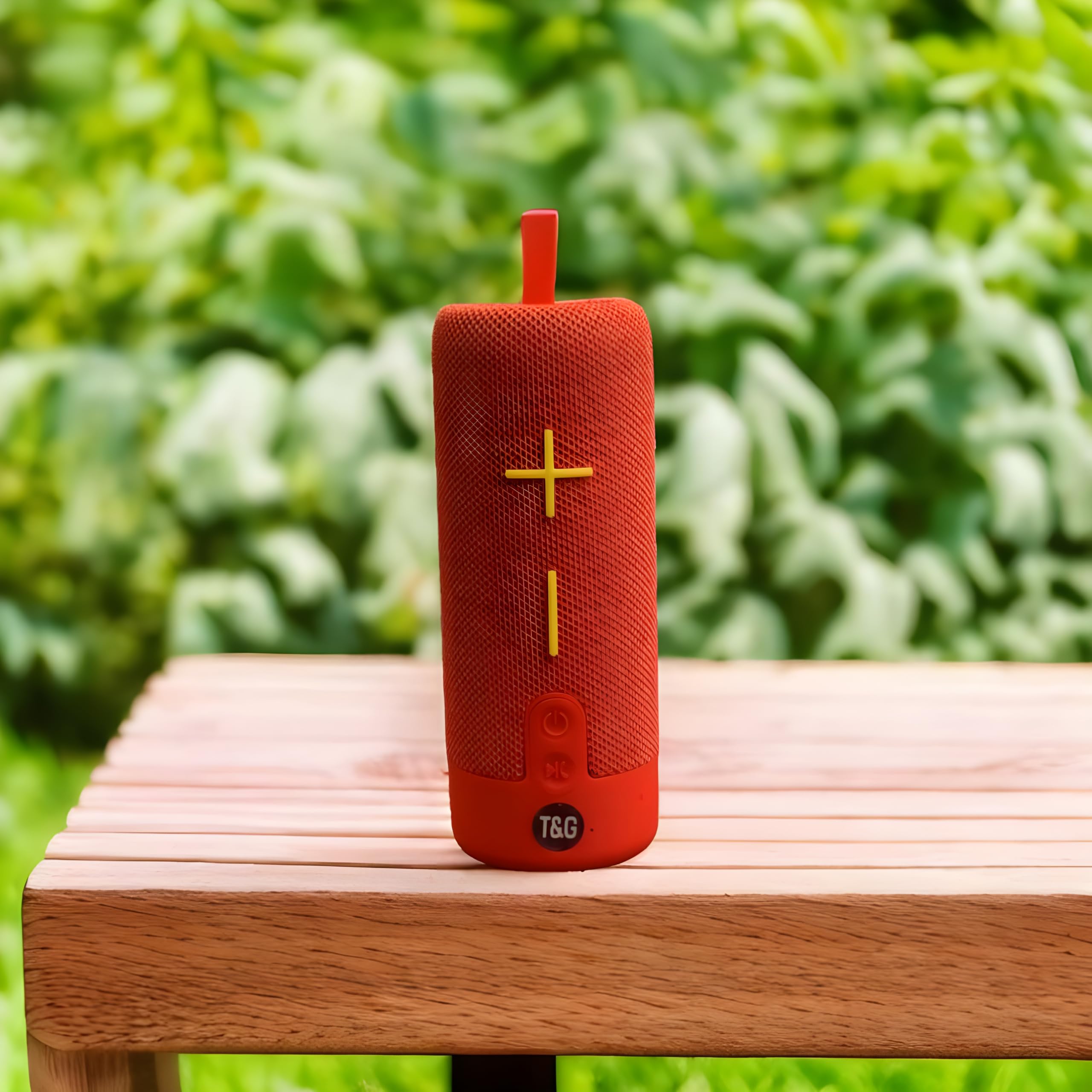
This image displays the T&G Wireless Speaker in red, highlighting its compact, cylindrical design. Visible features include the speaker grille and a control panel with buttons for power, volume, and mode selection.
The T&G Wireless Speaker TG619C is a portable audio device designed for ease of use and versatility. It features a robust speaker grille, intuitive control buttons for power, volume adjustment, track navigation, and mode switching. Input ports for charging, USB drives, and memory cards are typically located on the side or rear of the unit.
Setup
Punjenje zvučnika
Before first use, fully charge the speaker. Connect the provided charger cable to the speaker's charging port and the other end to a USB power adapter (not included) or a computer's USB port. The charging indicator light will illuminate during charging and turn off or change color when fully charged.
Uključivanje/isključivanje
To power on the speaker, press and hold the power button for a few seconds until you hear an audible prompt or see an indicator light. To power off, press and hold the power button again.
Bluetooth uparivanje
- Provjerite je li zvučnik uključen i u načinu rada za Bluetooth uparivanje (obično je to naznačeno trepćućom LED lampicom).
- Na pametnom telefonu, tabletu ili drugom uređaju koji podržava Bluetooth, idite na postavke Bluetootha.
- Traži available devices and select "T&G Speaker" (or similar name) from the list.
- Nakon uparivanja, zvučnik će emitirati zvuk potvrde, a LED indikator će obično prestati treptati.
Uputstvo za upotrebu
Puštanje muzike
After successful Bluetooth pairing, you can stream audio from your connected device. Use your device's media player to control playback (play/pause, skip tracks).
Kontrola jačine zvuka
Press the '+' button to increase volume and the '-' button to decrease volume. You can also adjust the volume from your connected device.
Odabir načina rada
Press the 'M' (Mode) button to switch between available input modes: Bluetooth, Memory Card (TF card), and USB drive. The speaker will announce the current mode.
Using Memory Card/USB Drive
Insert a compatible memory card (TF card) or USB drive into the respective slot. The speaker will automatically detect the storage device and begin playing audio files. Use the track navigation buttons on the speaker to skip songs.
Održavanje
- Očistite zvučnik mekom, suhom krpom. Ne koristite abrazivna sredstva za čišćenje ili rastvarače.
- Čuvajte zvučnik na hladnom i suvom mestu kada se ne koristi.
- To prolong battery life, avoid fully discharging the battery frequently and charge it regularly, even if not in use for extended periods.
- Održavajte portove bez prašine i ostataka.
Rješavanje problema
| Problem | Rješenje |
|---|---|
| Zvučnik se neće uključiti. | Ensure the battery is charged. Connect the charger cable and try again. |
| Nema zvuka iz zvučnika. | Check the volume level on both the speaker and your connected device. Ensure the speaker is correctly paired via Bluetooth or the correct input mode is selected. |
| Nije moguće uparivanje putem Bluetootha. | Ensure the speaker is in Bluetooth pairing mode (flashing LED). Turn off and on Bluetooth on your device. Move the speaker closer to your device. Clear previous Bluetooth connections on your device. |
| Memory card/USB drive not playing. | Ensure the speaker is in the correct mode (Memory Card/USB). Check that the files on the card/drive are compatible audio formats. Ensure the card/drive is inserted correctly. |
Specifikacije
| Feature | Detalj |
|---|---|
| Brand | T&g |
| Naziv modela | TG619C |
| Vrsta zvučnika | Prijenosni |
| Boja | Crveni |
| Kapacitet baterije | 1200mAh |
| Povezivanje | Wireless (Bluetooth), Memory Card (TF), USB |
| Dimenzije proizvoda (D x Š x V) | 6.9D x 6.6W x 17.8H centimetara |
| Uključene komponente | Charger Cable |
| Zemlja porijekla | Kina |
Garancija i podrška
Ovaj proizvod dolazi sa BEZ GARANCIJE as per manufacturer specifications.
For any support inquiries, technical assistance, or issues not covered in this manual, please contact the seller or retailer where the product was purchased. Please retain your proof of purchase for any potential service requests.


