X9 Full-Size Bluetooth Keyboard with Phone Holder
Model: X9RBBLKBDOCKS | Brand: X9 Performance
Uvod
The X9 Full-Size Bluetooth Keyboard with Phone Holder is a versatile input device designed for enhanced productivity across multiple platforms. It features a full 110-key layout, integrated phone/tablet holder, and multi-device connectivity via 2.4G wireless and Bluetooth. This manual provides detailed instructions for setting up, operating, maintaining, and troubleshooting your keyboard.
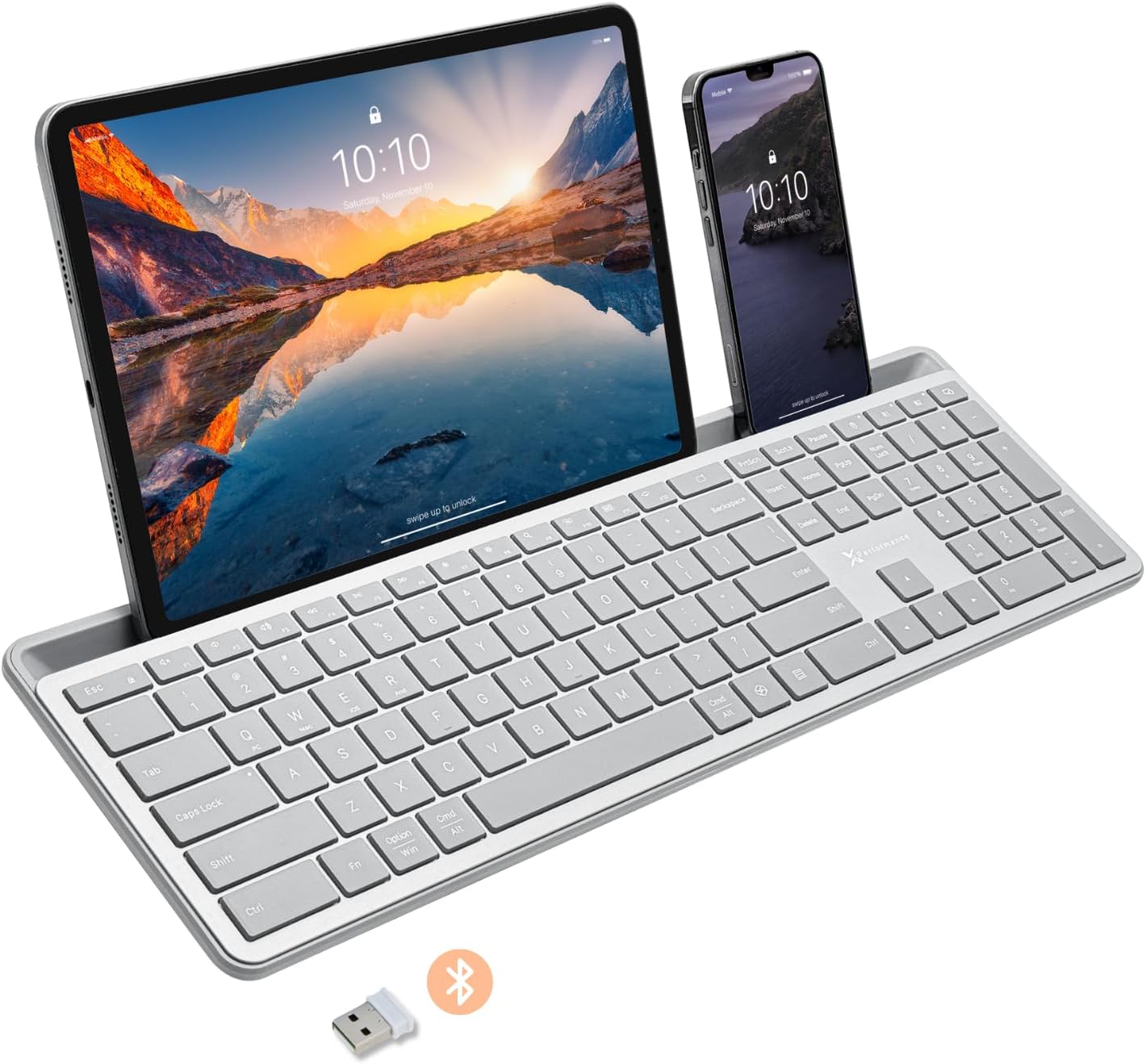
Image: The X9 Full-Size Bluetooth Keyboard in silver, featuring an integrated dock holding a tablet and a smartphone. A USB dongle and Bluetooth symbol are visible below the keyboard.
Ključne karakteristike
- Trostruki način povezivanja: Seamlessly connect up to three devices using 2.4G wireless (via included USB dongle) and two independent Bluetooth channels.
- Integrated Device Dock: An extra-long dock (16.75" long x 0.45" wide) securely holds your smartphone and tablet simultaneously, allowing for easy transitions between devices. Note: May not fit devices with thick cases.
- Tasteri sa pozadinskim osvetljenjem: Crisp white LED backlighting with 3 adjustable brightness levels for comfortable typing in various lighting conditions.
- Punjiva baterija: Equipped with a 1000 mAh rechargeable battery for extended use, with a USB-C charging cable included.
- Izgled pune veličine: A complete 110-key layout including a numeric keypad for efficient data entry and productivity.
- Kompatibilnost sa više operativnih sistema: Designed for Windows and Mac users, with seamless compatibility across macOS, iOS, and Android operating systems.
- Tihi tasteri: Keys are designed for a quiet typing experience.

Image: Diagram illustrating the keyboard's ability to pair with up to three devices: a smartphone via Bluetooth (channel 1), a desktop monitor via 2.4GHz wireless (channel 2), and a laptop via Bluetooth (channel 3).

Slika: Krupni plan view of the keyboard's integrated dock, highlighting its extra-long design and a note indicating its dimensions (0.45" width) and potential incompatibility with thick device cases.

Image: A close-up of the keyboard's side, showing a USB-C cable plugged into the charging port, with text indicating a 1000mAh rechargeable battery.
Sadržaj paketa
Molimo Vas da se uvjerite da su svi artikli prisutni u paketu:
- X9 Full-Size Bluetooth Keyboard
- USB-C kabl za punjenje
- 2.4G USB bežični ključ
Vodič za postavljanje
1. Punjenje tastature
Before first use, fully charge the keyboard. Connect the included USB-C charging cable to the keyboard's charging port and the other end to a USB power source (e.g., computer USB port, USB wall adapter). The charging indicator light will show charging status and turn off when fully charged.
2. Povezivanje s uređajima
The X9 keyboard supports three connection channels: one 2.4G wireless channel and two Bluetooth channels (B1 and B2).
2.1. 2.4G bežična veza
- Locate the 2.4G USB wireless dongle, typically stored in a compartment on the keyboard.
- Uključite USB adapter u dostupan USB port na računaru.
- Turn on the keyboard. The keyboard should automatically connect to your computer via the 2.4G dongle.
2.2. Bluetooth Connection (B1 / B2)
- Uključite tastaturu.
- Pritisnite i držite B1 or B2 key for 3-5 seconds until the corresponding indicator light (B1 or B2) starts blinking rapidly. This indicates the keyboard is in pairing mode.
- Na vašem uređaju (pametnom telefonu, tabletu, računaru) idite na postavke Bluetootha i omogućite Bluetooth.
- Traži new devices. The keyboard should appear as "X9 Keyboard" or similar.
- Select the keyboard from the list to pair. Follow any on-screen prompts to complete the pairing process. The indicator light will stop blinking and remain solid for a few seconds, then turn off, indicating successful connection.
- Repeat these steps for the second Bluetooth channel (B2) if you wish to connect another device.
Uputstvo za upotrebu
1. Prebacivanje između povezanih uređaja
To switch between your connected devices, simply press the corresponding connection key:
- Pritisnite 2.4G key to switch to the device connected via the USB dongle.
- Pritisnite B1 key to switch to the device connected via Bluetooth Channel 1.
- Pritisnite B2 key to switch to the device connected via Bluetooth Channel 2.
2. Adjusting Backlight Brightness
The keyboard features three levels of backlight brightness. To adjust:
- Pritisnite Fn taster + Sijalica key (usually located near the F12 key) repeatedly to cycle through the brightness levels (Low, Medium, High, Off).

Image: A close-up of the keyboard in a dark setting, showcasing its clear backlit keys. Indicators for Low, Medium, and High brightness levels are shown below the keyboard.
3. Using the Copilot AI Key
The keyboard includes a dedicated Copilot AI key for quick access to AI functionalities on compatible systems. Press this key to activate Copilot or similar AI features.
4. Operating System Specific Functions
The keyboard is optimized for various operating systems. Some function keys may behave differently or require the Fn key to access secondary functions depending on your OS (Windows, macOS, iOS, Android).
- For optimal compatibility, ensure your device's operating system is updated.
- Some systems may require specific key combinations (e.g., Fn + Option + R for Android, as mentioned in customer reviews for specific app compatibility). Refer to your device's documentation for advanced keyboard settings.
Održavanje
To ensure the longevity and optimal performance of your X9 keyboard, follow these maintenance guidelines:
- čišćenje: Koristite meku krpu koja ne ostavlja dlačiceampened with water or a mild cleaning solution to wipe the surface of the keyboard. Avoid excessive moisture. For cleaning between keys, use compressed air.
- Skladištenje: Tastaturu čuvajte na hladnom i suhom mjestu, dalje od direktne sunčeve svjetlosti i ekstremnih temperatura.
- Održavanje baterije: Avoid fully discharging the battery frequently. For long-term storage, charge the battery to about 50% to preserve its lifespan.
- Izbjegavajte prosipanje: Držite tekućine dalje od tastature kako biste spriječili oštećenje unutrašnjih komponenti.
Rješavanje problema
If you encounter issues with your X9 keyboard, refer to the following common problems and solutions:
| Problem | Mogući uzrok / rješenje |
|---|---|
| Tastatura se ne uključuje. | Battery is depleted. Connect the keyboard to a power source using the USB-C cable and allow it to charge. |
| Tastatura se ne povezuje putem Bluetootha. |
|
| 2.4G wireless connection not working. |
|
| Tasteri ne reaguju ili kucaju pogrešno. |
|
| Pozadinsko osvjetljenje ne radi. |
|
Specifikacije
| Feature | Detalj |
|---|---|
| Broj modela | X9RBBLKBDOCKS |
| Tehnologija povezivanja | 2.4G bežična veza, Bluetooth |
| Kompatibilni uređaji | Laptop, PC, Mac, iOS, Android (Smartphone, Tablet) |
| Raspored tipkovnice | Full-Size, 110-key |
| Pozadinsko osvetljenje | Single Color (White), 3 Brightness Levels |
| Kapacitet baterije | 1000 mAh (punjivo) |
| Dimenzije proizvoda (D x Š x V) | 17.33" x 5.56" x 0.89" (44.02 cm x 14.12 cm x 2.26 cm) |
| Težina artikla | 2.25 funte (1.02 kg) |
| Device Dock Dimensions (L x W) | 16.75" x 0.45" |
| Proizvođač | X9 Performanse |

Slika: Pogled odozgo view of the X9 keyboard with measurements indicating its length (17.3"), width (5.55"), and height (0.89").
Informacije o garanciji
X9 Performance products are designed for reliability and performance. For specific warranty terms and conditions, please refer to the warranty card included with your product or visit the official X9 Performance webstranica. Obično su proizvodi pokriveni garancijom protiv nedostataka u materijalima i izradi za određeni period od datuma kupovine.
Podrška
For further assistance, technical support, or to inquire about replacement parts, please contact X9 Performance customer support:
- Webstranica: Visit the official X9 Performance webstranica za često postavljana pitanja, upravljačke programe i resurse podrške.
- Kontakt: Pogledajte kontakt informacije navedene na pakovanju proizvoda ili službene webstranica za podršku telefonom ili e-poštom.
Please have your product model number (X9RBBLKBDOCKS) and purchase details ready when contacting support.


