1. Uvod
Welcome to the user manual for your KTC 24 Inch 1500R Curved Gaming Monitor. This document provides essential information for setting up, operating, maintaining, and troubleshooting your new monitor. Please read through these instructions carefully to ensure optimal performance and longevity of your device.

Figure 1: KTC 24 Inch 1500R Curved Gaming Monitor
2. Sadržaj paketa
Molimo Vas da provjerite da li se u Vašem paketu nalaze sve dolje navedene stavke:
- 24 inch Curved Gaming Monitor (x1)
- HDMI 2.0 Signal Cable (x1)
- Adapter za napajanje (x1)
- Kabl za napajanje (x1)
- Odvijač (x1)
- Jamstveni list (x1)
- Baza (x1)
3. Proizvod je gotovview
3.1 Ključne karakteristike
- Immersive 1500R Curvature & High Refresh Rate: Experience an enveloping visual field with the 1500R curved screen, paired with a 165Hz refresh rate for exceptionally smooth motion.
- Ekran u boji: Enjoy rich and accurate colors with 250cd/m2 brightness, 8-bit color depth, 16.7 million colors, a 3000:1 dynamic contrast ratio, and 90% DCI-P3 color gamut coverage.
- Adaptive Sync tehnologija: Eliminates screen tearing and stuttering, providing fluid and artifact-free gameplay.
- Ultra-Fast 1ms Response Time: Minimizes motion blur and ghosting, ensuring clear and responsive visuals in fast-paced scenes.
- Versatile Connectivity & Ergonomics: Equipped with 2x HDMI 2.0 ports, 1x DisplayPort 1.4, and an audio out jack. The monitor supports VESA 100x100mm mounting and offers tilt adjustment from -5 degrees to -20 degrees for comfortable viewing.
- Karakteristike za udobnost očiju: Integrated Flicker-Free technology and a Blue Light Filter help reduce eye strain during extended use.
3.2 Portovi i kontrole
Familiarize yourself with the monitor's connection ports and control interface.

Slika 2: Dimenzije monitora i raspored portova
- DC ulaz napajanja: Ovdje povežite strujni adapter.
- HDMI 2.0 portovi (x2): Connect to devices such as PCs, gaming consoles (e.g., PS5), or other HDMI-compatible media players.
- DisplayPort 1.4 (x1): Connect to devices with DisplayPort output for high-resolution and high-refresh-rate signals.
- Audio izlaz: Spojite eksterne slušalice ili zvučnike.
- OSD Rocker Switch: Located on the rear, this joystick-like control is used to navigate the On-Screen Display (OSD) menu and adjust monitor settings.
4. Upute za postavljanje
4.1 Sastavljanje postolja
- Carefully remove the monitor and its base components from the packaging.
- Attach the monitor stand base to the stand neck using the provided screws and screwdriver.
- Align the assembled stand with the mounting points on the back of the monitor. Securely fasten the stand to the monitor.
4.2 Priključivanje na napajanje
- Povežite kabl za napajanje sa adapterom za napajanje.
- Plug the power adapter into the DC power input port on the monitor.
- Uključite drugi kraj kabla za napajanje u zidnu utičnicu.
4.3 Povezivanje s izvornim uređajem
Use the appropriate cable (HDMI or DisplayPort) to connect your computer, gaming console, or other video source to the monitor.
- Connect one end of the HDMI or DisplayPort cable to the corresponding port on your source device.
- Connect the other end of the cable to an available HDMI or DisplayPort input on the monitor.
- If using external audio, connect your headphones or speakers to the Audio Out port.
4.4 Početno uključivanje
Press the power button (often integrated into the OSD rocker switch) to turn on the monitor. The monitor should automatically detect the active input source. If not, you may need to manually select the input source via the OSD menu.
5. Uputstvo za upotrebu
5.1 Navigacija kroz OSD meni
The On-Screen Display (OSD) menu allows you to adjust various monitor settings. Use the OSD rocker switch on the back of the monitor to navigate:
- Press the switch inward to enter the OSD menu or confirm a selection.
- Move the switch up/down/left/right to navigate through menu options.
- Move the switch left to exit a submenu or the OSD menu.
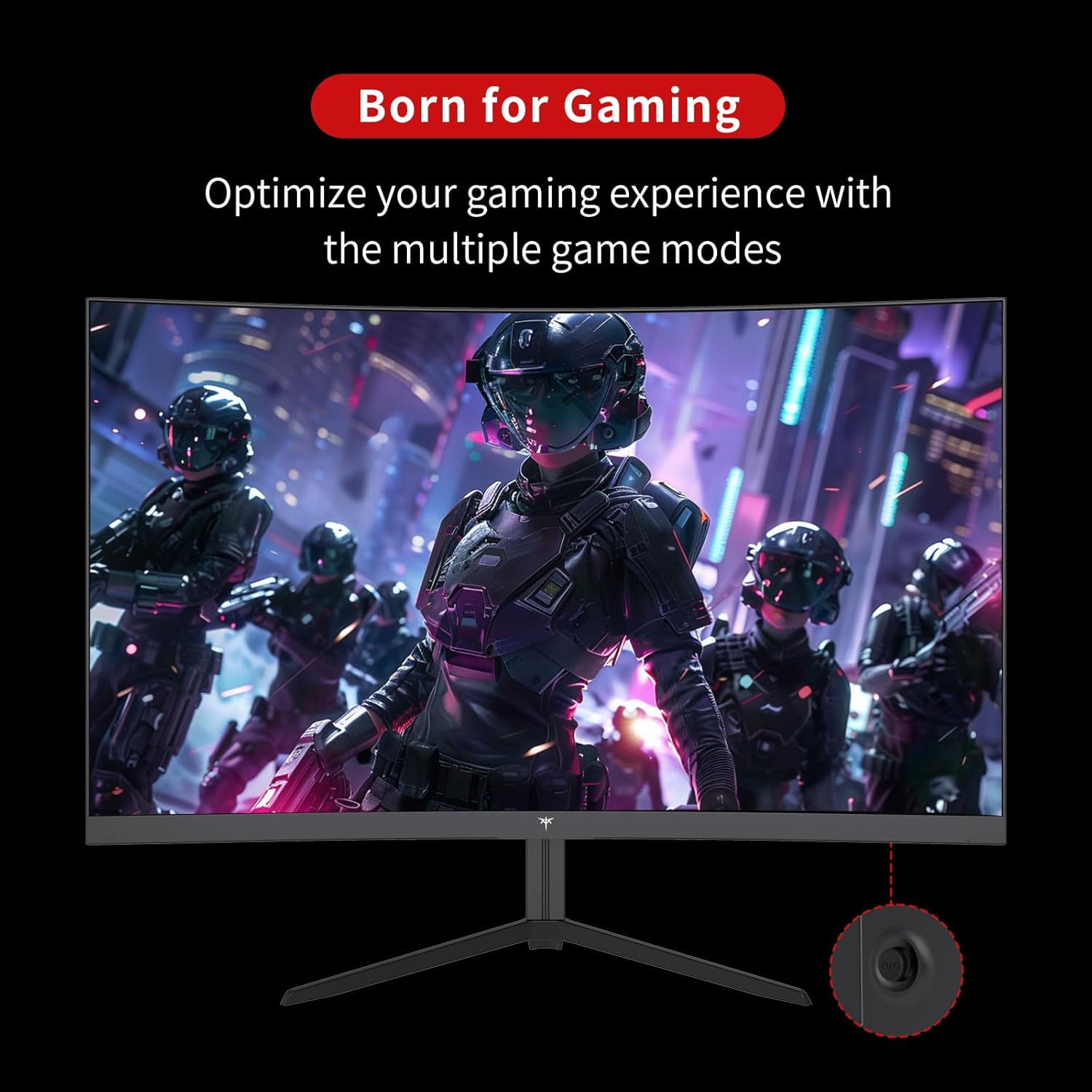
Figure 3: OSD Rocker Switch for Menu Navigation
5.2 Postavke ekrana
Unutar OSD menija možete podesiti:
- Svjetlina/kontrast: Podesite ukupni nivo svjetline i kontrasta.
- Postavke boja: Fino podešavanje temperature boje, nijanse i zasićenosti.
- Omjer širine i visine: Select between various aspect ratio modes (e.g., Full, 1:1).
5.3 Funkcije za igranje
Enhance your gaming experience with these dedicated features:
- Adaptivna sinhronizacija (FreeSync): Enable this feature in the OSD menu and on your graphics card settings to synchronize the monitor's refresh rate with your GPU's frame rate, eliminating screen tearing.

Figure 4: FreeSync ON vs. FreeSync OFF Visual Comparison
- Game Assists: Access features like customizable crosshairs, a black stabilizer to enhance visibility in dark game areas, and an on-screen game timer.

Figure 5: In-Game Assist Features
5.4 Funkcije za njegu očiju
To reduce eye strain during prolonged use:
- Tehnologija bez treperenja: This monitor is designed to eliminate screen flickering, which can cause eye fatigue.
- Filter plavog svjetla: Activate the low blue light mode in the OSD menu to reduce harmful blue light emissions.

Figure 6: Eye Comfort Features in Action
5.5 Zvanični video proizvoda
Watch this official product video for a visual guide to the monitor's features and capabilities:
Video 1: Official KTC product video showcasing the 24-inch curved gaming monitor's features, including its 165Hz refresh rate, 1ms response time, and 1500R curvature, with dynamic visuals.
6. Održavanje
Pravilno održavanje osigurava dugotrajnost i optimalne performanse vašeg monitora:
- Čišćenje ekrana: Lagano koristite meku krpu koja ne ostavlja dlačice dampened with water or a specialized screen cleaner. Avoid using alcohol-based cleaners or abrasive materials.
- Opšta njega: Keep the monitor in a clean, dry environment. Avoid exposing it to direct sunlight, extreme temperatures, or high humidity. Do not block ventilation openings.
- Isključite kada nije u upotrebi: Isključite monitor kada ga ne koristite duže vrijeme kako biste uštedjeli energiju i produžili njegov vijek trajanja.
7. Otkrivanje problema
Ako naiđete na probleme s monitorom, pogledajte sljedeće uobičajene korake za rješavanje problema:
| Problem | Mogući uzrok | Rješenje |
|---|---|---|
| Nema slike na ekranu | Kabl za napajanje isključen; Video kabl isključen; Odabran pogrešan ulazni izvor. | Provjerite da li su kablovi za napajanje i video sigurno spojeni. Odaberite ispravan ulazni izvor putem OSD menija. |
| Treperenje slike | Video cable issue; Graphics card driver outdated; Refresh rate mismatch. | Check video cable connection. Update graphics card drivers. Ensure refresh rate is set correctly in your system settings. |
| Boje izgledaju netačno | Postavke boja su pogrešno konfigurirane; Neispravan video kabel. | Podesite postavke boja u OSD meniju. Pokušajte s drugim video kablom. |
| Monitor se ne uključuje | Kabl za napajanje isključen; utičnica ne radi. | Verify power cable connection to both monitor and outlet. Test the outlet with another device. |
8. Specifikacije
Detailed technical specifications for the KTC 24 Inch 1500R Curved Gaming Monitor:
| Specifikacija | Vrijednost |
|---|---|
| Broj modela | 99 Null 5 |
| Veličina ekrana | 24 inča |
| Zakrivljenost | 1500R |
| Rezolucija | FHD 1080p (1920 x 1080 piksela) |
| Refresh Rate | 165Hz (up to 180Hz as per product title) |
| Vrijeme odgovora | 1ms |
| Tip panela | VA |
| Aspect Ratio | 16:9 |
| Osvetljenost slike | 250 Candela (cd/m2) |
| Gamut boja | 90% DCI-P3, 110% sRGB |
| Dinamički omjer kontrasta | 3000:1 |
| HDR podrška | Da |
| Povezivanje | 2x HDMI 2.0, 1x DisplayPort 1.4, audio izlaz |
| VESA kompatibilnost | 100x100mm |
| Podešavanje nagiba | -5 degrees to -20 degrees |
| Dimenzije proizvoda | 24 x 18 x 5 inča |
| Težina artikla | 6.17 funte |
| Voltage | 12 volti (DC) |
| Opis površine ekrana | Mat |
9. Garancija i podrška
Your KTC 24 Inch 1500R Curved Gaming Monitor comes with a warranty. Please refer to the included Warranty Card in your package for detailed information regarding warranty terms, conditions, and duration.
For technical support, service inquiries, or any questions not covered in this manual, please contact KTC customer support through the official channels provided on your warranty card or the KTC website.


