1. Proizvod je gotovview
The OMOTON Bluetooth Magnetic Keyboard Case is designed to enhance the functionality of your iPad Pro 13-inch (M4, 2024), transforming it into a versatile laptop-like device. It features a QWERTZ DE layout keyboard with adjustable backlighting, a multi-touch trackpad, and a magnetic floating stand for optimal viewing angles.

Image 1.1: OMOTON Bluetooth Magnetic Keyboard Case in use with an iPad Pro.
2. Sadržaj paketa
- OMOTON Bluetooth Magnetic Keyboard Case
- USB-C kabel za punjenje (1 metar)
- Korisnički priručnik (ovaj dokument)
3. Podešavanje
3.1 Provjera kompatibilnosti
This keyboard case is specifically designed for the iPad Pro 13-inch (M4, 2024). To verify your iPad model, navigate to Settings > General > About > Model Name on your iPad. Compatible models include A2925, A2926, and A3007.

Image 3.1: Verifying iPad Pro 13-inch model compatibility.
3.2 Priključivanje vašeg iPada
The keyboard case features strong magnets to securely hold your iPad. Align your iPad Pro 13-inch with the magnetic back panel of the case. The magnets will automatically snap the iPad into place, creating a stable connection.

Image 3.2: Magnetic attachment mechanism.
3.3 Bluetooth uparivanje
- Provjerite da li je tastatura napunjena (pogledajte Odjeljak 3.4).
- Turn on the keyboard by pressing the power button (usually located on the side or top edge of the keyboard). The indicator light will flash.
- Na vašem iPadu idite na Postavke > Bluetooth i uključite Bluetooth.
- Locate "OMOTON Keyboard" or a similar device name in the "Other Devices" list and tap to connect.
- Once paired, the indicator light on the keyboard will stop flashing and remain solid, or turn off, indicating a successful connection.
3.4 Punjenje tastature
The keyboard has a built-in 800mAh Lithium-ion battery. Connect the provided USB-C charging cable to the keyboard's USB-C port and the other end to a power source (e.g., a USB wall adapter or computer USB port). A full charge takes approximately 3 hours. The charging indicator light will show charging status.

Image 3.3: USB-C charging port and battery life indicators.
4. Uputstvo za upotrebu
4.1 Kontrola pozadinskog osvjetljenja tastature
The keyboard features 12 backlight modes and 4 brightness levels. Use the dedicated backlight key (often represented by a light bulb icon or similar) to cycle through modes and adjust brightness. This allows for comfortable typing in various lighting conditions.

Image 4.1: Keyboard backlight options.
4.2 Funkcionalnost trackpada
The integrated trackpad supports multi-touch gestures and the iPadOS cursor, providing a laptop-like navigation experience. It offers tactile feedback for precise control. Refer to iPadOS settings for detailed gesture customization.

Image 4.2: Seamless multi-touch trackpad.
4.3 Funkcijski tasteri
The keyboard includes a full range of 14 function keys for quick access to common iPadOS features, such as screen brightness adjustment, volume control, and media playback. These keys enhance workflow efficiency.
4.4 Podešavanje Viewing Angle
The floating cantilever design allows for continuous adjustment of the viewing angle. Gently tilt the iPad screen to achieve your desired position for comfortable viewkucanje i kucanje.

Image 4.3: Adjustable viewing kut.
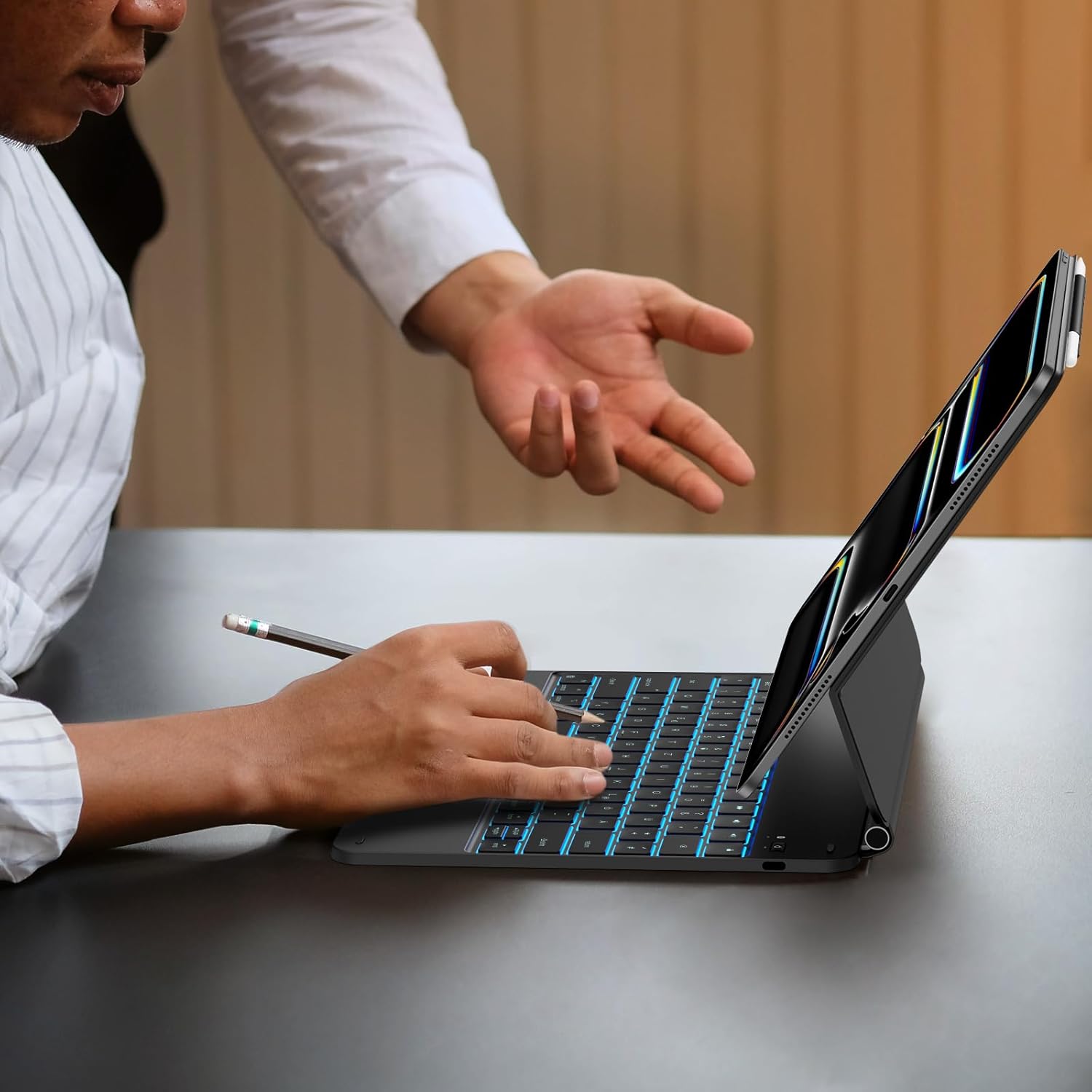
Image 4.4: Keyboard case in use.
5. Održavanje
5.1 Čišćenje
To clean the keyboard case, gently wipe surfaces with a soft, damp, lint-free cloth. Avoid using harsh chemicals, abrasive cleaners, or excessive moisture, as these can damage the electronic components or finish.
5.2 Njega baterija
To prolong battery life, avoid fully discharging the keyboard frequently. Charge the keyboard regularly, especially if it will not be used for an extended period. Store the device in a cool, dry place.
6. Otkrivanje problema
- Tastatura se ne povezuje putem Bluetootha:
- Provjerite je li tastatura uključena i napunjena.
- Isključite i uključite Bluetooth na svom iPadu.
- Zaboravite uređaj u Bluetooth postavkama iPada i pokušajte ga ponovo upariti.
- Ponovo pokrenite i iPad i tastaturu.
- Pozadinsko osvjetljenje ne radi:
- Provjerite da li je tastatura dovoljno napunjena.
- Press the backlight key to cycle through modes and brightness levels.
- Trackpad unresponsive:
- Provjerite je li tastatura povezana putem Bluetootha.
- Check iPadOS settings for trackpad functionality and gesture settings.
- Očistite površinu dodirne pločice kako biste uklonili sve nečistoće.
- Tipke ne reagiraju:
- Ensure the keyboard is connected and charged.
- Ponovo pokrenite tastaturu i iPad.
- The keyboard uses a scissor structure for responsive typing. Ensure no debris is lodged under the keys.
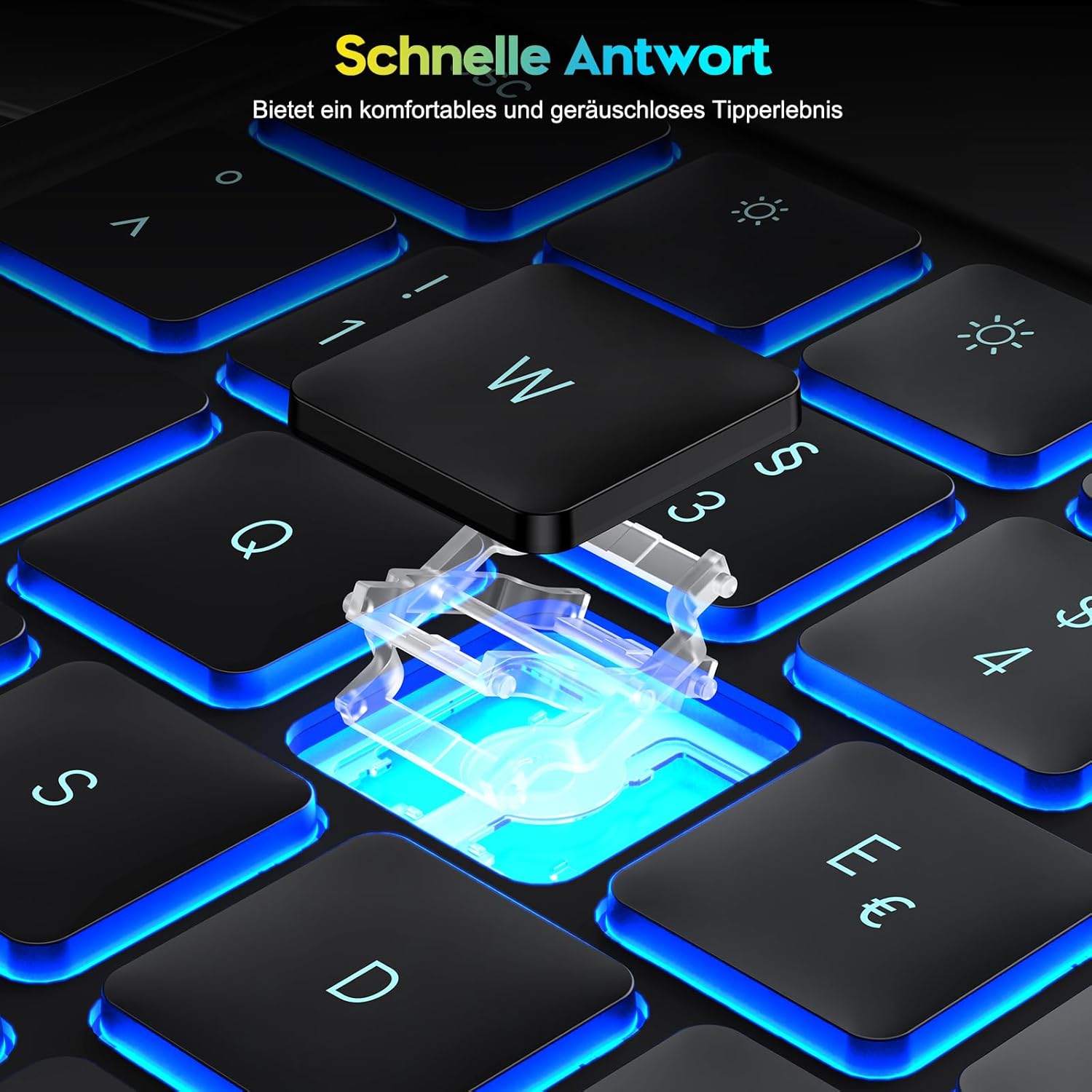
Image 6.1: Scissor-switch key mechanism for responsive typing.
7. Specifikacije
| Feature | Detalj |
|---|---|
| Brand | OMOTON |
| Broj modela | KC011 |
| Kompatibilnost | iPad Pro 13-inčni (M4, 2024) |
| Tehnologija povezivanja | Bluetooth |
| Opis tastature | Multi-functional, QWERTZ DE Layout |
| Posebne karakteristike | Trackpad, Shortcut & Multimedia Keys, Rechargeable, Backlit |
| Boja | Crna |
| Materijal | Plastika |
| Vrsta baterije | Litijum-jonski |
| Kapacitet baterije | 800 mAh |
| Port za punjenje | USB-C |
| Režimi pozadinskog osvetljenja | 12 |
| Backlight Brightness Levels | 4 |
| Estimated Battery Life (no backlight) | Do 260 sati |
| Estimated Battery Life (with backlight) | Do 9 sati |
8. Garancija i podrška
Information regarding product warranty and specific support contacts is not available in the provided product data. Please refer to the retailer or manufacturer's official website for warranty details and customer support options.


