1. Uvod
This manual provides comprehensive instructions for the setup, operation, maintenance, and troubleshooting of your Logitech Ergo M575S Wireless Trackball Mouse. Designed for comfort and precision, the ERGO M575S minimizes movement and maximizes comfort with its sculpted ergonomic shape and thumb control. It offers smooth, precise tracking and is compatible with both PC and Mac systems.
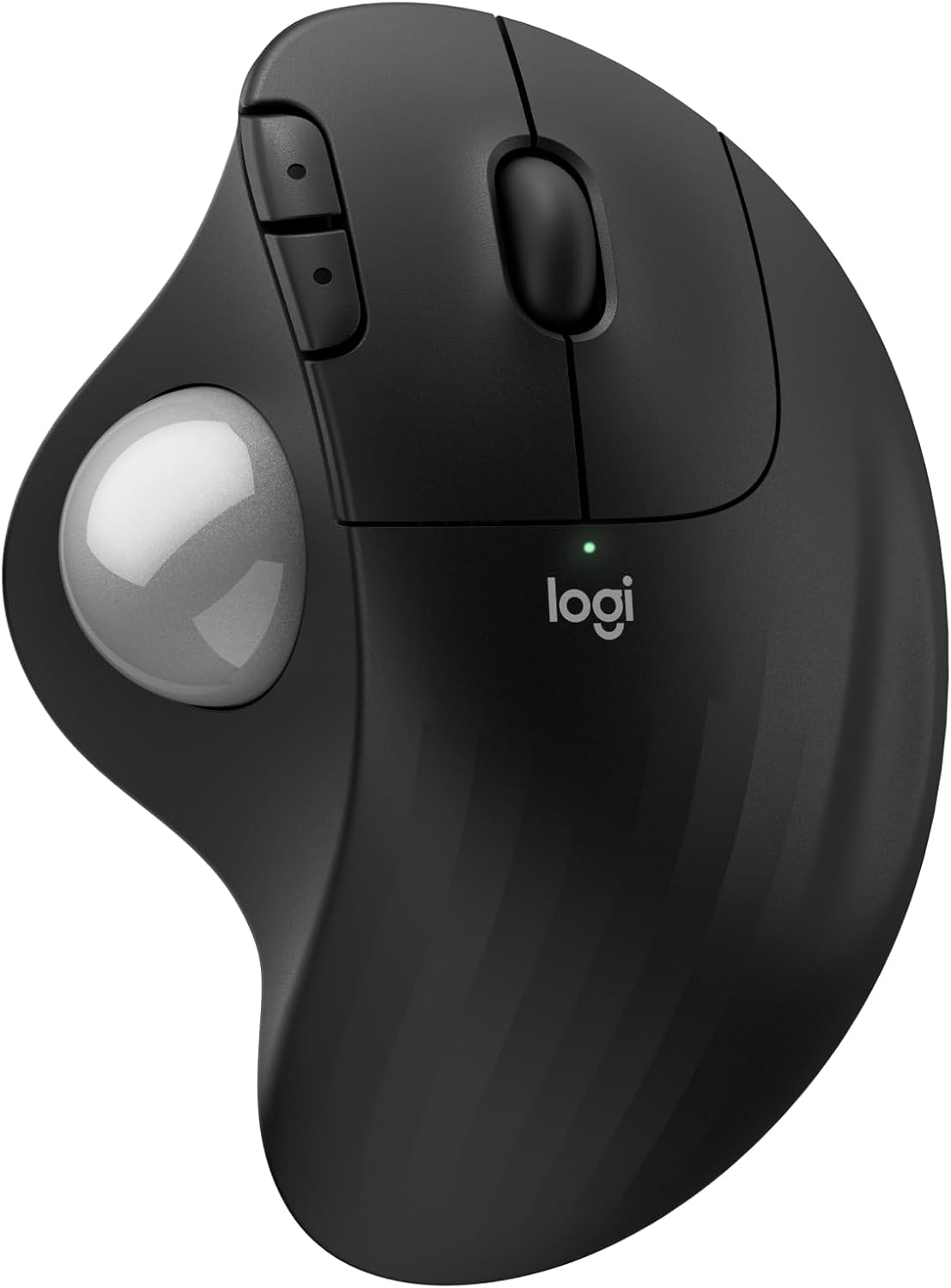
Slika: Vrh view of the Logitech Ergo M575S Wireless Trackball Mouse, highlighting its ergonomic design and trackball.
Key features include 25% less muscle strain in the forearm compared to traditional mice, an improved forearm posture, customizable buttons via the Logi Options+ App, and long battery life. The mouse is also made with certified post-consumer recycled plastic, contributing to a lighter environmental footprint.
2. Podešavanje
2.1. Instalacija baterije
The Logitech Ergo M575S uses one AA battery. To install or replace the battery:
- Pronađite pretinac za bateriju na donjoj strani miša.
- Otvorite poklopac baterije.
- Umetnite AA bateriju, pazeći na ispravan polaritet (+/-).
- Čvrsto zatvorite poklopac baterije.

Slika: Donja strana view of the mouse, illustrating the battery compartment and the slot for the Logi Bolt USB receiver.
2.2. Opcije povezivanja
The ERGO M575S offers two ways to connect to your computer:
- Logi Bolt USB prijemnik: Plug the included Logi Bolt USB receiver into an available USB port on your computer. The mouse should connect automatically.
- Bluetooth:
- Uključite miš pomoću prekidača za napajanje na donjoj strani.
- Press and hold the Easy-Switch button (usually on the underside or side) until the LED indicator starts blinking rapidly, indicating pairing mode.
- On your computer, go to Bluetooth settings and select "Logitech ERGO M575S" from the list of available devices to pair.
For optimal performance and customization, download and install the Logi Options+ App from the official Logitech website. This software allows you to personalize button functions, adjust cursor speed, and create application-specific settings.
3. Upravljanje mišem
3.1. Osnovne funkcije
- Lijevi klik: Primarno dugme za odabir stavki i interakciju sa softverom.
- Desni klik: Sekundarno dugme za kontekstne menije i dodatne opcije.
- Točak za pomicanje: Scroll up and down through documents and web stranice. Kotačić za pomicanje također funkcionira kao srednje dugme za klik.
- kuglica: Use your thumb to control the cursor movement on the screen. This eliminates the need to move the entire mouse, reducing arm and wrist strain.

Image: A hand demonstrating the smooth, effortless thumb control of the trackball for precise tracking.
3.2. Prilagodljiva dugmad
The ERGO M575S features additional buttons that can be customized using the Logi Options+ App. These typically include forward and back buttons located near the thumb trackball.
- Dugmad za naprijed/nazad: By default, these navigate forward and backward in web pretraživači ili file istraživači.
- Prilagodba: Through the Logi Options+ App, you can reassign these buttons to perform various functions, such as media controls, application switching, or custom keystrokes, enhancing your workflow efficiency.

Image: A laptop displaying the Logi Options+ App interface, demonstrating how to customize the mouse buttons for personalized use.
4. Održavanje
4.1. Čišćenje kuglice za praćenje
Over time, dust and debris can accumulate around the trackball, affecting its smooth operation. Regular cleaning is recommended.
- Gently push the trackball from the underside of the mouse to pop it out.
- Koristite meku krpu koja ne ostavlja dlačice da obrišete kuglicu za praćenje.
- Use a cotton swab or compressed air to clean the three small support bearings inside the trackball cavity. Ensure no debris remains.
- Place the trackball back into its socket, ensuring it clicks into place.
Napomena: Avoid using harsh chemicals or abrasive materials, as these can damage the trackball or the mouse surface.
4.2. Generalno čišćenje
Obrišite vanjski dio miša mekom,amp krpom po potrebi da biste ga održali čistim.
5. Otkrivanje problema
5.1. Problemi s povezivanjem
- Miš ne reaguje:
- Provjerite je li miš uključen.
- Provjerite je li baterija pravilno instalirana i dovoljno napunjena. Zamijenite je ako je potrebno.
- Ako koristite USB prijemnik, pokušajte ga uključiti u drugi USB priključak.
- If using Bluetooth, ensure Bluetooth is enabled on your computer and the mouse is paired. Try re-pairing the device.
- Povremena veza:
- Move the mouse closer to the USB receiver or your computer (for Bluetooth) to reduce interference.
- Avoid placing the receiver near other electrical devices that might cause interference.
5.2. Problemi s praćenjem
- Erratic or no cursor movement:
- Clean the trackball and its internal support bearings as described in the Maintenance section.
- Ensure the trackball is properly seated in its socket.
- Check the surface the mouse is on; while trackballs are less sensitive to surfaces, extreme conditions might affect performance.
5.3. Button/Scroll Wheel Issues
- Dugmad ne reaguju:
- Verify that the Logi Options+ App is not causing conflicts with custom settings. Try resetting button assignments to default.
- Reinstall the Logi Options+ App if issues persist.
- Kotačić za skrolovanje ne radi:
- Ensure no debris is lodged around the scroll wheel.
6. Specifikacije
| Feature | Detalj |
|---|---|
| Brand | Logitech |
| Broj modela | 910-007392 |
| Tehnologija povezivanja | Bluetooth, USB (Logi Bolt Receiver) |
| Tehnologija detekcije pokreta | Optički |
| Raspon DPI-ja | 400-2000 DPI (Adjustable via Logi Options+ App) |
| Trajanje baterije | Up to 18 months (with AA battery) |
| Kompatibilnost operativnog sistema | Windows, macOS |
| Težina artikla | 7.4 unce |
| Dimenzije | 5.51 x 4.17 x 1.93 inča (dimenzije pakovanja) |
| Materijal | Plastic parts made with certified post-consumer recycled plastic (Graphite: 52%, Off-White: 21%) |
7. Garancija i podrška
For detailed warranty information regarding your Logitech Ergo M575S Wireless Trackball Mouse, please refer to the warranty card included with your product or visit the official Logitech support website.
Logitech provides customer support for product inquiries, technical assistance, and warranty claims.
- Online podrška: Posjetite support.logi.com za često postavljana pitanja, vodiče za rješavanje problema i preuzimanje upravljačkih programa.
- Kontaktirajte podršku: Information on contacting Logitech customer service via phone or chat can be found on their support website.


