1. Uvod
The Keychron M6 is a versatile wireless gaming optical mouse designed for optimal performance and comfort. It features tri-mode connectivity (2.4 GHz, Bluetooth 5.1, and USB wired), a high-precision PixArt 3395 sensor, and an ergonomic lightweight design. This manual provides detailed instructions for setting up, operating, maintaining, and troubleshooting your Keychron M6 mouse.

Image 1.1: Keychron M6 Wireless Gaming Optical Mouse with its included USB-C and USB-A receivers, showcasing svojim kompaktnim i ergonomskim dizajnom.
2. Sadržaj paketa
Provjerite da li se u paketu s vašim Keychron M6 nalaze svi artikli:
- 1x Keychron M6 Wireless Mouse
- 1x Type-C do Type-C kabel
- 1x adapter tipa A na tip-C
- 1x produžni adapter za prijemnik
- 1x prijemnik tipa C od 2.4 GHz
- 1x Type-A 2.4 GHz prijemnik
- 1x uputstvo za upotrebu

Image 2.1: Visual representation of the Keychron M6 mouse and its complete set of accessories, including various cables and receivers.
3. Podešavanje
3.1 Punjenje miša
The Keychron M6 mouse is equipped with a built-in Lithium Polymer battery. Connect the mouse to a USB power source using the provided Type-C cable to charge. A full charge provides up to 80 hours of continuous use.
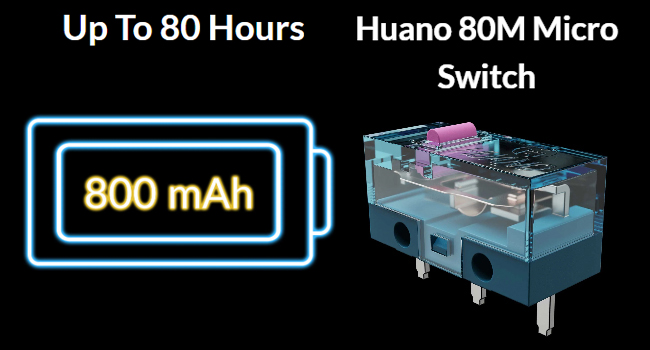
Image 3.1: Illustration highlighting the Keychron M6's battery life of up to 80 hours and its 800 mAh battery capacity.
3.2 Povezivanje miša
Keychron M6 podržava tri načina povezivanja: bežično 2.4 GHz, Bluetooth 5.1 i žičano USB.
2.4 GHz bežična veza
- Locate the 2.4 GHz receiver (either Type-C or Type-A) from the package.
- Uključite risiver u slobodan USB port na vašem računaru.
- Switch the mode selector on the bottom of the mouse to 'G' (Gaming/2.4G mode).
- Miš će se automatski povezati sa prijemnikom.
Bluetooth 5.1 veza
- Switch the mode selector on the bottom of the mouse to 'B' (Bluetooth mode).
- Na računaru otvorite postavke Bluetootha i potražite nove uređaje.
- Odaberite 'Keychron M6' s popisa dostupnih uređaja za uparivanje.
USB žičana veza
- Connect the Type-C end of the provided cable to the mouse and the other end to your computer's USB port.
- Miš će raditi u žičnom režimu i istovremeno se puniti.

Image 3.2: The included 2.4 GHz receivers (Type-C and Type-A) and a table detailing report rate light indicators, polling rates, and available modes.
4. Uputstvo za upotrebu
4.1 DPI podešavanje
The Keychron M6 features a PixArt 3395 sensor with up to 26,000 DPI. You can adjust the DPI settings directly on the mouse using the dedicated DPI button located on the bottom. Press the DPI button to cycle through preset DPI levels.
4.2 Podešavanje stope anketiranja
The polling rate can be adjusted to optimize responsiveness. Press the Report Rate button on the bottom of the mouse to switch between 125 Hz (White LED), 500 Hz (Blue LED), and 1000 Hz (Red LED) in 2.4 GHz / Wired mode.

Image 4.1: The underside of the Keychron M6 mouse, showing the DPI and Report Rate adjustment buttons, allowing for hardware-level configuration without software.
4.3 Scrolling Functions
The M6 mouse includes both a main scroll wheel and a thumb wheel, offering multiple ways to navigate.
- Main Scroll Wheel: Provides vertical scrolling and can also be tilted for horizontal scrolling.
- Točak palca: Located on the side, this wheel offers additional scrolling functionality, typically for horizontal navigation or custom macros.
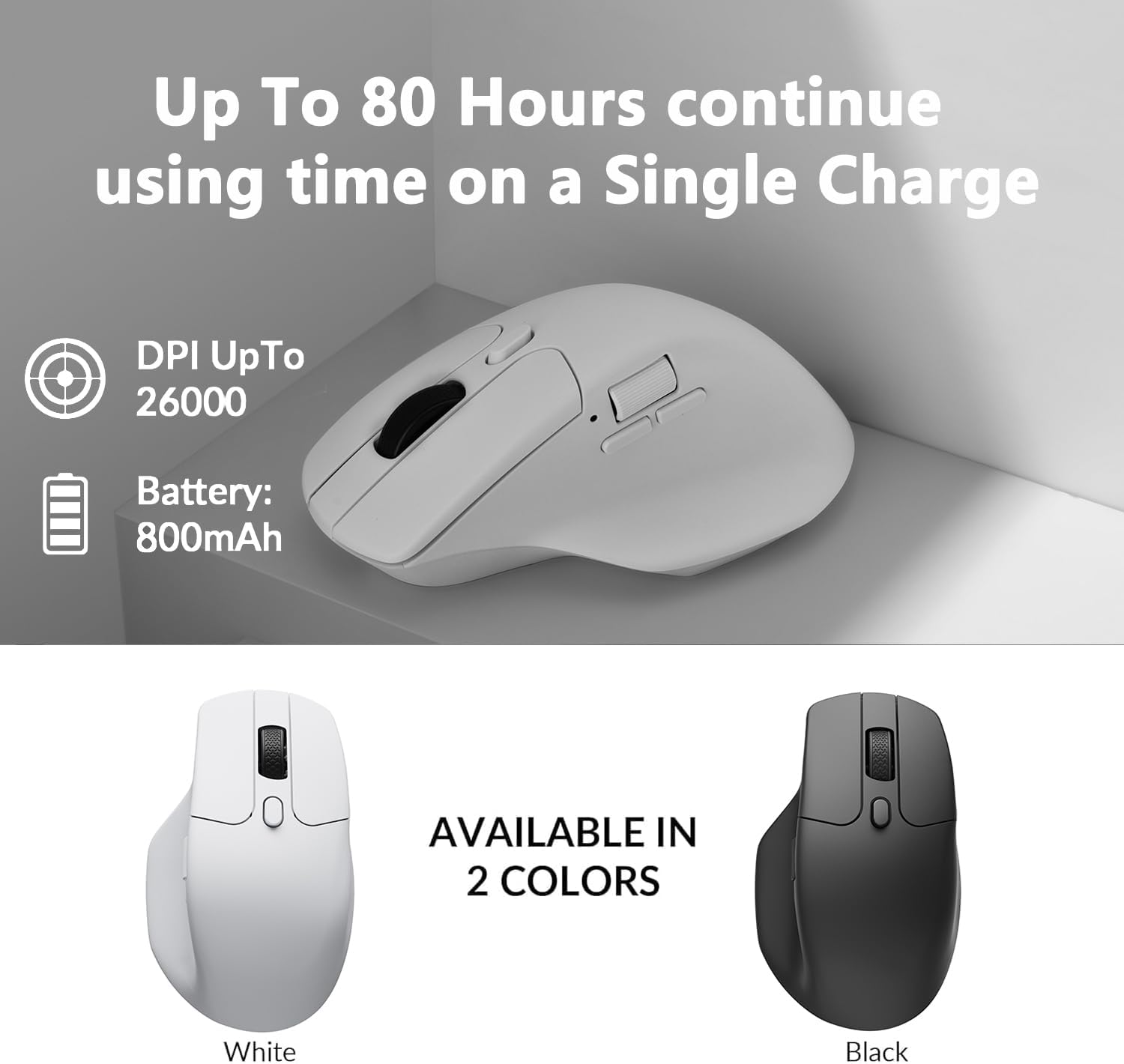
Image 4.2: The Keychron M6 mouse, illustrating the multi-directional functionality of the main scroll wheel for both vertical and horizontal scrolling.
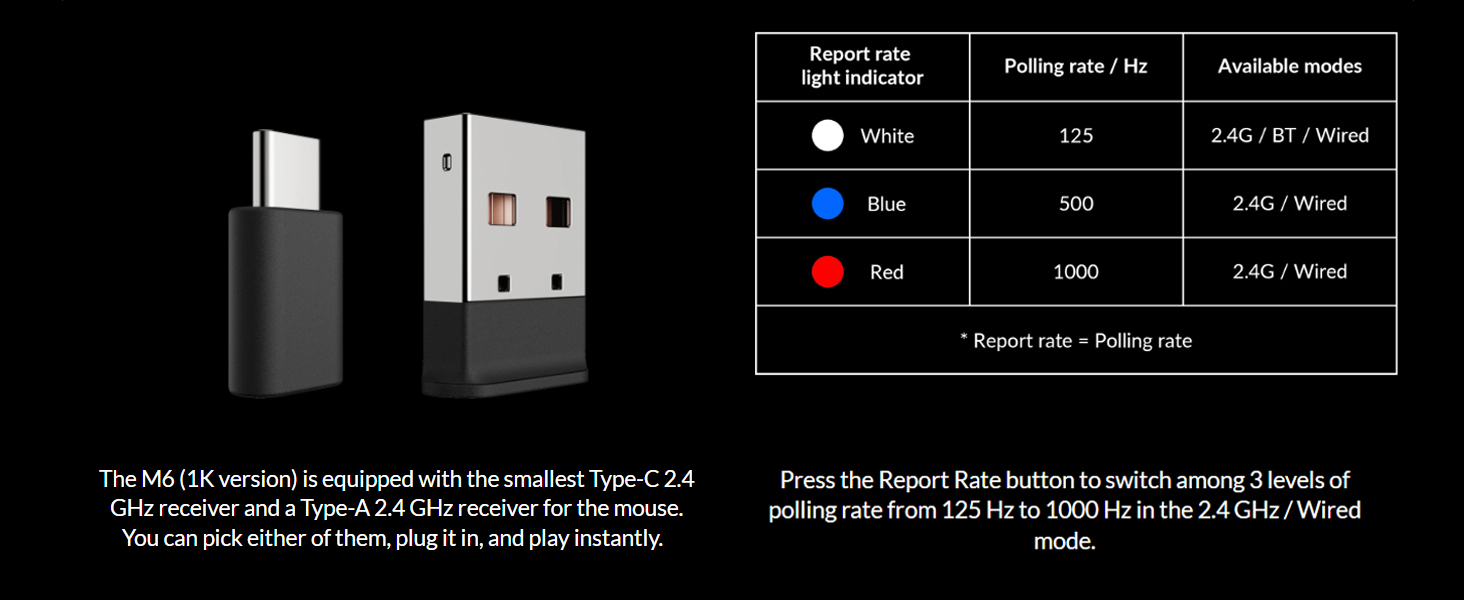
Image 4.3: A close-up of the Keychron M6 mouse, showing the thumb wheel and its directional movement for enhanced navigation.
5. Keychron Engine Software
The Keychron Engine software provides extensive customization options for your M6 mouse. This software allows you to:
- Promijenite dodjelu tipki i postavite prečice.
- Customize RGB lighting effects (if applicable).
- Kreirajte i dodijelite namjenske makroe.
- Adjust professional settings such as Lift-Off Distance (LOD), polling rate, and DPI.
Posjetite službeni Keychron website to download the latest version of the Keychron Engine software.

Image 5.1: The Keychron Engine software interface, demonstrating the various personalization options available for the M6 wireless mouse.
6. Održavanje
6.1 Čišćenje
To maintain optimal performance and appearance, regularly clean your mouse. Use a soft, dry, lint-free cloth to wipe the surface. For stubborn dirt, slightly dampIsperite krpu vodom. Izbjegavajte upotrebu jakih hemikalija ili abrazivnih materijala.
6.2 Njega baterija
To prolong battery life, avoid fully discharging the mouse frequently. Charge the mouse when the battery indicator shows low power. Store the mouse in a cool, dry place when not in use for extended periods.
7. Otkrivanje problema
7.1 Problemi s povezivanjem
- 2.4 GHz: Ensure the USB receiver is securely plugged in and the mouse is in 'G' mode. Try a different USB port.
- Bluetooth: Ensure the mouse is in 'B' mode and discoverable. Remove previous pairings on your device and re-pair.
- Ožičeno: Check the USB-C cable connection to both the mouse and the computer.
7.2 Unresponsive Mouse
- Provjerite nivo baterije i po potrebi je napunite.
- Ensure the optical sensor on the bottom is clean and unobstructed.
- Pokušajte ponovo pokrenuti računar.
7.3 Software Not Detecting Mouse
- Ensure the mouse is connected via USB wired mode when using the Keychron Engine software for initial setup or firmware updates.
- Verify that you have the latest version of the Keychron Engine software installed.
8. Specifikacije
| Feature | Specifikacija |
|---|---|
| Broj modela | M6-A3-Miš |
| Povezivanje | 2.4 GHz bežično, Bluetooth 5.1, USB žičano |
| Senzor | PixArt 3395 optički senzor |
| DPI | Do 26,000 DPI |
| IPS | Do 650 IPS |
| Polling Rate | 125 Hz, 500 Hz, 1000 Hz |
| Težina artikla | 78 g (2.75 unci) |
| Baterija | 800 mAh Lithium Polymer (Up to 80 hours) |
| Dimenzije proizvoda | 4.8 x 2.95 x 1.97 inča (122.5 x 75.4 x 50.0 mm) |
| Micro Switch | Huano 80M Micro Switch |

Image 8.1: Technical drawing illustrating the precise dimensions of the Keychron M6 mouse.
9. Garancija i podrška
Keychron products are designed for durability and performance. For warranty information, please refer to the warranty card included in your product packaging or visit the official Keychron website. If you encounter any issues or require technical assistance, please contact Keychron customer support through their official webweb-mjesto ili kontakt informacije navedene u dokumentaciji vašeg proizvoda.


