1. Uvod
This manual provides essential information for setting up, operating, maintaining, and troubleshooting your ACEMAGIC AX16 Pro laptop. Please read this guide thoroughly to ensure optimal performance and longevity of your device.

Slika: Front view of the ACEMAGIC AX16 Pro laptop.
2. Proizvod je gotovview
The ACEMAGIC AX16 Pro is a high-performance 16.1-inch laptop designed for various computing tasks, from daily productivity to entertainment. It features an AMD Ryzen 7 5700U processor, ample memory and storage, and advanced connectivity options.
Ključne karakteristike:
- procesor: AMD Ryzen 7 5700U (8 jezgara, 16 niti, do 4.3 GHz)
- Prikaz: 16.1-inch FHD (1920x1080) IPS Display
- Memorija: 16 GB DDR4 RAM-a
- Skladištenje: 512 GB NVMe SSD
- Operativni sistem: Windows 11
- Bežična povezanost: WiFi 6, Bluetooth 5.2
- luke: HDMI, Type-C (Full Function & DC Jack), USB 3.2, USB 2.0, 3.5mm Audio Jack, TF Card Slot

Image: Visual summary of the laptop's core specifications including CPU, GPU, RAM, SSD, display, and connectivity.
3. Podešavanje
Initial Power-On and Windows Setup:
- Napunite laptop: Before first use, connect the laptop to a power outlet using the provided original AC adapter. Ensure the battery is sufficiently charged.
- Uključeno: Otvorite poklopac laptopa i pritisnite dugme za napajanje.
- Slijedite uputstva na ekranu: The laptop will guide you through the Windows 11 initial setup process. This includes selecting your region, language, connecting to a Wi-Fi network, and creating a user account.
- Važno: Ensure a stable internet connection during the setup process. Do not power off or restart the laptop until the setup is complete to avoid system corruption.
Povezivanje perifernih uređaja:
- USB uređaji: Connect USB mice, keyboards, or external drives to the available USB 3.2 or USB 2.0 ports.
- Vanjski zaslon: Koristite HDMI priključak za spajanje vanjskog monitora ili projektora.
- Audio uređaji: Plug headphones or external speakers into the 3.5mm audio jack.
- memorijske kartice: Insert TF cards into the designated slot for data transfer.

Slika: Detaljna view of the laptop's various input/output ports, including USB, HDMI, Type-C, and audio jack.
4. Uputstvo za upotrebu
Display and Visuals:
The 16.1-inch Full HD (1920x1080) IPS display offers clear and vibrant visuals. Adjust brightness and display settings through Windows settings for optimal viewudobnost.
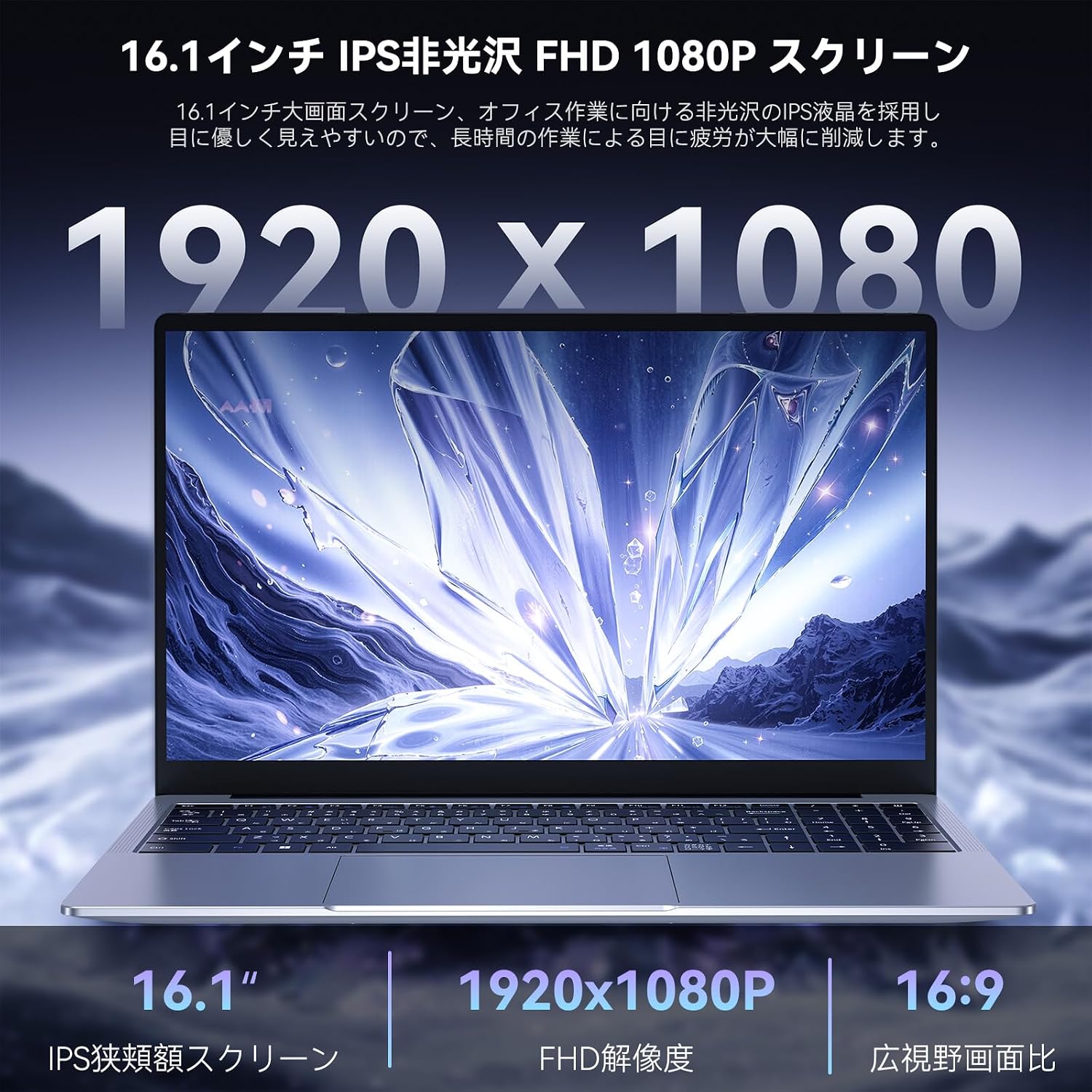
Image: Close-up of the laptop's 16.1-inch FHD 1080P screen, highlighting its resolution and IPS technology.
Tastatura i Touchpad:
The laptop features a comfortable keyboard and a large touchpad for precise navigation. An included Japanese keyboard cover can be placed over the English layout for localized input.

Image: Diagram illustrating the keyboard layout and touchpad area, with a focus on ease of input.
Bežična povezanost:
Utilize WiFi 6 for high-speed internet access and Bluetooth 5.2 for connecting wireless peripherals like headphones or speakers. These technologies provide stable and efficient wireless communication.

Image: Icons representing WiFi 6 and Bluetooth 5.2, indicating advanced wireless capabilities.
Audio sistem:
The laptop features a dual-speaker sound system designed to deliver clear and immersive audio for an enhanced user experience.

Image: Laptop displaying a concert scene, with visual cues indicating high-quality, immersive sound from dual speakers.
5. Održavanje
čišćenje:
- Za čišćenje ekrana i vanjskih površina koristite meku krpu koja ne ostavlja dlačice.
- Za tvrdokorne mrlje, lagano dampobrišite krpu vodom ili sredstvom za čišćenje ekrana.
- Izbjegavajte jake kemikalije ili abrazivne materijale.
Održavanje baterije:
The laptop is equipped with a 53.58Wh battery, providing extended usage time. To maximize battery lifespan:
- Izbjegavajte često potpuno pražnjenje baterije.
- Ne izlažite laptop ekstremnim temperaturama.
- If storing the laptop for a long period, charge it to about 50-60% before turning it off.
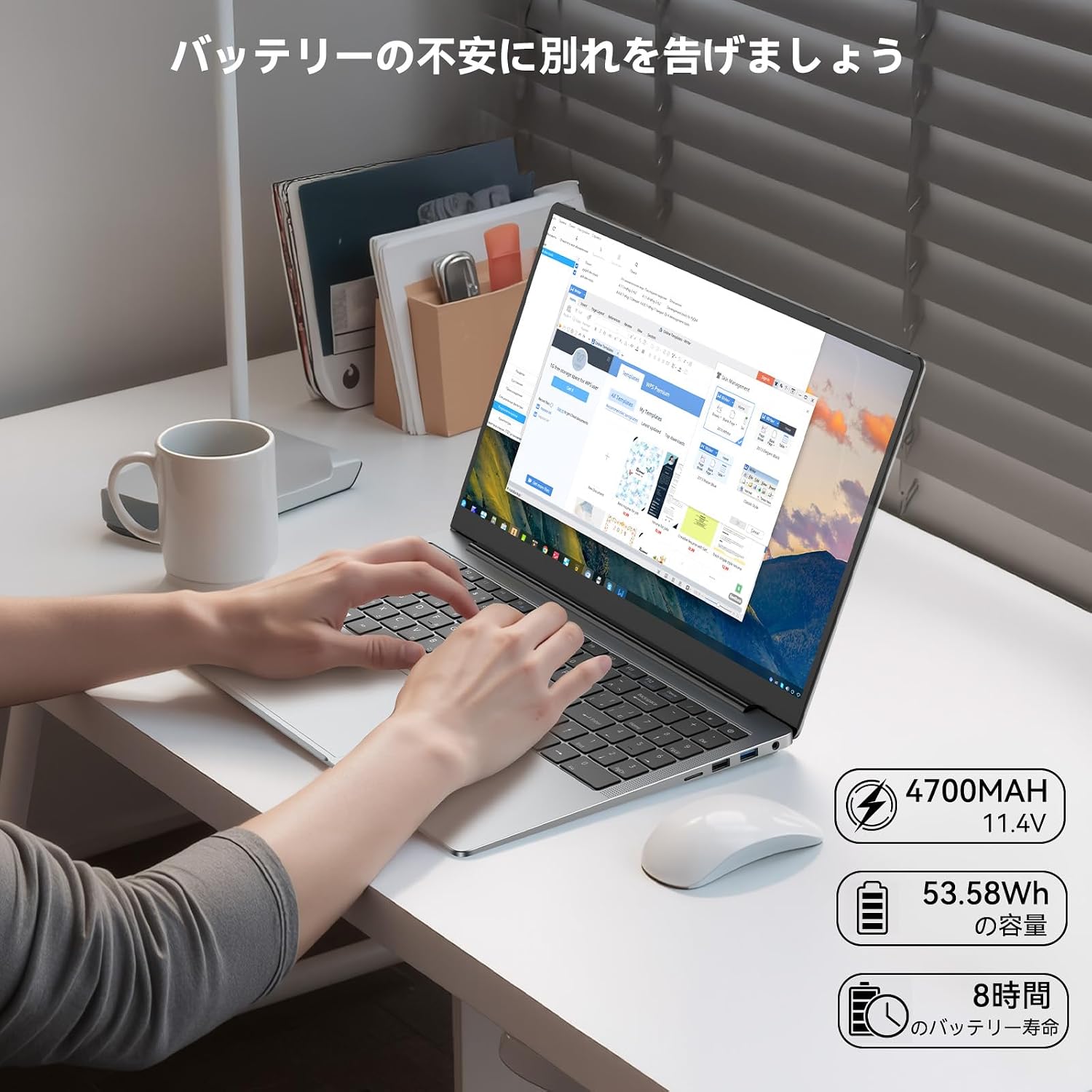
Image: Laptop in use on a desk, with icons indicating 4700mAh, 53.58Wh capacity, and 8 hours of battery life.
Sistem hlađenja:
The laptop features a high-speed, quiet cooling fan to maintain optimal operating temperatures and prevent performance throttling. Ensure the vents are not obstructed to allow proper airflow.

Image: Diagram illustrating the laptop's internal cooling system with a high-speed fan and dual heat pipes for efficient heat dissipation.
6. Otkrivanje problema
Uobičajeni problemi i rješenja:
- Laptop se ne uključuje: Ensure the AC adapter is securely connected and the power outlet is functional. Check if the battery has sufficient charge.
- Ekran je prazan: Connect an external monitor to check if the display output is working. Adjust screen brightness.
- Problemi sa Wi-Fi vezom: Ensure Wi-Fi is enabled in Windows settings. Restart your router and the laptop. Check for updated network drivers.
- Spore performanse: Zatvorite nepotrebne aplikacije. Provjerite pozadinske procese koji troše mnogo resursa. Osigurajte dovoljno slobodnog prostora za pohranu.
- pregrijavanje: Ensure cooling vents are clear of obstructions. Use the laptop on a hard, flat surface.
If you encounter persistent issues not resolved by these steps, please refer to the Warranty and Support section for assistance.
7. Specifikacije
| Feature | Specifikacija |
|---|---|
| Brand | ACEMAGIC |
| Naziv modela | AX16 Pro (NoteBook) |
| Boja | Grey |
| Form Factor | Laptop |
| Veličina ekrana | 16.1 inča |
| Rezolucija | 1920x1080 piksela (FHD) |
| Marka CPU-a | AMD |
| CPU Type | AMD Ryzen 7 5700U |
| Brzina procesora | 1.8 GHz (Base), up to 4.3 GHz (Turbo) |
| Procesor Count | 8 |
| Veličina RAM-a | 16 GB |
| RAM Type | DDR4 SODIMM |
| Maksimalna podržana memorija | 64 GB |
| Veličina tvrdog diska | 512 GB |
| Tip tvrdog diska | SSD |
| Grafički koprocesor | AMD Radeon RX Vega 8 |
| Tip grafičke kartice | Integrisano |
| Bežični tip | Bluetooth, Wi-Fi (802.11ax / WiFi 6) |
| USB 2.0 portovi | 1 |
| USB 3.0 portovi | 2 |
| HDMI portovi | 1 |
| Front Webcam Resolution | 1 MP |
| Operativni sistem | Windows 11 |
| Težina artikla | 2.87 kilograma |
8. Garancija i podrška
Garancija proizvođača:
Your ACEMAGIC AX16 Pro laptop comes with an 18-month manufacturer warranty from the date of purchase. This warranty covers defects in materials and workmanship under normal use.
Kontaktiranje podrške:
For any product defects, malfunctions, or technical assistance during the warranty period, please contact ACEMAGIC customer support. You can typically find contact information through your purchase platform or the official ACEMAGIC website. When contacting support, please provide your purchase details and a clear description of the issue.
For Amazon purchases, navigate to 'Your Account' → 'Order History' → 'Sold by' → 'Ask a question'. Support aims to respond within 24 hours.


