1. Uvod
Thank you for choosing the THOMSON 24-inch HD Google TV (Model 24HG2S14CW). This manual provides essential information for setting up, operating, and maintaining your new television. Please read these instructions carefully before using the product to ensure safe and optimal performance.
Experience complete entertainment for the whole family with the Thomson 24-inch HD Google TV. Google TV simplifies your entertainment experience by organizing content from your apps and subscriptions per user. Create multiple user profiles and benefit from organized recommendations. Enjoy a wide range of smart features, including access to over 400,000 movies and TV shows from numerous available apps, smart voice control with Google Assistant, and integrated Google Cast for wireless streaming of movies, music, and videos from compatible devices. Its elegant design with a 3-sided bezel-less frame allows you to fully concentrate on the on-screen action. Dolby Audio technology creates a dynamic sound experience. The integrated triple tuner allows reception via satellite antenna, terrestrial antenna, or cable, meaning you can receive all available channels without additional equipment. The ergonomic remote control with backlighting allows you to keep track of everything, even in dim lighting, and a dedicated 'Favorite' button provides quick access to your preferred app.
2. Sigurnosne informacije
Uvijek slijedite osnovne sigurnosne mjere prilikom korištenja ovog proizvoda kako biste smanjili rizik od požara, strujnog udara i ozljeda.
- Izvor napajanja: Provjerite je li TV priključen na napajanje koje odgovara jačinitage specified on the rating label. For 12V operation, use only the provided 12V adapter.
- ventilacija: Ne blokirajte ventilacijske otvore. Osigurajte dovoljno prostora oko televizora za pravilan protok zraka kako biste spriječili pregrijavanje.
- plasman: Postavite TV na stabilnu, ravnu površinu. Izbjegavajte postavljanje na direktnu sunčevu svjetlost, u blizinu izvora topline ili u okruženja s visokom vlagom ili prašinom.
- Voda i vlaga: Ne izlažite TV kiši ili vlazi. Ne stavljajte predmete napunjene tekućinom, poput vaza, na TV.
- čišćenje: Isključite televizor iz struje prije čišćenja. Koristite meku, suhu krpu. Ne koristite tekuća sredstva za čišćenje ili aerosolna sredstva za čišćenje.
- servisiranje: Ne pokušavajte sami servisirati ovaj proizvod. Sve servise prepustite kvalificiranom servisnom osoblju.
3. Sadržaj paketa
Molimo Vas da provjerite da li su svi artikli uključeni u Vaš paket:
- THOMSON 24-inch HD Google TV
- Daljinski upravljač (sa baterijama)
- Power Adapter (for standard AC outlet)
- 12V Power Cable (for camping/caravan use)
- TV stalci (2 komada)
- Vijci za TV stalke
- Vodič za brzi početak
- Uputstvo za upotrebu (ovaj dokument)
4. Podešavanje
4.1 Fizička instalacija
Pričvršćivanje stalaka:
- Pažljivo postavite televizor licem prema dolje na meku, čistu površinu kako biste spriječili oštećenje ekrana.
- Align the stands with the screw holes on the bottom of the TV.
- Pričvrstite postolja pomoću priloženih vijaka. Provjerite da li su čvrsto pričvršćeni.
The TV offers two stand positions to fit various furniture widths. Refer to the image below for guidance.

Montaža na zid (opciono):
If you plan to wall mount your TV, please consult a professional installer. Ensure the wall mount is compatible with the TV's VESA mounting pattern and weight.
4.2 Povezivanje napajanja
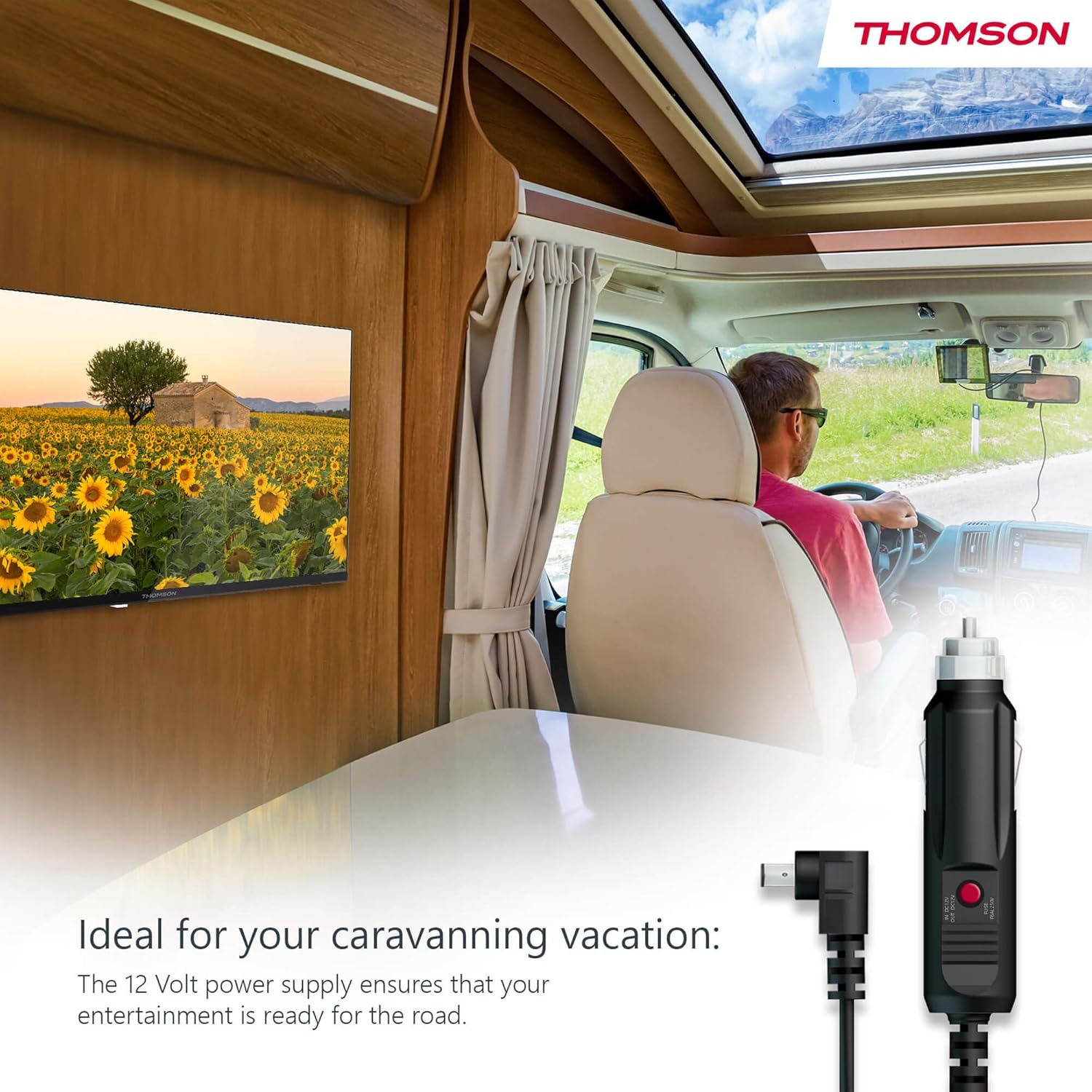
Your THOMSON TV supports both standard AC power and 12V DC power, making it ideal for camping or caravan use.
- Standard AC Power: Connect the provided power adapter to the TV's power input and then plug it into a standard wall outlet.
- 12V DC Power (Camping): For mobile use, connect the 12V power cable to the TV's power input and then to a compatible 12V power source in your vehicle or caravan.
4.3 Connecting Antennas/Cables
The integrated triple tuner allows reception via DVB-T (terrestrial antenna), cable, or satellite antenna.
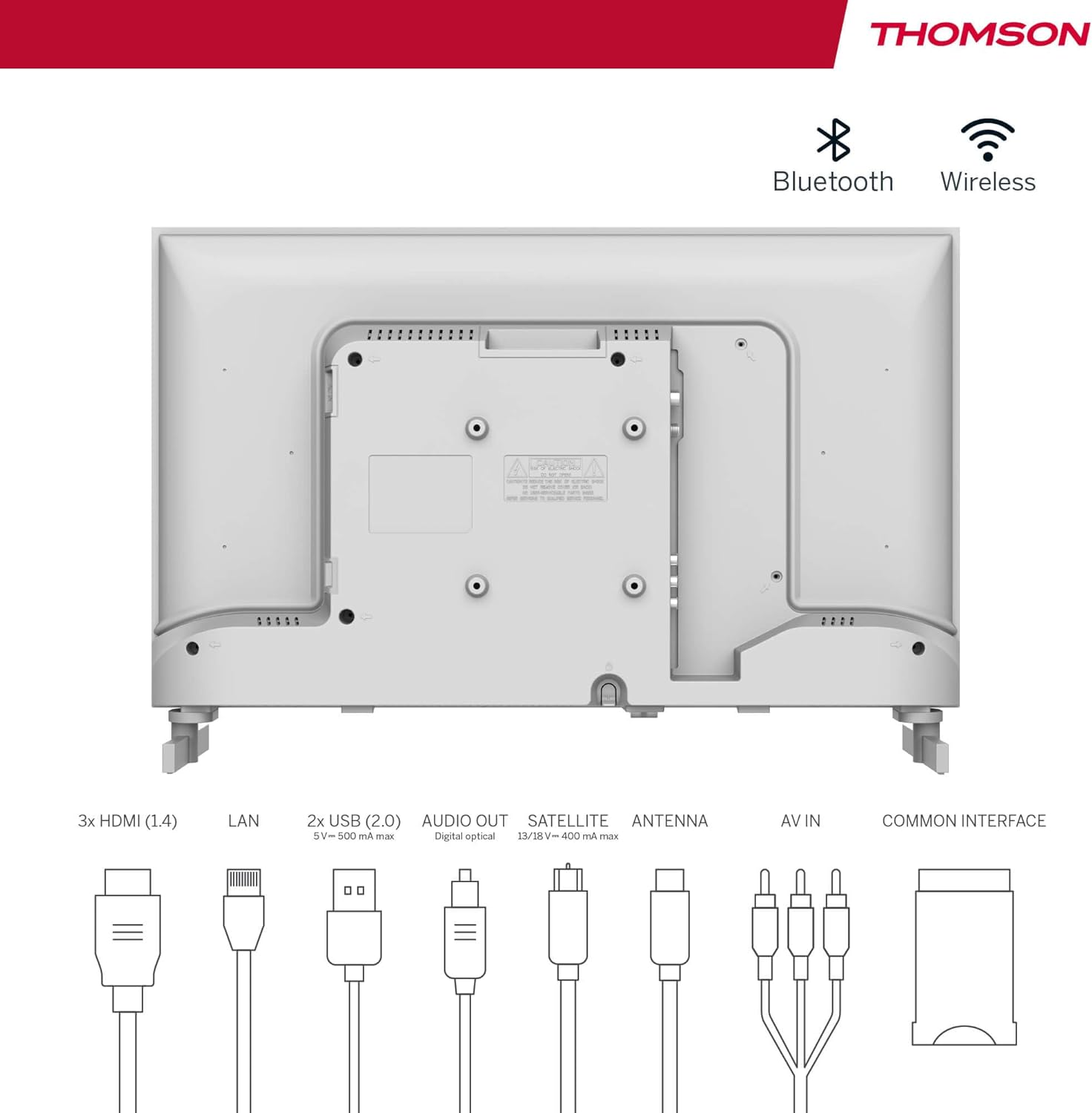
- Terrestrial Antenna: Connect a DVB-T/T2 antenna cable to the 'ANTENNA' input on the TV.
- Kablovska TV: Connect your cable TV coaxial cable to the 'ANTENNA' input on the TV.
- Satelitska antena: Connect your satellite dish cable to the 'SATELLITE' input on the TV.
4.4 Povezivanje vanjskih uređaja
- HDMI uređaji: Connect Blu-ray players, game consoles, or other HDMI devices to the HDMI ports (3 available).
- USB uređaji: Connect USB drives for media playback or software updates to the USB ports (2 available).
- Audio izlaz: Use the digital optical audio output to connect to a soundbar or home theater system.
- AV ulaz: For older devices, use the AV In ports.
- LAN: Za žičanu internet vezu, priključite Ethernet kabel na LAN priključak.
- CI+ Module: Insert a CI+ module and smart card (if required by your service provider) into the Common Interface slot.
4.5 Početno podešavanje (Google TV)
- Power on the TV. The initial setup wizard will guide you through the process.
- Odaberite željeni jezik.
- Connect to a Wi-Fi network or use a wired LAN connection.
- Prijavite se sa svojim Google računom da biste pristupili funkcijama, aplikacijama i personaliziranim preporukama Google TV-a.
- Follow the on-screen prompts to set up Google Assistant and tune channels (for antenna/cable/satellite).
5. Upravljanje televizorom
5.1 Daljinski upravljač
The included remote control is designed for intuitive navigation of your Google TV.

- Dugmad sa pozadinskim osvetljenjem: The remote features backlighting for easy use in dark environments.
- upravljanje glasom: Press the Google Assistant button and speak into the remote to control your TV, search for content, or ask questions.
- Favorite App Button: Use the star button to quickly access your most frequently used application.
- Profile Prekidač: Jednostavno prebacivanje između različitih korisničkih profesionalacafiles set up on your Google TV.

5.2 Interfejs Google TV-a
Google TV organizes content from your streaming services and apps into a single, easy-to-navigate interface.

- Personalizirane preporuke: The 'For You' tab provides content suggestions based on your viewing habits across all your streaming services.
- aplikacije: Access a wide range of applications from the Google Play Store, including popular streaming platforms.
- biblioteka: Find your purchased movies and shows from Google Play.
- Profiles: Create separate user profiles for each family member to get personalized content and recommendations.
5.3 Google Cast
Integrated Google Cast allows you to wirelessly stream movies, music, and videos from compatible devices (smartphones, tablets, computers) directly to your TV screen.
- Provjerite jesu li vaš uređaj i TV povezani na istu Wi-Fi mrežu.
- Open a Cast-enabled app on your device (e.g., YouTube, Netflix).
- Dodirnite ikonu Cast (▶) within the app and select your THOMSON TV.
5.4 Dolby Audio
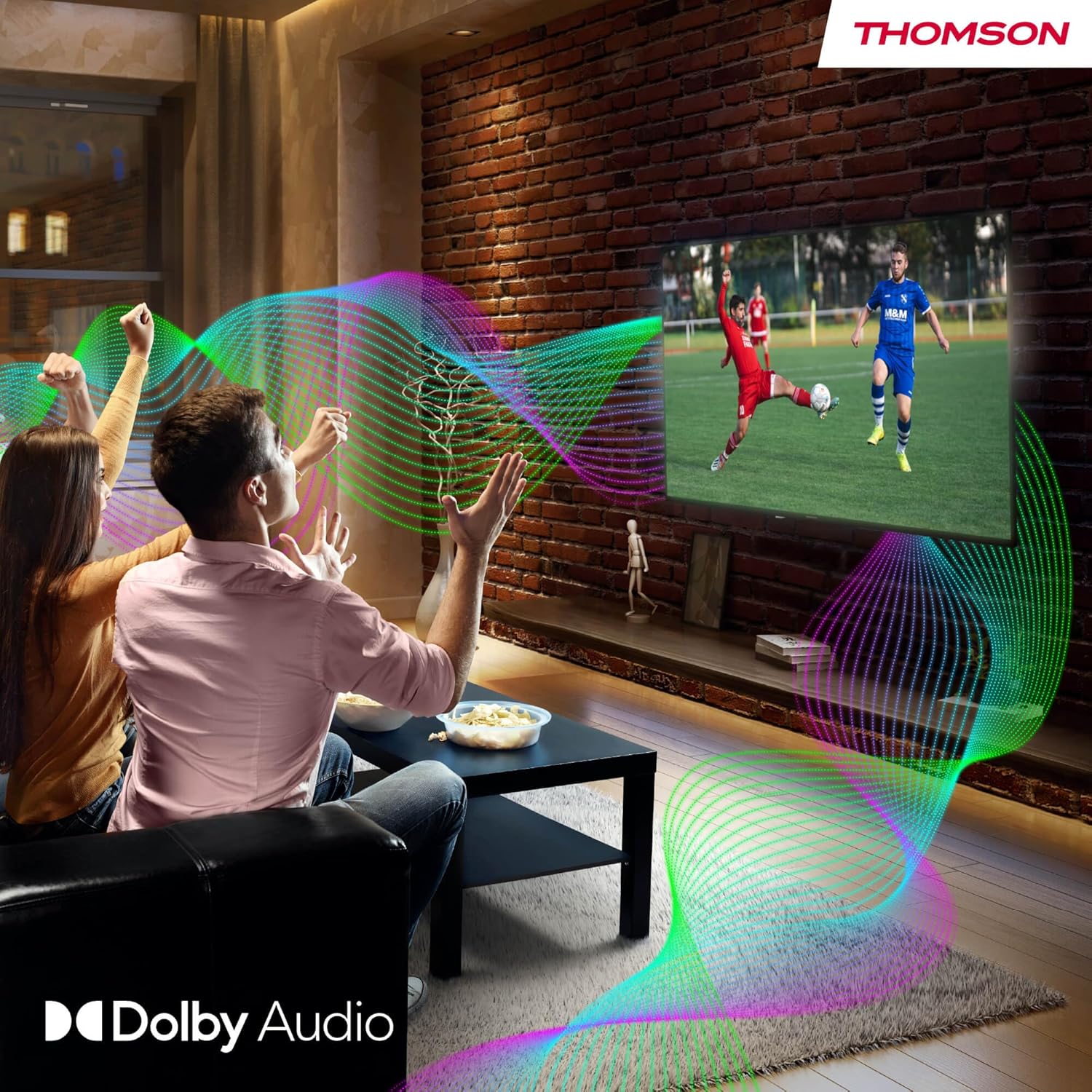
Your TV features Dolby Audio technology for an enhanced sound experience, delivering clear dialogue and immersive audio.
6. Održavanje
- Čišćenje ekrana: Nježno obrišite ekran mekom krpom koja ne ostavlja dlačice. Za tvrdokorne mrlje, lagano obrišiteampen the cloth with water or a specialized screen cleaner (ensure it's safe for LED screens). Never spray liquid directly onto the screen.
- Čišćenje kućišta televizora: Use a soft, dry cloth to wipe the exterior of the TV.
- Ažuriranja softvera: Your Google TV will periodically check for and install software updates. Ensure your TV is connected to the internet for these updates.
- Upravljanje kablovima: Keep cables tidy and organized to prevent damage and ensure proper ventilation.
7. Otkrivanje problema
Ako naiđete na bilo kakve probleme s televizorom, pogledajte sljedeće uobičajene probleme i rješenja:
| Problem | Moguće rješenje |
|---|---|
| Nema struje | Check if the power cable is securely connected to the TV and the power outlet. Ensure the outlet is working. Try a different power source. |
| Nema slike, ali je zvuk prisutan | Provjerite ulazni izvor. Osigurajte da su vanjski uređaji pravilno povezani i uključeni. |
| Nema zvuka, ali je slika prisutna | Check the volume level. Ensure mute is not activated. Check audio output settings and external audio device connections. |
| Daljinski upravljač ne radi | Check and replace batteries. Ensure there are no obstructions between the remote and the TV. |
| Nije moguće povezati se na Wi-Fi | Provjerite je li vaš ruter uključen i da li radi. Ponovo unesite lozinku za Wi-Fi. Pokušajte ponovo pokrenuti TV i ruter. |
| Loš kvalitet slike | Check antenna/cable connections. Adjust picture settings. For streaming content, check internet speed. |
8. Specifikacije
| Feature | Detalj |
|---|---|
| Brand | Thomson |
| Broj modela | 24HG2S14CW |
| Veličina ekrana | 24 inča (60 cm) |
| Rezolucija | HD (1366 x 768) |
| Display Technology | LED |
| Refresh Rate | 60 Hz |
| Operativni sistem | Google TV |
| Voice Control | Google Assistant |
| Audio tehnologija | Dolby Audio |
| HDR podrška | HDR10 |
| Povezivanje | Wi-Fi, Bluetooth 5.1, HDMI (3 ports), USB (2 ports), LAN, Digital Optical Audio Out, AV In, CI+ |
| Tip tjunera | Triple Tuner (DVB-T/T2, DVB-C, DVB-S/S2) |
| Napajanje | 12V DC / Standard AC |
| Boja | Bijelo |
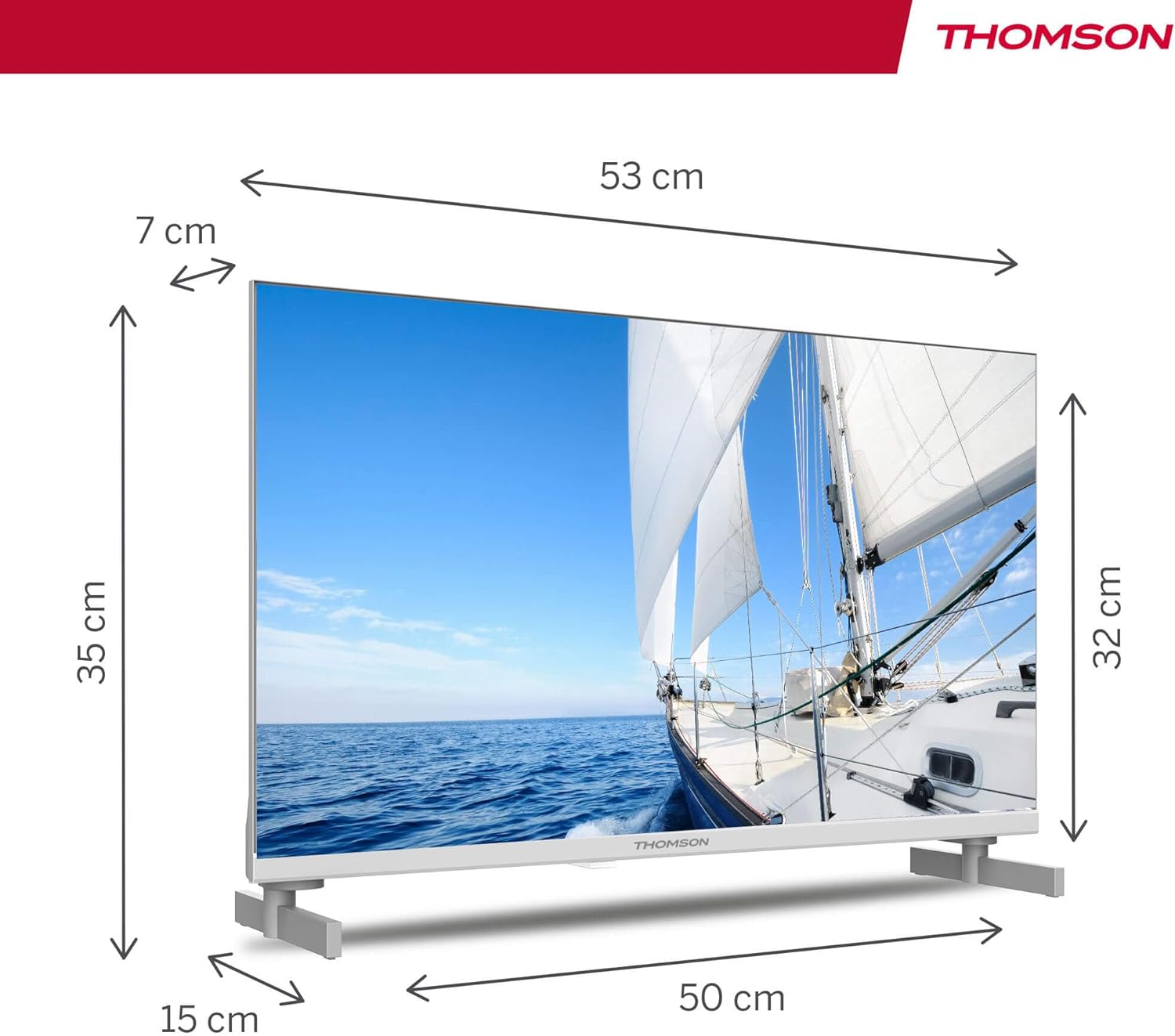
| Dimenzije proizvoda (D x Š x V) | 53.48 x 15.05 x 35.32 cm |
| Težina | 3.5 kg |
| Klasa energetske efikasnosti | E |
| Power Consumption (1000h) | 18 kWh |

9. Garancija i podrška
THOMSON products are designed and manufactured to the highest quality standards. This product is covered by a manufacturer's warranty. Please refer to the warranty card included in your package for specific terms and conditions, including the warranty period and coverage details.
For technical support, troubleshooting assistance, or warranty claims, please contact THOMSON customer service through their official webweb-mjesto ili kontakt informacije navedene u vašoj dokumentaciji o garanciji.


