1. Uvod
Thank you for choosing the deleyCON CAT6a SLIM Ethernet Patch Cable. This high-quality network cable is designed for reliable and high-speed data transmission, supporting up to 10 Gigabit per second (Gbit/s) and a frequency of 500 MHz. Its slim design and flexible RJ45 connectors make it ideal for various networking environments, from home setups to professional patch panels.
Key features of your deleyCON CAT6a SLIM Ethernet Patch Cable include:
- CAT6a standard for high-speed data transfer.
- Slim design for easy routing and space-saving installations.
- Flexible RJ45 connectors with gold-plated pins for optimal conductivity and durability.
- Universal compatibility with all RJ45-enabled devices.
- High-quality copper conductor and shielded construction for reliable performance.

Image: Two deleyCON CAT6a SLIM Ethernet Patch Cables, white with red-tinted RJ45 connectors, showcasinnjihov tanak profesionalacfile.
2. Podešavanje
Setting up your deleyCON CAT6a SLIM Ethernet Patch Cable is a straightforward process. Follow these steps to establish a network connection:
- Identify Devices: Locate the Ethernet ports (RJ45) on the devices you wish to connect. These typically include routers, switches, modems, patch panels, PCs, laptops, gaming consoles (e.g., PlayStation, Xbox), smart TVs, and other network-enabled equipment.
- Spoji prvi kraj: Insert one end of the deleyCON CAT6a SLIM Ethernet Patch Cable into the Ethernet port of your first device. Ensure the connector clicks securely into place. The flexible design of the connector allows for easy orientation in tight spaces.
- Spoji drugi kraj: Insert the other end of the cable into the Ethernet port of your second device. Again, ensure a secure connection.
- Potvrdite vezu: Most network devices have indicator lights next to the Ethernet port. A solid or blinking light typically indicates an active and functional network connection.

Image: Multiple deleyCON CAT6a SLIM Ethernet Patch Cables connected to a patch panel, demonstrating their use in a structured cabling environment.
3. Operativni
The deleyCON CAT6a SLIM Ethernet Patch Cable is a passive component in your network. Once properly connected, it facilitates high-speed data transfer between your devices without requiring any active configuration on the cable itself.
- Performanse velike brzine: This cable supports network speeds of up to 10 Gbit/s, making it suitable for demanding applications such as online gaming, 4K/8K video streaming, and large file transferi.
- Gigabit Ethernet Ready: Fully compatible with Gigabit Ethernet networks, ensuring optimal performance for your connected devices.
- Podrška za napajanje preko Etherneta (PoE): The cable is designed to support Power over Ethernet (PoE) applications, allowing compatible devices to receive both data and power over a single cable.
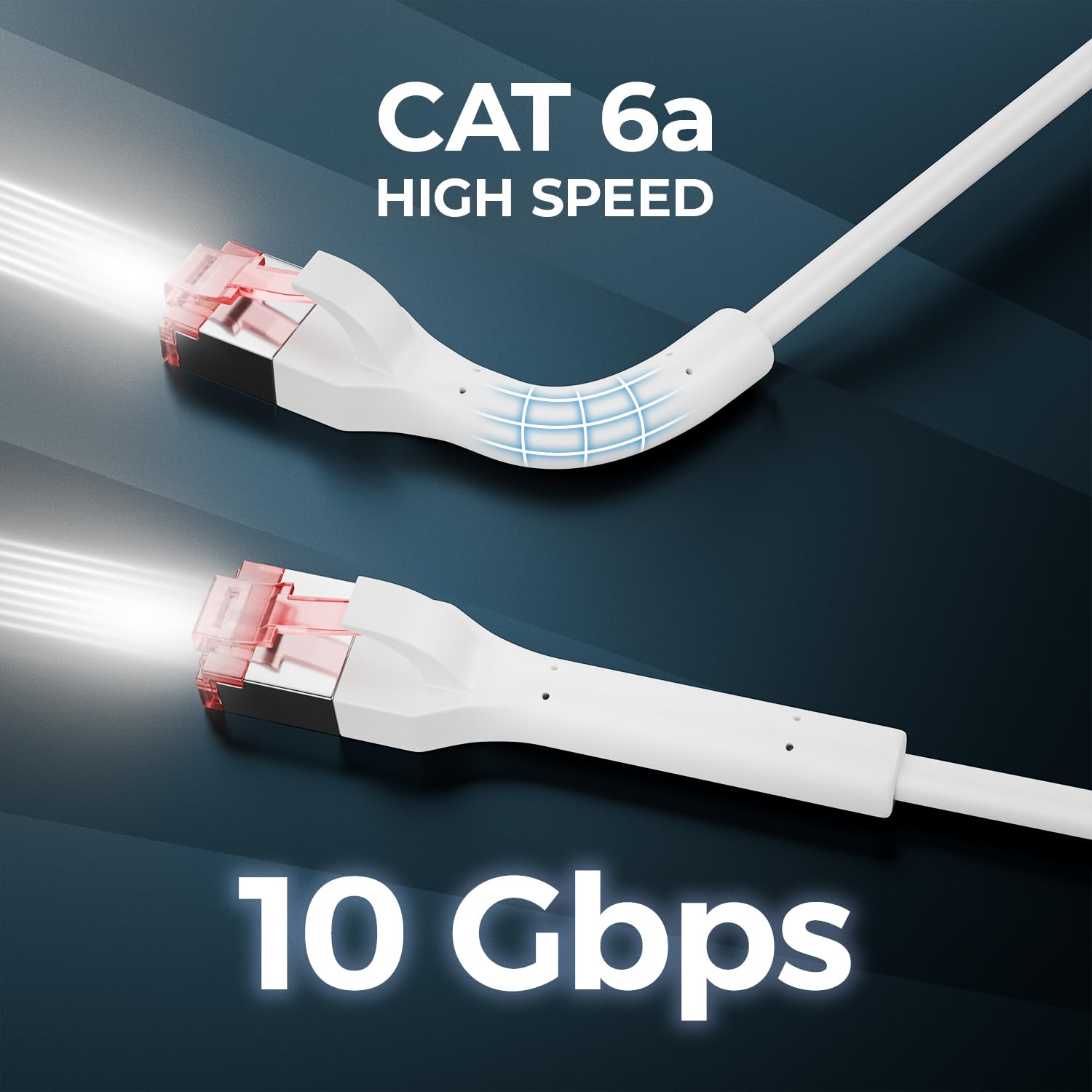
Image: A deleyCON CAT6a SLIM Ethernet Patch Cable with glowing lines, visually representing its 10 Gbps high-speed capability.

Image: A deleyCON CAT6a SLIM Ethernet Patch Cable connected to a gaming console and TV, highlighting its suitability for high-speed gaming and streaming.
4. Održavanje
Proper care and maintenance will ensure the longevity and optimal performance of your deleyCON CAT6a SLIM Ethernet Patch Cable:
- Održavajte konektore čistima: Dust and debris can accumulate on the RJ45 connectors, potentially affecting signal quality. Periodically inspect and gently clean the connectors with a dry, lint-free cloth if necessary.
- Izbjegavajte oštre krivine: While the cable is flexible, avoid bending it at sharp angles, especially near the connectors. Excessive bending can damage the internal copper conductors and shielding, leading to performance degradation.
- Pravilno skladištenje: When not in use, coil the cable loosely and store it in a clean, dry environment away from extreme temperatures or direct sunlight. Avoid tangling with other cables.
- Pažljivo rukujte: Always grasp the connector housing when plugging or unplugging the cable, rather than pulling on the cable itself. This prevents strain on the cable-to-connector junction.
5. Otkrivanje problema
Ako naiđete na probleme s mrežnom vezom, razmotrite sljedeće korake za rješavanje problema:
- Nema mrežne veze:
- Ensure both ends of the Ethernet cable are securely plugged into their respective ports.
- Check the indicator lights on your network devices (router, switch, PC) to confirm an active link.
- Pokušajte spojiti drugi, pouzdano ispravan Ethernet kabel kako biste isključili mogućnost kvara kabela.
- Restart your network devices (router, modem, switch) and the connected end devices.
- Mala brzina mreže:
- Verify that all connected devices (network card, router, switch) support Gigabit Ethernet or 10 Gigabit Ethernet to fully utilize the CAT6a cable's capabilities.
- Ensure your internet service provider (ISP) plan supports the desired speeds.
- Check for other network congestion or background applications consuming bandwidth.
- Inspect the cable for any visible damage or sharp bends that could impede performance.
- Intermitentna veza:
- Ensure the cable is not being physically disturbed or moved frequently.
- Check for electromagnetic interference (EMI) from other electronic devices. Try rerouting the cable away from power cords or large electrical appliances.
- Provjerite da RJ45 konektori nisu labavi ili oštećeni.
6. Specifikacije
| Brand | delyCON |
| Vrsta kabla | Ethernet patch kabl |
| Model | CAT6a SLIM |
| Brzina prijenosa podataka | Up to 10 Gbit/s (Gigabit per second) |
| Frekvencija prenosa | Do 500 MHz |
| Tip konektora | RJ45 (Male to Male) |
| Materijal provodnika | Bakar |
| Posebne karakteristike | High speed, Slim design, Gold-plated pins, Shielded connector, Latch protection, PoE support |
| Kompatibilni uređaji | Routers, switches, modems, patch panels, NAS systems, smart TVs, game consoles (PlayStation, Xbox), computers, laptops, network printers, IP cameras, access points, VoIP phones, media players, decoders |

Image: A graphic comparing the performance of CAT6a (10 Gbit/s / 500 MHz) and CAT6 (10 Gbit/s / 250 MHz) cables, highlighting the higher frequency of CAT6a.
7. Garancija i podrška
For information regarding the warranty period and support options for your deleyCON CAT6a SLIM Ethernet Patch Cable, please refer to the documentation provided at the time of purchase or contact the seller/manufacturer directly. Warranty terms may vary based on region and retailer.


