1. Uvod
The EazeID M950 is a versatile label maker designed for home, office, and school use. It offers two primary printing modes: direct input via its integrated QWERTY keyboard and wireless control through the 'Print Master' mobile application via Bluetooth. Featuring a rechargeable battery and a backlit LCD screen, the M950 provides convenience and clarity for all your labeling needs. This manual provides detailed instructions for setting up, operating, and maintaining your device.
2. Sadržaj paketa
Molimo Vas da provjerite da li se u Vašem paketu nalaze sve dolje navedene stavke:
- 1 x EazeID M950 Label Maker
- 1 x 3M21 Black on White Label tape (12mm*4M)
- 1 x Type-C podatkovni kabel
- 1 x Packaging box
- 1 x Korisnički priručnik (ovaj dokument)

Figure 2.1: EazeID M950 Label Maker package contents.
3. Proizvod je gotovview
The EazeID M950 Label Maker features a compact design with an integrated QWERTY keyboard and a backlit LCD screen for ease of use. It utilizes thermal printing technology, eliminating the need for ink or toner.

Slika 3.1: Prednja strana view of the EazeID M950 Label Maker and accessories.

Figure 3.2: Key features and components of the EazeID M950 Label Maker.
4. Podešavanje
4.1 Punjenje uređaja
The M950 Label Maker is equipped with a built-in 1200mAh rechargeable lithium battery. Before first use, or when the battery is low, charge the device using the provided Type-C USB cable.
- Connect the Type-C end of the cable to the charging port on the side of the label maker.
- Connect the USB-A end of the cable to a 5V-2A charging adapter (not included) or a compatible USB port.
- The device will indicate charging status on the LCD screen. A full charge typically takes 1-2 hours.
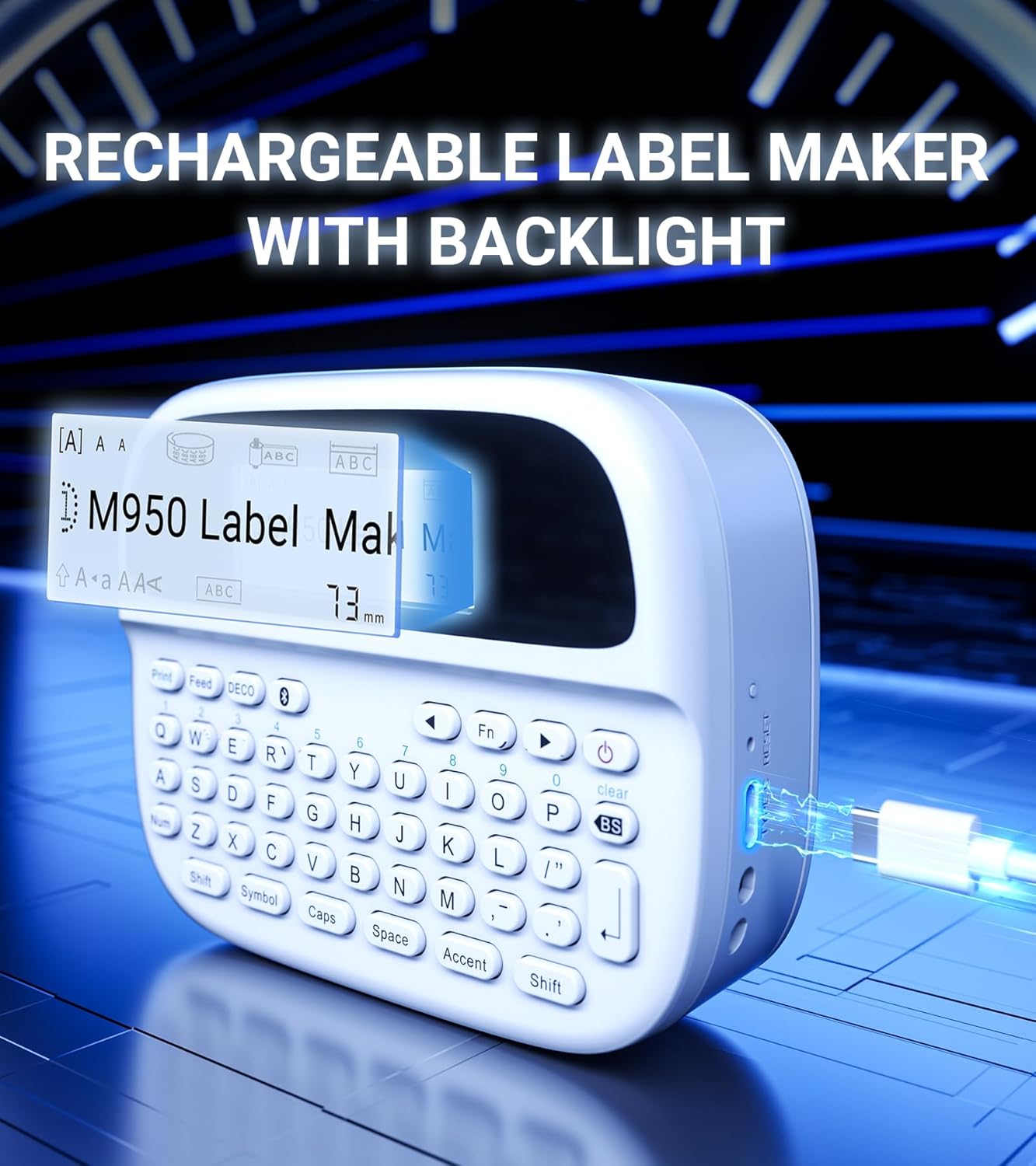
Figure 4.1: Charging the EazeID M950 Label Maker.
4.2 Postavljanje etiketne trake
To install or replace the label tape cassette:
- Ensure the label maker is powered off.
- Locate the tape compartment cover on the top of the device. Gently open the cover.
- Insert the label tape cassette into the compartment, ensuring it clicks into place. The tape should feed smoothly out of the slot.
- Close the tape compartment cover securely.

Slika 4.2: Interni view of the M950 label maker showing tape cassette placement.
5. Uputstvo za upotrebu
5.1 Uključivanje/isključivanje
- Za uključivanje: Pritisnite i držite Snaga button (usually marked with a power symbol) until the LCD screen illuminates.
- Za isključivanje: Pritisnite i držite Snaga ponovo pritisnite dugme dok se ekran ne isključi.
5.2 Direct Printing via QWERTY Keyboard
The M950 features an ergonomic QWERTY keyboard for direct label creation.
- Uključeno: Uključite uređaj za izradu etiketa.
- Input Text: Use the QWERTY keyboard to type your desired label text. The text will appear on the backlit LCD screen.
- Formatting Options: Use the function keys (e.g., Fn, Simbol, Caps, Akcent) to access various fonts, sizes, symbols, and other formatting options.
- Štampa: Pritisnite Print button to generate the label.
- rez: Use the built-in cutter to cleanly separate the printed label from the tape roll.

Figure 5.1: Using the QWERTY keyboard for direct label printing.
5.3 Bluetooth App Printing (Print Master App)
For advanced features and customization, connect your M950 to the 'Print Master' app via Bluetooth.
- Preuzmi aplikaciju: Download the 'Print Master' app from your device's app store (available on Android and iOS).
- Power On & Bluetooth: Turn on the label maker and ensure Bluetooth is enabled on both the label maker and your smartphone.
- Povežite se: Open the 'Print Master' app. The app will search for nearby EazeID label makers. Select 'EazeID M950' from the list to connect.
- Dizajnerska oznaka: Use the app's interface to create your label. The app offers a vast library of customizable templates, over 1000 patterns, 100+ frames, 100+ fonts, barcodes, and QR codes.
- Štampa: Once your label is designed, tap the 'Print' icon in the app.
- rez: Use the built-in cutter on the label maker to separate the printed label.

Figure 5.2: The EazeID M950 supports both keyboard and Bluetooth app printing modes.

Figure 5.3: Connecting to the 'Print Master' app via Bluetooth.
6. Održavanje
6.1 Čišćenje uređaja
To ensure optimal performance and longevity of your label maker:
- Isključite uređaj prije čišćenja.
- Use a soft, dry cloth to wipe the exterior of the label maker.
- For the print head, gently wipe with a cotton swab lightly dampOčišćeno izopropilnim alkoholom. Ostavite da se potpuno osuši prije upotrebe.
- Nemojte koristiti abrazivna sredstva za čišćenje ili rastvarače.
6.2 Njega baterija
Da biste maksimalno produžili vijek trajanja baterije:
- Izbjegavajte često potpuno pražnjenje baterije.
- Charge the device regularly, even if not in constant use.
- Uređaj čuvajte na hladnom i suhom mjestu kada se ne koristi duži period.
7. Otkrivanje problema
If you encounter issues with your EazeID M950 Label Maker, refer to the following common problems and solutions:
| Problem | Mogući uzrok | Rješenje |
|---|---|---|
| Uređaj se ne uključuje | Slaba baterija; Kvar uređaja | Punite uređaj najmanje 30 minuta. Ako i dalje ne reaguje, kontaktirajte podršku. |
| No print or faint print | Tape installed incorrectly; Print head dirty; Low battery | Reinstall tape cassette. Clean the print head. Charge the device. |
| Bluetooth veza nije uspjela | Bluetooth off; App not updated; Device too far | Ensure Bluetooth is enabled on both devices. Update 'Print Master' app. Move label maker closer to smartphone. Restart both devices. |
| Labels are difficult to peel | Specific label tape characteristic | Ensure you are using genuine EazeID label tape. Try bending the label backing slightly to separate. |
8. Specifikacije
Technical specifications for the EazeID M950 Label Maker:
- Naziv modela: EazeID M950 Label Maker
- Tehnologija štampe: Thermal
- Rezolucija štampanja: 203 DPI
- Povezivanje: Bluetooth, USB tip C
- Maksimalna veličina medija: 12 mm (0.47 inča)
- baterija: 1200mAh litijum-jonska (punjiva, uključena)
- Metoda kontrole: App (Print Master), QWERTY Keyboard
- Posebne karakteristike: Backlit LCD Screen, Built-in Cutter, Portable
- Dimenzije proizvoda: Približno 1 x 1 x 1 inča
- Težina artikla: 1.06 funte
- Uključene komponente: Label maker, tape, USB-C cable, user manual

Figure 8.1: EazeID M950 Label Maker dimensions and key features.
9. Garancija i podrška
The EazeID M950 Label Maker comes with a limited warranty. For specific warranty terms and conditions, please refer to the warranty card included in your product packaging or visit the official EazeID website.
For technical support, troubleshooting assistance, or inquiries about replacement parts and accessories, please contact EazeID customer service through the contact information provided on the official webweb-stranicu ili vašu platformu za kupovinu.


