1. Uvod
Thank you for choosing the Reobiux 2K Outdoor WiFi Surveillance Camera. This camera is designed to provide comprehensive and reliable outdoor monitoring with advanced features such as dual lenses, 360° PTZ control, 2K resolution, color night vision, motion detection, two-way audio, and IP66 waterproofing. This manual will guide you through the installation, operation, and maintenance of your new security camera.
2. Sadržaj paketa
Molimo Vas da pažljivo provjerite sadržaj paketa. Ako bilo koji artikl nedostaje ili je oštećen, obratite se korisničkoj podršci.
- 1 x Reobiux 2K Outdoor WiFi Surveillance Camera
- 1 x 3m Power Adapter
- 1 x Uputstvo za upotrebu
- 1 x Set montažnih vijaka
3. Značajke proizvoda
3.1 Dual Lens 2-in-1 & 360° View
The camera features two lenses for a comprehensive 360° panoramic view. The fixed lens provides a wide overview, while the rotating lens offers flexible pan (355° horizontal) and tilt (90° vertical) capabilities to cover every corner of your surveillance area without delay.

Image: Illustration of the camera's dual lens system and PTZ (Pan-Tilt-Zoom) functionality.
3.2 2K Resolution & Color Night Vision
Experience remarkably clear images with 2K resolution, capturing every detail with impressive clarity. The camera offers three night vision modes: infrared mode for black and white clarity in total darkness, full-color mode for vivid night images, and an alarm siren mode for deterrence.

Image: Demonstrates the difference between infrared and full-color night vision modes.

Image: Visual comparison highlighting the enhanced detail provided by the 2.5K QHD resolution over standard 1080P.
3.3 Motion Detection & 24/7 Recording
The camera features intelligent motion detection. Upon detecting a moving object, it sends real-time notifications to your device. Continuous video recording to an SD card (up to 128GB) ensures you can review footage anytime without missing important details.
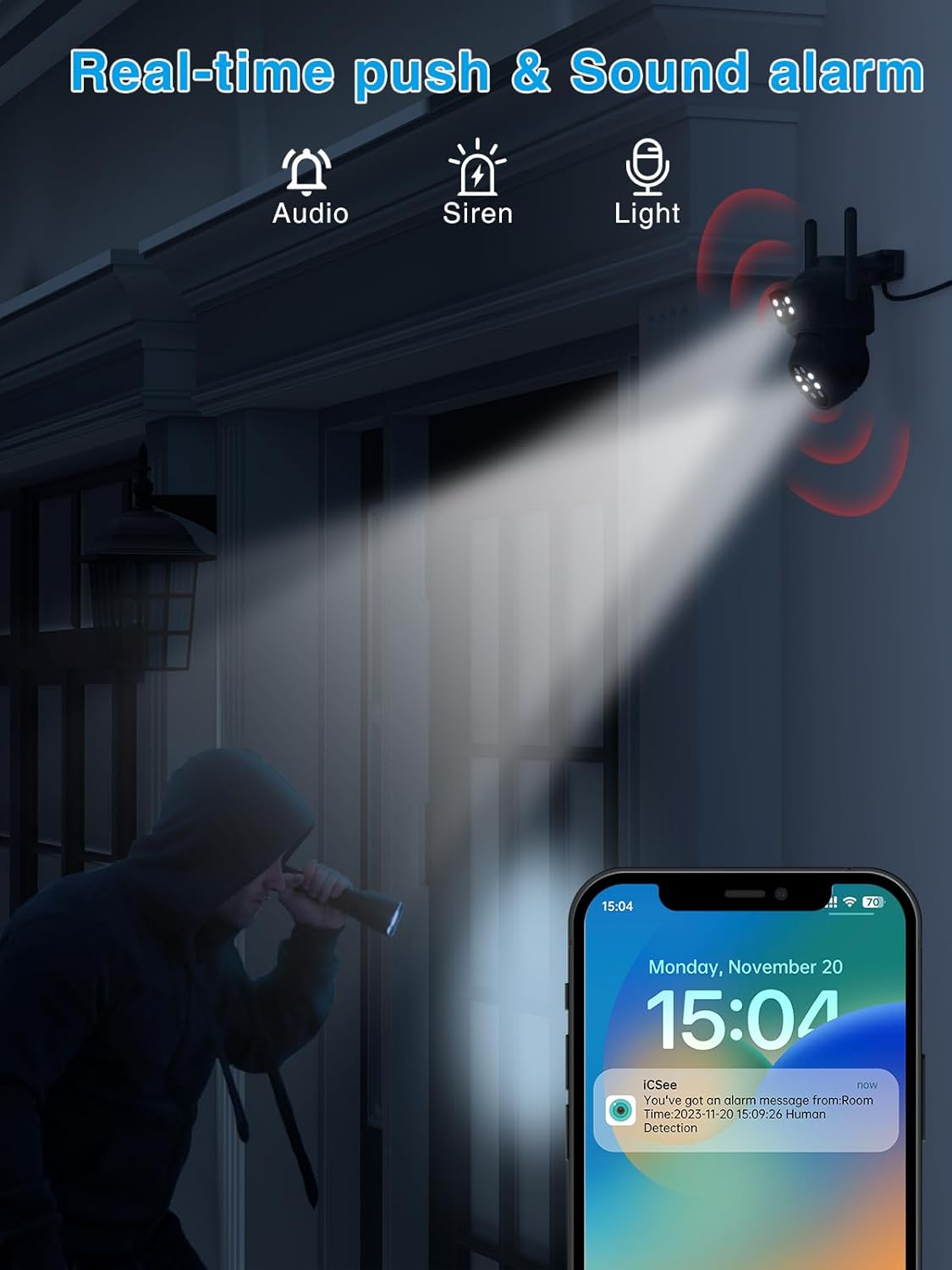
Image: Depicts the camera's motion detection and real-time alarm notification feature.
3.4 Two-Way Audio & Alarm Siren
Communicate with visitors or deter intruders using the built-in two-way audio function. The integrated alarm siren can be remotely activated upon detection of suspicious activity, alerting neighbors and enhancing home security.

Image: Illustrates the two-way audio communication capability of the camera.
3.5 IP66 Waterproof & Multi-User Access
With an IP66 waterproof rating, the camera is designed to withstand various weather conditions, including rain and snow. It also supports multi-user access, allowing multiple family members or colleagues to monitor the outdoor space simultaneously.

Image: Shows the camera's durability and IP66 waterproof design in outdoor conditions.
4. Vodič za postavljanje
4.1 Instalacija
- Choose a suitable outdoor location for mounting the camera, ensuring a clear view područja koje želite nadgledati.
- Use the included mounting screws to securely attach the camera to a wall or desired surface.
- Connect the 3m power adapter to the camera and plug it into a power outlet.
4.2 App Connection (iCSee App)
- Download the 'iCSee' app from your smartphone's app store (iOS or Android).
- Registrujte novi račun ili se prijavite ako ga već imate.
- Dodirnite ikonu '+' da biste dodali novi uređaj.
- Follow the on-screen instructions to connect the camera to your Wi-Fi network. This typically involves scanning a QR code on the camera or using an AP hotspot connection.
- Nakon povezivanja, možete imenovati svoju kameru i započeti prijenos uživo viewing.
5. Uputstvo za upotrebu
5.1 Uživo View i PTZ kontrola
- Otvorite aplikaciju iCSee i odaberite svoju kameru s popisa uređaja.
- Use the on-screen joystick or swipe gestures to control the camera's pan (horizontal) and tilt (vertical) movements.
- Tap the screen to zoom in or out (digital zoom).
5.2 Snimanje i reprodukcija
- Insert a Micro SD card (up to 128GB, not included) into the camera's SD card slot for local storage.
- In the app settings, configure recording modes (e.g., continuous, motion-triggered).
- To view snimljeno footage, go to the 'Playback' section in the app and select the desired date and time.
5.3 Dvosmjerni audio
- Dok je u živo view, dodirnite ikonu mikrofona da biste govorili preko zvučnika kamere.
- Provjerite je li ikona zvučnika omogućena kako biste čuli zvuk iz mikrofona kamere.
5.4 Alarm i obavještenja
- Enable motion detection and push notifications in the app settings to receive alerts on your phone.
- You can also manually activate the alarm siren from the app when suspicious activity is detected.
6. Održavanje
- čišćenje: Regularly wipe the camera lens with a soft, dry cloth to ensure clear image quality. Do not use harsh chemicals.
- Ažuriranja firmvera: Povremeno provjeravajte aplikaciju iCSee za ažuriranja firmvera. Održavanje ažurnog firmvera vaše kamere osigurava optimalne performanse i sigurnost.
- Napajanje: Provjerite da adapter za napajanje i kabel nisu oštećeni i da su sigurno spojeni.
7. Otkrivanje problema
| Problem | Mogući uzrok | Rješenje |
|---|---|---|
| Kamera van mreže | Nema struje; Wi-Fi isključen; Problem s ruterom | Check power connection; Restart camera and router; Reconnect camera to Wi-Fi via app. |
| Nema snimanja na SD karticu | SD card full/faulty; Recording settings incorrect | Format or replace SD card; Check recording schedule in app. |
| Loša kvaliteta slike | Dirty lens; Low light; Network bandwidth | Clean the lens; Ensure adequate lighting for color night vision; Check Wi-Fi signal strength. |
| Nije moguće povezati se na Wi-Fi | Incorrect password; Weak signal; Router compatibility | Double-check Wi-Fi password; Move camera closer to router; Try 2.4GHz Wi-Fi band. |
8. Specifikacije
| Feature | Detalj |
|---|---|
| Broj modela | REO-A9HQ-6MP |
| Video Rezolucija | 2K (2.5K QHD) |
| Noćni vid | 15 metara |
| Opseg pomeranja/nagiba | Pan 355°, Tilt 90° |
| Povezivanje | bežični (Wi-Fi) |
| Otpornost na vodu | IP66 vodootporan |
| Skladištenje | Micro SD kartica (do 128 GB, nije uključena) |
| Dvosmjerni audio | Da |
| Detekcija pokreta | Da |
| Izvor napajanja | Električni kabel (12 volti, 5 vati) |
| Materijal | Plastika |
| Dimenzije (D x Š x V) | 12 x 12 x 10 cm |
| Težina | 630 grama |
| Vrsta instalacije | Wall Mount (Screw-in) |
| Tip kontrolera | iCSee App |
9. Garancija i podrška
Reobiux products come with a standard manufacturer's warranty. For specific warranty details, please refer to the warranty card included in your package or visit the official Reobiux website. If you encounter any issues or have questions regarding your camera, please contact Reobiux customer support through the contact information provided on our website or within the iCSee app.
Molimo sačuvajte svoj dokaz o kupovini za zahtjeve u vezi s garancijom.


