Product Overview
The JTEMAN 360 Rotating Cell Phone Stand with Wireless Bluetooth Speaker with Light is a versatile device designed to enhance your mobile experience. It integrates a rotatable phone stand, a Bluetooth speaker, and an atmosphere light into a single unit. This manual provides detailed instructions for its setup, operation, and maintenance.
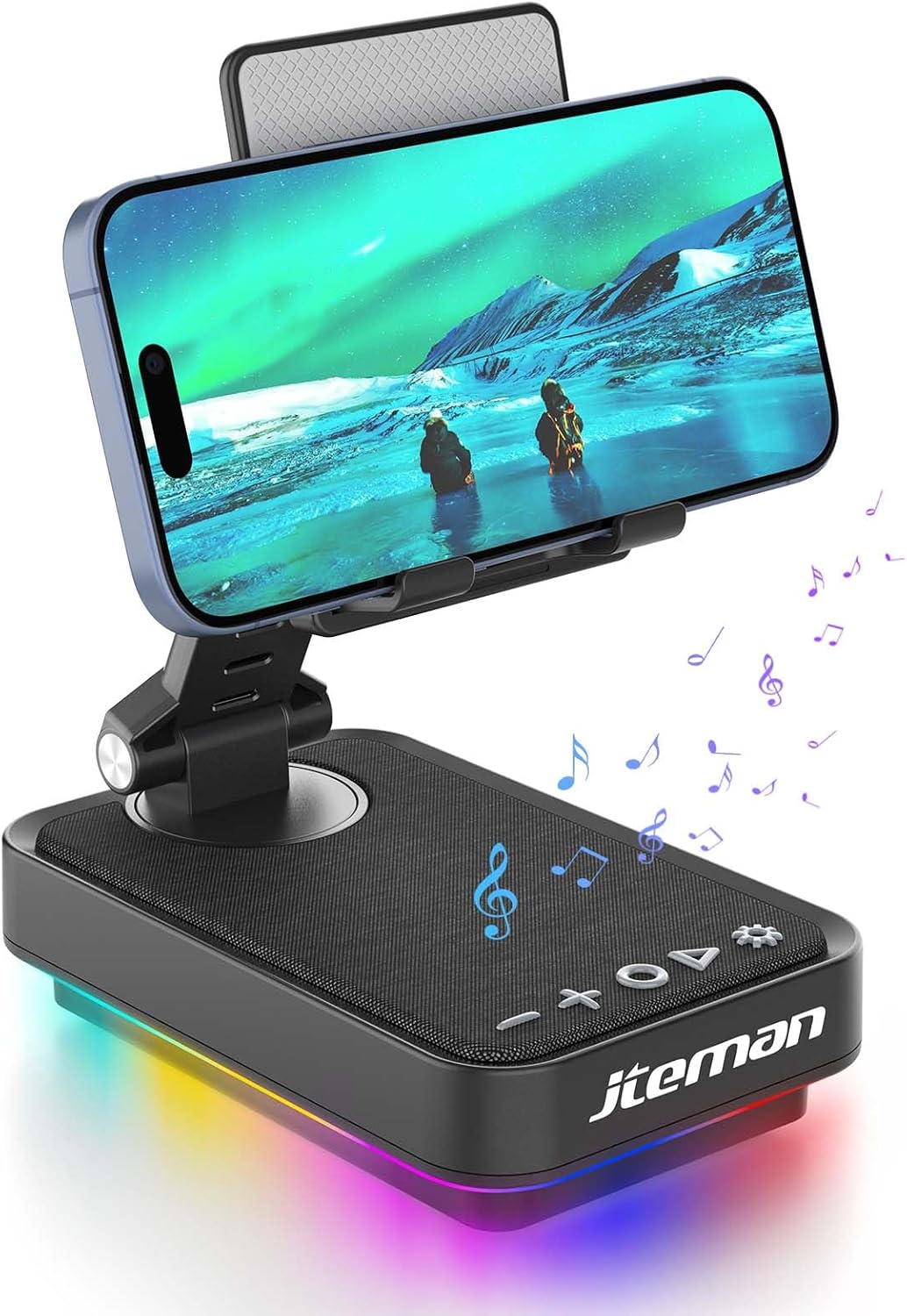
Figure 1: JTEMAN 360 Rotating Cell Phone Stand with Wireless Bluetooth Speaker with Light.
Uključene komponente:
- Bluetooth Speaker (with integrated phone stand and light)
- Type-C kabel
- Uputstvo za upotrebu
Vodič za postavljanje
1. Raspakivanje i početni pregled:
Carefully remove all components from the packaging. Inspect the device and accessories for any signs of damage. Ensure all listed components are present.
Video 1: Unboxing and initial setup of the JTEMAN phone stand and Bluetooth speaker.
2. Preparing the Phone Stand:
Before first use, locate and remove the silicone protective patch from the device's base. This patch protects the surface during shipping.
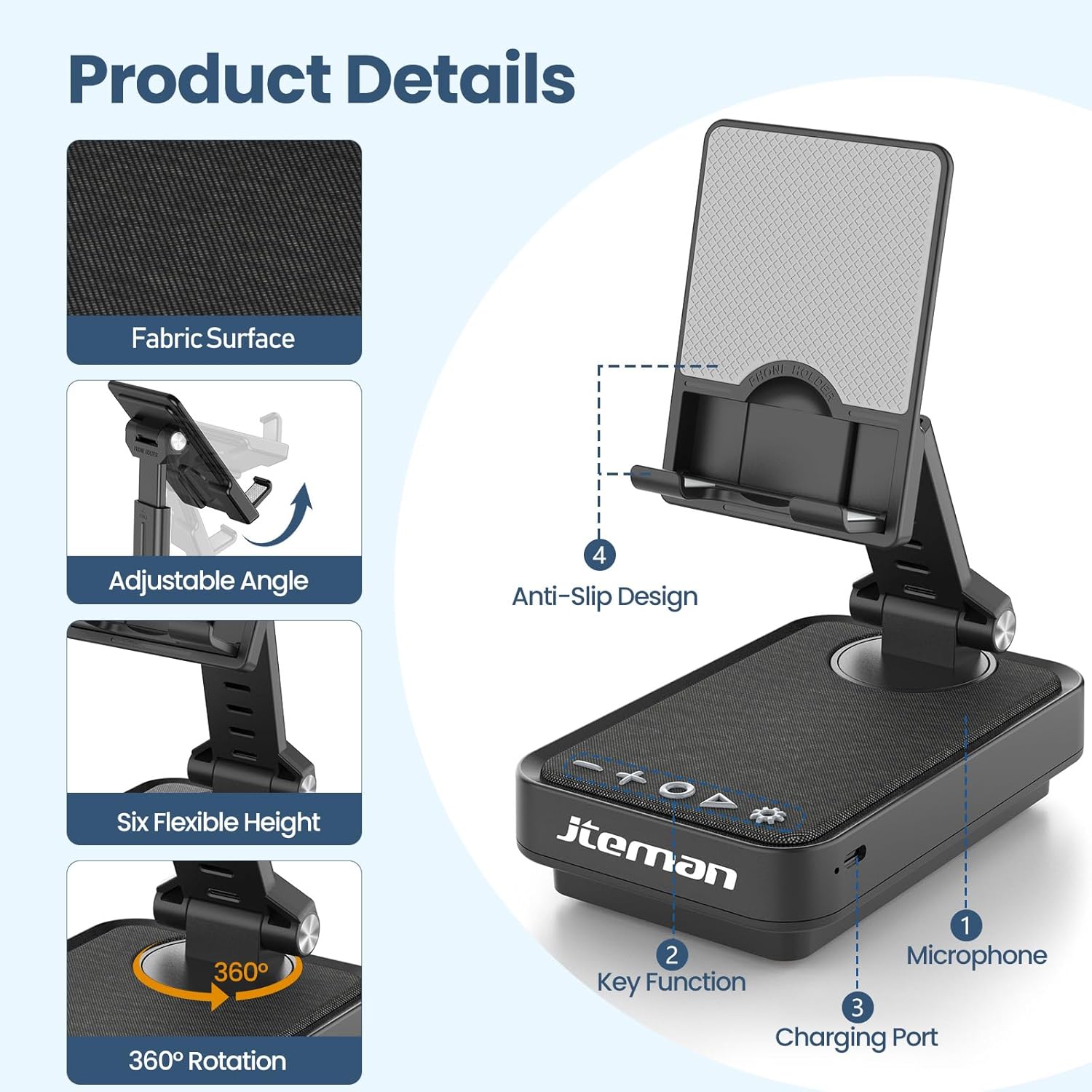
Figure 2: Product details and components. Note the anti-slip design and key functions.
3. Punjenje uređaja:
Connect the provided Type-C cable to the charging port on the device and the other end to a compatible USB power adapter (not included). The power indicator light will show red during charging and turn green when fully charged.
- crveno svjetlo: Baterija se puni.
- zeleno svjetlo: Baterija je potpuno napunjena.

Slika 3: Kapacitet baterije i procijenjeno vrijeme korištenja.
4. Bluetooth uparivanje:
- Long press the Power ON/OFF button (3) for 3 seconds to turn on the speaker. The speaker will enter pairing mode, indicated by a flashing blue light.
- Na pametnom telefonu ili tabletu idite na postavke Bluetootha.
- Select "L39-1" from the list of available devices.
- Once connected, the blue light will become solid.

Figure 4: Bluetooth connection with a laptop, demonstrating wireless audio playback.
Uputstvo za upotrebu
Kontrolna tabla završenaview:

Slika 5: Detaljno view kontrolnog panela i njegovih funkcija.
- VOL- (1): Pritisnite za smanjenje glasnoće.
- VOL+ (2): Pritisnite za pojačavanje glasnoće.
- Answer/Hang up/Play/Pause/Next (4):
- Kratko pritisnite za reprodukciju/pauziranje muzike.
- Short press to answer/hang up calls.
- Dugo pritisnite za prelazak na sljedeću pjesmu.
- UKLJUČIVANJE/ISKLJUČIVANJE (3):
- Dugo pritisnite 3 sekunde da biste uključili/isključili zvučnik.
- Double press to switch between Bluetooth and AUX modes.
- Short press to adjust the brightness of the atmosphere lights (4 levels).
- Atmosphere Light (5):
- Long press for 3 seconds to turn on/off the light.
- Short press to switch lighting mode (11 modes available, 3 modes sync with music).
- Mikrofon (6): Za hands-free pozive.
- Priključak za punjenje (7): Type-C input for charging.
- Power Indicator Light (8): Shows charging status and Bluetooth connection status.
Phone Stand Adjustment:
The phone stand features 360° rotation and adjustable height and angle to suit various viewing needs. The anti-slip silicone pads ensure device stability.

Figure 6: The phone stand supports a wide range of devices, including smartphones and tablets (4-13 inches).
The stand is foldable for easy portability.

Figure 7: The foldable design allows for easy storage and transport.
Održavanje
čišćenje:
Wipe the device with a soft, dry cloth. Do not use abrasive cleaners, solvents, or harsh chemicals, as these may damage the surface or internal components. Avoid exposing the device to excessive moisture.
Skladištenje:
When not in use for extended periods, store the device in a cool, dry place away from direct sunlight and extreme temperatures. Ensure the device is fully charged before storing to prolong battery life.
Održavanje baterije:
To maximize battery lifespan, avoid fully discharging the battery frequently. Charge the device regularly, even if not in constant use. Do not expose the battery to high temperatures.
Rješavanje problema
| Problem | Mogući uzrok | Rješenje |
|---|---|---|
| Uređaj se ne uključuje. | Niska baterija. | Napunite uređaj pomoću priloženog Type-C kabla. |
| Nije moguće povezivanje putem Bluetootha. | Bluetooth not enabled on device; speaker not in pairing mode; too far from speaker. | Ensure Bluetooth is enabled on your phone/tablet. Long press Power ON/OFF button to enter pairing mode (flashing blue light). Move device closer to the speaker. |
| Nema zvuka iz zvučnika. | Volume too low; device not connected; AUX mode active. | Increase volume on both the speaker and your connected device. Verify Bluetooth connection. Double press Power ON/OFF button to switch to Bluetooth mode if in AUX mode. |
| Atmosphere lights not working. | Lights turned off; low battery. | Long press the Atmosphere Light button (5) to turn on. Charge the device. |
Specifikacije
| Feature | Detalj |
|---|---|
| Naziv modela | L39-1 |
| Vrsta montaže | Tabletop Mount |
| Vrsta zvučnika | Surround Sound |
| Posebna karakteristika | LED svjetlo |
| Preporučena upotreba | Za pametne telefone ili tablete |
| Kompatibilni uređaji | Smartphone, Tablet (4-13 inches) |
| Tip kontrolera | Dugme, dodir |
| Surround Sound Channel | 2.0 |
| Dimenzije proizvoda | 5.3"D x 3.5"Š x 2.3"H |
| Je vodootporan | FALSE |
| Izvor napajanja | Battery Powered |
| Vrsta baterije | 1 litijum jonski (uključen) |
| Vrsta audio drajvera | Dynamic Driver |
| Bežično povezivanje | Bluetooth 5.3 |
| Maksimalna izlazna snaga zvučnika | 5 Watts |
| Frekvencijski odziv | 1 KHz |
| Težina artikla | 15.5 unce |
Informacije o garanciji
This JTEMAN product comes with a Jednogodišnja garancija od datuma kupovine. Ova garancija pokriva proizvodne nedostatke i kvarove pri normalnoj upotrebi. Ne pokriva štetu uzrokovanu zloupotrebom, nezgodama, neovlaštenim modifikacijama ili normalnim habanjem.
Please retain your proof of purchase for warranty claims. For detailed warranty terms and conditions, refer to the official JTEMAN websajtu ili kontaktirajte korisničku podršku.
Korisnička podrška
If you encounter any issues or have questions not covered in this manual, please contact JTEMAN customer support. Provide your product model number (L39-1) and a detailed description of the issue to assist our support team.
For the most up-to-date contact information, please visit the official JTEMAN webstranica: JTEMAN Store on Amazon


