1. Uvod
This manual provides essential information for setting up, operating, maintaining, and troubleshooting your Alienware X16 R2 Gaming Laptop. Designed for high-performance gaming and demanding tasks, this laptop combines advanced hardware with a sleek design.
The Alienware X16 R2 features a 16-inch QHD+ 240Hz 3ms display, an Intel Core Ultra 7-155H processor, 16GB LPDDR5X RAM, a 1TB SSD, and an NVIDIA GeForce RTX 4070 8GB GDDR6 graphics card, running on Windows 11 Home.
2. Šta se nalazi u kutiji
Provjerite da li se sve stavke nalaze u pakovanju vašeg proizvoda:
- Alienware x16 R2 laptop
- 360-Watt Adapter
- Kabl za napajanje
- Dokumentacija (ovaj priručnik i ostali vodiči)
3. Podešavanje
3.1 Početno uključivanje
- Raspakujte laptop i svu dodatnu opremu.
- Connect the 360-Watt adapter to the laptop's power/DC-in port and then to a power outlet.
- Open the laptop lid and press the power button (often integrated with the Alienware logo) to turn on the device.
- Slijedite upute na ekranu da biste dovršili postavljanje Windows 11 Home sistema.
3.2 Povezivanje perifernih uređaja
Utilize the various ports on your laptop to connect external devices:
- USB-A portovi: Za standardne USB uređaje poput miševa, tastatura ili eksternih diskova.
- USB-C / Power Delivery Ports: For modern USB-C devices, data transfer, and power delivery.
- HDMI / DisplayPort: Za povezivanje eksternih monitora ili projektora.
- Utor za mikro SD karticu: For reading and writing data to Micro SD cards.
- Priključak za slušalice: Za povezivanje slušalica ili slušalica s mikrofonom.

Figure 3.2.1: Rear Ports Overview
4. Uputstvo za upotrebu
4.1 Tastatura i tačped
The Alienware X16 R2 features a backlit keyboard and a responsive touchpad. The keyboard includes a numerical keypad for enhanced productivity. Customize keyboard lighting effects through the Alienware Command Center.

Figure 4.1.1: AlienFX Lighting on Rear Edge
4.2 Postavke ekrana
The 16-inch QHD+ display offers a 240Hz refresh rate and 3ms response time, enhanced by 100% DCI-P3 color gamut, ComfortView Plus, NVIDIA G-SYNC, and Advanced Optimus technologies for an immersive visual experience. Adjust display settings via Windows Display Settings or NVIDIA Control Panel.
4.3 Audio i kamera
The laptop is equipped with a 1080p at 30fps FHD RGB+IR camera with dual-array microphones for clear video conferencing and facial recognition. Audio is delivered through two 2W tweeter speakers and four 3W woofer speakers. Adjust audio settings through Windows Sound Settings.

Figure 4.3.1: FHD HDR IR Camera Location
4.4 Alienware Command Center
The Alienware Command Center software allows for customization of performance presets, fan speeds, and AlienFX lighting effects. This tool provides granular control over your gaming experience.

Figure 4.4.1: Alienware Command Center Interface
5. Ključne karakteristike i komponente
5.1 Procesor i memorija
The laptop is powered by an Intel Core Ultra 7-155H processor with 16 cores and 24MB cache, capable of reaching 4.8GHz. It includes 16GB of LPDDR5x integrated memory for efficient multitasking and gaming.

Figure 5.1.1: Intel Core Ultra Processor
5.2 Grafika
Equipped with an NVIDIA GeForce RTX 4070 graphics card with 8GB GDDR6 memory, the Alienware X16 R2 delivers high-fidelity visuals and supports advanced features like ray tracing and DLSS 3 for enhanced gaming performance.
Video 5.2.1: NVIDIA GeForce RTX 40 Series Overview. This video demonstrates the performance capabilities of NVIDIA's RTX 40 series graphics cards, including features like DLSS 3 for improved frame rates and visual quality in games.

Figure 5.2.2: NVIDIA Ada Lovelace Architecture for RTX 40 Series
5.3 Skladištenje
The laptop includes a 1TB M.2 PCIe NVMe Solid State Drive (SSD), providing fast boot times and rapid data access for applications and games.
5.4 Napredni sistem hlađenja
The Alienware Cryo-tech™ cooling technology is designed to maximize performance by efficiently expelling warm air through side vents and drawing in cooler air from the top of the keyboard. This system includes six laser-welded flat end heat pipes to maintain optimal operating temperatures.

Figure 5.4.1: Alienware Cryo-tech Cooling System
6. Održavanje
6.1 Čišćenje
- Za čišćenje ekrana i vanjskih površina koristite meku krpu koja ne ostavlja dlačice.
- Izbjegavajte korištenje jakih kemikalija ili abrazivnih materijala.
- Use compressed air to clear dust from ventilation grilles periodically.
6.2 Ažuriranja softvera
Regularly update your Windows operating system, drivers (especially graphics drivers), and Alienware Command Center software to ensure optimal performance and security. These updates often include performance enhancements and bug fixes.
6.3 Njega baterija
To prolong battery life, avoid consistently discharging the battery completely or keeping it at 100% charge for extended periods. For long-term storage, charge the battery to about 50%.
7. Otkrivanje problema
7.1 Problemi s napajanjem
- Laptop se ne uključuje: Ensure the power adapter is securely connected to both the laptop and a working power outlet. Check the power indicator light on the adapter.
- Baterija se ne puni: Verify the power adapter is functioning correctly. Try restarting the laptop. If the issue persists, contact support.
7.2 Problemi sa ekranom
- Nema prikaza: Spojite vanjski monitor da provjerite je li problem u internom ekranu laptopa. Ako vanjski monitor radi, moguće je da je neispravan interni ekran ili njegova veza.
- Treperenje ili iskrivljena slika: Ažurirajte upravljačke programe za grafičku karticu. Smanjite brzinu osvježavanja ekrana u postavkama Windowsa da vidite hoće li to riješiti problem.
7.3 Problemi s performansama
- Spore performanse: Close unnecessary background applications. Check for malware. Ensure sufficient free space on your SSD.
- pregrijavanje: Ensure ventilation grilles are clear of obstructions. Use Alienware Command Center to monitor temperatures and adjust fan profiles.
8. Specifikacije
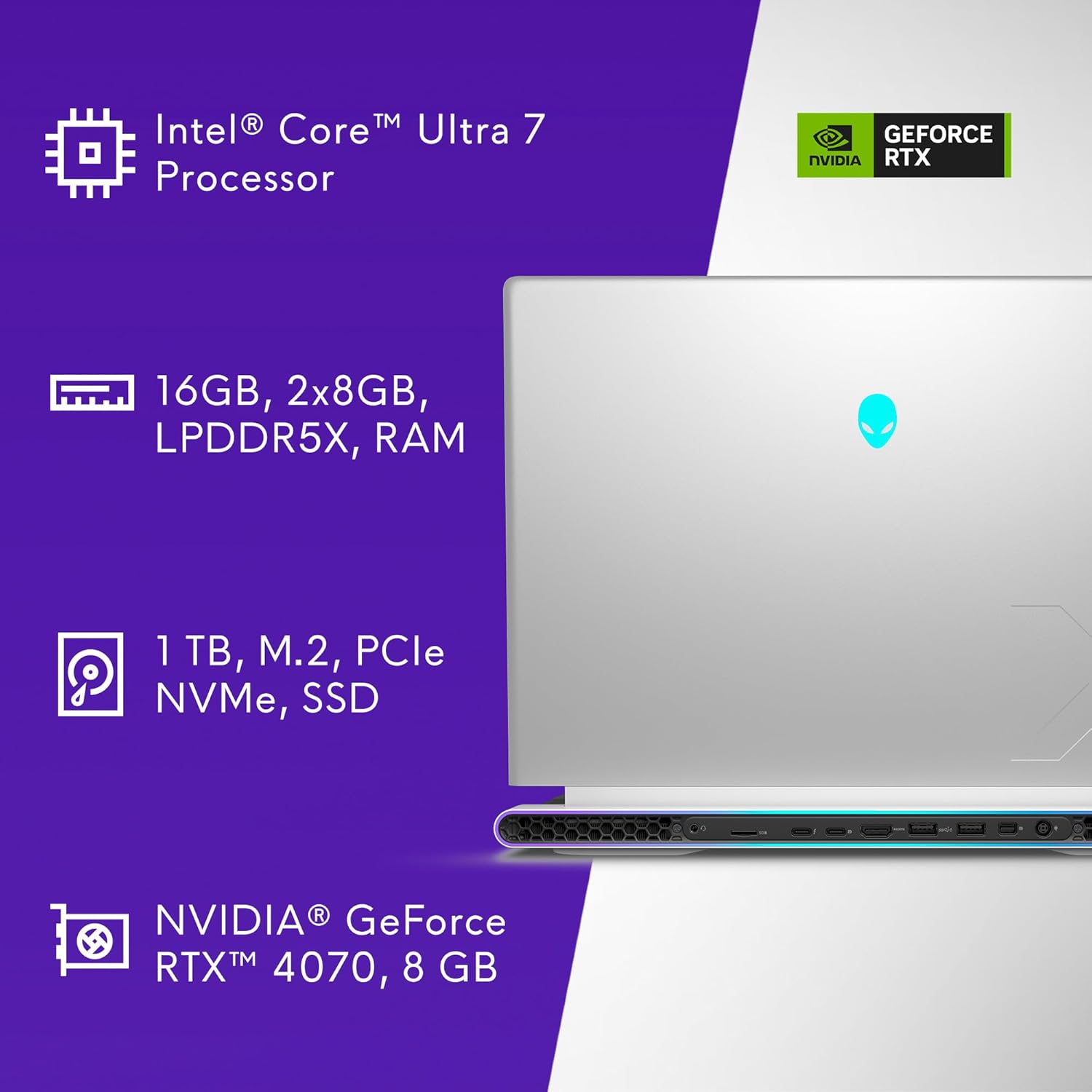
Slika 8.1.1: Ključne specifikacije iznadview
| Feature | Specifikacija |
|---|---|
| Broj modela | AW16R2-7988SLV-PUS |
| Veličina ekrana | 16 inča |
| Rezolucija ekrana | 2560 x 1600 pixels (QHD+) |
| Refresh Rate | 240Hz |
| Vrijeme odgovora | 3ms |
| Procesor | Intel Core Ultra 7-155H (16 Cores, 4.8 GHz) |
| RAM | 16 GB LPDDR5X (7467 MHz) |
| Skladištenje | 1 TB SSD (M.2 PCIe NVMe) |
| Grafički koprocesor | NVIDIA GeForce RTX 4070 |
| Graphics Card RAM | 8 GB GDDR6 |
| Operativni sistem | Windows 11 Home |
| Bežično povezivanje | Bluetooth |
| Kamera | 1080p at 30fps, FHD RGB+IR camera |
| Audio | 2x 2W Tweeter, 4x 3W Woofer |
| Dimenzije (DxŠxV) | 11.42 x 14.36 x 0.73 inča |
| Težina artikla | 6 funte |
| Boja | Lunarno srebro |
9. Garancija i podrška
Your Alienware X16 R2 Gaming Laptop includes 1 Year Onsite Service. This service provides support at your home, office, or chosen location if an issue covered by the Limited Hardware Warranty cannot be resolved remotely.

Figure 9.1.1: Premium Support Services
For further assistance, refer to the official Alienware support webstranice ili kontaktirajte njihovu korisničku službu.
Video 9.2.1: Alienware m16 R2 OverviewOvaj video pruža opći pregledview of the Alienware m16 R2, showcasing its design and features, which are similar to the X16 R2 model.