1. Uvod
Thank you for choosing the goobay Digital Timer. This device is designed to help you manage power consumption and enhance home security by automatically switching electrical appliances on and off. It features up to 16 programmable settings (8 ON/OFF pairs), a random mode for anti-burglary protection, and an integrated backup battery to retain settings during power outages.
Please read this manual carefully before use to ensure proper operation and safety.
2. Sigurnosna uputstva
- Samo za unutrašnju upotrebu. Ne izlagati vlazi ili ekstremnim temperaturama.
- Do not exceed the maximum load of 3680 W (230 V AC, 16 A).
- Ne rastavljajte niti pokušavajte popraviti uređaj. Sve servisne radove prepustite kvalifikovanom osoblju.
- Provjerite je li tajmer sigurno uključen u uzemljenu utičnicu.
- Čuvati van domašaja djece.
- Unplug the timer from the wall outlet before cleaning. Clean only with a dry cloth.
- Do not connect appliances that generate a lot of heat, such as heaters, without supervision.
3. Proizvod je gotovview
The goobay Digital Timer is a compact and efficient device for controlling your electrical appliances.
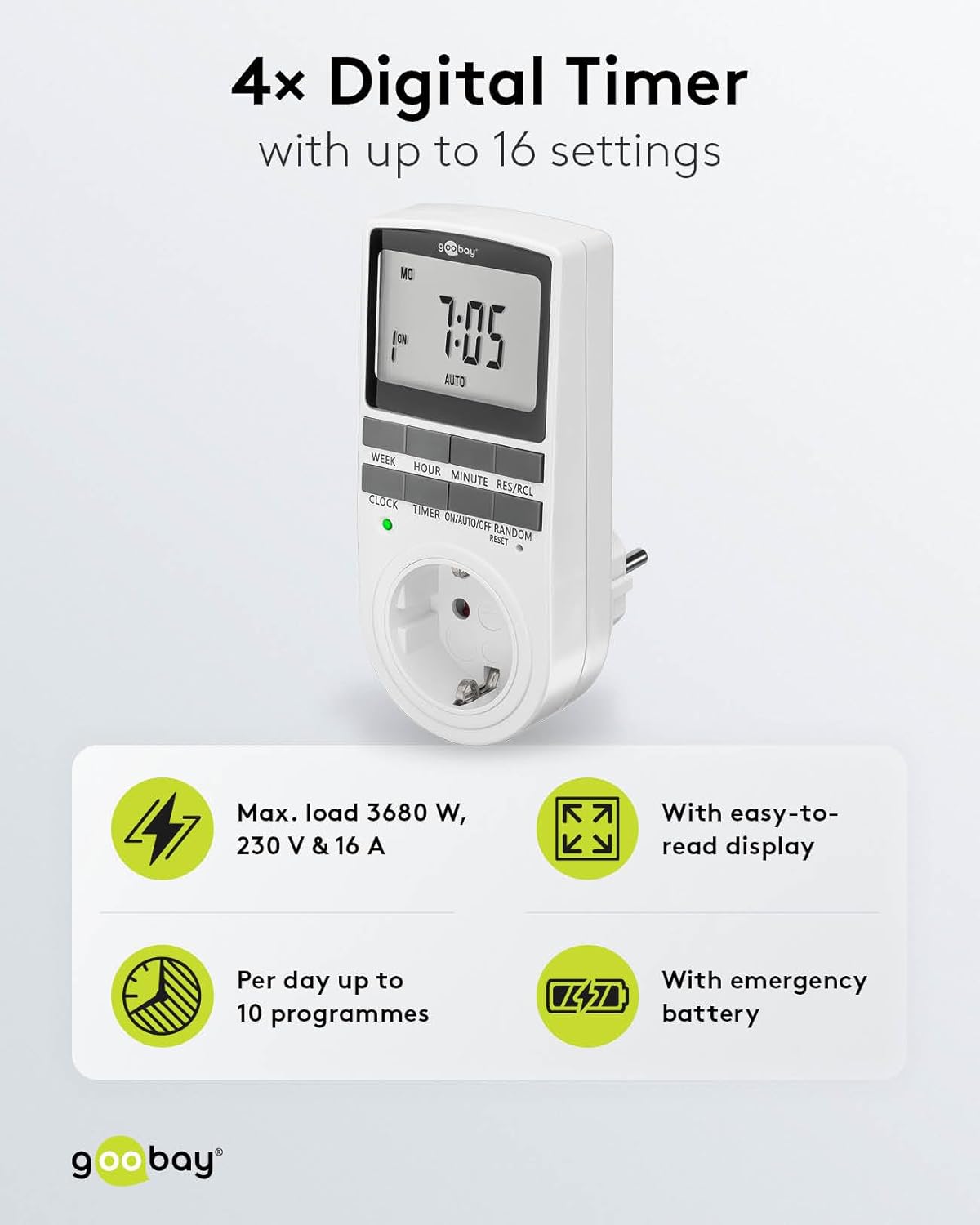
Image: goobay Digital Timer highlighting its features: Max. load 3680 W, 230 V & 16 A; Easy-to-read display; Up to 10 programs per day; Emergency backup battery.
Ključne karakteristike uključuju:
- Max. Opterećenje: 3680 W, 230 V & 16 A
- Programabilne postavke: Up to 8 ON/OFF program pairs (16 individual settings).
- Slučajni način rada: Simulates presence for enhanced security.
- Rezervna baterija: Retains settings for over 100 days during power outages.
- Ušteda energije: Interrupts standby mode of connected devices.
- Kompaktan dizajn: Space-saving installation.

Slika: Sa strane view of the goobay Digital Timer showing its compact dimensions: 135 mm height, 60 mm width, 38 mm depth, and 155g weight.
4. Podešavanje
4.1 Početno punjenje
Before first use, plug the timer into a wall outlet for approximately 5-10 minutes to charge the internal backup battery. This ensures the display functions and settings can be retained even when unplugged.
4.2 Resetovanje uređaja
If the display is blank or unresponsive, or if you wish to clear all previous settings, press the RESET button using a small, non-metallic pointed object (e.g., a toothpick or the included reset tool). This will clear all programs and reset the clock.

Image: The goobay Digital Timer showing the LED status display, Reset function (with reset tool), Safety plug (Type F, CEE 7/4, 230V, 16A, 3680W), and Safety socket (Type F, CEE 7/3, 6A, 250V output).
4.3 Podešavanje trenutnog vremena
- Pritisnite CLOCK dugme.
- Pritisnite WEEK button to select the current day of the week (MO, TU, WE, TH, FR, SA, SU).
- Pritisnite HOUR dugme za podešavanje trenutnog sata (0-23).
- Pritisnite MINUTE dugme za podešavanje trenutnih minuta (0-59).
- Pritisnite CLOCK ponovo pritisnite dugme da biste potvrdili i izašli iz režima podešavanja vremena.

Image: Close-up of the goobay Digital Timer's display, indicating Weekday, Selected time setting (1-10), Time of day, and Operating mode (On/Auto/Off).
5. Uputstvo za upotrebu
5.1 Programiranje vremena uključivanja/isključivanja
The timer allows for up to 8 ON/OFF program pairs (16 individual settings).
- Pritisnite TIMER dugme za ulazak u režim programiranja. Na ekranu će se prikazati "1 ON".
- Pritisnite WEEK da odaberete dan(e) za ovaj program. Opcije uključuju:
- Individual days (MO, TU, WE, TH, FR, SA, SU)
- Groups of days (MO TU WE TH FR SA SU, MO TU WE TH FR, SA SU, MO TU WE TH FR SA, MO WE FR, TU TH SA, MO TU WE, TH FR SA)
- Pritisnite HOUR da biste podesili željeni sat uključivanja.
- Pritisnite MINUTE da biste podesili željeni minut UKLJUČIVANJA.
- Pritisnite TIMER ponovo. Na ekranu će se prikazati "1 ISKLJUČENO".
- Repeat steps 2-4 to set the desired OFF time for the same program.
- Nastavite pritiskati TIMER to cycle through program settings 2 ON, 2 OFF, up to 8 ON, 8 OFF, setting each as needed.
- Nakon što podesite sve željene programe, pritisnite dugme CLOCK dugme za izlazak iz režima programiranja i povratak na prikaz trenutnog vremena.

Image: Diagram illustrating the functions of the goobay Digital Timer's buttons: WEEK (Set weekday), HOUR (Set hours), MINUTE (Set minutes), RES/RCL (Delete or restore setting), CLOCK (Set different times of day), TIMER (Switch set times), ON/AUTO/OFF (Manual or automatic mode), RANDOM (Random mode).
5.2 Operating Modes (ON/AUTO/OFF)
Pritisnite ON/AUTO/OFF dugme za ciklično prebacivanje između načina rada:
- ON: Priključeni uređaj će ostati neprekidno UKLJUČEN, poništavajući sve programirane postavke.
- AUTOMATSKI: The connected appliance will operate according to the programmed ON/OFF times. This is the standard operating mode for scheduled tasks.
- ISKLJUČENO: Priključeni uređaj će ostati trajno ISKLJUČEN, poništavajući sve programirane postavke.
5.3 Slučajni način rada
The random mode is designed to simulate presence for security purposes. When activated, the timer will switch ON and OFF at random intervals between 6:00 PM and 5:30 AM.
- Provjerite je li tajmer uključen AUTO način rada.
- Pritisnite RANDOM button to activate or deactivate this mode. An "R" will appear on the display when random mode is active.
5.4 Ljetno računanje vremena (DST)
To adjust for Daylight Saving Time, press the HOUR i MINUTE buttons simultaneously while in CLOCK mode. The time will advance or rewind by one hour. Repeat to revert.
6. Održavanje
- čišćenje: Unplug the timer from the wall outlet before cleaning. Wipe the exterior with a soft, dry cloth. Do not use liquid cleaners or sprays.
- Skladištenje: If storing the timer for an extended period, ensure the backup battery is charged periodically to maintain its functionality.
- Rezervna baterija: The integrated backup battery is designed to retain settings for over 100 days. No user maintenance is required for the battery.
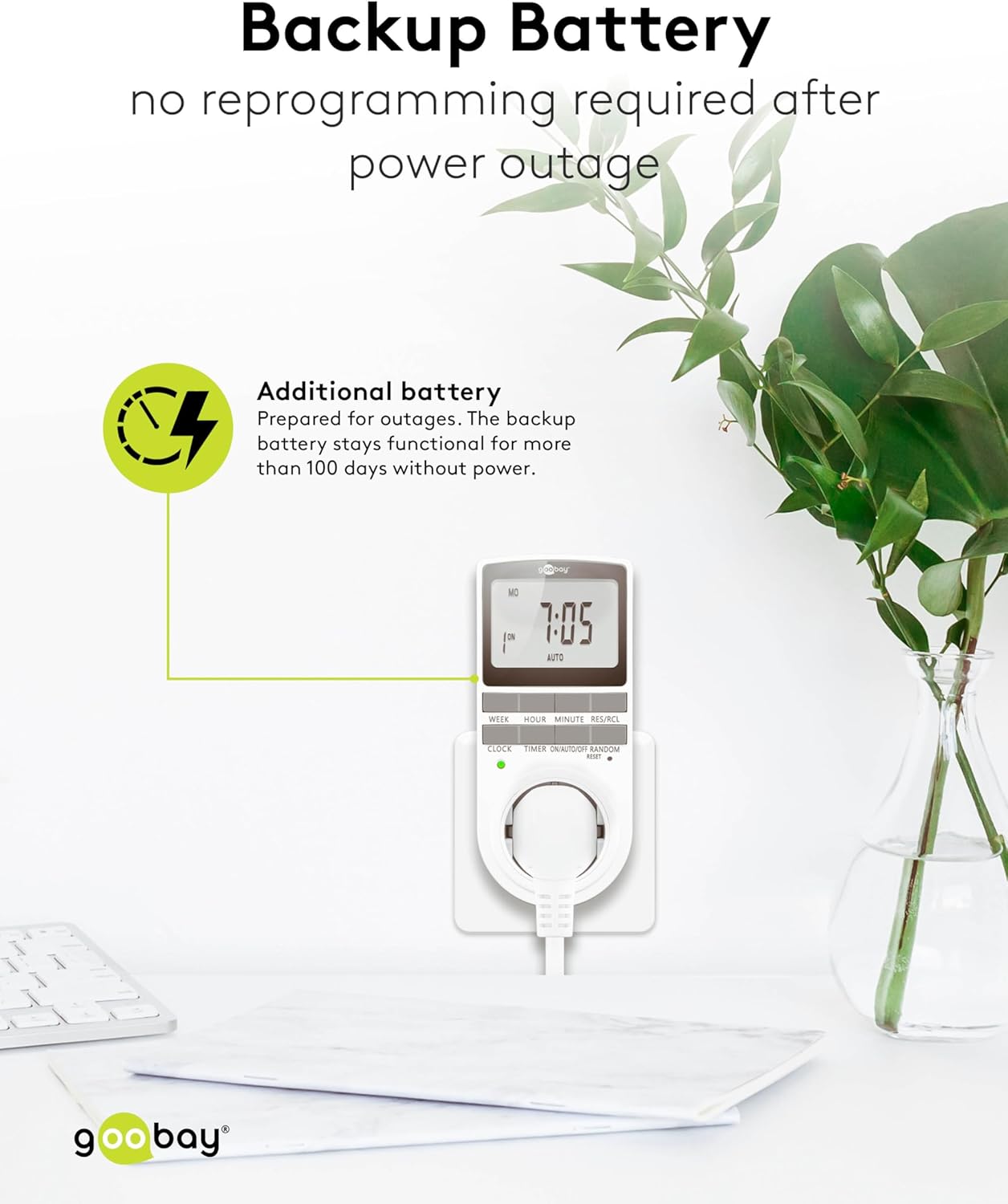
Image: The goobay Digital Timer plugged into an outlet, illustrating the backup battery feature which prevents reprogramming after a power outage.
7. Otkrivanje problema
| Problem | Mogući uzrok | Rješenje |
|---|---|---|
| Ekran je prazan ili ne reaguje. | Backup battery is depleted or device needs reset. | Plug the timer into a live outlet for 5-10 minutes to charge the battery. If still unresponsive, press the RESET dugme. |
| Uređaj se ne uključuje/isključuje u programirano vrijeme. | Timer is not in AUTO mode, programs are incorrect, or appliance is faulty. | Provjerite je li tajmer postavljen na AUTO mode. Verify programmed ON/OFF times. Check if the connected appliance works when plugged directly into the wall outlet. |
| Random mode is not working. | Timer is not in AUTO mode or random mode is not activated. | Provjerite je li tajmer uključen AUTO način rada. Pritisnite RANDOM button to activate it (an "R" should appear on the display). |
| Vrijeme je netačno nakon nestanka strujetage. | Backup battery is depleted or was not charged sufficiently. | Plug the timer into a live outlet for at least 10 minutes to fully charge the backup battery. Reset and reprogram if necessary. |
8. Specifikacije
| Brand: | Goobay |
| Broj modela: | 74217 |
| Boja: | Bijelo |
| Materijal: | Acrylonitrile Butadiene Styrene Plastic |
| Dimenzije proizvoda (D x Š x V): | 7.6 x 6 x 13.5 cm |
| Težina artikla: | 155 g |
| Snabdijevanje voltage: | 230 V (AC) |
| Maks. Preklopna snaga: | 3680 W |
| Max. trenutno: | 16.0 A |
| Broj postavki: | 16 (8 ON/OFF program pairs) |
| Ocjena zaštite: | IP20 |
| Klasa zaštite: | I |
| Zemlja porijekla: | Kina |
9. Garancija i podrška
Specific warranty information is not provided within this manual. For details regarding warranty coverage, technical support, or service, please refer to the official goobay webweb stranicu ili kontaktirajte svog prodavca.
Često možete pronaći dodatne resurse i kontakt informacije na proizvođačevoj webstranica: www.goobay.com


