1. Uvod
Thank you for choosing the TIATUA Kids Instant Print Camera, Model S10. This camera is designed to provide a fun and interactive photographic experience for children aged 3-14. It combines digital photography with instant printing capabilities, allowing young users to capture and print memories immediately. This manual provides essential information for safe operation, setup, usage, and maintenance of your new camera.
Ključne karakteristike:
- Tehnologija instant štampe: Print photos instantly without ink or toner.
- Snimanje visoke rezolucije: 12MP lens for clear images and 1080P HD video recording.
- Svestrane funkcije: Includes photography, video recording, black and white printing, music playback, games, and playback modes.
- Kreativni alati: Fun frames, filters, and DIY coloring options for printed photos.
- Izdržljiv dizajn: Covered with a protective silicone case to prevent damage from drops and bumps.
- Dug vijek trajanja baterije: Built-in 1000mAh battery provides up to 4 hours of continuous use.
- Proširiva pohrana: Comes with an extra 32GB memory card for amppohranu fotografija i videozapisa.
2. Sigurnosne informacije
Please read and understand all safety precautions before using the camera. Failure to follow these instructions may result in injury or damage to the device.
- Nadzor odraslih: Ova kamera je namijenjena djeci, ali se preporučuje nadzor odraslih tokom upotrebe, posebno za mlađu djecu.
- Opasnost od gušenja: Keep small parts, such as the memory card, out of reach of very young children to prevent choking.
- Sigurnost baterije: The camera contains a built-in lithium polymer battery. Do not attempt to replace the battery. Do not expose the camera to extreme temperatures, direct sunlight, or fire.
- Punjenje: Koristite samo priloženi USB kabel za punjenje. Prije spajanja kabela provjerite je li priključak za punjenje suh.
- Izloženost vodi: This camera is not waterproof. Avoid contact with water or other liquids.
- čišćenje: Clean the camera with a soft, dry cloth. Do not use liquid cleaners or solvents.
- odlaganje: Do not dispose of the camera in household waste. Follow local regulations for electronic waste disposal.
3. Komponente proizvoda
The TIATUA Kids Instant Print Camera package includes the following items:
- TIATUA Kids Instant Print Camera (Pink)
- 3 role termalnog papira za štampanje
- Memorijska kartica od 32 GB
- USB kabl za punjenje
- Lanyard
- Set of Color Pens

Image: The TIATUA Kids Instant Print Camera in pink, shown with included accessories: three rolls of thermal paper, a 32GB memory card, a USB charging cable, a lanyard, and a set of five color pens.
4. Podešavanje
4.1 Punjenje kamere
Before first use, fully charge the camera. Connect the provided USB charging cable to the camera's charging port and the other end to a USB power adapter (not included), computer, or power bank. The charging indicator light will show the charging status. A full charge typically takes a few hours and provides up to 4 hours of usage time.

Image: The TIATUA Kids Instant Print Camera connected via USB cable to a power source, illustrating the charging process and highlighting the 1000mAh battery capacity and 32GB memory card slot.
4.2 Umetanje memorijske kartice
The camera comes with a 32GB memory card. Locate the memory card slot on the side of the camera. Insert the memory card with the gold contacts facing down until it clicks into place. To remove, gently push the card in until it springs out.
4.3 Loading Print Paper
The camera uses thermal print paper. Follow these steps to load the paper:
- Open the paper slot cover on the front of the camera.
- Insert a roll of thermal paper into the compartment, ensuring the paper feeds from the bottom and the leading edge is straight.
- Pull a small length of paper (about 1-2 inches) out of the slot.
- Close the paper slot cover firmly until it clicks.
Image: A three-step diagram illustrating how to open the paper slot, insert the thermal paper roll with the correct orientation, and close the cover to prepare for printing.
5. Uputstvo za upotrebu
5.1 Uključivanje/isključivanje napajanja
Press and hold the power button (usually marked with a power symbol) for a few seconds to turn the camera on or off.
5.2 Fotografisanje
In photo mode, frame your shot using the 2.4-inch display. Press the shutter button to capture an image. The camera supports continuous shooting and timer shooting.
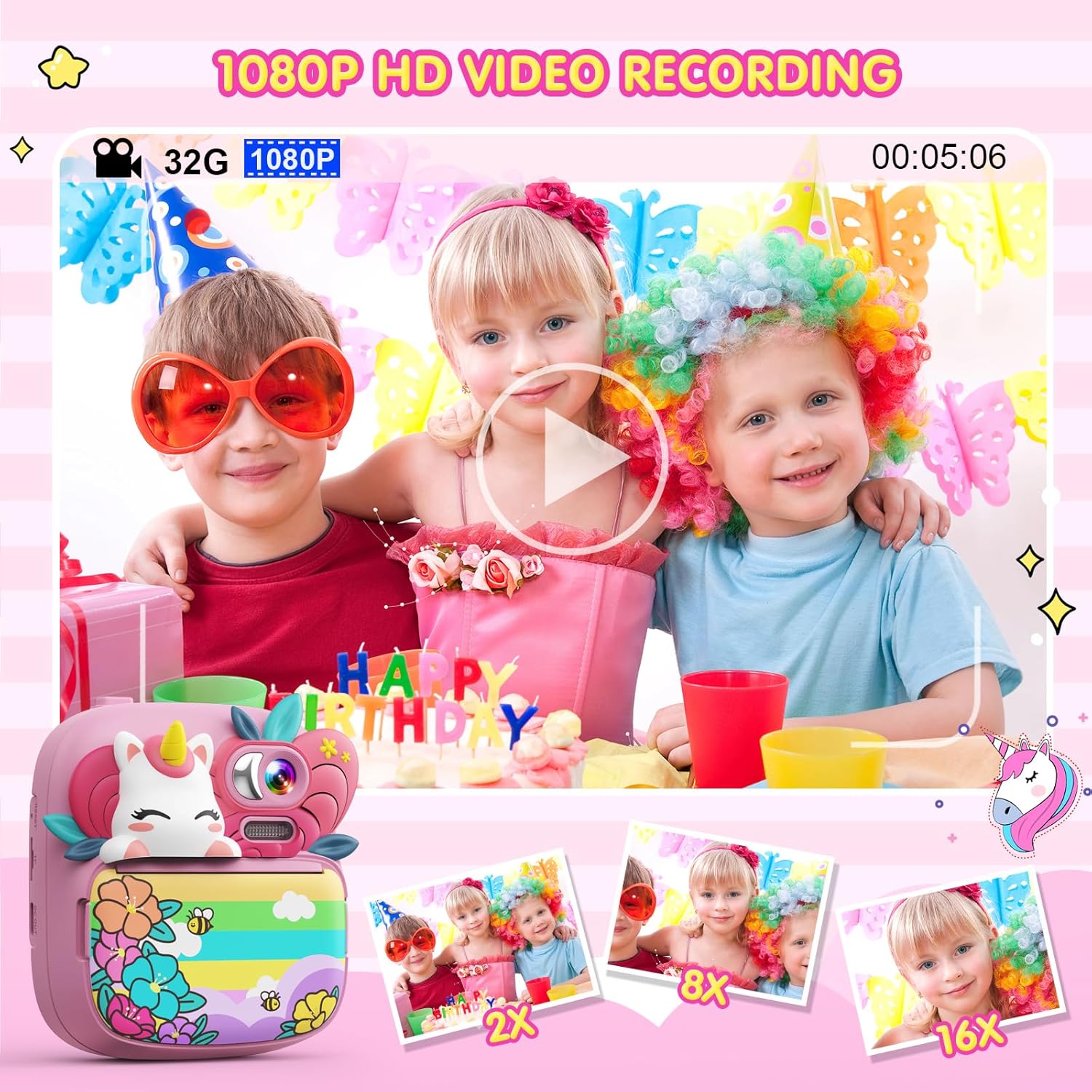
Image: A child holding the TIATUA Kids Instant Print Camera, demonstrating the one-click print photo feature as a black and white photo emerges from the camera.
5.3 Snimanje video zapisa
Switch to video recording mode. Press the record button to start and stop recording. The camera supports 1080P HD video recording.

Image: Three children posing for a video being recorded by the TIATUA Kids Instant Print Camera, highlighting its 1080P HD video recording capability and 16x zoom function.
5.4 Trenutno štampanje
After taking a photo, you can choose to print it instantly. The camera uses inkless thermal printing technology. You can also adjust print density (Low, Middle, High) and choose between Grayscale Mode and Dot Matrix Mode for printing.

Image: An illustration showing the two printing modes (Grayscale and Dot Matrix) and three print density options (Low, Middle, High) available on the TIATUA Kids Instant Print Camera.
5.5 Kreativne funkcije
- Okviri za fotografije i filteri: Apply various fun frames and filters to your photos before printing or saving.
- DIY Coloring: Use the included color pens to decorate your black and white printed photos.
- igre: The camera includes 5 puzzle games for entertainment.
- MP3 plejer: The camera supports music playback. Transfer MP3 files to the memory card to use this feature.

Image: A child using the TIATUA Kids Instant Print Camera, with a display of various cute photo frames and color filters that can be applied to images.
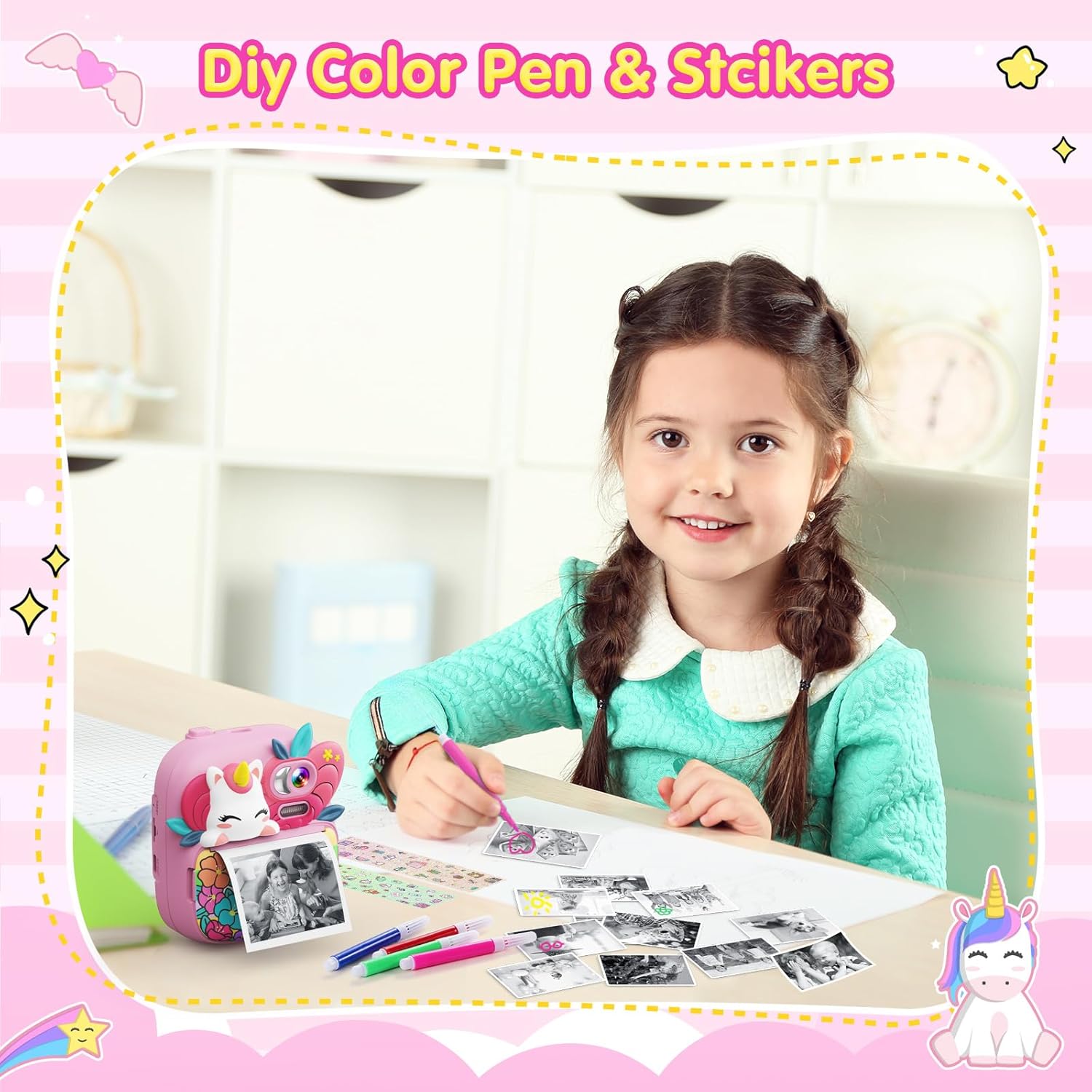
Image: A young girl happily coloring a black and white photo printed from her TIATUA Kids Instant Print Camera, with color pens and stickers laid out.
Image: Two children engaged in playing one of the five built-in puzzle games on the TIATUA Kids Instant Print Camera.
5.6 Prenos Files
Connect the camera to a computer using the provided USB cable to transfer photos and videos. The camera will appear as a removable disk drive, allowing you to access its contents.
6. Održavanje
- čišćenje: Use a soft, lint-free cloth to clean the camera body and screen. Do not use abrasive cleaners or solvents.
- Skladištenje: Kada se ne koristi, čuvajte kameru na hladnom i suhom mjestu, dalje od direktne sunčeve svjetlosti i ekstremnih temperatura.
- Održavanje baterije: To prolong battery life, avoid fully discharging the battery frequently. Charge the camera regularly, even if not in use for extended periods.
- Skladištenje papira: Store thermal paper rolls in a cool, dark place to prevent degradation and ensure print quality.
7. Otkrivanje problema
| Problem | Mogući uzrok | Rješenje |
|---|---|---|
| Kamera se ne uključuje. | Baterija je prazna. | Potpuno napunite kameru pomoću priloženog USB kabla. |
| Screen is white or black. | Softverski kvar ili hardverski problem. | Try restarting the camera. If the problem persists, contact customer support. |
| Photos are not printing or print quality is poor. | Paper loaded incorrectly, paper roll empty, or print head issue. | Ensure paper is loaded correctly and not empty. Check print density settings. If issues persist, contact support. |
| Nije moguće prenijeti files na računar. | USB cable connection issue or camera not recognized. | Ensure the USB cable is securely connected to both the camera and the computer. Try a different USB port. |
| Kamera se zamrzava ili prestaje reagovati. | Temporary software error. | Press and hold the power button to force a shutdown, then restart the camera. |
8. Specifikacije
| Feature | Detalj |
|---|---|
| Naziv modela | S10 |
| Brand | TIATUA |
| Rezolucija objektiva | 12 megapiksela |
| Video Rezolucija | 1080P HD |
| Veličina ekrana | 2.4-inch HD Eye-care Screen |
| Optički zum | 16x digitalni zum |
| Kapacitet baterije | 1000mAh litijum-polimer (uključena) |
| Vrijeme upotrebe | Do 4 sati |
| Memorijska kartica | 32 GB (uključeno) |
| Tehnologija štampe | Termalni print bez tinte |
| Podržano File Format | JPEG |
| Težina artikla | 14 unci (približno 397 grama) |
| Dimenzije paketa | 8.27 x 5.63 x 2.2 inča |
9. Garancija i podrška
The TIATUA Kids Instant Print Camera comes with a one-year after-sales maintenance period. For any product-related issues, technical support, or warranty claims, please contact TIATUA customer service through the retailer where you purchased the product or visit the official TIATUA store page on Amazon for further assistance.
Za više informacija i podrške, možete posjetiti TIATUA Store on Amazon.


