1. Uvod
Thank you for choosing the Vonztek Wireless Headset BT782-BJ. This headset is designed to provide clear audio and comfortable wear for various communication needs, including calls, online meetings, and general audio playback. It features Bluetooth 5.0 technology for stable connectivity and a noise-cancelling microphone for enhanced call clarity.
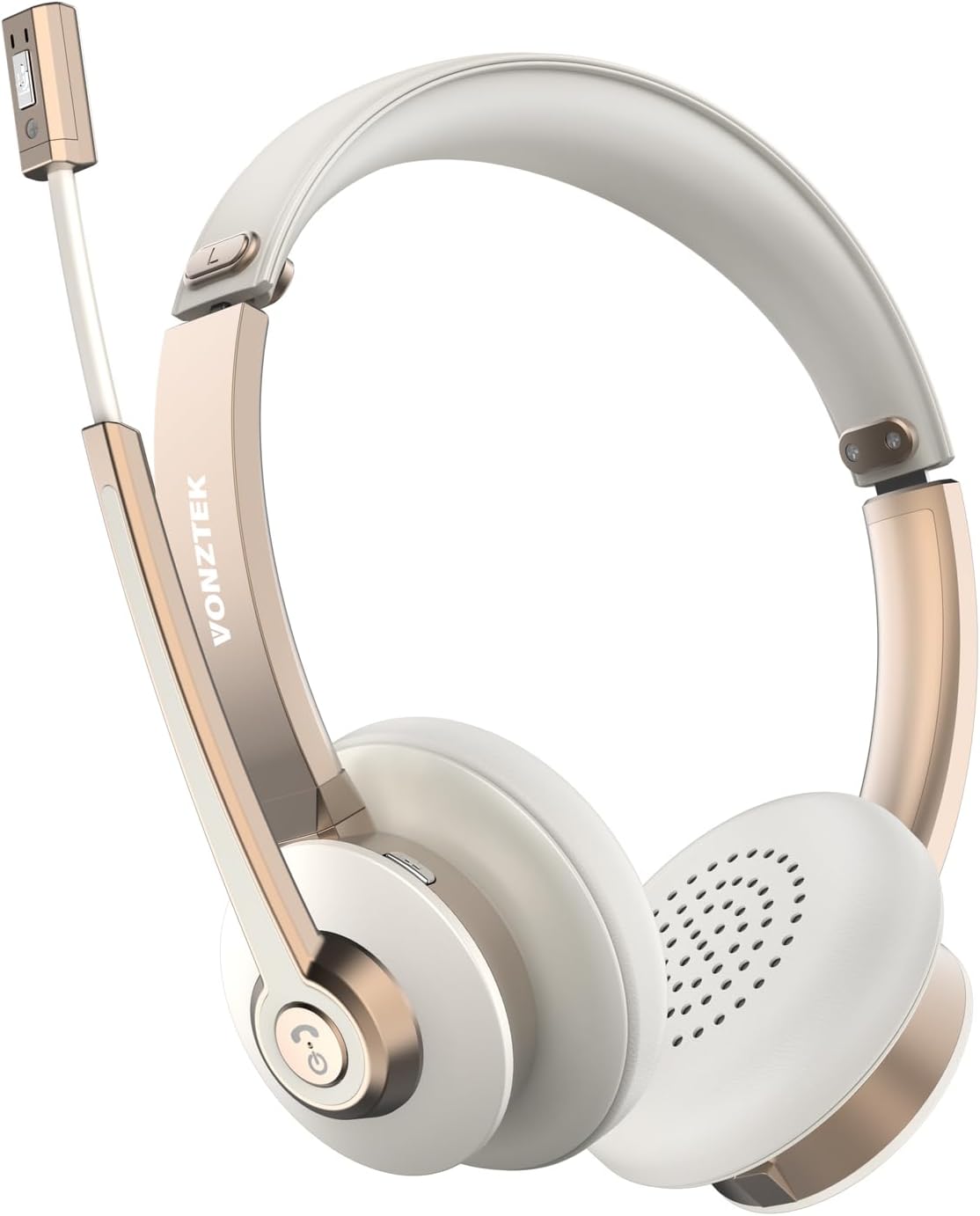
Figure 1.1: Vonztek Wireless Headset BT782-BJ
2. Šta se nalazi u kutiji
The Vonztek Wireless Headset BT782-BJ package includes the following items:
- 1 x Vonztek Wireless Headset
- 1 x Type-C kabel za punjenje
- 1 x Korisnički priručnik (ovaj dokument)
3. Podešavanje i povezivanje
3.1 Punjenje slušalica
Before first use, fully charge the headset. Connect the provided Type-C charging cable to the charging port on the headset and the other end to a USB power source (e.g., computer USB port, wall adapter). The charging indicator light will show charging status (refer to LED indicator section for details). A full charge takes approximately 2 hours.
3.2 Uključivanje/isključivanje
- Uključeno: Press and hold the Multi-function button for approximately 3 seconds until the LED indicator flashes blue.
- Iskljuciti: Press and hold the Multi-function button for approximately 5 seconds until the LED indicator flashes red and then turns off.
3.3 Bluetooth uparivanje
The headset supports Bluetooth V5.0 and can connect to two devices simultaneously.
- Provjerite jesu li slušalice isključene.
- Press and hold the Multi-function button for approximately 5-7 seconds until the LED indicator flashes red and blue alternately, indicating pairing mode.
- Na svom uređaju (pametnom telefonu, laptopu itd.) omogućite Bluetooth i potražite dostupne uređaje.
- Select "BT782-BJ" from the list of found devices.
- Nakon povezivanja, LED indikator će polako treptati plavo.
- To connect a second device, disable Bluetooth on the first device, put the headset back into pairing mode, and connect to the second device. Then re-enable Bluetooth on the first device; the headset should automatically reconnect to both.

Figure 3.1: Multipoint Connection allows simultaneous pairing with a computer and phone.

Figure 3.2: Headset connected to multiple devices, demonstrating wide compatibility.
4. Uputstvo za upotrebu
4.1 Kontrole prekoview
The headset features intuitive controls for managing calls and audio playback.
| Dugme/funkcija | Akcija | Opis |
|---|---|---|
| Višenamjensko dugme | Pritisnite jednom | Reproduciraj/pauziraj muziku, odgovori/prekini poziv |
| Višenamjensko dugme | Pritisnite i držite (2 s) | Odbiti poziv |
| Jačina zvuka + | Pritisnite jednom | Povećajte jačinu zvuka |
| Zapremina - | Pritisnite jednom | Smanjite jačinu zvuka |
| Mute Button (on mic boom) | Pritisnite jednom | Mute/Unmute microphone during a call |
4.2 Korištenje mikrofona
The headset features a 270° rotatable microphone boom, allowing it to be worn on either the left or right ear. The microphone includes ENC (Environmental Noise Cancelling) technology for clear voice transmission.

Figure 4.1: The microphone can be rotated 270 degrees for use on either ear.

Figure 4.2: The headset features ENC Noise Cancelling Technology for clear voice.
Video 4.1: Proizvod je završenview video demonstrating the Vonztek Wireless Headset with Mic for PC.
5. Održavanje
To ensure the longevity and optimal performance of your Vonztek Wireless Headset, follow these maintenance guidelines:
- čišćenje: Za čišćenje slušalica koristite meku, suhu krpu. Nemojte koristiti abrazivna sredstva za čišćenje ili rastvarače.
- Skladištenje: Slušalice čuvajte na hladnom i suhom mjestu, dalje od direktne sunčeve svjetlosti i ekstremnih temperatura.
- Održavanje baterije: Avoid fully discharging the battery frequently. Charge the headset regularly, even if not in use for extended periods, to maintain battery health.
- Izbjegavajte vlagu: The headset is not water-resistant. Keep it away from water, rain, and excessive humidity.
6. Otkrivanje problema
If you encounter issues with your Vonztek Wireless Headset, refer to the following common problems and solutions:
| Problem | Moguće rješenje |
|---|---|
| Slušalice se ne uključuju. | Ensure the headset is charged. Connect to a power source and try again. |
| Nije moguće uparivanje s uređajem. | Ensure the headset is in pairing mode (flashing red/blue). Turn off and on Bluetooth on your device. Move closer to the device. |
| Nema zvuka ili je kvalitet zvuka loš. | Check volume levels on both headset and device. Ensure headset is selected as the audio output device. Re-pair the headset. |
| Microphone not working or unclear. | Ensure microphone is not muted. Check microphone input settings on your device. Position the microphone closer to your mouth. |
| Povremena veza. | Move closer to your device. Avoid obstacles between the headset and device. Reduce interference from other wireless devices. |
If the issue persists, please contact Vonztek customer support.
7. Specifikacije
Detailed technical specifications for the Vonztek Wireless Headset BT782-BJ:
| Feature | Detalj |
|---|---|
| Naziv modela | BT782-BJ |
| Tehnologija povezivanja | Bluetooth |
| Bluetooth verzija | 5.0 |
| Bluetooth domet | Do 10 metara (33 stope) |
| Trajanje baterije (vrijeme razgovora) | Do 26 sati |
| Vrijeme punjenja | Približno 2 sata |
| Mikrofon | ENC Noise Cancelling, 270° Rotatable |
| Audio Drivers | 40mm dinamički drajveri |
| Težina | 120 grama (4.2 unci) |
| Postavljanje uha | On Ear |
| Materijal | Umjetna koža (jastučići za uši) |
8. Garancija i podrška
Vonztek guarantees a 12-MONTH Warranty for this product. For any inquiries, technical assistance, or warranty claims, please contact Vonztek customer support. Our 24/7 online service is available to assist you.
For further support, please visit the official Vonztek store or contact their customer service channels as provided with your purchase documentation.


