1. Uvod
This manual provides comprehensive instructions for setting up, operating, maintaining, and troubleshooting your Cudy AX3000 Multi Gigabit Dual Band WiFi 6 Mesh Router, Model WR3000H. This router is designed to deliver high-speed, reliable wireless connectivity with advanced features for your home or office network.
2. Šta se nalazi u kutiji
- WR3000H Router
- Adapter za napajanje
- Ethernet kabl
- Vodič za instalaciju
3. Proizvod je gotovview
3.1 Prednja ploča
The front panel of the WR3000H router features LED indicators that provide status information about the device's operation.

Front view of the Cudy AX3000 WR3000H router, displaying LED indicators for System, Internet, WPS, 2.4G, 5G, LAN, and WAN status.
3.2 Zadnja ploča
The rear panel contains all the physical ports and control buttons necessary for connecting and managing the router.

Pozadi view of the Cudy AX3000 WR3000H router, showing the Power port, ON/OFF button, Reset button, WPS button, 2.5G WAN port, and four Gigabit LAN ports (LAN1-LAN4).
4. Podešavanje
4.1 Početno povezivanje hardvera
Slijedite ove korake da povežete svoj ruter:
- Priključak za napajanje: Connect the provided power adapter to the router's power port and plug it into an electrical outlet.
- WAN veza: Connect your modem's Ethernet cable to the 2.5G WAN port on the router.
- LAN Connection (Optional): For initial setup or wired devices, connect an Ethernet cable from a LAN port (LAN1-LAN4) on the router to your computer.
- Uključeno: Press the ON/OFF button to power on the router. Wait for the System LED indicator to stabilize.
4.2 Pristup Web Interface
To configure your router settings:
- Ensure your computer is connected to the router (wired or wirelessly).
- Otvori a web preglednik (npr. Chrome, Firefox, Edge).
- Upišite zadanu IP adresu (obično
192.168.1.1orcudy.net) u adresnu traku i pritisnite Enter. - Enter the default login credentials (typically
adminfor both username and password, or as specified in the included Installation Guide). You will be prompted to change the password for security.
4.3 Postavljanje Wi-Fi mreže
Jednom ulogovani u web interface, navigate to the Wireless settings to configure your Wi-Fi network:
- Change the default Wi-Fi Network Name (SSID) for both 2.4GHz and 5GHz bands.
- Postavite snažnu, jedinstvenu lozinku za svoju Wi-Fi mrežu.
- Save your settings. Your devices can now connect using the new Wi-Fi name and password.
4.4 Cudy App Setup
For a simplified setup and management experience, download the Cudy App.

The Cudy App provides a user-friendly interface for quick setup and remote management of your network.
The Cudy App is available on both the Apple App Store and Google Play Store. Follow the in-app instructions for a guided setup process.
5. Uputstvo za upotrebu
5.1 Performanse Wi-Fi 6
The Cudy AX3000 WR3000H router utilizes Wi-Fi 6 technology to deliver superior wireless performance.

The router supports AX3000 speeds with dual-band operation (2402 Mbps on 5GHz and 574 Mbps on 2.4GHz) and 160MHz bandwidth, ensuring efficient data transmission and reduced latency.
With features like MU-MIMO and OFDMA, the router can communicate with multiple devices simultaneously, improving overall network efficiency and reducing congestion, especially in environments with many connected devices.
5.2 2.5Gbps WAN Port
The dedicated 2.5Gbps WAN port allows you to take full advantage of high-speed internet connections.

The 2.5Gbps WAN port supports internet speeds up to 2.5 Gbps, ideal for demanding applications like 4K streaming, online gaming, and large file transferi.
5.3 VPN Functionality
The WR3000H router supports multiple VPN protocols, enabling secure remote access and privacy.

The router supports PPTP, L2TP, WireGuard, OpenVPN, IPsec, and Zerotier VPN protocols, allowing you to share a VPN subscription across your network or host your own VPN server.
5.4 Mesh Network Configuration
The WR3000H can be integrated into a Cudy Mesh network to provide seamless whole-home Wi-Fi coverage.
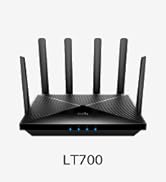
Combine multiple Cudy Mesh devices to create a unified Wi-Fi network, eliminating dead zones and ensuring consistent connectivity throughout your property. Both Ethernet and wireless backhaul options are supported.
5.5 Povezivanje više uređaja
The router is designed to handle a large number of connected devices efficiently.

The WR3000H can support up to 256 devices, making it suitable for smart homes with numerous IoT devices, streaming, and gaming.
6. Održavanje
6.1 Ažuriranja firmvera
Regularly check for and install the latest firmware updates for your router. Firmware updates often include security patches, performance improvements, and new features. You can usually find firmware updates on the Cudy official webstranice ili putem rutera web interfejs.
6.2 Postavljanje rutera
Optimal placement of your router is crucial for maximizing Wi-Fi coverage and performance. Cudy recommends placing the router at the center of your home or office. Ensure there are no more than two wooden or brick walls, or one concrete wall, between the router and your devices to minimize signal degradation.
6.3 Čišćenje i njega
To ensure the longevity and optimal performance of your router, keep it in a clean, dry environment. Avoid placing it near heat sources or in direct sunlight. Gently clean the exterior with a soft, dry cloth. Do not use liquid cleaners or abrasive materials.
7. Otkrivanje problema
7.1 Uobičajeni problemi
- Nema internetske veze: Check all cable connections (WAN, LAN). Verify your modem is working correctly. Restart both the modem and the router.
- Spora brzina Wi-Fi mreže: Ensure your devices are connected to the appropriate band (5GHz for faster speeds, 2.4GHz for longer range). Check for interference from other electronic devices. Consider router placement.
- Ne mogu pristupiti Web Interfejs: Verify your device is connected to the router's network. Ensure you are typing the correct IP address or domain (e.g.,
192.168.1.1orcudy.net). Clear your browser's cache or try a different browser.
7.2 Resetovanje rutera
If you encounter persistent issues, you may need to reset the router to its factory default settings. Locate the Reset button on the rear panel. With the router powered on, use a paperclip or a thin object to press and hold the Reset button for approximately 5-10 seconds until the LED indicators flash. The router will then restart with factory settings.
7.3 Napredno rješavanje problema
For more complex issues or if the above steps do not resolve your problem, refer to the Cudy official support website for detailed FAQs and troubleshooting guides. You may also contact Cudy customer support for personalized assistance.
8. Specifikacije
| Feature | Detalj |
|---|---|
| Dimenzije proizvoda | 12.2 x 10.63 x 2.36 inča |
| Težina artikla | 14.1 unce |
| ASIN | B0CYT61NFZ |
| Broj modela stavke | WR3000H |
| Proizvođač | Shenzhen Cudy Technology Co., Ltd. |
| WAN port | 1 x 2.5Gbps RJ45 Port |
| LAN portovi | 4 x Gigabit RJ45 Ports |
| Antene | 4 x 5dBi antena |
| Wi-Fi Standard | Wi-Fi 6 (802.11ax) |
| Wi-Fi brzina | AX3000 (2400Mbps on 5GHz, 574Mbps on 2.4GHz) |
| Procesor | 1.3 GHz dvojezgreni Cortex-A53 |
| Memorija | 128 MB ROM, 256 MB RAM |
| VPN Protocols | PPTP, L2TP, WireGuard, OpenVPN, Ipsec, Zerotier |
9. Informacije o garanciji
Cudy products are covered by a limited warranty from the date of purchase. The specific terms and duration of the warranty may vary by region and product. Please refer to the official Cudy website or the warranty card included with your product for detailed warranty information and conditions. Keep your proof of purchase for warranty claims.
10. Podrška
For further assistance, technical support, or to access additional resources, please utilize the following options:
- Cudy Official Webstranica: Posjetite www.cudy.com for product information, FAQs, firmware downloads, and support contact details.
- Cudy aplikacija: Use the Cudy mobile application for convenient network management and access to support features.
- Služba za korisnike: Contact Cudy customer support directly through the channels provided on their official website.


