Uvod
This manual provides essential instructions for the safe and efficient operation, maintenance, and troubleshooting of your Oster OCAF900 Digital Espresso Coffee Machine. Please read all instructions carefully before first use and keep this manual for future reference.
Važne informacije o sigurnosti
Uvijek slijedite osnovne sigurnosne mjere opreza prilikom korištenja električnih uređaja kako biste smanjili rizik od požara, strujnog udara i/ili ozljeda osoba, uključujući sljedeće:
- Pročitajte sva uputstva.
- Ne dodirujte vruće površine. Koristite ručke ili dugmad.
- Da biste se zaštitili od strujnog udara, nemojte uranjati kabel, utikače ili uređaj u vodu ili drugu tekućinu.
- Neophodan je strogi nadzor kada bilo koji uređaj koriste djeca ili u blizini djece.
- Isključite iz utičnice kada nije u upotrebi i prije čišćenja. Ostavite da se ohladi prije stavljanja ili skidanja dijelova i prije čišćenja uređaja.
- Nemojte koristiti uređaj s oštećenim kablom ili utikačem ili nakon što uređaj pokvari rad ili je na bilo koji način oštećen.
- Upotreba dodataka koje nije preporučio proizvođač uređaja može dovesti do požara, strujnog udara ili ozljeda osoba.
- Ne koristiti na otvorenom.
- Nemojte dozvoliti da kabl visi preko ivice stola ili pulta, niti da dodiruje vruće površine.
- Ne stavljajte na ili blizu vrućeg plinskog ili električnog gorionika, ili u zagrijanu pećnicu.
- Uvijek prvo priključite utikač na uređaj, a zatim uključite kabel u zidnu utičnicu. Da biste isključili uređaj, isključite bilo koju kontrolu, a zatim izvucite utikač iz zidne utičnice.
- Nemojte koristiti uređaj za drugu upotrebu osim za predviđenu.
- Morate biti izuzetno oprezni kada pomerate uređaj koji sadrži vruće tečnosti.
Product Overview
The Oster OCAF900 is a digital espresso coffee machine designed for both ground coffee and Nespresso-compatible capsules. It features a 20-bar pump for optimal extraction, a milk frother, and programmable functions.
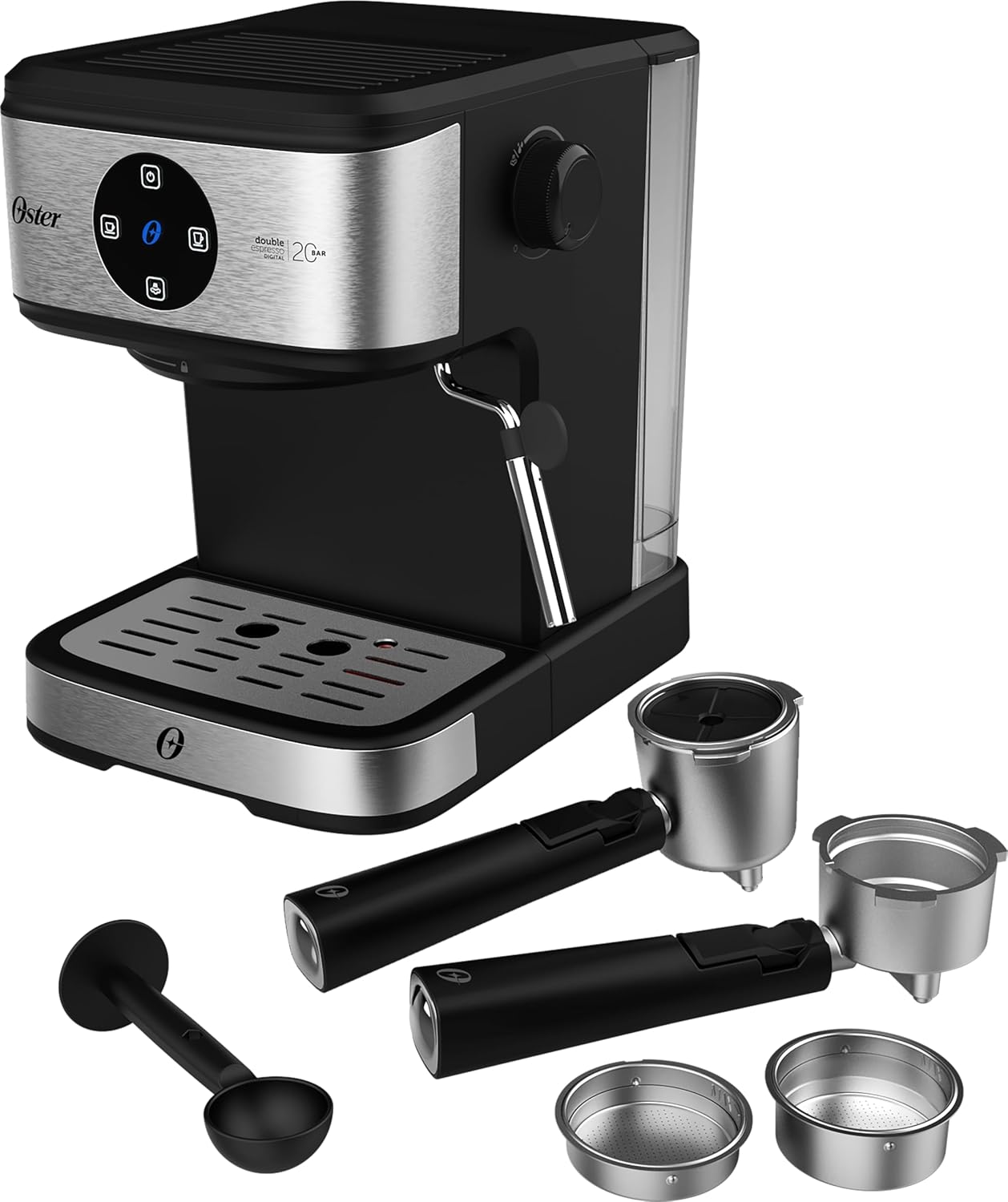
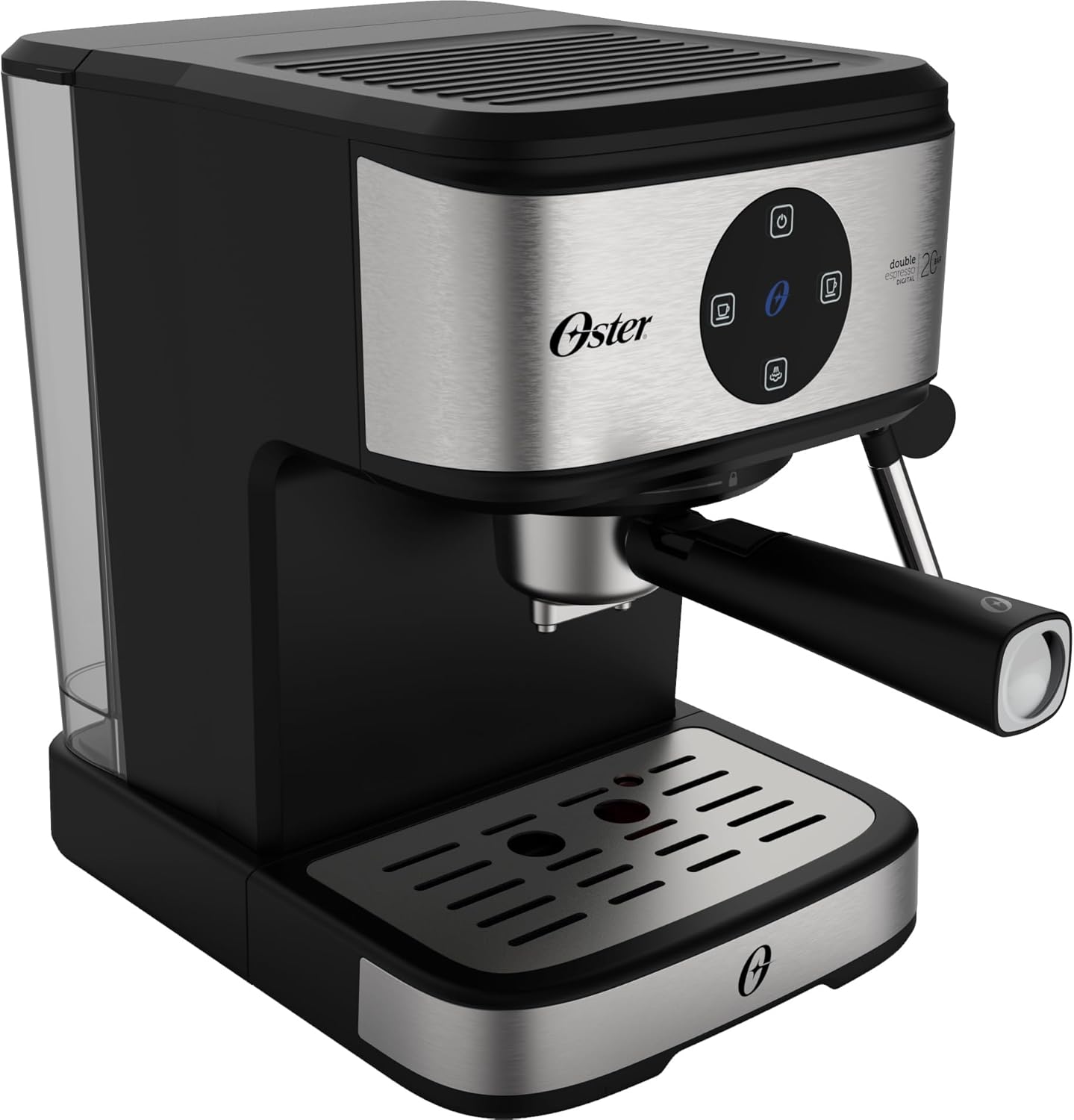
Front view of the Oster OCAF900 Digital Espresso Coffee Machine, showcasinsvojim elegantnim dizajnom i digitalnom kontrolnom pločom.

Included accessories: portafilters for single and double espresso, a measuring spoon/tamper, and a capsule adapter.
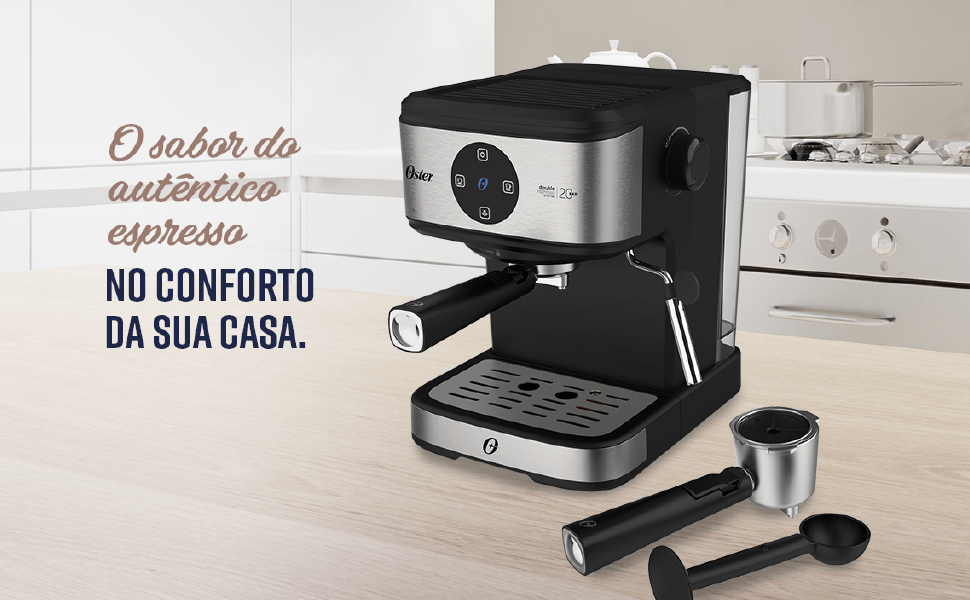
Gotovoview of key features: 1.6L capacity, anti-heating system, 1100W power, milk and water frother, single/double espresso portafilter, and 4 pre-programmed/customizable functions.
Postavljanje i prva upotreba
- Raspakivanje: Pažljivo uklonite sav materijal za pakovanje i provjerite da li su svi dijelovi prisutni.
- Početno čišćenje: Before first use, wash the water tank, portafilters, and drip tray with warm, soapy water. Rinse thoroughly and dry. Wipe the exterior of the machine with a damp tkanina.
- Napunite rezervoar za vodu: Fill the removable water tank with fresh, cold water up to the MAX level indicator. Ensure the tank is properly seated in the machine.
- Priključak za napajanje: Uključite kabel za napajanje u uzemljenu električnu utičnicu od 220 V.
- Rad digitalnog panela:
- Remove any protective sticker from the digital control panel.
- To turn on the machine, simply touch the power command button (usually the top button).
- To turn off the machine, press and hold the power command button for 5 seconds.
- Napunite pumpu: Before making coffee, run a cycle with only water to prime the pump and rinse the internal components. Place a cup under the coffee outlet, select a coffee function (without coffee), and let water flow through.
Visual guide for operating the digital panel: removing the sticker, turning on with a simple touch, and turning off by pressing for 5 seconds.
Uputstvo za upotrebu
Pravljenje espressa s mljevenom kafom
- Ensure the machine is on and the water tank is filled.
- Select the appropriate filter basket for single or double espresso and place it into the portafilter.
- Add finely ground espresso coffee to the filter basket. Do not overfill; the coffee level should be slightly below the rim to ensure proper sealing.
- Lagano tamp the coffee grounds with the measuring spoon's flat end.
- Pričvrstite portafilter na glavu za kuhanje tako što ćete ga poravnati i čvrsto okrenuti udesno dok se ne učvrsti.
- Place your espresso cup(s) on the drip tray under the portafilter spouts.
- Select your desired espresso shot (single or double) from the digital control panel. The machine will begin brewing.
- Once brewing is complete, carefully remove the portafilter. Always remove the portafilter with the coffee grounds immediately after use to prevent steam buildup and potential damage to electronic components.
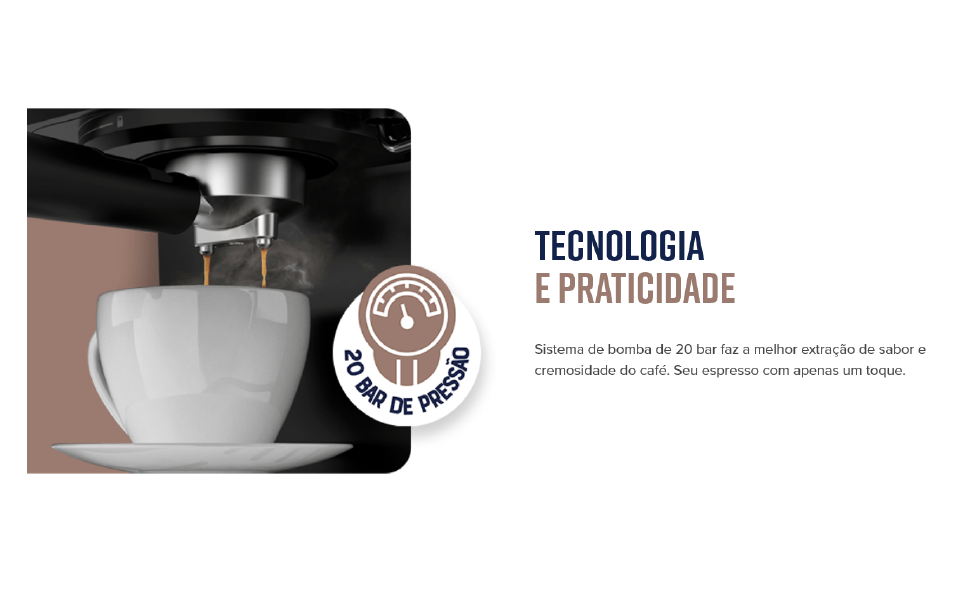
The Oster OCAF900 brewing a rich espresso shot into a cup, demonstrating the 20-bar pressure extraction.
Using Nespresso-Compatible Capsules
- Ensure the machine is on and the water tank is filled.
- Umetnite adapter za kapsulu u portafilter.
- Place a Nespresso-compatible capsule into the adapter.
- Pričvrstite portafilter na glavu za kuhanje tako što ćete ga poravnati i čvrsto okrenuti udesno dok se ne učvrsti.
- Place your cup under the portafilter spout.
- Select your desired coffee shot from the digital control panel.
- Once brewing is complete, carefully remove the portafilter and dispose of the used capsule.

Illustration of the machine's 2-in-1 compatibility, allowing use of both ground coffee and Nespresso-compatible capsules.
Frothing Milk / Hot Water Dispensing
- Ensure the machine is on and has reached operating temperature.
- Fill a frothing pitcher with cold milk (dairy or non-dairy) to just below the spout.
- Postavite mlaznicu za paru u mlijeko, odmah ispod površine.
- Turn the steam control knob to the steam/hot water position.
- Move the pitcher up and down to create foam. Once desired foam is achieved, turn off the steam.
- For hot water, place a cup under the steam wand and turn the steam control knob to the hot water position.
- After frothing, always clean the steam wand immediately by wiping it with a damp krpu i kratko otpustiteasinparom kako biste uklonili sve ostatke mlijeka.

The Oster OCAF900 using its steam wand to froth milk, creating a creamy texture for lattes and cappuccinos.
Video demonstracija
This video demonstrates the general operation and features of the Oster OCAF900 Digital Espresso Coffee Machine, including brewing espresso and frothing milk. Note: This is a preview video.
Njega i održavanje
Dnevno čišćenje
- Portafilter: After each use, remove the portafilter and discard the coffee grounds. Rinse the portafilter and filter basket under warm water.
- Štapić za paru: Odmah nakon što napravite pjenu od mlijeka, obrišite cijev za paruamp krpom. Nakratko aktivirajte funkciju pare kako biste uklonili sve ostatke mlijeka u unutrašnjosti.
- Posuda za kapanje: Redovno praznite i čistite posudu za kapanje kako biste spriječili prelijevanje i rast bakterija.
- Spremnik za vodu: Empty and rinse the water tank daily. Refill with fresh water for each use.
- Eksterijer: Obrišite spoljašnjost mašine mekom krpom, damp tkanina. Nemojte koristiti abrazivna sredstva za čišćenje ili ribanje.
Uklanjanje kamenca
Over time, mineral deposits (limescale) can build up in your machine, affecting performance and coffee taste. Descale your machine regularly, depending on your water hardness and frequency of use (e.g., every 2-3 months).
- Pripremite otopinu za uklanjanje kamenca prema uputama proizvođača sredstva za uklanjanje kamenca (ili koristite mješavinu bijelog octa i vode).
- Napunite rezervoar za vodu rastvorom za uklanjanje kamenca.
- Postavite veliku posudu ispod izljeva za kafu i cijevi za paru.
- Run several brewing cycles (without coffee) and steam cycles until the water tank is empty.
- Temeljno isperite rezervoar za vodu i napunite ga svježom vodom.
- Run several cycles with fresh water to rinse out any remaining descaling solution.
Rješavanje problema
| Problem | Mogući uzrok | Rješenje |
|---|---|---|
| Coffee does not brew or flows slowly. |
|
|
| Kafa ima ukus zagorenog. |
|
|
| Touch panel issues (e.g., turns off randomly). |
|
|
| Mlijeko se ne pjeni kako treba. |
|
|
Specifikacije
| Feature | Detalj |
|---|---|
| Model | OCAF900 |
| Brand | Oster |
| Voltage | 220 Volts |
| Snaga | 1100 Watts |
| Pritisak | 20 Bar |
| Kapacitet rezervoara za vodu | 1.6 litara |
| Materijal | nerđajući čelik |
| Boja | Black Inox |
| Dimenzije (proizvod) | 28.9P x 21.8L x 27.3A cm (28.9 x 21.8 x 27.3 cm) |
| Posebne karakteristike | Cup warmer, Milk frother, Permanent filter, Automatic cleaning function, Programmable |
| GTIN | 7898742840014 |
Informacije o garanciji
Your Oster OCAF900 Digital Espresso Coffee Machine comes with a standard manufacturer's warranty. Please refer to the warranty card included with your product for specific terms and conditions, including the warranty period and coverage details.
Extended warranty options may be available for purchase. For more information on extended warranty plans, please consult your retailer or the Oster official website.
Korisnička podrška
If you encounter any issues not covered in the troubleshooting section, or require further assistance, please contact Oster customer support. You can find contact information on the official Oster webweb-mjestu ili na ambalaži vašeg proizvoda.
When contacting support, please have your product model (OCAF900) and serial number (if applicable) ready.