1. Uvod
This manual provides detailed instructions for the setup, operation, and maintenance of your CZEview ZY-D1 Babyphone. Please read this manual thoroughly before using the device to ensure proper functionality and safety. The CZEview ZY-D1 is designed to help you monitor your baby with advanced features such as 2K Ultra HD video, AI-powered detection, two-way audio, and environmental monitoring.
2. Sadržaj paketa
- CZEview ZY-D1 Babyphone Camera
- Adapter za napajanje i kabl
- Mounting Accessories (for wall mounting)
- Korisnički priručnik (ovaj dokument)
3. Proizvod je gotovview i karakteristike
Češkaview ZY-D1 Babyphone offers a comprehensive monitoring solution with the following key features:
- 2K Ultra HD video: Pruža jasan i detaljan video nadzor.
- 360° AI Tracking: Intelligent AI technology tracks movements, ensuring no blind spots with 355° horizontal and 90° vertical rotation.
- Trenutna obavještenja: Receive immediate alerts for detected motion, noise, or crying.
- Dvosmjerni zvuk: Communicate with your baby remotely using the built-in microphone and speaker.
- Stable Dual-Band Wi-Fi: Compatible with both 2.4 GHz and 5 GHz Wi-Fi networks for reliable connectivity.
- Infracrveni noćni vid: Clear monitoring even in low-light or dark conditions.
- Comfort Night Light & Lullabies: Features a looping night light and 14 pre-installed lullabies to soothe your baby.
- Praćenje temperature i vlažnosti: Keep track of the nursery environment.
- Analiza sna: Monitor and analyze your baby's sleep patterns.
- Alexa integracija: Seamlessly integrates with Amazon Alexa for voice control and viewing.

Slika 1: Češkaview ZY-D1 Babyphone camera, featuring a white body and colorful ears, designed for monitoring infants.
4. Podešavanje
4.1 Uključivanje
- Connect the provided power cable to the camera's power port.
- Uključite adapter za napajanje u standardnu električnu utičnicu.
- Kamera će se uključiti, a indikatorska lampica će prikazivati njen status.
4.2 Instalacija aplikacije
- Scan the QR code provided on the product packaging or in the quick start guide to download the official CZEview app.
- Instalirajte aplikaciju na pametni telefon ili tablet.
- Registrujte se za novi račun ili se prijavite ako ga već imate.
4.3 Wi-Fi veza
- Otvorite CZEview app and follow the on-screen instructions to add a new device.
- Select your Wi-Fi network (supports both 2.4 GHz and 5 GHz).
- Unesite svoju Wi-Fi lozinku.
- The app will guide you through pairing the camera with your network. This usually involves scanning a QR code displayed on your phone with the camera lens.
- Once connected, the camera's indicator light will change, and you will see the live feed in the app.

Slika 2: Illustration of the CZEview Babyphone's compatibility with both 5GHz and 2.4GHz dual-band Wi-Fi for a stable connection.
4.4 Montiranje kamere
Češkaview ZY-D1 Babyphone can be placed on a flat surface or mounted to a wall. If wall mounting, use the provided accessories and ensure the camera is securely fastened at a safe distance from the crib, out of reach of children.
5. Uputstvo za upotrebu
5.1 Uživo View i kontrola panoramiranja/nagiba
- Otvorite CZEview aplikaciju i odaberite kameru za view live feed.
- Koristite kontrole na ekranu za pomicanje (355° horizontalno) i naginjanje (90° vertikalno) objektiva kamere kako biste podesili viewing kut.
- The automatic tracking feature will detect and follow moving objects within its field of view.
5.2 Dvosmjerni audio

Slika 3: A parent using the CZEview app on a smartphone to engage in two-way communication with a baby in a crib.
- Dok je u živo view, dodirnite ikonu mikrofona u aplikaciji.
- Govorite u mikrofon telefona kako biste prenijeli svoj glas kroz zvučnik kamere.
- Release the microphone icon to listen to your baby.
5.3 Detekcija i obavještenja putem umjetne inteligencije

Slika 4: Češkaview Babyphone camera positioned near a baby in a crib, highlighting its intelligent AI detection capabilities for motion, noise, and crying.
- Access the detection settings in the app.
- Enable Motion Detection, Noise Detection, and Cry Detection as needed.
- Podesite nivoe osjetljivosti kako biste smanjili lažne alarme.
- You will receive instant push notifications on your smartphone when an event is detected.
5.4 Night Vision and Lullabies

Slika 5: Češkaview Babyphone emitting a soft glow as a night light, with musical notes floating around a sleeping baby, illustrating its infrared night vision and lullaby features.
- Noćni vid se automatski aktivira u uslovima slabog osvetljenja.
- To play lullabies or activate the night light, navigate to the respective controls in the app.
- Select from the 14 available lullabies to soothe your baby.
5.5 Praćenje temperature i vlažnosti
The app displays real-time temperature and humidity readings from the camera's environment. You can set alerts for specific temperature or humidity ranges.
5.6 Analiza sna

Slika 6: A visual representation of a sleep analysis timeline on a smartphone screen, showing snapshots of a baby at different times during sleep.
Češkaview app provides a timeline view of your baby's activity, which can be used to analyze sleep patterns. Review recorded events and snapshots to understand sleep duration and disturbances.
5.7 Integracija s Amazon Alexom
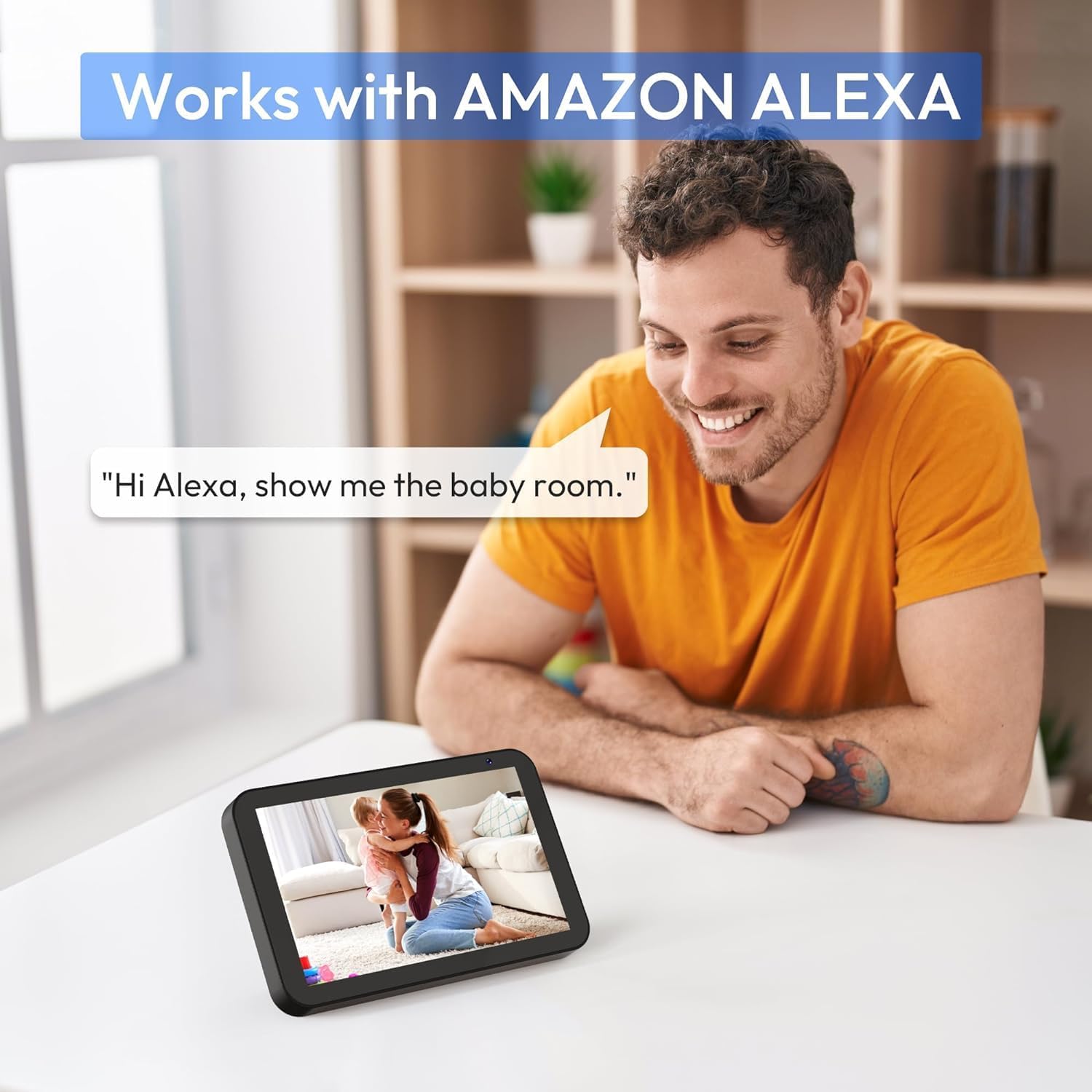
Slika 7: A person interacting with an Amazon Echo Show device, displaying the live feed from the CZEview Babyphone, demonstrating Alexa integration.
- Enable the CZEview skill in your Amazon Alexa app.
- Link your CZEview account with Alexa.
- Use voice commands such as "Alexa, show me the baby room" to view the camera feed on compatible Alexa devices.
5.8 Multi-User Access and SD Card Recording
- Porodično dijeljenje: You can invite family members to view the camera feed through the app. Invited users may have limited control functions compared to the primary account holder.
- Lokalna pohrana: Insert an SD card (not included) into the camera's designated slot for local video recording and to enable certain features like playing lullabies directly from the camera.
6. Održavanje
- čišćenje: Za čišćenje objektiva i kućišta kamere koristite meku, suhu krpu. Ne koristite tekuća sredstva za čišćenje ili aerosole.
- Ažuriranja firmvera: Redovno provjeravajte aplikaciju za dostupna ažuriranja firmvera kako biste osigurali optimalne performanse i sigurnost.
- plasman: Ensure the camera is placed in a well-ventilated area and not exposed to extreme temperatures or direct sunlight.
7. Otkrivanje problema
- Nema napajanja: Ensure the power cable is securely connected to both the camera and the power outlet. Try a different outlet.
- Problemi sa Wi-Fi vezom: Verify your Wi-Fi password. Ensure the camera is within range of your router. Restart your router and the camera. Confirm your network is 2.4 GHz or 5 GHz compatible.
- Loš kvalitet slike: Check your internet connection speed. Ensure the camera lens is clean and free from obstructions. Adjust the video quality settings in the app if available.
- Loš kvalitet zvuka: Ensure there are no obstructions near the camera's microphone or speaker. Check the volume settings in the app.
- Obavještenja nisu primljena: Provjerite postavke obavještenja aplikacije na telefonu i unutar CZE-aview app. Ensure the camera is connected to Wi-Fi.
- Kamera ne reaguje: Unplug the camera, wait 10 seconds, and plug it back in to restart.
8. Specifikacije
| Feature | Specifikacija |
|---|---|
| Broj modela | ZY-D1 |
| Bežična komunikacijska tehnologija | Wi-Fi (2.4 GHz i 5 GHz) |
| Viewing Angle | 360 Degrees (355° horizontal, 90° vertical) |
| Materijal | Plastika |
| Dimenzije artikla (D x Š x V) | 12.7 x 7.62 x 7.62 cm |
| Connectivity Protocol | Wi-Fi |
| Tip kontrolera | Amazon Alexa |
| Vrsta montaže | Zidni nosač |
| Boja | Bijelo |
| Uključene komponente | Kabl |
| Preporučena upotreba | Babyphone, Baby Monitoring, Night Vision |
9. Sigurnosne informacije
- Držite kameru i svu dodatnu opremu van dohvata djece.
- Do not place the camera or its power cord within 1 meter (3 feet) of the crib or playpen to prevent strangulation hazards.
- Koristite samo priloženi adapter za napajanje. Korištenje neovlaštenih adaptera može oštetiti uređaj i poništiti garanciju.
- Ne izlažite uređaj vodi, vlazi ili ekstremnim temperaturama.
- Ne pokušavajte sami otvarati ili popravljati uređaj. Za pomoć se obratite korisničkoj podršci.
10. Garancija i podrška
For warranty information and customer support, please refer to the warranty card included in your product packaging or visit the official CZEview website. If you encounter any issues not covered in this manual, please contact CZEview korisnička služba za pomoć.


