1. Uvod
Thank you for choosing the virtavo Indoor WiFi Security Camera. This manual provides essential information for setting up, operating, and maintaining your camera to ensure optimal performance and home security. Please read this manual thoroughly before using the product and keep it for future reference.
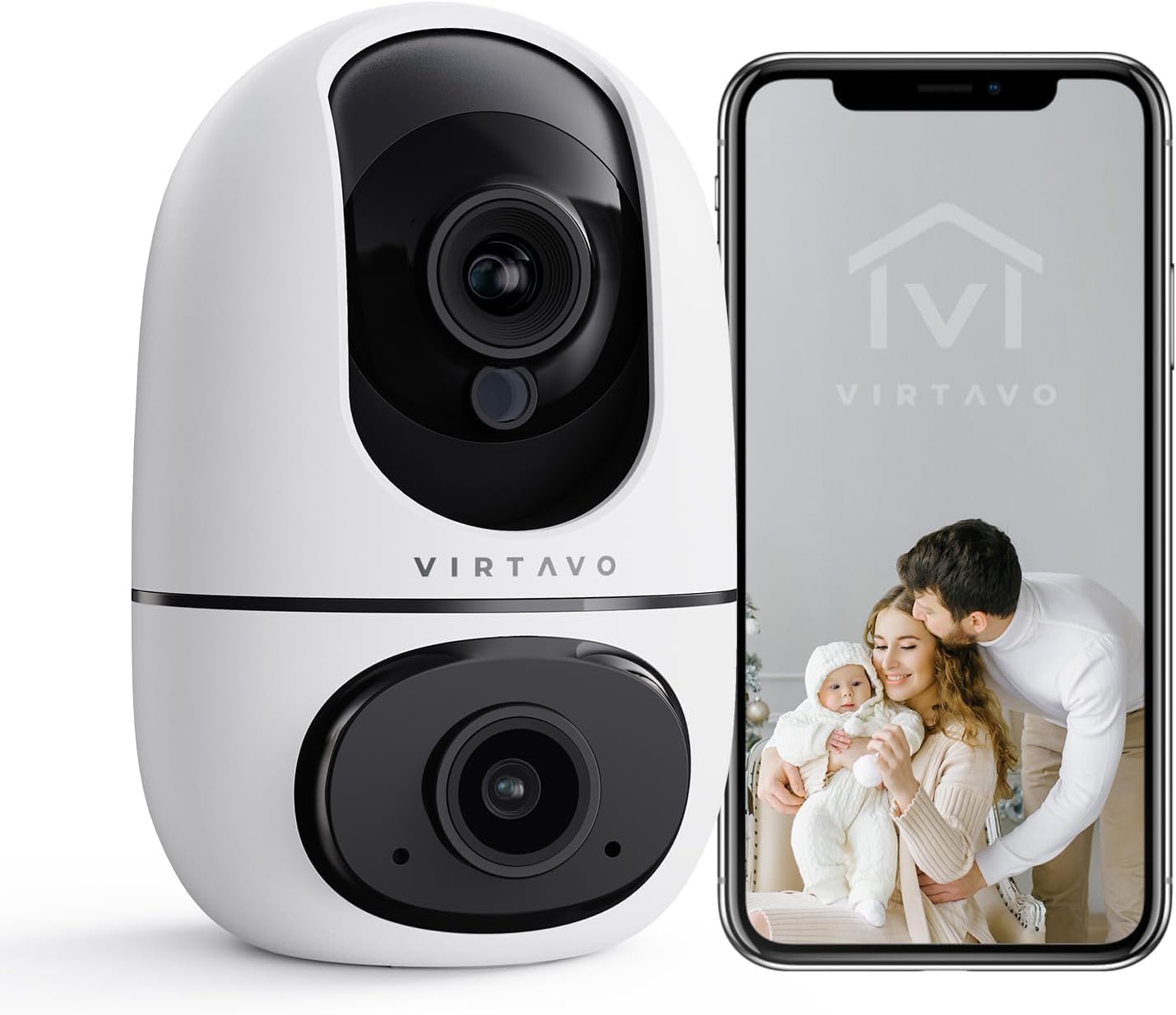
The virtavo Indoor WiFi Security Camera, shown alongside a smartphone displaying its live view, is designed for comprehensive indoor surveillance, offering peace of mind for your home, baby, or pets.
2. Sadržaj paketa
Molimo Vas da provjerite sadržaj paketa nakon raspakivanja. Ako bilo koji artikl nedostaje ili je oštećen, obratite se korisničkoj podršci.
- virtavo Indoor WiFi Security Camera (Model XD1-V124)
- Adapter za napajanje
- USB kabel za napajanje
- Pribor za montažu (vijci, tiple)
- Korisnički priručnik (ovaj dokument)
3. Proizvod je gotovview
The virtavo Indoor WiFi Security Camera features a dual-lens design, providing enhanced monitoring capabilities. It supports 1080p resolution, pan and tilt functionality for 360-degree coverage, two-way audio, and advanced detection features.

This image highlights the key features of the virtavo camera, including its dual-lens design, 2.4GHz WiFi connectivity, 1080p resolution, extensive pan and tilt range, two-way audio, AI detection, motion tracking, night vision, and video storage capabilities.
Ključne karakteristike:
- Dizajn s dvostrukim sočivima: For comprehensive monitoring.
- 1080p Full HD rezolucija: Provides clear and detailed video.
- 360° Pan & Tilt: Nudi širok viewing angle for complete room coverage.
- Dvosmjerni zvuk: Communicate with family or pets remotely.
- AI Detection & Motion Tracking: Intelligently identifies and follows movement.
- noćni vid: Clear visibility even in low light or complete darkness.
- 2.4GHz WiFi povezivost: Stable wireless connection.
- Lokalna i pohrana u oblaku: Options for video recording.
4. Podešavanje
4.1 Uključivanje
- Spojite USB kabel za napajanje na priključak za napajanje kamere.
- Uključite adapter za napajanje u standardnu električnu utičnicu.
- The camera will power on and initiate its self-check sequence. Wait for the indicator light to flash, indicating it's ready for connection.
4.2 Instalacija aplikacije i kreiranje računa
- Download the official virtavo app from your smartphone's app store (iOS App Store or Google Play Store).
- Otvorite aplikaciju i slijedite upute na ekranu da biste kreirali novi račun ili se prijavite ako ga već imate.
4.3 Povezivanje kamere na WiFi
- In the virtavo app, tap the "+" icon to add a new device.
- Select "Security Camera" or the specific model if prompted.
- Follow the in-app instructions to connect the camera to your 2.4GHz WiFi network. This typically involves scanning a QR code generated by the app with the camera's lens or entering your WiFi password.
- Once connected, the camera's indicator light will turn solid, and you will hear a confirmation sound.
4.4 Montiranje kamere (opciono)
The camera can be placed on a flat surface (tabletop mounting) or mounted to a wall or ceiling using the provided accessories.
- Položaj stola: Simply place the camera on a stable, flat surface within range of your WiFi network and a power outlet.
- Montaža na zid/strop:
- Choose a suitable location, ensuring a clear view and access to power.
- Use the mounting template (if provided) or mark the screw holes on the desired surface.
- Drill pilot holes and insert wall plugs if mounting on drywall or masonry.
- Secure the mounting bracket (if applicable) with screws.
- Pričvrstite kameru na nosač za montažu, pazeći da je sigurno zaključana na mjestu.
5. Upravljanje kamerom
5.1 Uživo View i kontrola panoramiranja/nagiba
Open the virtavo app and select your camera to access the live view. Use the on-screen controls to pan (horizontal) and tilt (vertical) the camera lens to adjust the viewing kut.

The virtavo camera supports dual-view monitoring, allowing you to see multiple camera feeds or different perspectives from the dual-lens on a single screen for an enhanced split-screen experience.
5.2 Dvosmjerni audio
Dodirnite ikonu mikrofona u toku prijenosa uživo view to speak through the camera's speaker. Tap the speaker icon to listen to audio from the camera's surroundings.
5.3 Detekcija pokreta i upozorenja
Enable motion detection in the app settings to receive instant alerts on your smartphone when movement is detected. You can adjust sensitivity levels and set specific activity zones to reduce false alarms.

This feature allows users to define specific activity zones within the camera's view, ensuring that alerts are only triggered by motion in designated areas, reducing unnecessary notifications.
5.4 Noćni vid
The camera automatically switches to night vision mode in low-light conditions. It features powerful starlight color night vision for clear images even in complete darkness.

The image demonstrates the superior clarity of the virtavo camera's Starlight Color Night Vision, providing detailed and visible footage even in very low light or complete darkness, compared to a traditional camera.
5.5 Digitalni zum
Pinch to zoom on the live view to digitally magnify the image up to 8 times, allowing for closer inspection of details.

This visual illustrates the 8X digital zoom capability of the camera, allowing users to zoom in on specific areas of interest within the live feed for clearer and more detailed viewing.
5.6 Dijeljenje s više korisnika
Share access to your camera's live feed and recordings with family members or trusted individuals through the app. Each user can have their own account and access permissions.

The multi-user sharing feature enables you to securely share your camera's feed with family members, allowing everyone to monitor the home together for enhanced safety and convenience.
5.7 Unaprijed postavljene pozicije
Save specific camera angles as preset positions for quick navigation. This allows you to instantly move the camera to a predefined view jednim dodirom.

This image illustrates the "My Collections" feature, which allows users to save and quickly recall specific camera positions (presets) within the app, making it easy to monitor different areas of a room.
6. Održavanje
- čišćenje: Pažljivo obrišite objektiv i kućište kamere mekom, suhom krpom. Ne koristite jake hemikalije ili abrazivna sredstva za čišćenje.
- Ažuriranja firmvera: Regularly check the virtavo app for available firmware updates. Keeping your camera's firmware up-to-date ensures optimal performance, security, and access to new features.
- Stabilnost mreže: Ensure your WiFi network is stable and strong where the camera is located to prevent connectivity issues.
7. Otkrivanje problema
| Problem | Mogući uzrok | Rješenje |
|---|---|---|
| Kamera je van mreže/Ne mogu se povezati na WiFi | Weak WiFi signal, incorrect WiFi password, camera too far from router, 5GHz WiFi network. | Ensure camera is within 2.4GHz WiFi range. Verify WiFi password. Restart camera and router. Re-add camera in the app. |
| Nema upozorenja o detekciji pokreta | Motion detection disabled, sensitivity too low, activity zones not set correctly, app notifications off. | Enable motion detection in app. Adjust sensitivity. Configure activity zones. Check phone notification settings for the app. |
| Loš kvalitet videa | Insufficient bandwidth, dirty lens, low light conditions. | Ensure stable internet connection. Clean the camera lens. Verify night vision is active in low light. |
| Dvosmjerni zvuk ne radi | Microphone/speaker muted in app, app permissions not granted. | Check audio settings in the app. Grant microphone permissions to the app in your phone settings. |
8. Specifikacije
| Feature | Detalj |
|---|---|
| Broj modela | XD1-V124 |
| Video Rezolucija | 1080p full HD |
| Povezivanje | 2.4GHz Wi-Fi |
| Opseg pomeranja/nagiba | 350° Horizontal, 70° Vertical (approx.) |
| Audio | Dvosmjerni audio |
| Night Vision | Infrared, Starlight Color Night Vision |
| Posebne karakteristike | AI Detection, Motion Tracking, Digital Zoom (8X), Multi-User Sharing, Preset Positions, Activity Zones |
| Izvor napajanja | Electric Cable (10 Watts) |
| Dimenzije (D x Š x V) | 14.3 x 6.6 x 11.91 cm (otprilike) |
| Težina | 158.76 grama (otprilike) |
| Materijal | Plastika |
| Unutarnja/vanjska upotreba | Indoor |
| Kompatibilni uređaji | Smartphone, Tablet (Android) |
9. Garancija i podrška
9.1 Informacije o garanciji
The virtavo Indoor WiFi Security Camera comes with a standard manufacturer's warranty. Please refer to the product packaging or the official virtavo website for specific warranty terms and conditions. Keep your purchase receipt as proof of purchase for warranty claims.
9.2 Korisnička podrška
For technical assistance, troubleshooting, or warranty inquiries, please contact virtavo customer support through the following channels:
- Email: Refer to the virtavo official webweb-stranicu za adresu e-pošte za podršku.
- Webstranica: Visit the official virtavo webstranica za često postavljana pitanja, članke podrške i kontakt obrasce.
- Podrška unutar aplikacije: Some issues can be resolved directly through the support section within the virtavo mobile application.
Please have your model number (XD1-V124) and purchase details ready when contacting support.


