1. Uvod
The coczow PM6811 Digital Moisture Meter is a professional tool designed for quick and precise measurement of moisture content in various materials, including wood and building materials. Equipped with high-precision pins and an easy-to-read LCD display, this device helps identify hidden water leaks and assess moisture levels to prevent material damage and deformation. Its user-friendly features, such as a multi-color backlight display, data hold, and automatic shut-off, make it an essential tool for woodworking, construction, and home maintenance.
2. Sigurnosne informacije
- Always handle the device with care. Avoid dropping or subjecting it to strong impacts.
- Keep the pins covered with the protective cap when not in use to prevent injury and damage to the pins.
- Do not attempt to measure live electrical circuits. This device is not designed for electrical measurements.
- Držite uređaj dalje od vode i ekstremnih temperatura.
- Odmah zamijenite baterije kada se pojavi indikator slabe baterije kako biste osigurali tačna očitavanja.
3. Package Contents and Device Overview
3.1. Sadržaj paketa
- 1 x coczow PM6811 Digital Moisture Meter
- 2 x 1.5V AAA baterije
- 2 x Replacement pins
- 1 x Pin wrench
- 1 x Uputstvo za upotrebu
3.2. Komponente uređaja
The image below illustrates the main components of the coczow PM6811 Digital Moisture Meter and its accessories.

Figure 1: coczow PM6811 Digital Moisture Meter and Included Accessories
Key components include the main unit with its LCD display, two measurement pins at the top, control buttons on the front panel (HOLD, MAX/MIN, MODE, Power), and a protective cap for the pins.
4. Podešavanje
4.1. Instalacija baterije
- Pronađite poklopac odjeljka za bateriju na stražnjoj strani uređaja.
- Open the cover by sliding or unscrewing it (if applicable).
- Insert the two 1.5V AAA batteries, ensuring correct polarity (+/-).
- Čvrsto zatvorite poklopac odeljka za baterije.
4.2. Početno uključivanje
Press the Power button to turn on the device. The LCD display will illuminate, showing the current measurement mode and other indicators.
5. Uputstvo za upotrebu
5.1. Selecting Material Type (Wood Groups)
The PM6811 offers 6 calibrated scales for different wood types and a setting for building materials. Use the 'MODE' button to cycle through these options:
- Wood Groups: The device has pre-calibrated settings for various wood densities. Refer to the manual's appendix for a detailed list of wood types corresponding to each group.
- Građevinski materijali: A specific mode is available for measuring moisture in construction materials like cement, plaster, and brick.
The device is suitable for various wood types and building materials.

Figure 2: Measuring Moisture in Various Wood Types

Figure 3: Measuring Moisture in Building Materials
5.2. Mjerenje
- Skinite zaštitnu kapicu sa mjernih igala.
- Select the appropriate material type using the 'MODE' button.
- Gently push the two pins into the surface of the material you wish to measure. Ensure both pins are fully inserted and making good contact.
- Očitajte postotak sadržaja vlagetage prikazano na LCD ekranu.
- Once the measurement is complete, carefully remove the pins and replace the protective cap.
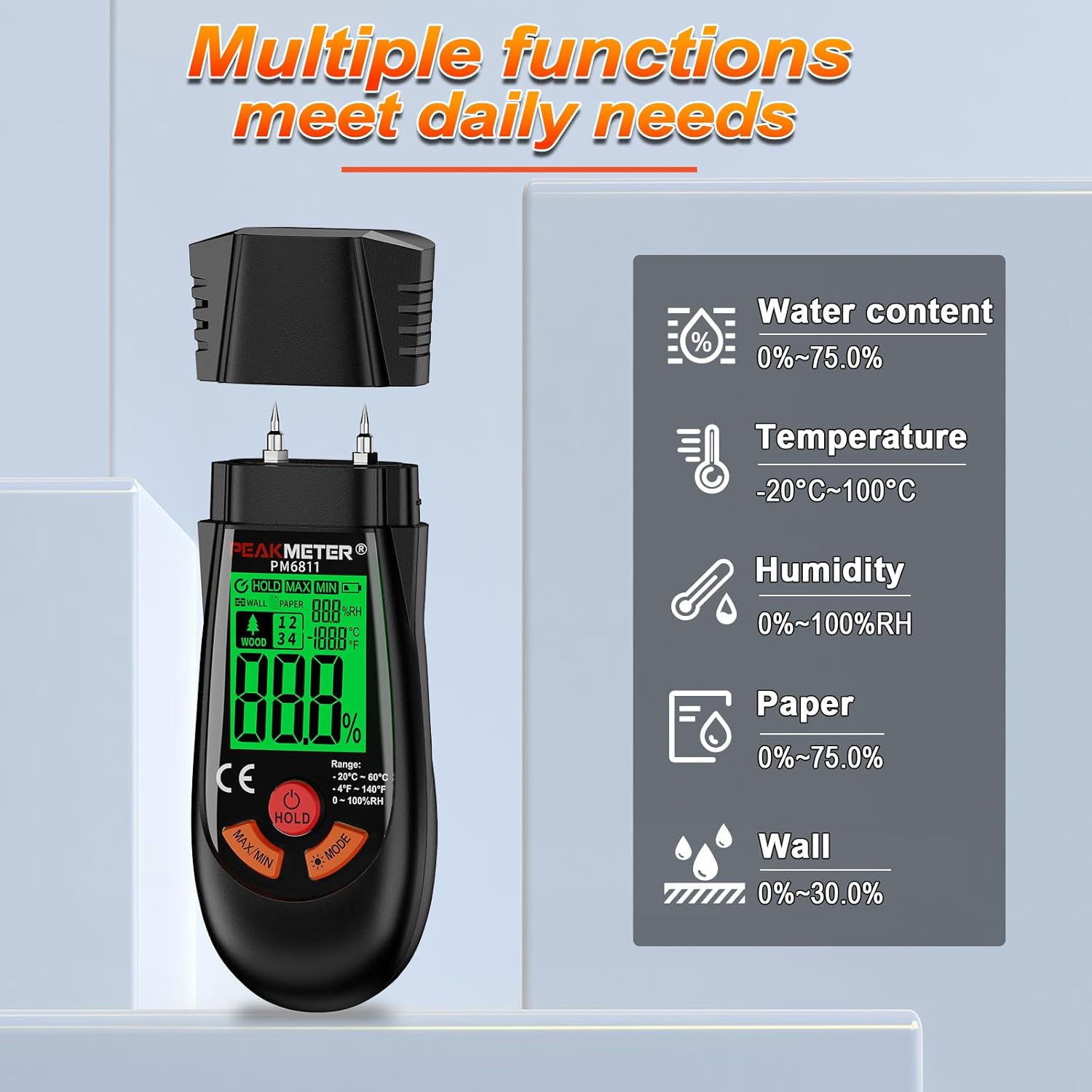
Figure 4: Taking a Moisture Measurement
5.3. Razumijevanje ekrana
The LCD display provides clear readings and visual indicators:
- Sadržaj vlage: The main digital reading shows the percentage vlage.
- temperatura: The device also displays the ambient temperature.
- Boje pozadinskog osvjetljenja: The LCD backlight changes color to indicate moisture levels:
- zeleno: Low moisture content.
- Žuto: Medium moisture content.
- crveno: High moisture content.
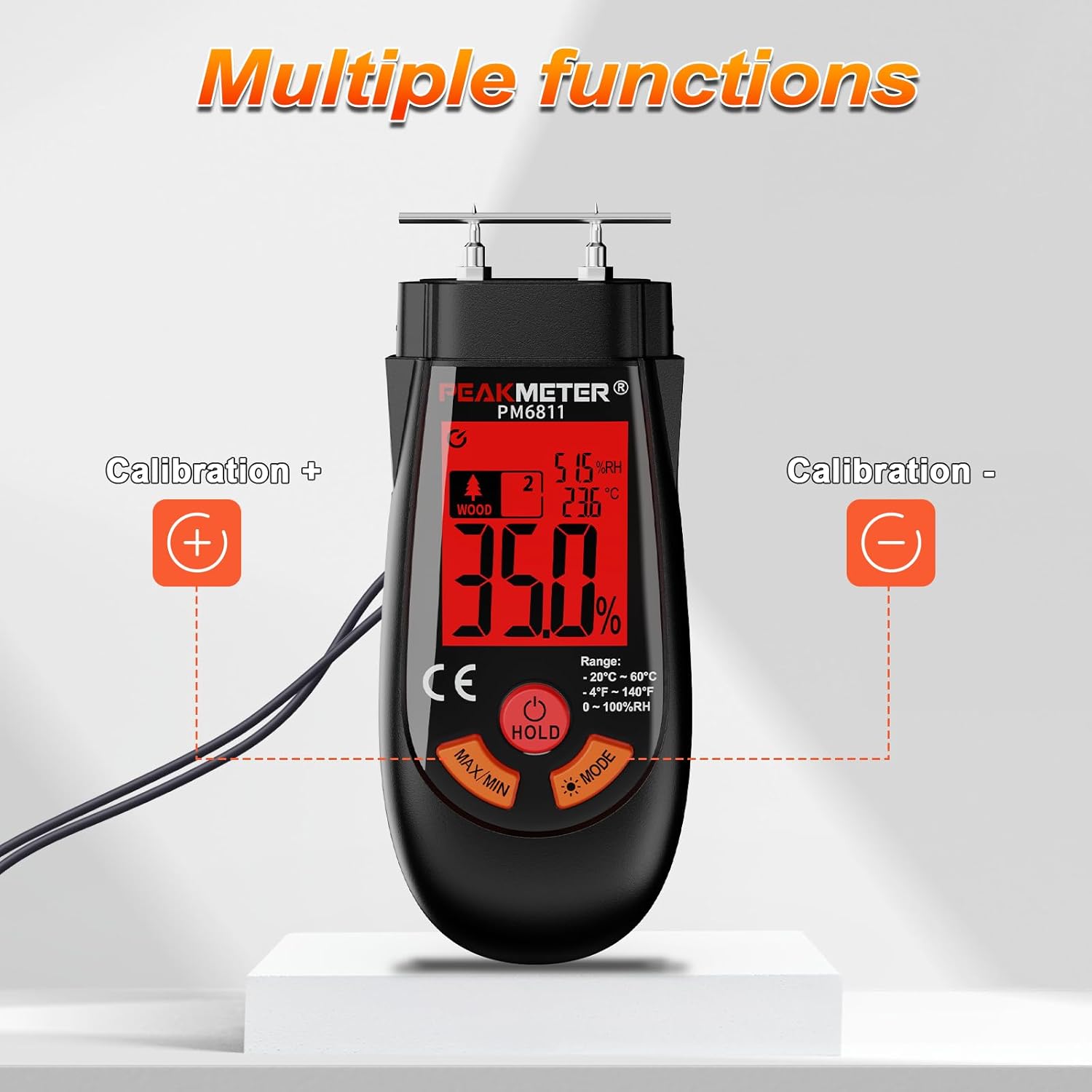
Figure 5: Multi-Color Backlight Indicating Moisture Levels
5.4. Funkcija čekanja
Press the 'HOLD' button to freeze the current measurement on the display. This is useful for taking readings in hard-to-reach areas. Press 'HOLD' again to release the reading.
5.5. MAX/MIN Measurement
The device can record the maximum and minimum moisture readings during a measurement session. Press the 'MAX/MIN' button to view ove vrednosti.
5.6. Automatsko isključivanje
To conserve battery life, the PM6811 features an automatic shut-off function. If no buttons are pressed for approximately 5 minutes, the device will power off automatically.
6. Održavanje
- čišćenje: Obrišite uređaj mekom, suhom krpom. Ne koristite abrazivna sredstva za čišćenje ili rastvarače.
- Skladištenje: Store the moisture meter in a dry, cool place, away from direct sunlight and extreme temperatures. Always replace the protective cap over the pins before storage.
- Pin Replacement: If the measurement pins become dull or damaged, they can be replaced using the included pin wrench and spare pins. Ensure the device is turned off before replacing pins.
- Zamjena baterije: Zamijenite baterije kada se na ekranu pojavi indikator slabe baterije.
7. Otkrivanje problema
- Nema ekrana/uređaja koji se ne uključuje: Provjerite jesu li baterije pravilno instalirane i dovoljno napunjene. Po potrebi zamijenite baterije.
- Netačna očitavanja: Ensure the pins are fully inserted into the material and making good contact. Verify that the correct material type (wood group or building material) is selected. Clean the pins if they appear dirty or corroded.
- Pins Not Penetrating Material: For very hard materials, apply firm but gentle pressure. If pins are dull, replace them.
8. Tehničke specifikacije
| Feature | Specifikacija |
|---|
| Broj modela | PM6811 |
| Proizvođač | COCZOW |
| Dimenzije | 5 x 3.5 x 13 cm |
| Težina artikla | 150 grama |
| Vrsta napajanja | Battery (2 x 1.5V AAA Alkaline) |
| Wood Measurement Range | 2.0% - 75.0% |
| Building Material Measurement Range | 1.5% - 30% |
| Automatsko isključivanje | Pribl. 5 minute neaktivnosti |
| Display | LCD with multi-color backlight |
9. Garancija i podrška
The coczow PM6811 Digital Moisture Meter comes with a standard manufacturer's warranty. For detailed warranty information, technical support, or service inquiries, please refer to the contact information provided on the product packaging or the official coczow webMolimo sačuvajte dokaz o kupovini za potrebe reklamacije.