Uvod
Welcome to the GOBOULT UFO True Wireless Earbuds user manual. These earbuds are designed to provide a superior audio experience with features like extended playtime, low latency gaming, advanced noise cancellation, and robust bass drivers. Please read this manual carefully to ensure proper use and optimal performance of your device.
Šta je u kutiji
- GOBOULT UFO True Wireless Earbuds
- Futrola za bežično punjenje
- Type-C Fast Charging Cable
- Dodatni par ušnih vrhova
- Uputstvo za upotrebu
- Garantni list
Product Overview
The GOBOULT UFO earbuds feature a distinctive design with integrated breathing LEDs on both the earbuds and the charging case. They are equipped with 13mm drivers for rich bass and Quad Mic ENC for clear calls.

Image: GOBOULT UFO Earbuds and Charging Case. This image highlights key features such as Bluetooth 5.3 connectivity, 48 hours of playtime, Quad Mic ENC, 13mm drivers, 45ms low latency, and Type-C fast charging.
LED diode za disanje
The breathing LEDs on the case and earbuds provide visual feedback for various actions, including opening/closing the case, charging, and when buds are connected.

Image: The GOBOULT UFO charging case and earbuds displaying their distinctive breathing LED lights, which indicate various operational states.
Kvalitet zvuka
Experience high-fidelity sound with precision-tuned 13mm drivers, ensuring clear audio across all frequencies and rich bass. The Quad Mic ENC (Environmental Noise Cancellation) system ensures crystal-clear, interference-free calls.
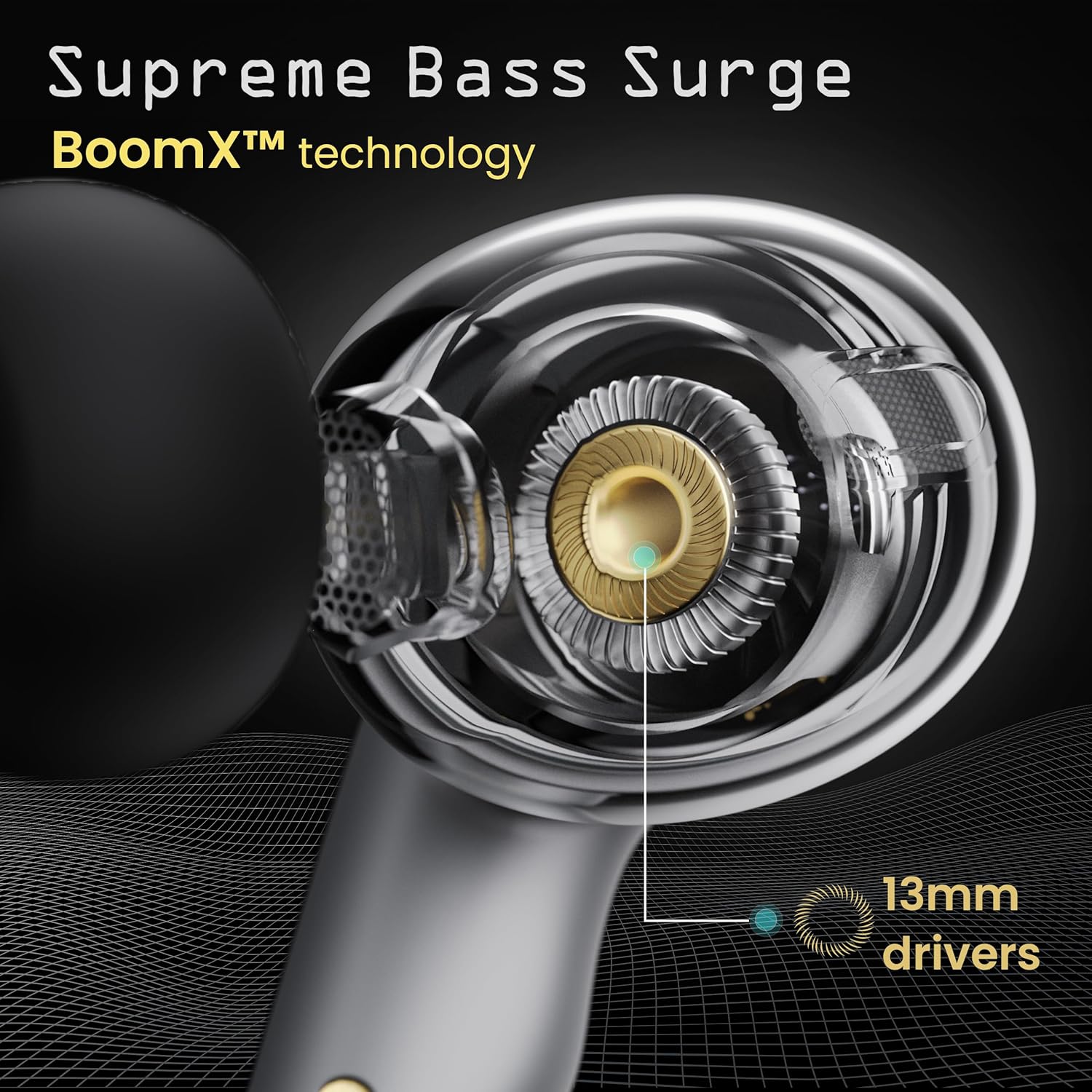
Image: A close-up of a GOBOULT UFO earbud, highlighting the 13mm drivers responsible for supreme bass surge.

Slika: Detaljna view of a GOBOULT UFO earbud, showcasing the AI-powered Quad Mic AI-ENC technology for high-definition call clarity and Zen™ mode for silence.
Setup
Početno uparivanje
- Otvorite kutijicu za punjenje. Slušalice će automatski ući u način rada za uparivanje.
- Na svom uređaju (pametnom telefonu, tabletu itd.) omogućite Bluetooth.
- Traži "GOBOULT UFO" in the list of available Bluetooth devices and select it to connect.
- Once connected, you will hear an audio prompt, and the LED indicators on the earbuds will change.
The earbuds utilize Bluetooth 5.3 for stable and efficient connection, featuring Blink & Pair™ technology for fast pairing.

Image: GOBOULT UFO Earbuds illustrating stable connectivity with Bluetooth 5.3 and fast pairing technology.
Podrška za aplikacije
Enhance your experience by downloading the dedicated GOBOULT app. The app allows you to:
- Switch between 6 Equalizer Modes.
- Prilagodite kontrole na dodir.
- Rename your earbuds.
- Pristupite dodatnim postavkama i funkcijama.
Uputstvo za upotrebu
Dodirnite Kontrole
The GOBOULT UFO earbuds feature intuitive touch controls on each earbud.
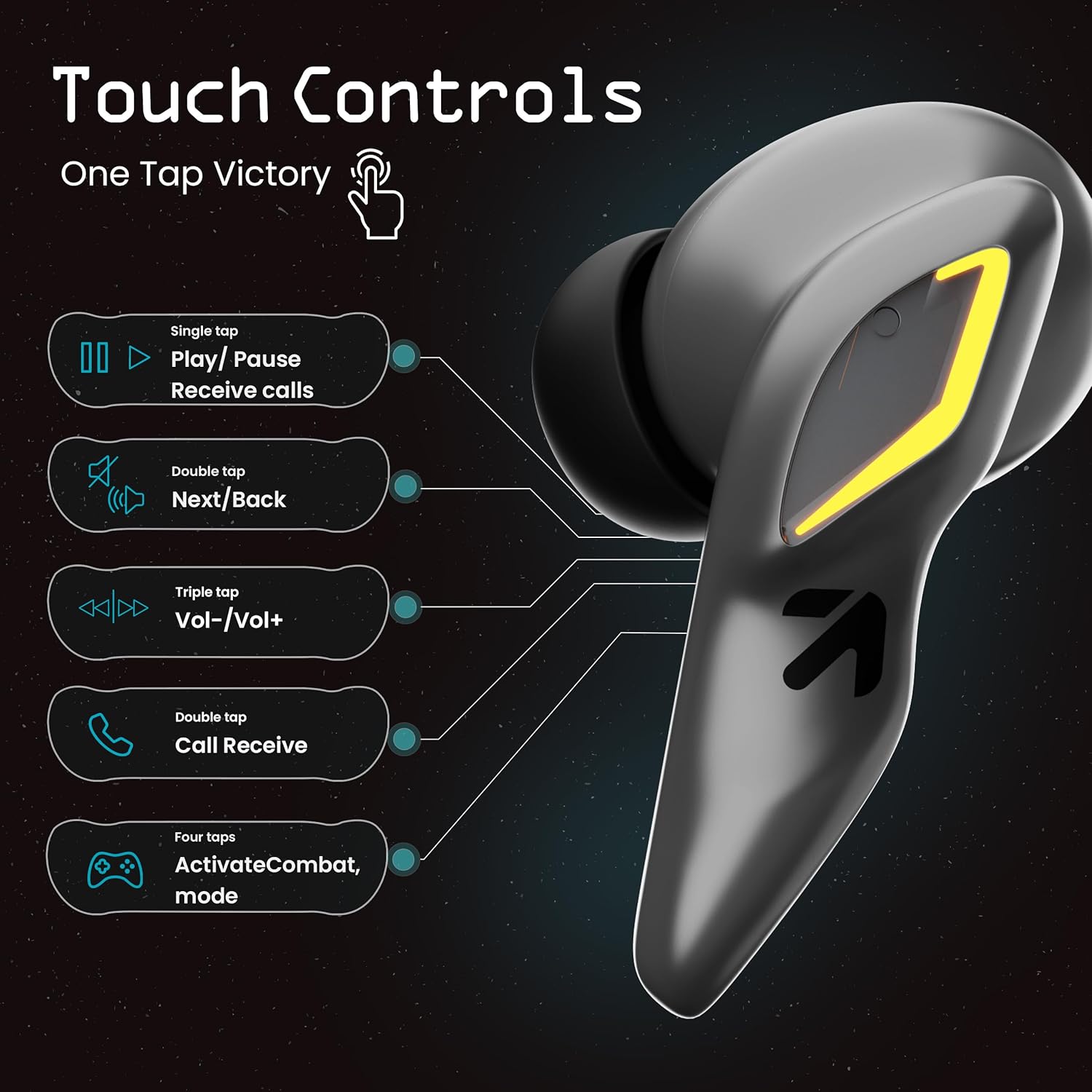
Image: A visual guide to the touch controls on the GOBOULT UFO Earbuds, detailing single, double, triple, and four-tap functions.
- Jednokratno dodirivanje: Play/Pause music, Receive calls.
- Dvaput dodirnite: Next/Back track.
- Trostruki dodir: Jačina/stišavanje.
- Four Taps: Activate Combat Mode (Gaming Mode).
- Dugi pritisak: Activate Voice Assistant (Google Assistant, Siri).
Gaming Mode (Combat Mode)
Activate Combat Mode for an ultra-low latency experience of 45ms, ideal for gaming. Tap the earbud four times to toggle this mode.

Image: The GOBOULT UFO Earbuds case open, highlighting the Combat Gaming Mode with 45ms ultra-low latency, activated by four taps.
Glasovni asistent
Long press the touch control area on either earbud to activate your device's voice assistant (e.g., Google Assistant, Siri).

Image: GOBOULT UFO Earbuds demonstrating the long-press gesture to activate the voice assistant feature.
Punjenje
The GOBOULT UFO earbuds offer up to 48 hours of total playtime with the charging case.
Punjenje futrole i slušalica
- Stavite slušalice u kutijicu za punjenje. Provjerite da li su pravilno postavljene.
- Connect the Type-C fast charging cable to the charging port on the case and to a power source.
- LED indikatori na kućištu pokazat će status punjenja.
- A full charge for the earbuds and case takes approximately 100 minutes.
- With Type-C fast charging, a 10-minute charge can provide up to 1.5 hours of playtime.
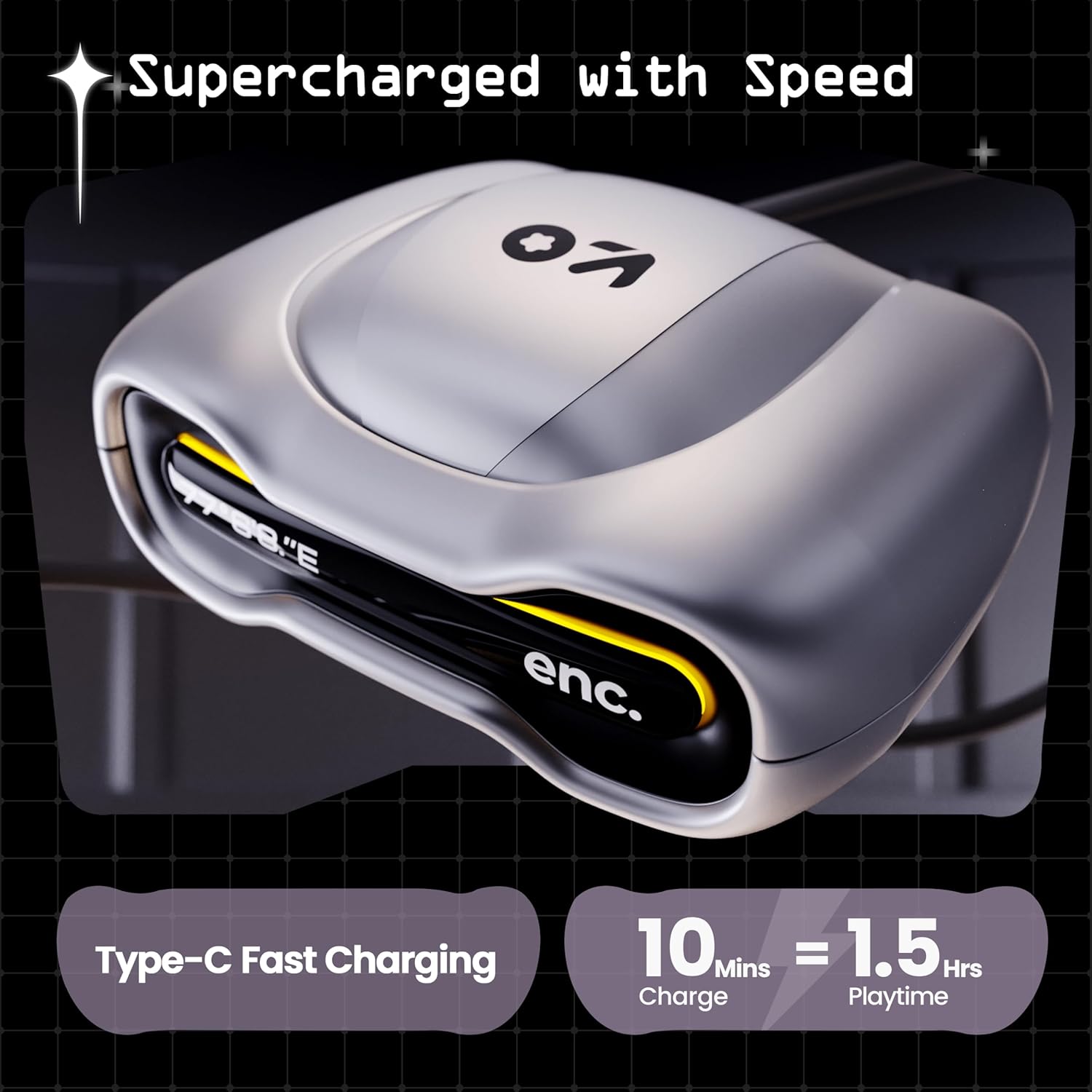
Image: The GOBOULT UFO charging case, illustrating its Type-C fast charging capability, providing 1.5 hours of playtime from a 10-minute charge.
Održavanje
Otpornost na vodu
The GOBOULT UFO earbuds are IPX5 water-resistant, making them sweatproof, rainproof, and splashproof. This protection allows for use during workouts or in light rain.

Image: GOBOULT UFO Earbuds on a metallic surface, indicating their IPX5 water resistance, making them suitable for sweat, rain, and splashes.
Čišćenje
Da biste održali optimalne performanse i higijenu, redovno čistite slušalice i kućište za punjenje.
- Koristite meku, suhu krpu koja ne ostavlja dlačice za brisanje slušalica i kućišta.
- Za tvrdokornu prljavštinu, lagano dampIsperite krpu vodom. Izbjegavajte upotrebu jakih hemikalija ili abrazivnih materijala.
- Provjerite jesu li kontakti za punjenje i na slušalicama i na kutijici čisti i bez prljavštine.
- Allow all components to dry completely before placing earbuds back in the case or charging.
Rješavanje problema
If you encounter any issues with your GOBOULT UFO earbuds, please refer to the following common solutions:
- Nema zvuka: Ensure earbuds are charged and properly connected to your device. Check device volume.
- Problemi uparivanja: Make sure Bluetooth is enabled on your device. Try forgetting the device in your Bluetooth settings and re-pairing. Ensure earbuds are fully charged.
- Jedna slušalica ne radi: Place both earbuds back in the case, close it, and then open it again. This often resets the connection.
- Loš kvalitet poziva: Ensure microphones are clean. Check for strong Bluetooth connection.
- Nereagirajuće kontrole na dodir: Provjerite jesu li vam prsti čisti i suhi. Pokušajte ponovo pokrenuti slušalice tako što ćete ih staviti u kutijicu i izvaditi.
For further assistance, please contact GOBOULT customer support.
Specifikacije
| Feature | Detalj |
|---|---|
| Naziv modela | UFO (Airbass Earbuds) |
| Bluetooth verzija | 5.3 |
| Vrijeme igranja | Do 48 sata (s kućištem za punjenje) |
| Audio kašnjenje | 45 milisekundi (režim igre) |
| Vozači | 13mm dinamički drajveri |
| Mikrofoni | Četverostruki mikrofon ENC (Poništavanje buke iz okoline) |
| Otpornost na vodu | IPX5 (Sweatproof, Rainproof, Splashproof) |
| Port za punjenje | Brzo punjenje tipa C |
| Vrijeme punjenja | Pribl. 100 minuta |
| Bluetooth domet | 10 metara |
| Frekvencijski odziv | 20 Hz |
| Osjetljivost | 115 dB |
| Impedansa | 32 Ohma |
| Težina artikla | 60 grama |
| Dimenzije proizvoda | 4.7 x 9 x 10 cm |
| Materijal | Metal |
Garancija i podrška
Informacije o garanciji
The GOBOULT UFO True Wireless Earbuds come with a 1 godina garancije proizvođača from the date of purchase. Please retain your proof of purchase for warranty claims. The warranty covers manufacturing defects. It does not cover damage caused by misuse, accidents, or unauthorized modifications.
Korisnička podrška
For any questions, technical support, or warranty claims, please contact GOBOULT customer service.
Proizvođač: Exotic Mile Pvt. Ltd.
Adresa: B67 Wazirpur Industrial Area, New Delhi 110052, India.
Please refer to the warranty card included in your product packaging for specific contact details and procedures.


