Uvod
The ToughTested MOAB 65 is a high-capacity, rugged portable charger designed to provide reliable power for laptops, smartphones, and other USB-powered devices. With its 40,000mAh battery and advanced fast-charging capabilities, it is an ideal companion for outdoor adventures, remote work, and extended travel. This manual provides essential information for the safe and efficient use of your MOAB 65 portable charger.
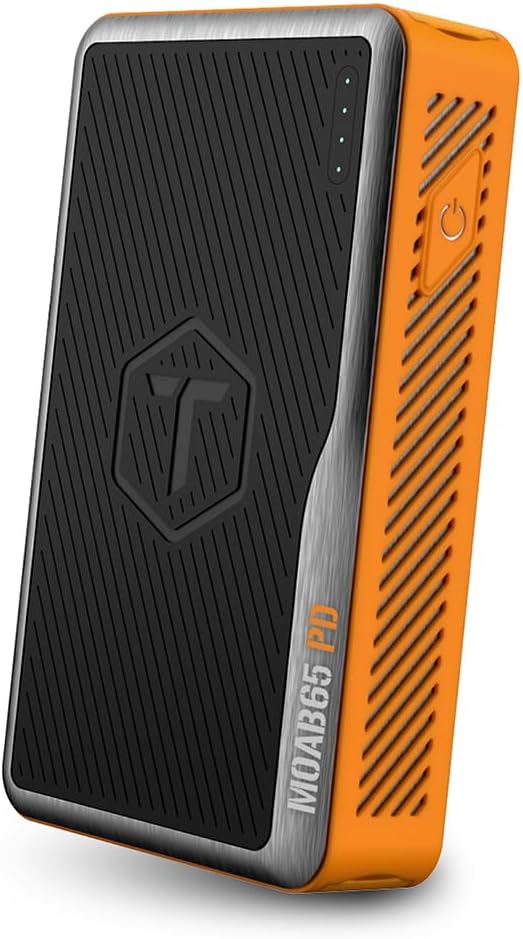
Image: The ToughTested MOAB 65 Portable Charger, showcasing its rugged design and power indicator lights.
Sigurnosne informacije
Molimo pročitajte sva sigurnosna upozorenja i upute prije upotrebe ovog proizvoda kako biste spriječili ozljede ili oštećenja.
- Do not expose the power bank to extreme temperatures (above 60°C/140°F or below -10°C/14°F).
- Do not disassemble, modify, or attempt to repair the device. This will void the warranty and may cause harm.
- Keep away from water and liquids. While the MOAB 65 is IP64 rated for dust and water resistance, it is not designed for submersion.
- Izbjegavajte ispuštanje ili izlaganje uređaja jakim udarcima.
- Koristite samo certificirane kablove i adaptere za punjenje.
- Čuvati van domašaja djece.
- Odložite power bank odgovorno u skladu s lokalnim propisima. Ne bacajte ga u kućni otpad.
Sadržaj paketa
Provjerite da li se sve stavke nalaze u vašem paketu:
- ToughTested MOAB 65 Portable Charger
- Heavy-duty USB-C to USB-C Power Delivery PET Cable
- Korisnički priručnik (ovaj dokument)
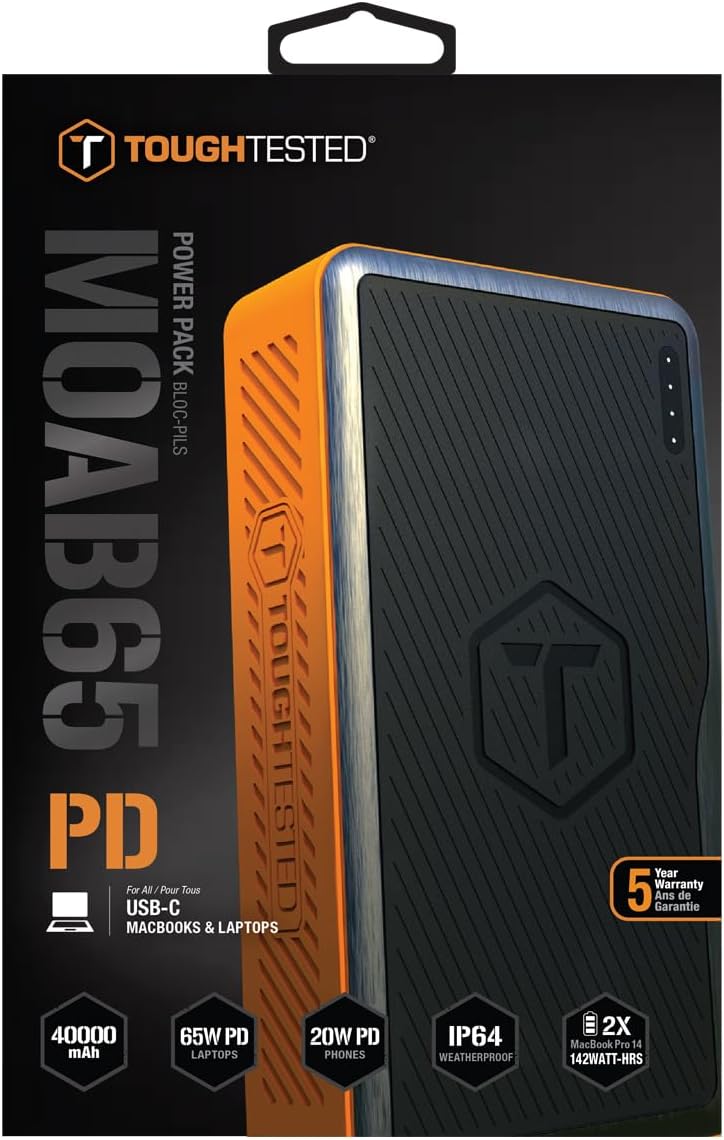
Image: The included heavy-duty USB-C to USB-C Power Delivery PET cable.
Product Overview
Familiarize yourself with the components of your MOAB 65 portable charger.
| Komponenta | Opis |
|---|---|
| Dugme za napajanje | Aktivira power bank i provjerava nivo baterije. |
| LED indikatori napajanja | Prikazuje preostali kapacitet baterije. |
| USB-C PD (Input/Output) Port | 65W Power Delivery for charging laptops and rapid charging of the power bank itself. |
| USB-C PD (Output) Port | 20W Power Delivery for fast charging smartphones and other compatible devices. |
| USB-A QC 3.0 port | Quick Charge 3.0 output for fast charging non-Type C devices. |
| Sealed Port Covers | Protects ports from dust and water, maintaining IP64 rating. |

Slika: Sa strane view of the MOAB 65 showing the USB-A and USB-C output ports with their protective covers.
Setup
Charging the MOAB 65 Portable Charger
Before first use, fully charge your MOAB 65. It is recommended to use a 65W USB-C PD wall charger (not included) for the fastest charging time.
- Open the sealed port cover for the USB-C PD (Input/Output) port.
- Connect the included USB-C to USB-C cable to the USB-C PD (Input/Output) port on the MOAB 65.
- Connect the other end of the cable to a compatible USB-C PD wall charger.
- The LED power indicators will illuminate and blink to show charging progress. All four LEDs will be solid when fully charged.
A full charge can take several hours depending on the power of your wall charger.
Uputstvo za upotrebu
Provjera nivoa baterije
Pritisnite dugme za napajanje jednom da provjerite preostali kapacitet baterije. LED indikatori će se upaliti:
- 4 LED dioda: 75-100%
- 3 LED dioda: 50-75%
- 2 LED dioda: 25-50%
- 1 LED: 0-25% (Recharge soon)
Uređaji za punjenje
The MOAB 65 features multiple output ports for versatile charging.
- For Laptops (USB-C PD 65W):
Open the sealed port cover for the USB-C PD (Input/Output) port. Connect your laptop's USB-C charging cable to this port and to your laptop. The MOAB 65 will automatically begin charging.

Image: The MOAB 65 connected to a laptop via its USB-C PD port, demonstrating laptop charging capability.

Image: Visual representation highlighting the 65W USB-C Power Delivery input/output for laptops.
- For Smartphones & Tablets (USB-C PD 20W or USB-A QC 3.0):
Open the sealed port cover for the desired output port (USB-C or USB-A). Connect your device's charging cable to the MOAB 65 and to your device. The Instasense Processor will automatically detect your device and deliver optimal charging power.
Image: Close-up of the MOAB 65's output ports, including the 20W USB-C PD and QC3 USB-A, designed for fast phone charging.
- Istovremeno punjenje:
You can charge multiple devices simultaneously using the available output ports. The MOAB 65 will intelligently distribute power.

Image: Two MOAB 65 units shown side-by-side, illustrating the capability to fast charge laptops and phones concurrently.
Note: For optimal fast charging, ensure your device and cable support Power Delivery (PD) or Quick Charge (QC) technology.
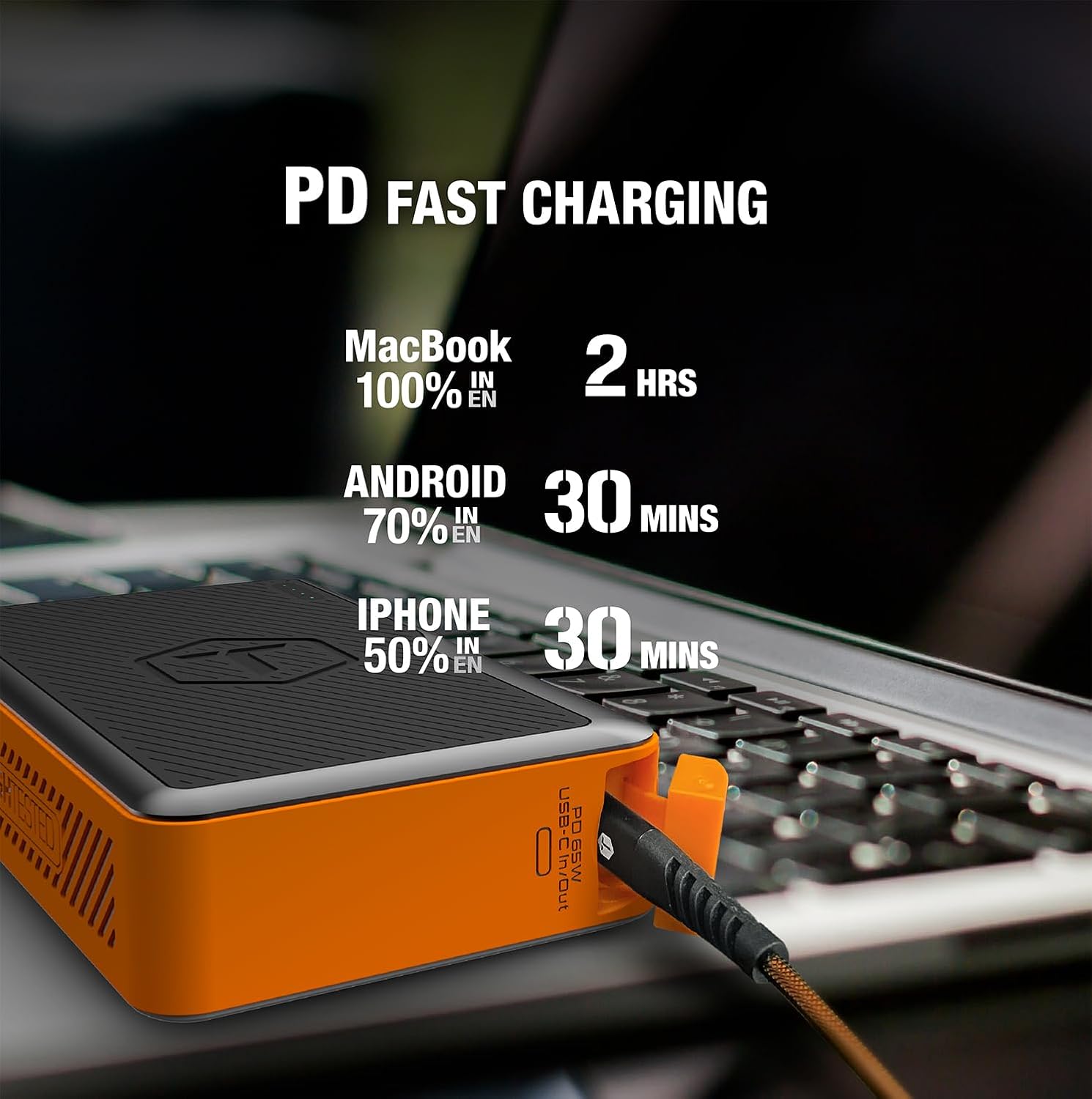
Image: Infographic detailing fast charging times for various devices: MacBook 100% in 2 hours, Android 70% in 30 minutes, iPhone 50% in 30 minutes.
Održavanje
- čišćenje: Wipe the exterior with a soft, dry cloth. Do not use harsh chemicals or abrasive materials. Ensure port covers are closed before cleaning.
- Skladištenje: Power bank čuvajte na hladnom i suhom mjestu, dalje od direktne sunčeve svjetlosti i ekstremnih temperatura. Za dugotrajno skladištenje, punite ga na oko 50-75% svaka 3-6 mjeseci kako biste održali zdravlje baterije.
- Poklopci luka: Always ensure the sealed port covers are securely closed when not in use, especially in dusty or wet environments, to maintain the IP64 rating.

Image: The MOAB 65 with water droplets on its surface, illustrating its IP64 weatherproof and dustproof capabilities.
Rješavanje problema
| Problem | Mogući uzrok | Rješenje |
|---|---|---|
| Power bank se ne puni | Problem s kabelom ili adapterom; power bank potpuno ispražnjen; neispravan priključak. | Try a different USB-C cable and wall adapter. Ensure the adapter is powerful enough (e.g., 65W PD). Allow a few minutes for a deeply discharged unit to respond. |
| Uređaj se ne puni iz power banke | Power bank low on charge; incorrect cable; device not compatible; power bank in standby. | Check power bank battery level. Ensure cable is securely connected and functional. Try a different port. Press the power button to activate output. |
| Sporo punjenje | Cable not supporting fast charge; device not supporting fast charge; multiple devices connected. | Use a certified PD/QC compatible cable. Ensure your device supports fast charging. Disconnect other devices if faster charging is needed for one specific device. |
| LED indikatori ne rade | Minor software glitch; internal issue. | Try fully discharging and then recharging the power bank. If the issue persists, contact customer support. |
Specifikacije
| Feature | Detalj |
|---|---|
| Model | MOAB 65 |
| Kapacitet baterije | 40,000mAh (142Wh) |
| USB-C PD (Input/Output) | Isporuka snage 65W |
| USB-C PD (Output) | Isporuka snage 20W |
| USB-A (izlaz) | Quick Charge 3.0 |
| Dimenzije | 7 x 4 x 1.5 inča |
| Težina | 1.8 funte |
| IP Rating | IP64 (Dustproof & Water Resistant) |
| Vrsta baterije | Lithium Ion |
| Boja | Crna / Narandžasta |
Garancija i podrška
The ToughTested MOAB 65 Portable Charger comes with a 5 godine garancije, što osigurava pouzdanost i bezbrižnost. Ova garancija pokriva nedostatke u materijalima i izradi pri normalnoj upotrebi.
For warranty claims, technical support, or any questions regarding your MOAB 65, please contact ToughTested customer service:
- Webstranica: Visit the official ToughTested webstranica za resurse podrške i kontakt informacije. www.toughtested.com
- Email: Refer to the ToughTested webweb-mjesto za najnoviju adresu e-pošte podrške.
- Telefon: Refer to the ToughTested webweb-stranicu za najnoviji broj telefona za podršku.
Please have your product model (MOAB 65) and proof of purchase ready when contacting support.

Image: ToughTested "Built for Every Adventure" logo, emphasizing the brand's commitment to durability.


