1. Uvod
Thank you for choosing the VirtuFit VF11007 Vibration Plate Fitness machine. This manual provides essential information for the safe and effective use of your new fitness equipment. Please read it thoroughly before operation and retain it for future reference.

Slika 1: The VirtuFit VF11007 Vibration Plate, including the remote control and resistance bands.
2. Sigurnosne informacije
Before using the vibration plate, please observe the following safety precautions:
- Prije početka bilo kojeg novog programa vježbanja, posavjetujte se s ljekarom, posebno ako imate već postojeća zdravstvena stanja.
- Osigurajte da je vibraciona ploča postavljena na stabilnu, ravnu površinu.
- Ne koristite uređaj ako ste trudni, imate pacemaker ili patite od teške osteoporoze, epilepsije ili akutne tromboze.
- Držite djecu i kućne ljubimce podalje od mašine tokom rada.
- Uvijek nosite odgovarajuću sportsku obuću.
- Odmah prestanite s vježbanjem ako osjetite vrtoglavicu, mučninu ili bilo kakav bol.
- Isključite mašinu iz struje kada je ne koristite i prije čišćenja.
3. Podešavanje
The VirtuFit VF11007 Vibration Plate requires minimal setup. Follow these steps:
- Raspakivanje: Carefully remove all components from the packaging. Verify that all parts are present: the vibration plate, remote control, power cable, and resistance bands.
- plasman: Position the vibration plate on a flat, stable, and non-slip surface. Ensure there is enough clear space around the unit for safe operation.
- Priključak za napajanje: Plug the power cable into the vibration plate's power input, then into a suitable electrical outlet.
- Trake otpora (opciono): Po želji, pričvrstite trake otpora na za to predviđene tačke sa strane vibrirajuće ploče.
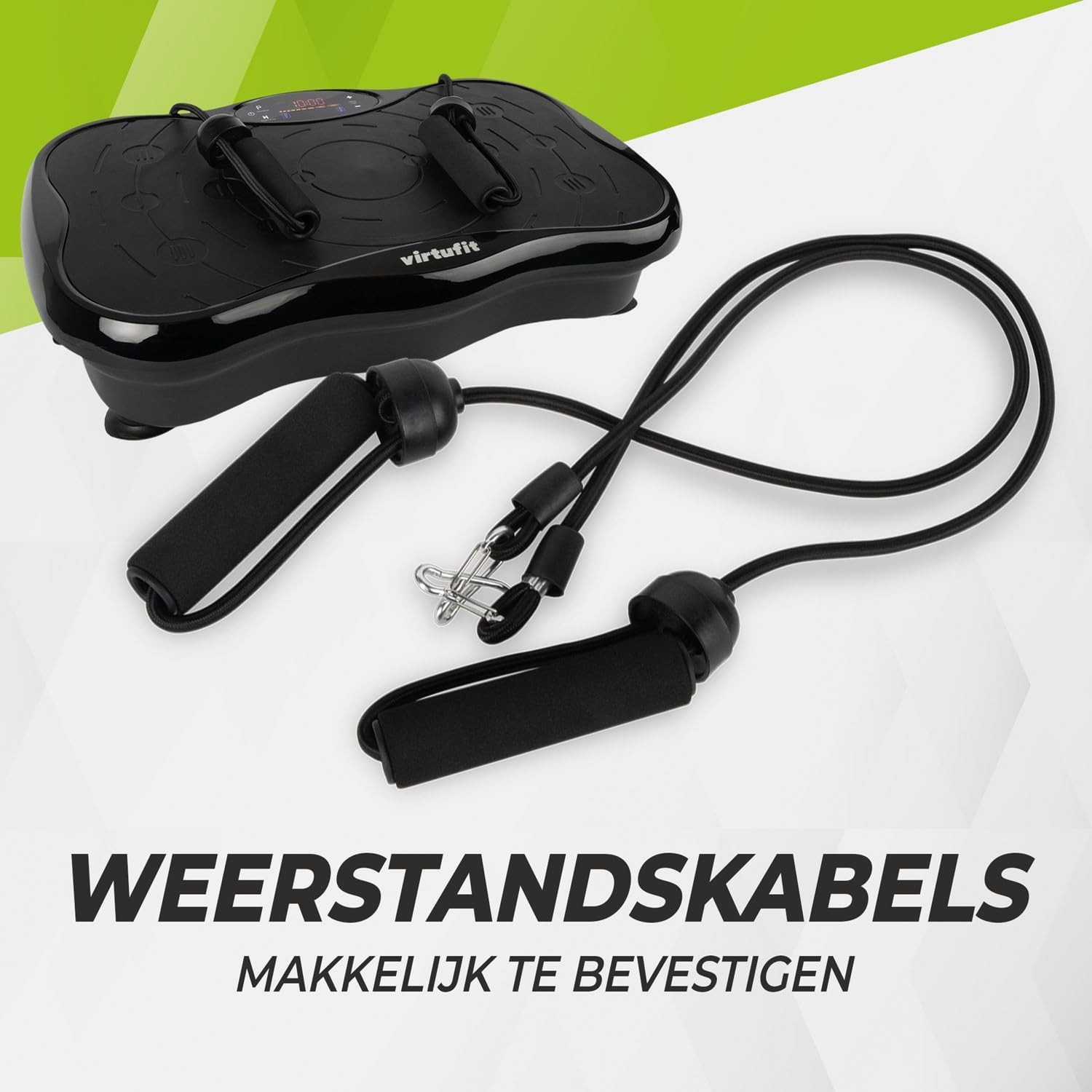
Slika 2: Resistance bands ready for attachment to the vibration plate.
4. Uputstvo za upotrebu
The VirtuFit VF11007 features an intuitive display and a convenient remote control for easy operation.
4.1. Kontrolna tabla i ekran
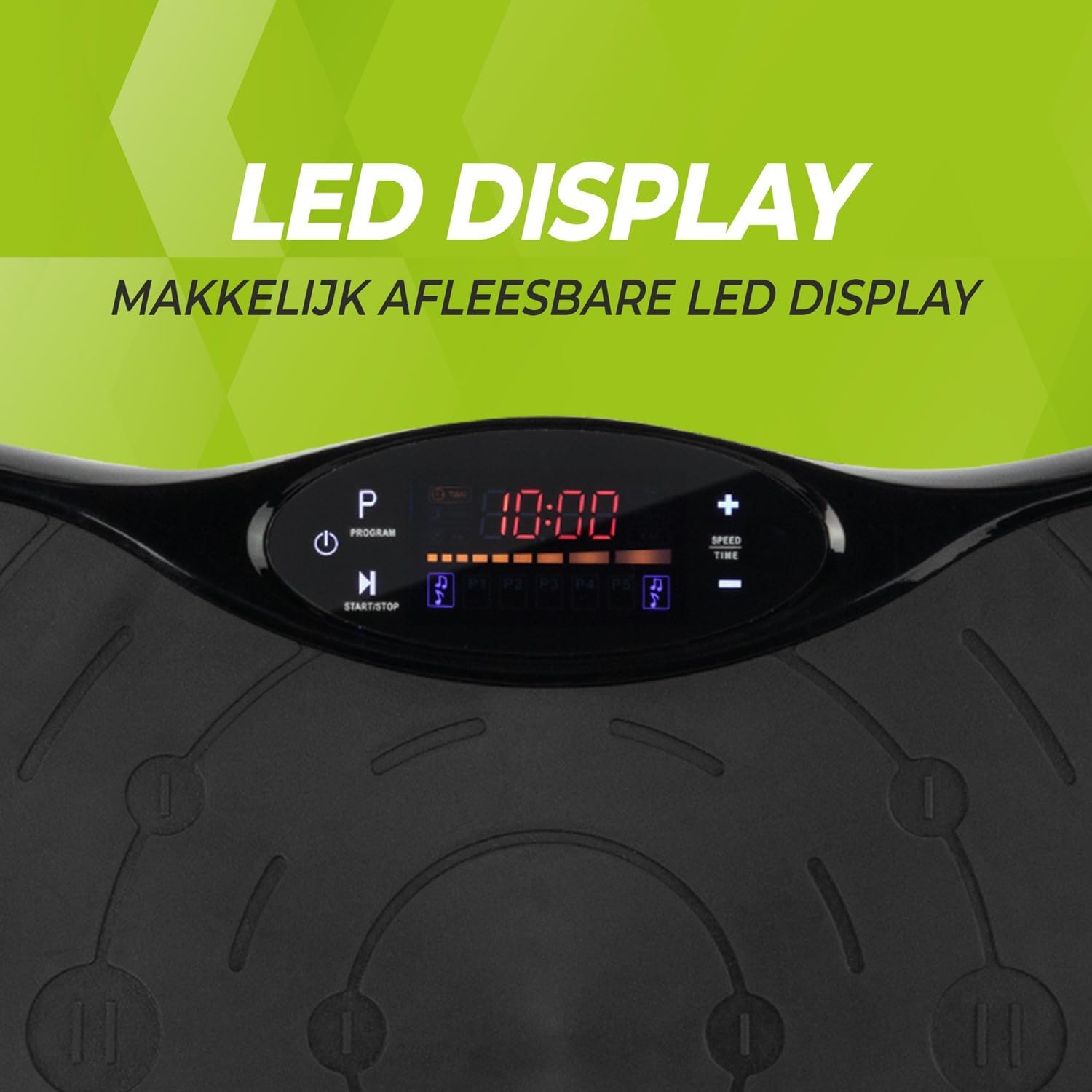
Slika 3: Detaljno view of the LED display, showing time, program, and speed settings.
The integrated computer features an LED display showing time, speed, and program information. Buttons on the panel allow for basic control.
- Dugme za napajanje: Uključuje/isključuje uređaj.
- Dugme Start/Stop: Initiates or pauses manual operation.
- Dugme za programiranje (P): Cycles through the pre-set programs.
- Brzina +/- Dugmad: Adjusts the vibration speed in manual mode.
- Dugmad za vrijeme +/-: Adjusts the exercise duration in manual mode.
4.2. Daljinski upravljač
The remote control provides full functionality, allowing you to adjust settings without interrupting your workout.

Slika 4: The remote control for convenient adjustment of settings.
- Dugme za napajanje: Uključuje/isključuje uređaj.
- Dugme Start/Stop: Initiates or pauses manual operation.
- Dugme za programiranje (P): Selects one of the 5 automatic programs or the manual program.
- Brzina +/- Dugmad: Increases or decreases the vibration speed (99 levels).
- Dugmad za vrijeme +/-: Podešava trajanje vježbe.
- Kontrole muzike: Play/Pause, Next/Previous track, Volume +/- for Bluetooth audio.
4.3. Exercise Programs
The vibration plate offers 10 training programs, including 5 automatic programs (P1-P5) and a manual program.
- Automatic Programs (P1-P5): These programs automatically vary the speed over a 10-minute duration. Select the desired program using the 'P' button on the control panel or remote.
- Ručni program: Allows you to set your preferred speed (1-99) and duration. Use the Speed +/- and Time +/- buttons to customize your workout.
Program Speed Examples (for a 10-minute duration):
| Program | Speed Progression (Example) |
|---|---|
| P1 | 10 - 30 - 40 - 50 |
| P2 | 15 - 25 - 20 - 30 |
| P3 | 20 - 40 - 60 - 80 |
| P4 | 25 - 45 - 50 - 85 |
| P5 | 30 - 50 - 70 - 90 |
Note: These are example speed progressions. Actual speeds may vary slightly.
4.4. Bluetooth Speaker and USB Port
The vibration plate includes an integrated Bluetooth speaker and a USB charging port.

Slika 5: Location of the integrated Bluetooth speaker.
- Bluetooth veza: Turn on the vibration plate. Activate Bluetooth on your smartphone or tablet and search for "VirtuFit" or a similar device name. Pair your device.
- Reprodukcija muzike: Once connected, you can play music through the integrated speakers. Use your device or the remote control to manage playback and volume.
- USB punjenje: Connect your phone or tablet to the USB port to charge it during your workout.
5. Održavanje
Regular maintenance ensures the longevity and optimal performance of your VirtuFit Vibration Plate.
- čišćenje: Obrišite površinu vibrirajuće ploče mekom,amp krpom nakon svake upotrebe. Ne koristite abrazivna sredstva za čišćenje ili rastvarače.
- Skladištenje: Čuvajte mašinu na hladnom i suvom mestu dalje od direktne sunčeve svetlosti i vlage.
- inspekcija: Povremeno provjeravajte kabel za napajanje da li ima oštećenja. Provjerite jesu li svi priključci sigurni.
- Protivklizna površina: The anti-slip rubber surface is designed for durability. Keep it clean to maintain its grip.

Slika 6: The durable anti-slip rubber surface for secure footing.
6. Otkrivanje problema
If you encounter any issues with your VirtuFit Vibration Plate, refer to the following common problems and solutions:
| Problem | Mogući uzrok | Rješenje |
|---|---|---|
| Mašina se ne uključuje. | Kabl za napajanje nije pravilno priključen; utičnica ne radi. | Ensure the power cord is securely plugged into both the machine and the wall outlet. Test the outlet with another device. |
| Nema vibracija. | Machine is paused; Speed setting is too low; Program not started. | Press the Start button. Increase the speed setting. Ensure a program is selected and running. |
| Daljinski upravljač ne radi. | Batteries are dead or incorrectly inserted; Obstruction between remote and sensor. | Replace batteries with new ones, ensuring correct polarity. Remove any obstructions. Point the remote directly at the display sensor. |
| Bluetooth se ne povezuje. | Bluetooth on device is off; Incorrect pairing. | Ensure Bluetooth is enabled on your device. Forget the device on your phone/tablet and re-pair. Ensure the vibration plate is powered on. |
Ako problem i dalje postoji, obratite se korisničkoj podršci.
7. Specifikacije
Key technical specifications for the VirtuFit VF11007 Vibration Plate:
- Broj modela: VF11007
- Brand: VirtuFit
- Dimenzije (D x Š x V): 54 x 12.5 x 32 cm
- Težina: 7.5 kg
- Materijal: ABS rubber
- Vrsta kontrole: Daljinsko upravljanje
- Vrsta prikaza: Graphic display (LED)
- Maximum Speed Levels: 99
- Broj programa: 10
- Način rada: Automatski / Ručni
- Izvor napajanja: Električni kabel
- Integrisane funkcije: Bluetooth speaker, USB charging port
8. Informacije o garanciji
VirtuFit products are manufactured to high-quality standards. This product is covered by the standard legal warranty applicable in your region. Please retain your proof of purchase for any warranty claims.
For specific warranty terms and conditions, please refer to the VirtuFit official webweb stranicu ili kontaktirajte svog prodavca.
9. Korisnička podrška
Should you require assistance, have questions, or need to report an issue, please contact VirtuFit customer support or your authorized retailer.
For more information, visit the official VirtuFit webstranica: VirtuFit Brand Store


