1. Proizvod je gotovview
The MAONO PD200XS Pink is a versatile XLR/USB dynamic microphone kit designed for high-quality audio capture in various applications, including podcasting, streaming, gaming, and music recording. It features a built-in dynamic mic capsule for clear audio across a wide frequency range (40Hz-16kHz) and a cardioid polar pattern to minimize background noise. The microphone offers both USB and XLR connectivity for broad compatibility with computers, audio interfaces, and mixers. Advanced customization is available through the MAONO Link software in USB mode, allowing for EQ, limiter, and compressor adjustments, as well as control over the integrated RGB lighting.

Image 1.1: The MAONO PD200XS Pink microphone kit, including the microphone, boom arm, and USB cable.
2. Šta se nalazi u kutiji
- Dynamic Microphone (PD200X) x1
- Shock Mount x1
- 2.5m USB-C to USB-A/C Cable x1
- 5/8'' to 3/8'' Adapter x1
- Microphone Boom Arm x1
- Uputstvo za upotrebu x1
Note: An XLR cable is not included in the package.
3. Vodič za postavljanje
3.1. Assembling the Boom Arm and Microphone
- Attach the microphone boom arm to your desk using the integrated clampProvjerite je li sigurno pričvršćen.
- Mount the shock mount onto the boom arm.
- Carefully screw the PD200X microphone into the shock mount.
- Adjust the boom arm to your desired position for optimal sound capture. The arm offers 0-180° rotation and extends up to 13 inches.

Image 3.1: Illustration of the microphone boom arm's adjustable dimensions.
3.2. Spajanje mikrofona
The PD200X offers dual connectivity options: USB and XLR.
- USB veza: For direct connection to a desktop or laptop, use the provided 2.5m USB-C to USB-A/C cable. Plug the USB-C end into the microphone and the USB-A or USB-C end into your computer. This mode offers plug-and-play functionality and enables advanced software control via MAONO Link.
- XLR konekcija: For professional setups, connect the microphone to an audio interface, mixer, or portable PA system using an XLR cable (not included). This analog output is ideal for studio podcasting and high-fidelity recording.
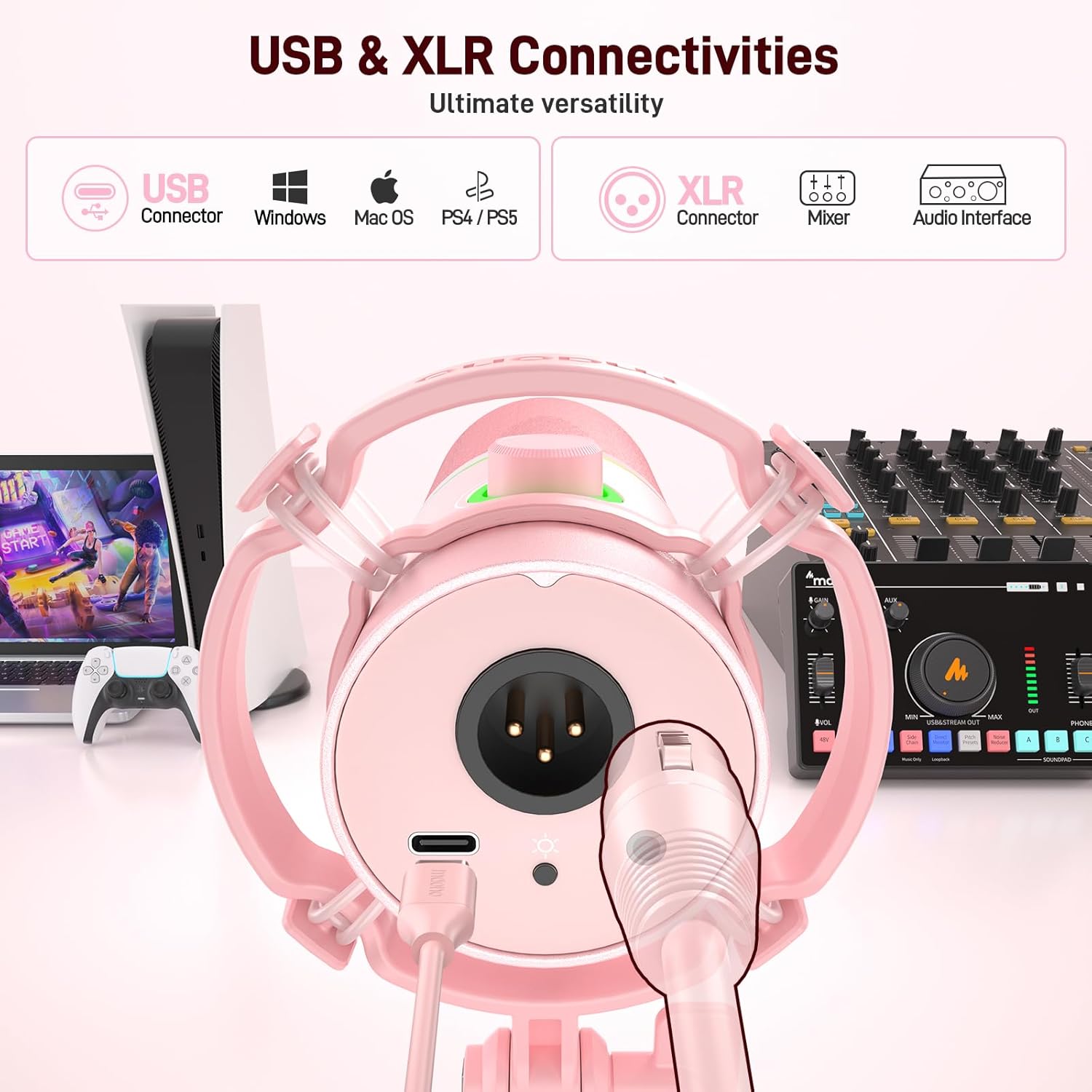
Image 3.2: Diagram showing USB and XLR connectivity options for the MAONO PD200XS microphone.
4. Operating Your Microphone
4.1. Kontrole i indikatori
The PD200X features intuitive controls for easy operation:
- 2-in-1 Smart Knob: This knob allows you to adjust both microphone gain and headphone volume. Press the knob to switch between controlling mic gain and headphone volume.
- One-Click Mute Key: A dedicated mute button with an LED indicator allows for instant muting of the microphone. The LED changes color to indicate mute status.
- 3.5 mm priključak za slušalice: Located on the microphone, this jack enables zero-latency monitoring of your audio, allowing you to hear your voice in real-time.
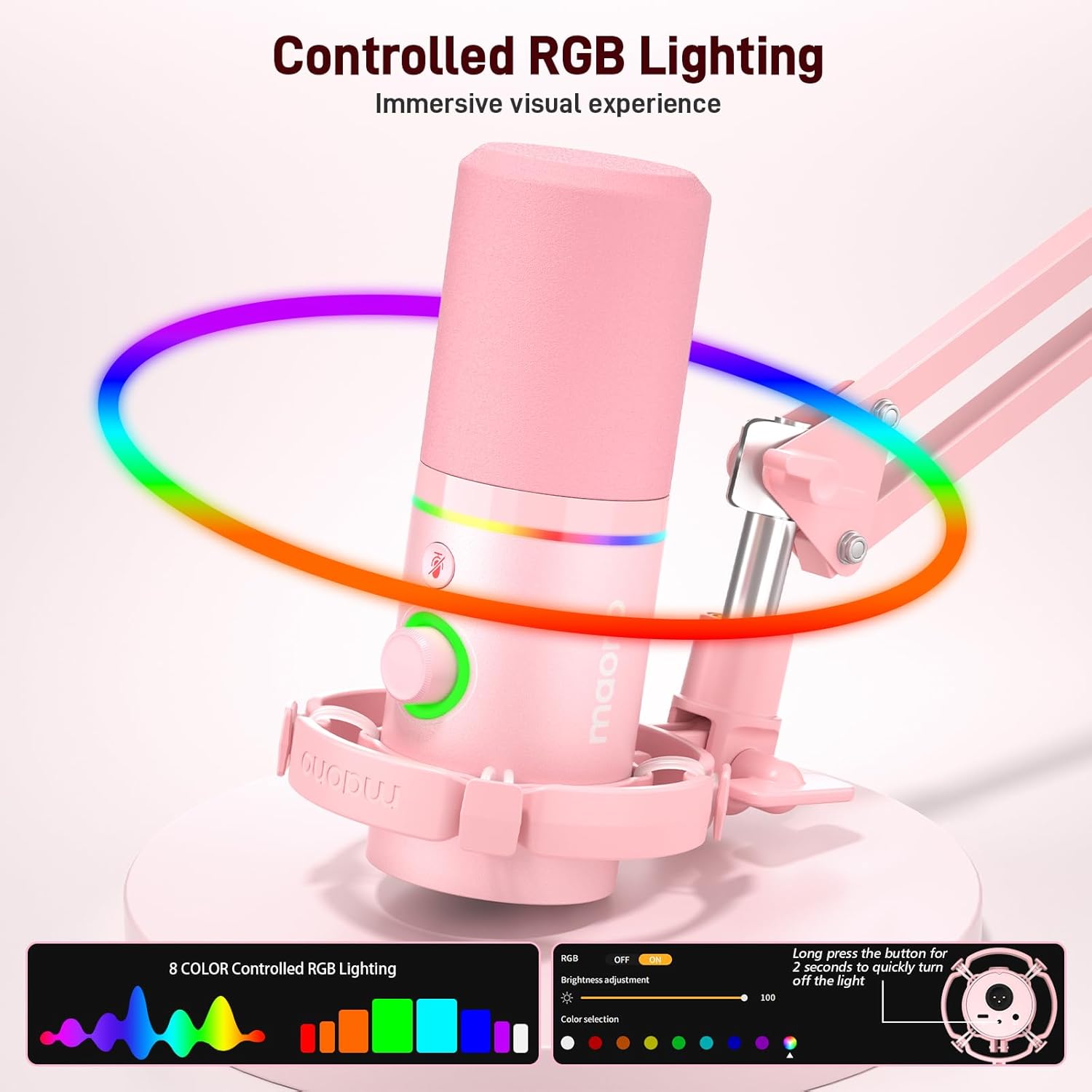
Image 4.1: Close-up of the MAONO PD200XS microphone showing the 2-in-1 smart knob and mute button.
4.2. Controlled RGB Lighting
The microphone features customizable RGB lighting for an immersive visual experience. You can turn the RGB light on/off or switch between 9 different colors. Long press the RGB button for 2 seconds to quickly turn off the light.

Image 4.2: The MAONO PD200XS microphone displaying its controlled RGB lighting feature.
5. Advanced Software Control (MAONO Link)
For advanced audio customization and optimization, the MAONO Link software can be used when the microphone is connected via USB. This software allows you to:
- Adjust EQ settings to fine-tune your sound.
- Control limiter and compressor parameters for dynamic range processing.
- Manage RGB lighting effects and colors.
Note: Software features are only available in USB mode. Download the MAONO Link software from the official MAONO websajt za punu funkcionalnost.
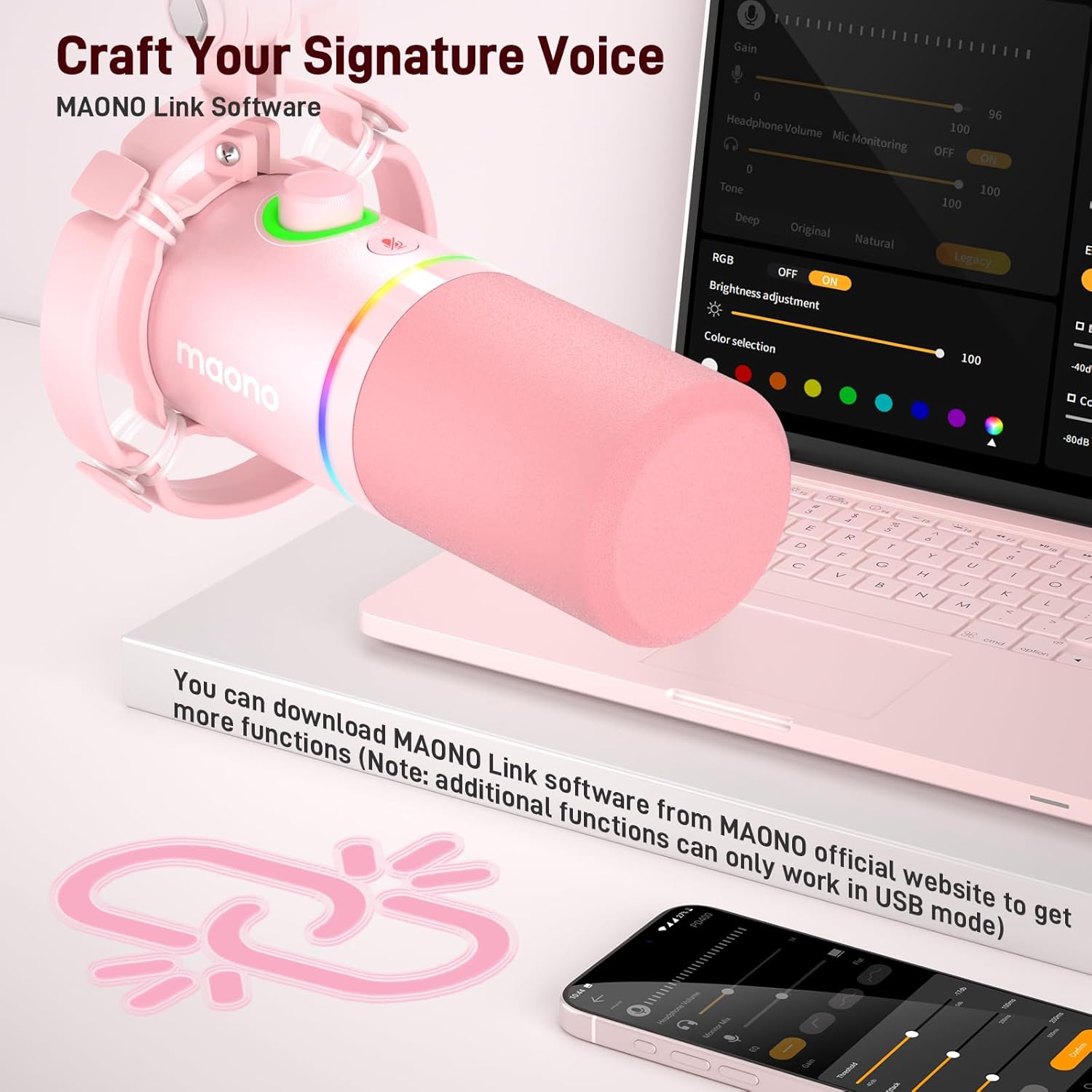
Image 5.1: Screenshot of the MAONO Link software interface, showing various audio control options.
6. Održavanje i njega
To ensure the longevity and optimal performance of your MAONO PD200XS microphone, follow these maintenance guidelines:
- čišćenje: Use a soft, dry cloth to wipe the microphone body and boom arm. Avoid using abrasive cleaners or solvents, as they may damage the finish.
- Rukovanje: Handle the microphone and its components with care. Avoid dropping or subjecting them to strong impacts.
- Skladištenje: When not in use, store the microphone in a clean, dry environment away from extreme temperatures and humidity.
- Upravljanje kablovima: Avoid sharp bends or kinks in the USB and XLR cables to prevent internal damage.
7. Otkrivanje problema
If you encounter issues with your MAONO PD200XS microphone, refer to the following common troubleshooting steps:
- Nema izlaza zvuka:
- Ensure all cables (USB or XLR) are securely connected to both the microphone and your device/interface.
- Check the microphone's mute button; ensure the LED indicator shows it is not muted.
- Verify the input/output settings on your computer or audio interface. Select the MAONO PD200X as the active input device.
- Adjust the mic gain knob on the microphone to an audible level.
- Iskrivljeni zvuk:
- Reduce the mic gain using the 2-in-1 smart knob to prevent clipping.
- If using MAONO Link software, check the EQ, limiter, and compressor settings for any extreme adjustments.
- Ensure you are not speaking too close to the microphone.
- RGB Light Not Working:
- Ensure the microphone is properly powered via USB.
- Press the RGB control button on the microphone to cycle through colors or turn it on.
- If connected via USB, check RGB settings in the MAONO Link software.
- Problemi s praćenjem slušalica:
- Provjerite jesu li slušalice potpuno uključene u 3.5 mm priključak na mikrofonu.
- Adjust the headphone volume using the 2-in-1 smart knob.
For further assistance, please refer to the detailed troubleshooting section in the full user manual or contact MAONO customer support.
8. Tehničke specifikacije
| Feature | Specifikacija |
|---|---|
| Brand | MAONO |
| Naziv modela | MAONO PD200XS |
| Mikrofon Form Faktor | Dynamic Microphone |
| Tehnologija povezivanja | USB, USB Type C, XLR |
| Polar Pattern | Jednosmjerni (kardioidni) |
| Frekvencijski opseg | 40Hz-16kHz |
| Audio Sensitivity | 45 dB |
| Odnos signala i šuma | 95 dB |
| Materijal | Metal |
| Dimenzije proizvoda (D x Š x V) | 16.54 x 6.3 x 3.74 inča |
| Težina artikla | 2.53 funte |
| Boja | PD200XS Pink |
9. Garancija i podrška
MAONO products are designed and manufactured to the highest quality standards. For information regarding warranty coverage, product registration, and customer support, please refer to the warranty card included in your product packaging or visit the official MAONO webstranica. Naš tim za podršku vam je na raspolaganju za pomoć u vezi sa svim pitanjima ili problemima na koje možete naići.


