1. Uvod
This manual provides detailed instructions for the Rapoo V500Pro Full-Size Mechanical Gaming Keyboard. Please read this manual thoroughly before using the product to ensure proper operation and to maximize its features. The V500Pro is designed for both gaming and office use, featuring durable mechanical switches, customizable RGB backlighting, and programmable keys.

Image 1: Rapoo V500Pro Full-Size Mechanical Gaming Keyboard (White version).
2. Vodič za postavljanje
2.1 Sadržaj paketa
- Rapoo V500Pro Mechanical Gaming Keyboard
- USB-C kabl
- Korisnički priručnik (ovaj dokument)
2.2 Povezivanje tastature
- Pronađite USB-C priključak na stražnjoj strani tastature.
- Spojite jedan kraj priloženog USB-C kabla na USB-C port tastature.
- Connect the other end of the USB-C cable (USB-A connector) to an available USB port on your computer or compatible device.
- The keyboard will be automatically recognized by your operating system. No additional drivers are typically required for basic functionality.
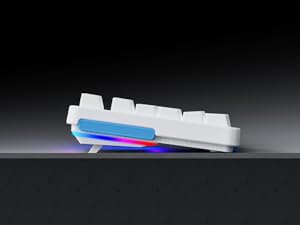
Image 2: Connecting the USB-C cable to the keyboard. The keyboard features an optimized cable management system allowing the cable to be routed to the left, center, or right.
2.3 Upravljanje kablovima
The V500Pro features an optimized cable management system on its underside. You can route the USB-C cable to the left, center, or right to suit your desk setup and minimize cable clutter.

Image 3: Underside of the keyboard showing the three-way cable routing channels.
3. Uputstvo za upotrebu
3.1 Mehanički prekidači
The Rapoo V500Pro utilizes brown mechanical switches, offering a tactile feel with a lower audible click compared to blue switches, making them suitable for both gaming and typing in various environments.

Image 4: Detail of the brown mechanical switch, highlighting its design for balanced performance.
3.2 Prilagođavanje RGB pozadinskog osvjetljenja
The keyboard features customizable Rainbow RGB backlighting with 20 lighting modes. You can adjust brightness and speed directly from the keyboard.
- FN + PGUP/PGDN: Prebacujte se između različitih načina pozadinskog osvjetljenja.
- FN + INS: Switch side lights modes (RGB/solid color/solid breathing/off).
- FN + DEL: Switch side lights color (red/orange/yellow/green/cyan/blue/purple/white).
- FN + D: Brightness adjustment (press repeatedly to cycle through levels).
- FN + D: Breathing frequency adjustment (press repeatedly to cycle through speeds).
- FN + ESC (short press): Uključivanje/isključivanje pozadinskog osvjetljenja.
- FN + ESC (long press): Restore default lighting settings.
- FN + V: Switch logo lighting (on/breathing/off).
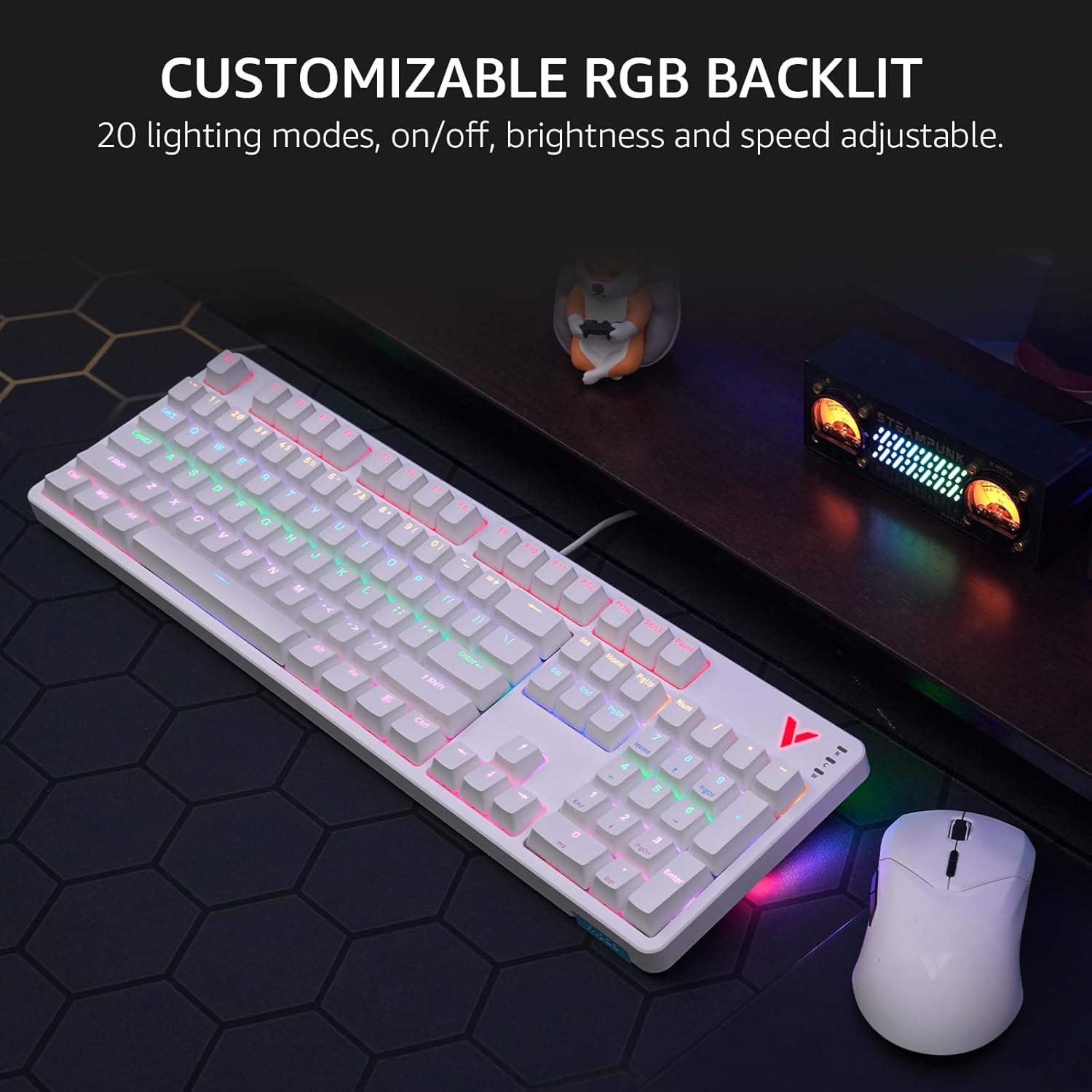
Image 5: The keyboard displaying its customizable RGB backlighting in a typical desktop setup.
Video 1: Overview of the Rapoo V500Pro keyboard, demonstrating its features including RGB lighting and mechanical switches.
3.3 multimedijalnih prečica
The keyboard includes 12 multimedia hotkeys, accessible by pressing the FN ključ u kombinaciji sa F1-F12 keys. These provide quick access to common functions.
| Kombinacija tastera | Funkcija |
|---|---|
| FN + F1 | Kompjuter |
| FN + F2 | Kalkulator |
| FN + F3 | Mailbox |
| FN + F4 | Početna stranica |
| FN + F5 | PRETRAGA |
| FN + F6 | Media Player |
| FN + F7 | Previous Track |
| FN + F8 | Next Track |
| FN + F9 | Pusti/Pauza |
| FN + F10 | Utišavanje zvuka |
| FN + F11 | Volume Up |
| FN + F12 | Mute |
| FN + Win | Zaključavanje tipki Windows |

Image 6: Visual representation of the FN key combinations for multimedia and system controls.
3.4 Programmable Keys and On-board Memory
The V500Pro allows for programming 103 keys (excluding the FN key) to assign commands and macros. This functionality is managed through dedicated software (available for Windows operating systems) and stored in the keyboard's on-board memory. This enables users to save profiles and apply them across different devices without re-configuration.

Image 7: The software interface for customizing key functions and creating macros. Note: Keyboard driver available for Windows system only.
3.5 Zaštita od ghostinga
The keyboard supports full 104-key anti-ghosting, ensuring that all simultaneous key presses are registered accurately. This is particularly beneficial for complex skill combinations in gaming.
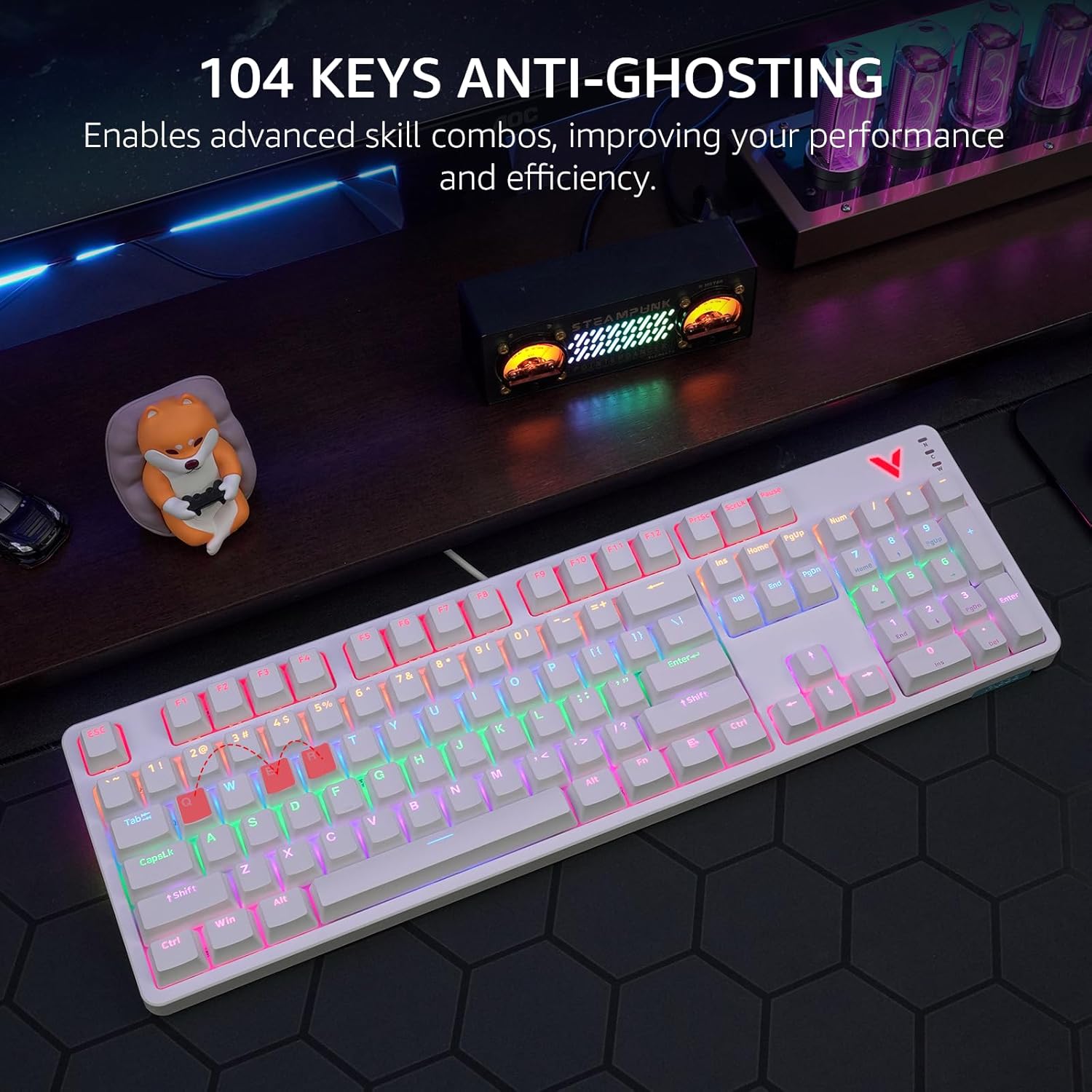
Image 8: Visual explanation of anti-ghosting technology, showing multiple key presses being registered simultaneously.
4. Održavanje
4.1 Čišćenje tastature
To clean your Rapoo V500Pro keyboard, follow these steps:
- Prije čišćenja isključite tastaturu iz računara.
- Koristite meku krpu koja ne ostavlja dlačiceampvodom ili blagim sredstvom za čišćenje obrišite tipke i kućište.
- For deeper cleaning, the top case of the keyboard is removable, allowing easier access to the switches and plate. Gently detach the top case as shown in the product images.
- Izbjegavajte prskanje tekućina direktno na tastaturu.
- Koristite komprimirani zrak za uklanjanje prašine i ostataka između tipki.

Image 9: The removable top case feature, which facilitates cleaning and allows for switching between high and low profile keycap setups.
4.2 Skladištenje
Store the keyboard in a dry, cool environment away from direct sunlight and extreme temperatures to prevent damage.
5. Otkrivanje problema
| Problem | Moguće rješenje |
|---|---|
| Tastatura ne reaguje |
|
| Pozadinsko osvjetljenje ne radi ili je neispravno |
|
| Tipke se ne registruju ili se tipkaju dvaput |
|
6. Specifikacije
| Feature | Detalj |
|---|---|
| Model | V500Pro |
| Tip tastature | Full-Size Mechanical Gaming Keyboard |
| Broj ključeva | 104 |
| Tip prekidača | Smeđi mehanički prekidači |
| Pozadinsko osvetljenje | Customizable Rainbow RGB (20 modes) |
| Anti-Ghosting | All 104 Keys |
| Programabilni tasteri | 103 (excluding FN) with On-board Memory |
| Multimedijalne prečice | 12 (FN + F1-F12) |
| Povezivanje | USB-C (žični) |
| Materijal | Aircraft-grade aluminum alloy frame |
| Dimenzije proizvoda | 17.4 x 5.29 x 1.58 inča (44.2 x 13.4 x 4 cm) |
| Težina artikla | 2.42 funte (1.1 kg) |
| Kompatibilni uređaji | PC, Laptop, Gaming Console, Smart TV |

Image 10: Dimensions and weight of the Rapoo V500Pro keyboard.
7. Garancija i podrška
Rapoo products are designed for durability and performance. For warranty information, technical support, or service inquiries, please refer to the official Rapoo webstranicu ili kontaktirajte lokalnog distributera. Sačuvajte račun za kupovinu u slučaju reklamacije.
Online resources and software downloads (e.g., for programmable keys) can typically be found on the official Rapoo support page.


