1. Uvod
The ICUIXIAN HDMI Matrix Switch 8x8 is a high-definition digital signal switching device designed to manage and distribute HDMI signals. This matrix allows you to connect up to eight HDMI source devices to eight HDMI display devices. It can transmit signals so that all output ports display the same content synchronously, or it can independently distribute different input signals to each display. This manual provides detailed instructions for the installation, operation, and maintenance of your HDMI matrix switch.
2. Ključne karakteristike
- 8-Input, 8-Output HDMI Matrix: Connects up to eight HDMI source devices to eight HDMI display devices.
- Podrška visoke rezolucije: Compatible with HDMI 1.4a standard, supporting 1080P and 1080P3D resolutions at 60Hz.
- Višestruke metode kontrole: Karakteristike WEB GUI control (via LAN port), RS-232 serial control, IR remote control, and front panel button control.
- EDID upravljanje: Includes built-in pre-plan management for up to 32 scenes, allowing for one-key calling and switching. Supports real-time equipment information display and quick signal switching.
- Advanced Video Support: All inputs support HDCP decoding, Blu-ray, and 3D content.
- Reliability Features: Incorporates electrostatic protection and power-off memory to retain settings.
- Rack Mount Design: Designed for easy integration into standard equipment racks.
3. Proizvod je gotovview
Familiarize yourself with the components and interfaces of your ICUIXIAN HDMI Matrix Switch.
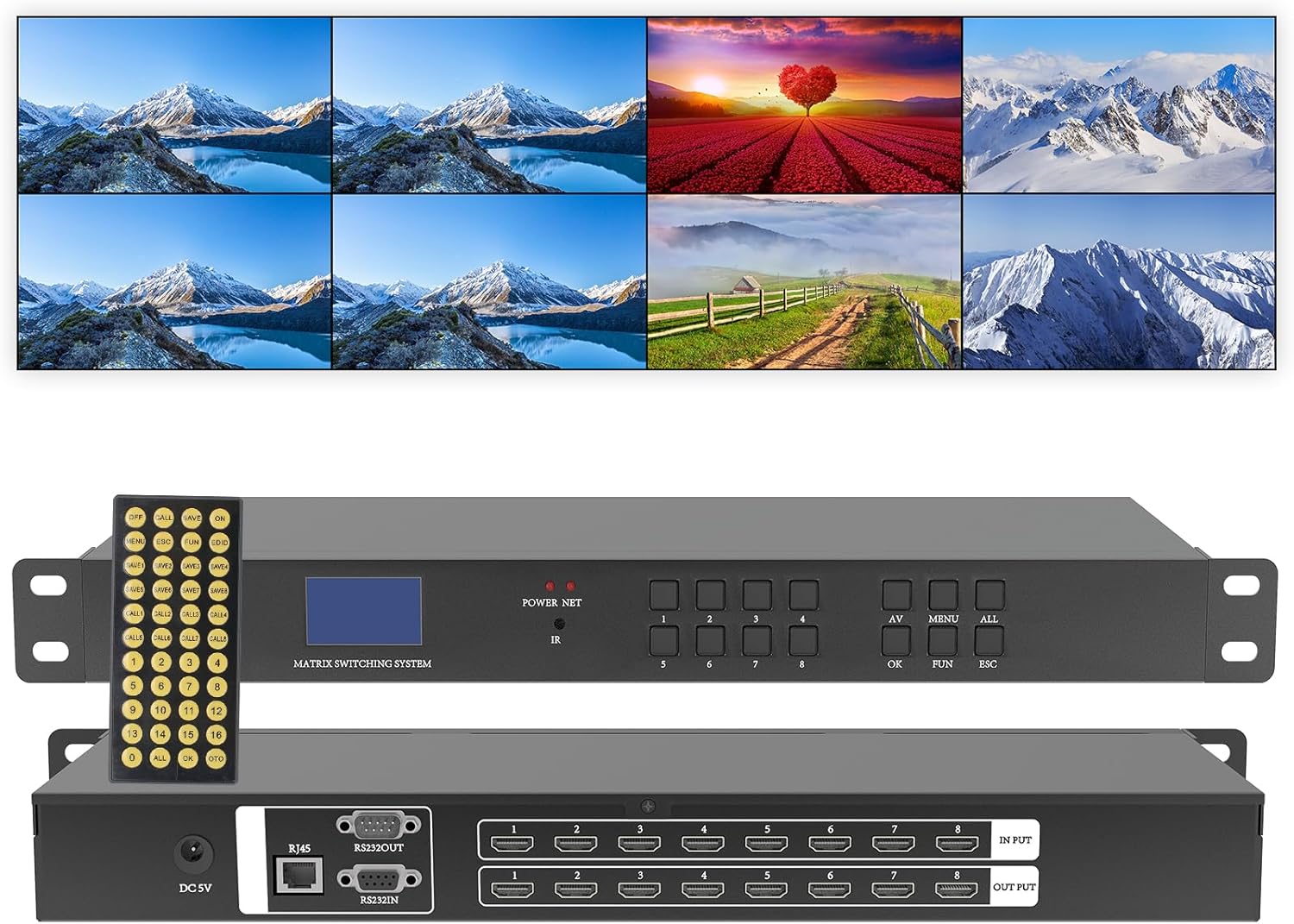
Slika 3.1: ICUIXIAN HDMI Matrix Switch 8x8, showing the device's front and rear panels along with its remote control and a visual representation of its multi-display output capabilities.
3.1 Prednja ploča
- LCD ekran: Shows current input/output status and system information.
- POWER/SET Button: Power control and menu access.
- IC prijemnik: For infrared remote control signals.
- Input/Output Selection Buttons (1-8): Used to select specific input or output channels.
- Dugme OK: Potvrđuje odabire.
- FUN Button: Function button for advanced settings.
- ESC dugme: Exits current menu or cancels operation.
3.2 Zadnja ploča

Slika 3.2: Rear panel connections of the HDMI Matrix Switch, detailing the input and output ports.
- DC 5V: Ulaz za napajanje.
- RJ45 (LAN): Ethernet port for WEB GUI kontrola.
- RS232 OUT/IN: Serial communication ports for external control systems.
- HDMI INPUT (1-8): Connect your HDMI source devices (e.g., Blu-ray players, computers).
- HDMI OUTPUT (1-8): Connect your HDMI display devices (e.g., TVs, projectors).
4. Podešavanje i povezivanje
Follow these steps to set up your HDMI Matrix Switch:

Slika 4.1: Typical connection diagram for the HDMI Matrix Switch, illustrating how to connect source devices, display devices, and control interfaces.
- Uređaji za isključivanje: Ensure all HDMI source devices, display devices, and the HDMI Matrix Switch are powered off before making any connections.
- Povežite HDMI izvore: Connect your HDMI source devices (e.g., PC, Blu-ray player, game console) to the HDMI INPUT ports (1-8) on the rear panel of the matrix switch using high-quality HDMI cables.
- Povežite HDMI ekrane: Connect your HDMI display devices (e.g., TV, projector) to the HDMI OUTPUT ports (1-8) on the rear panel of the matrix switch using high-quality HDMI cables.
- Connect Control Cables (Optional):
- LAN port: Za WEB GUI control, connect an Ethernet cable from the RJ45 port on the matrix switch to your network router or switch.
- RS-232: For serial control, connect an RS-232 cable from your control system to the RS232 IN port on the matrix switch.
- Priključite napajanje: Connect the provided 5V DC power adapter to the DC 5V port on the matrix switch, then plug the adapter into a power outlet.
- Uključeno: Power on the HDMI Matrix Switch, followed by your display devices, and then your source devices.
5. Operacija
The HDMI Matrix Switch offers various methods for controlling input and output routing.
5.1 Prebacivanje režima
The matrix switch supports different display configurations:

Slika 5.1: Visual representation of the different screen switching modes available.
- Matrični način rada: Each output display can independently select any of the eight input sources.
- Matrix & Splitter Mode: A combination where some output displays share a common input source, while others select independent sources.
- Razdjelni način rada: All eight output displays show the same single input source.
5.2 Metode kontrole
You can control the matrix switch using the following methods:

Slika 5.2: Gotovoview of the available control methods for the HDMI Matrix Switch.
- Gumbi na prednjoj ploči: Use the Input/Output selection buttons, OK, FUN, and ESC buttons on the front panel to directly control routing.
- IR daljinski upravljač: Point the included IR remote control towards the IR receiver on the front panel to switch inputs and outputs.
- Serijska kontrola RS-232: Connect to a PC or control system via the RS-232 port for command-line or software-based control. Refer to the RS-232 command protocol for details.
- WEB GUI kontrola: Access the matrix switch's web interface via a browser on a computer, mobile phone, or tablet connected to the same network as the switch's LAN port. This allows for cross-platform control without installing additional software.
5.3 EDID Management and Scene Presets
The matrix switch supports EDID management and scene saving for convenient configuration:
- EDID postavke: The device supports EDID decoding to ensure compatibility between source and display devices. Specific EDID settings can be configured via the WEB GUI or RS-232 control.
- Upravljanje scenom: You can save up to 32 different input/output routing configurations as scenes. These scenes can be recalled with a single command or button press, simplifying complex setups.
- Informacije u realnom vremenu: The system provides real-time display of equipment information, facilitating quick adjustments and monitoring.
5.4 Video Demonstration: Common Switching Modes
Klip 5.1: A demonstration of common switching modes for the ICUIXIAN HDMI Matrix Switch/Splitter, illustrating how different input sources can be routed to various displays.
6. Tipične primjene
The ICUIXIAN HDMI Matrix Switch is suitable for a wide range of professional and home environments requiring flexible video distribution:
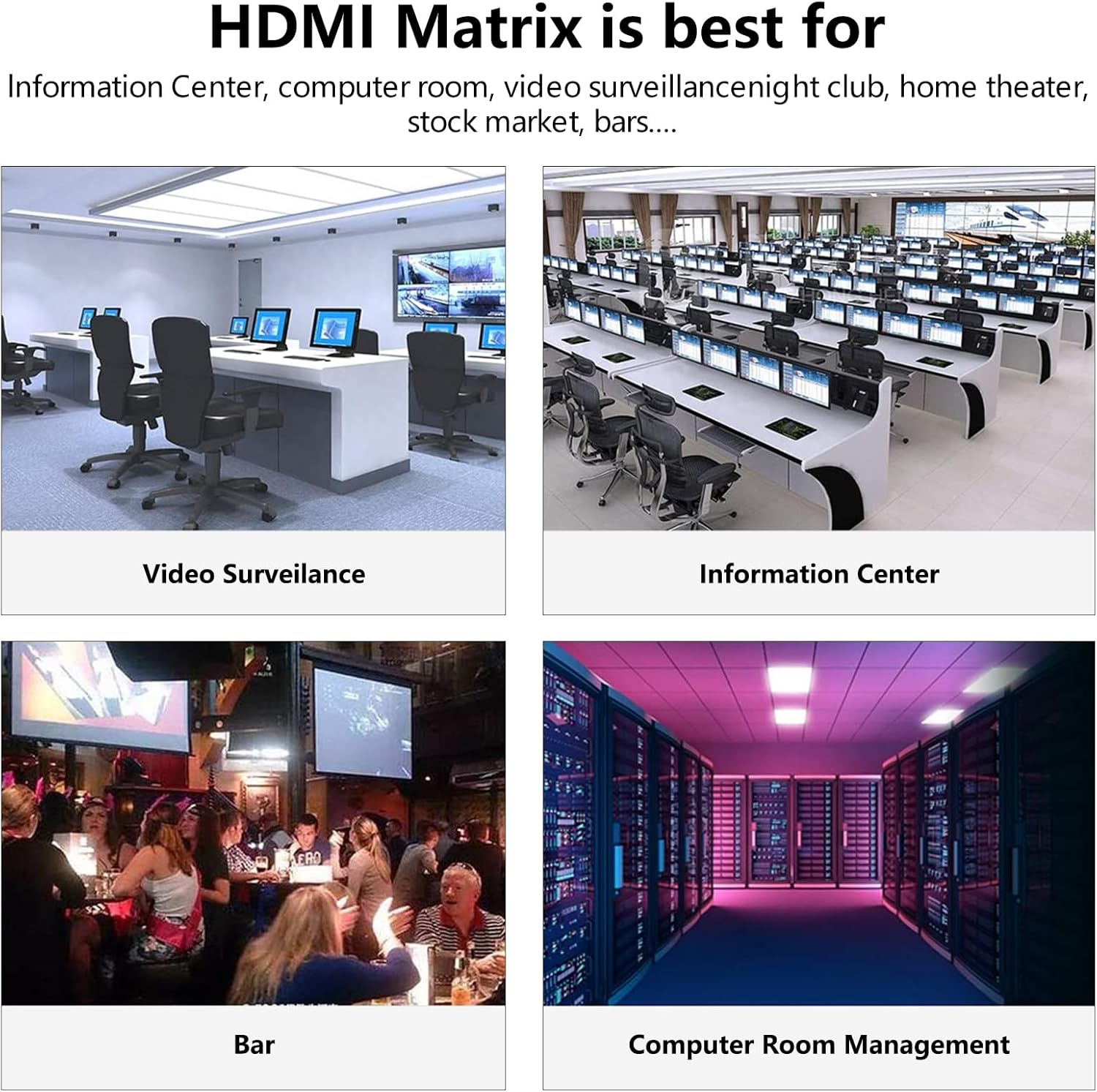
Slika 6.1: Examples of environments where the HDMI Matrix Switch can be effectively utilized.
- Broadcast TV Projects
- Nightclubs and Bars
- Sports and Gymnastics Clubs
- Multimedia Conference Halls
- Large-screen Display Projects
- TV Education Facilities
- Command and Control Centers
- Restaurants and Casinos
- Hotels and Home Theaters
7. Otkrivanje problema
If you encounter issues with your HDMI Matrix Switch, please refer to the following common problems and solutions:
| Problem | Mogući uzrok | Rješenje |
|---|---|---|
| Nema video izlaza na ekranu. | Loose cable connections, incorrect input/output selection, incompatible resolution, HDCP issues. | Check all HDMI cable connections. Ensure the correct input source is selected for the desired output. Verify that the display supports the output resolution of the source. Power cycle all devices. |
| Intermittent video or audio. | Poor quality HDMI cables, cable length too long, signal interference. | Use certified high-quality HDMI cables. Ensure cable lengths are within recommended limits. Try shorter cables if possible. Check for nearby sources of electromagnetic interference. |
| Daljinski upravljač ne radi. | Dead batteries, IR receiver blocked, remote out of range. | Replace remote control batteries. Ensure no obstructions are blocking the IR receiver on the front panel. Operate the remote within its effective range. |
| WEB GUI inaccessible. | Network connection issue, incorrect IP address, firewall blocking. | Verify the Ethernet cable is securely connected. Check network settings and ensure the matrix switch has a valid IP address on your network. Temporarily disable firewalls for testing. |
8. Specifikacije
| Feature | Detalj |
|---|---|
| Broj modela | DC-16x16 |
| Dimenzije proizvoda | 9 x 28 x 4 inča |
| Težina artikla | 9 funte |
| Brand | ICUIXIAN |
| Tip konektora | HDMI |
| Kompatibilni uređaji | Projector, Television, Computer |
| Vrsta kabla | HDMI |
| Boja | Crno siva |
| Proizvođač | XINTEAN |
| Datum prve dostupnosti | 20. januara 2024 |
9. Garancija i podrška
ICUIXIAN products are designed for reliability and performance. For specific warranty information, please refer to the documentation included with your purchase or contact ICUIXIAN customer support. If you require technical assistance or have questions regarding your HDMI Matrix Switch, please reach out to our support team through the official ICUIXIAN webweb-stranici ili vašem prodavaču.


