1. Uvod
This user manual provides detailed instructions for the setup, operation, maintenance, and troubleshooting of your Z-EDGE U28I4K 4K Monitor. Please read this manual thoroughly before using the product to ensure proper functionality and to prevent damage.
Karakteristike proizvoda:
- 4K UHD rezolucija (3840x2160): Delivers stunningly clear and lifelike images with exceptional detail.
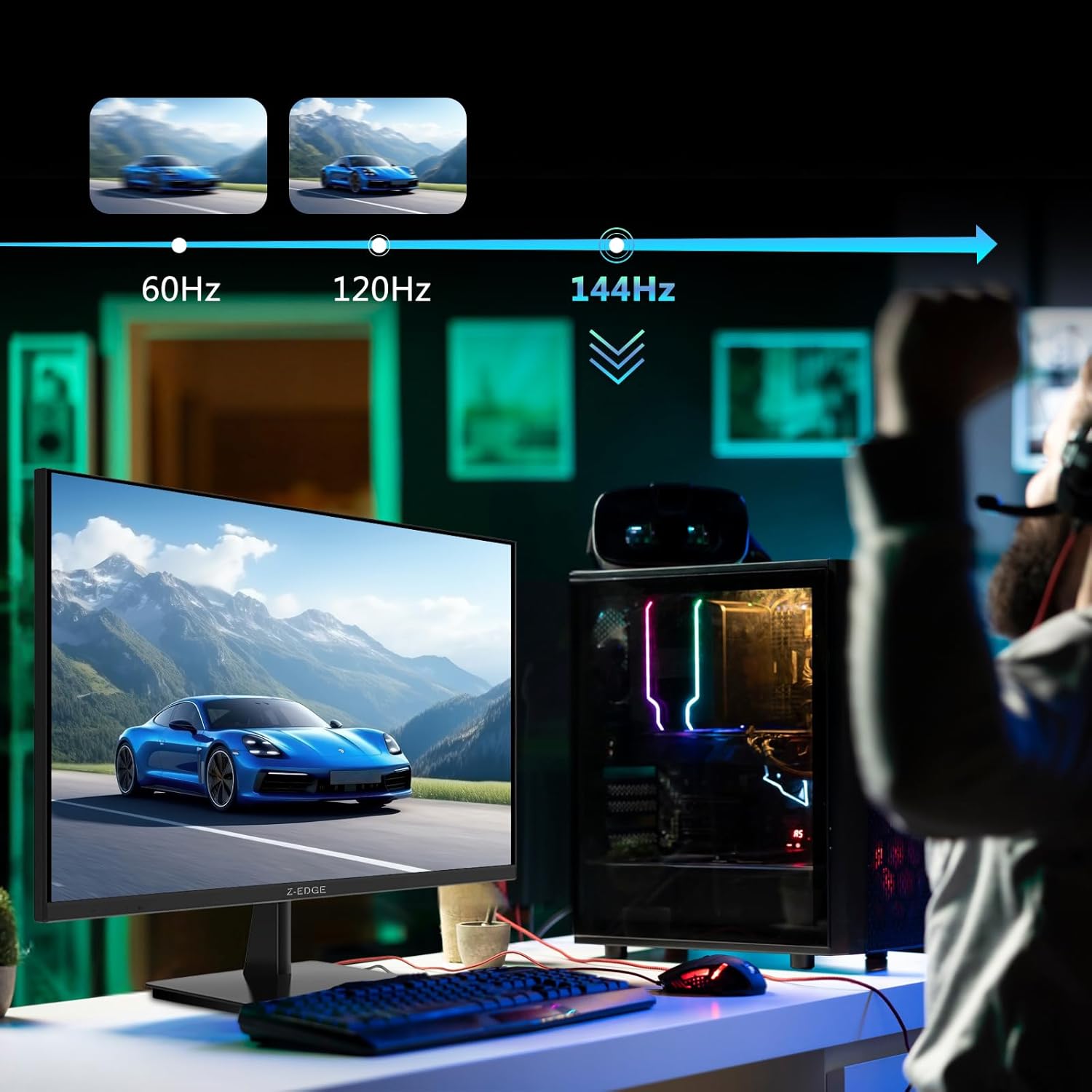
- Brzina osvježavanja od 144Hz i vrijeme odziva od 1ms: Ensures smooth, crisp visuals and reduces motion blur, ideal for gaming.
- IPS panel: Pruža široki ugao od 178° viewing angles and consistent, accurate color reproduction.
- HDR10 Technology: Enhances picture quality with deeper blacks and brighter whites.
- Više opcija povezivanja: Two HDMI inputs and two DisplayPort inputs for versatile device connection.
- Tehnologija za njegu očiju: Features low blue light and flicker-free technology to reduce eye strain.
- Kompatibilan sa VESA nosačem: Supports 100x100mm VESA mounting for flexible installation.
2. Sadržaj paketa
Please check the package contents upon unboxing. If any items are missing or damaged, contact Z-EDGE customer support.
- Z-EDGE U28I4K 4K Monitor
- Stalak za monitor (baza i vrat)
- Adapter za napajanje i kabel za napajanje
- HDMI kabl
- DisplayPort kabel
- Uputstvo za upotrebu
- Screws and Screwdriver for stand assembly
3. Podešavanje
3.1 Sastavljanje postolja
- Pažljivo izvadite monitor iz ambalaže, čuvajući ga zaštićenim na mekoj, ravnoj površini.
- Attach the stand neck to the monitor's rear panel using the provided screws. Ensure it is securely fastened.
- Connect the stand base to the stand neck and tighten the thumb screw or use the provided screwdriver to secure it.
- Gently place the assembled monitor on a stable, flat desk.

3.2 Povezivanje na uređaj
The Z-EDGE U28I4K monitor supports multiple input types. Choose the appropriate cable for your device.
- HDMI veza: Connect one end of the HDMI cable to the HDMI port on your computer/device and the other end to an HDMI input port (HDMI 1 or HDMI 2) on the monitor.
- DisplayPort veza: Connect one end of the DisplayPort cable to the DisplayPort on your computer/device and the other end to a DisplayPort input port (DP 1 or DP 2) on the monitor.
- Audio izlaz: Connect external speakers or headphones to the 3.5mm audio output jack on the monitor if desired.

3.3 Priključak za napajanje
Connect the power adapter to the DC 12V input on the monitor, then plug the power cable into a wall outlet.
Important: Use only the power adapter provided with your monitor.
4. Rukovanje monitorom
4.1 Uključivanje/isključivanje napajanja
Pritisnite dugme za napajanje koje se nalazi na zadnjoj ili donjoj strani monitora da biste ga uključili ili isključili. Indikator napajanja će svijetliti kada je monitor uključen.
4.2 On-Screen Display (OSD) meni
The OSD menu allows you to adjust various monitor settings. Navigate the menu using the buttons typically found on the back or bottom right of the monitor.
Uobičajene postavke OSD-a:
- Svjetlina/kontrast: Podesite ukupnu svjetlinu i omjer kontrasta.
- Postavke boja: Promijenite temperaturu boja, gamu i pojedinačne RGB nivoe.
- Izvor ulaza: Manually select between HDMI 1, HDMI 2, DP 1, or DP 2.
- Način slike: Select preset display modes (e.g., Standard, Game, Movie, Text).
- Response Time/Overdrive: Adjust the pixel response time for faster transitions.
- FreeSync/Adaptivna sinhronizacija: Enable or disable adaptive synchronization technology.
- Slabo plavo svjetlo: Smanjite emisiju plavog svjetla kako biste smanjili naprezanje očiju.
- Bez treperenja: Ensure the display is free from visible flickering.
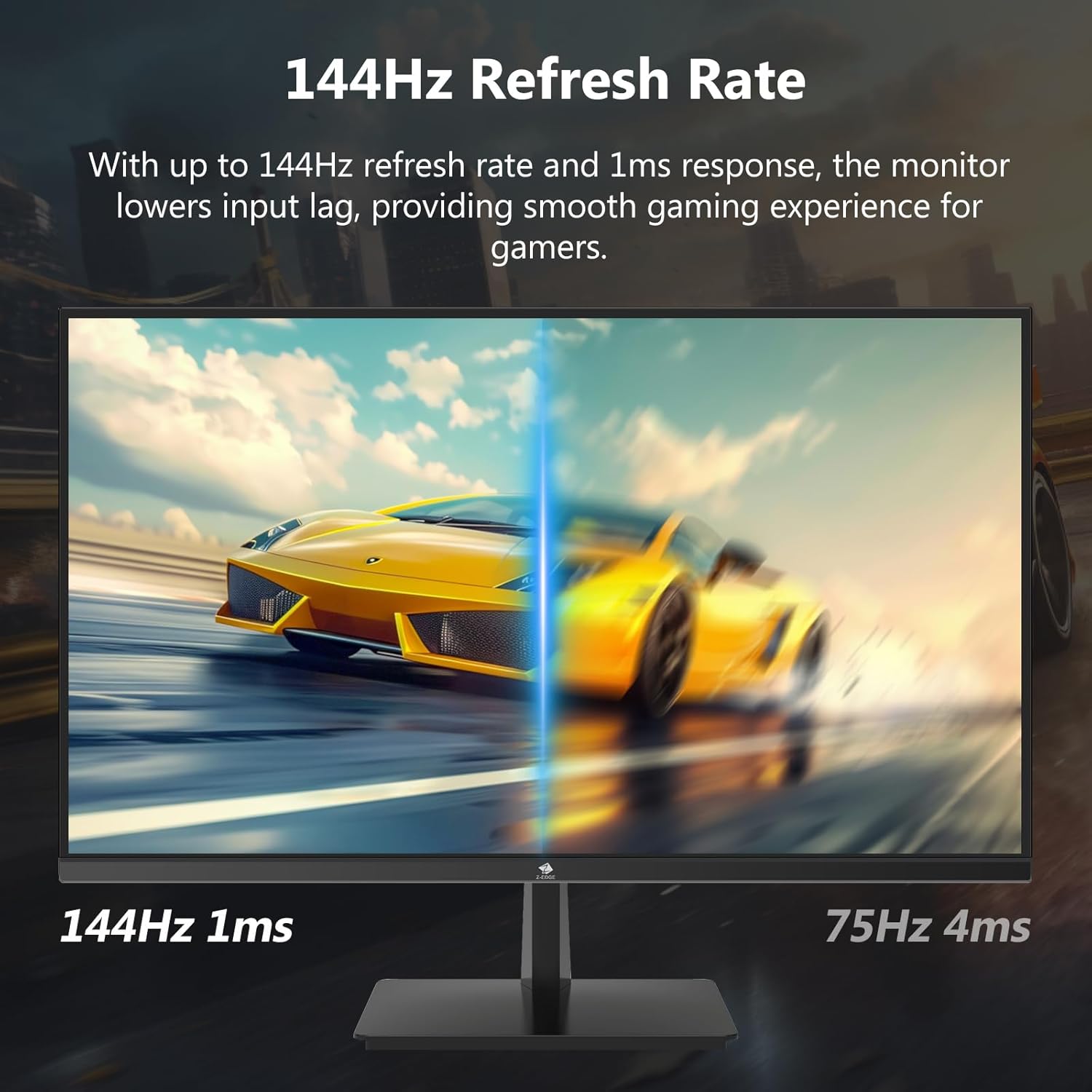

4.3 Refresh Rate and Response Time
The monitor supports up to a 144Hz refresh rate and 1ms response time for optimal performance in fast-paced applications and gaming.

5. Održavanje
5.1 Čišćenje monitora
- Uvijek isključite monitor iz električne utičnice prije čišćenja.
- Koristite meku krpu koja ne ostavlja dlačiceampvodom ili neabrazivnim sredstvom za čišćenje ekrana.
- Ne prskajte sredstvo za čišćenje direktno na ekran.
- Izbjegavajte upotrebu benzena, razrjeđivača, amonijaka ili abrazivnih sredstava za čišćenje, jer oni mogu oštetiti površinu monitora.
5.2 Skladištenje
When storing the monitor for an extended period, ensure it is powered off and disconnected from all cables. Store it in a cool, dry place, preferably in its original packaging to protect it from dust and physical damage.
6. Otkrivanje problema
| Problem | Mogući uzrok | Rješenje |
|---|---|---|
| Nema snage | Kabl za napajanje nije priključen; Utičnica je neispravna; Adapter za napajanje je neispravan. | Ensure power cable is securely connected to monitor and outlet. Test outlet with another device. Contact support if adapter is suspected faulty. |
| Nema signala | Input cable not connected; Incorrect input source selected; Computer/device not outputting signal. | Check HDMI/DisplayPort cable connections. Select correct input source via OSD menu. Restart computer/device. |
| Treperenje ekrana | Loose cable connection; Refresh rate mismatch; DCR (Dynamic Contrast Ratio) enabled. | Ensure cables are firmly connected. Adjust refresh rate in display settings. Disable DCR in OSD menu. |
| Poor Image Quality (Blurry/Distorted) | Incorrect resolution; Cable quality; Graphics driver issues. | Set display resolution to 3840x2160. Try a different high-quality cable. Update graphics drivers. |
| No Audio from Monitor | Volume too low; Incorrect audio output selected on computer; External speakers not connected/powered. | Increase monitor volume via OSD. Select monitor as audio output device in OS settings. Ensure external speakers are connected and powered. |
If the problem persists after trying these solutions, please contact Z-EDGE customer support.
7. Specifikacije
| Feature | Detalj |
|---|---|
| Broj modela | U28I4K |
| Veličina ekrana | 28 inča |
| Tip panela | IPS |
| Rezolucija | 3840x2160 (4K UHD) |
| Refresh Rate | 144Hz |
| Vrijeme odgovora | 1ms (MPRT) |
| Osvetljenost | 300 cd/m² |
| Kontrast Ratio | 1000:1 |
| Podrška bojama | 16.7 miliona boja (8-bita) |
| Viewing Angle | 178° (H/V) |
| HDR podrška | HDR10 |
| Povezivanje | 2x HDMI 2.1, 2x DisplayPort 1.4, 1x audio izlaz (3.5 mm) |
| VESA Mount | 100x100mm |
| Dimenzije (sa postoljem) | 19 x 64 x 46 cm |
| Težina (sa postoljem) | 5.96 kg |
| Power Input | DC 12V |
8. Garancija i podrška
8.1 Informacije o garanciji
Z-EDGE products typically come with a limited manufacturer's warranty. Please refer to the warranty card included in your product packaging or visit the official Z-EDGE webZa detaljne uslove garancije posjetite stranicu. Sačuvajte račun kao dokaz o kupovini u slučaju reklamacije.
8.2 Korisnička podrška
For technical assistance, troubleshooting, or warranty inquiries, please contact Z-EDGE customer support:
- Webstranica: www.z-edge.com (Check for support contact details, FAQs, and driver downloads)
- Email: Obratite se službeniku webweb-mjesto za najnoviju adresu e-pošte podrške.
- Telefon: Obratite se službeniku website for the most current support phone number.
When contacting support, please have your monitor's model number (U28I4K) and serial number ready.


