Uvod
This manual provides comprehensive instructions for the safe and effective use of your Zoom H4essential 4-Track Handy Recorder. Please read this manual thoroughly before operating the device to ensure optimal performance and to prevent damage.
The Zoom H4essential is a versatile 4-track handy recorder designed for musicians, podcasters, and filmmakers. It features 32-bit float recording technology, built-in stereo microphones, and two XLR/TRS combo inputs, offering high-quality audio capture and flexible connectivity.
Sadržaj paketa
Provjerite da li su sve stavke prisutne u paketu:
- Zoom H4essential Handy Recorder (ZH4)
- Korisnički priručnik (ovaj dokument)
Device Overview
Familiarize yourself with the various components and controls of the H4essential recorder.

Slika 1: Front view of the Zoom H4essential Handy Recorder, showing the color LCD screen, built-in stereo microphones, and control buttons.
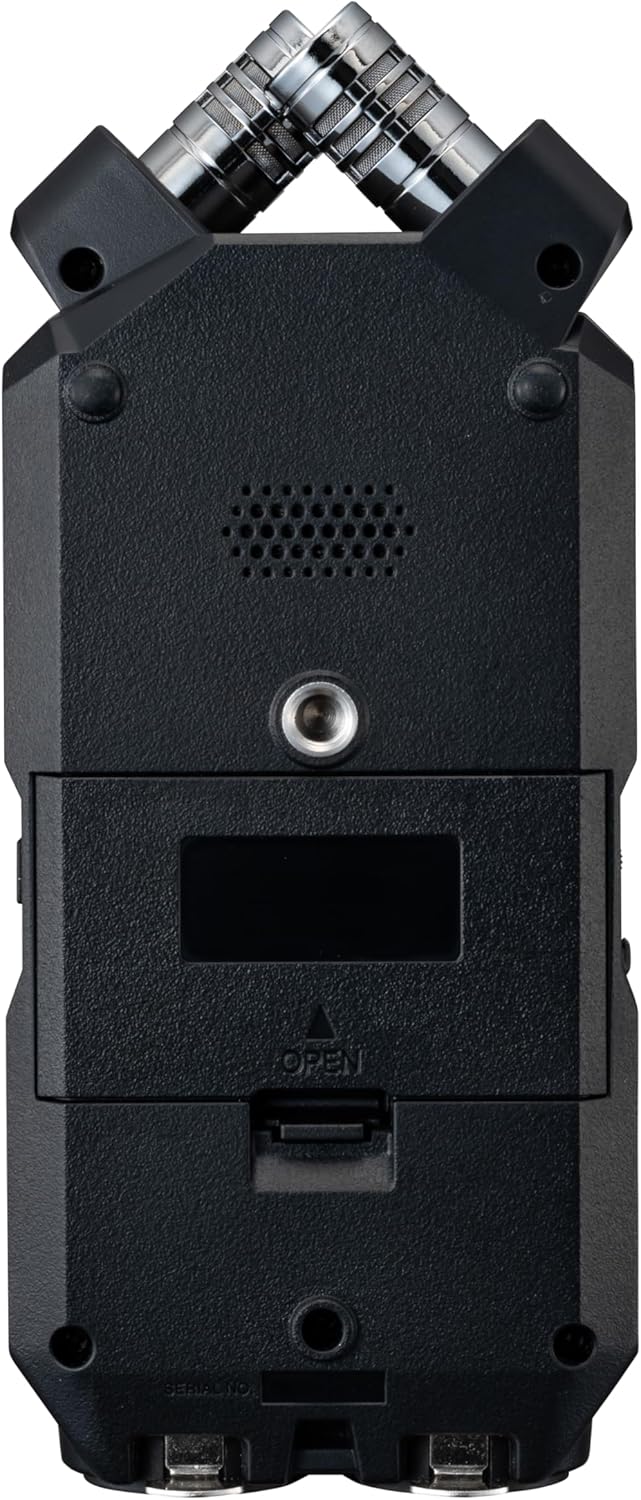
Slika 2: Detaljan prednji dio view of the Zoom H4essential, highlighting the built-in X/Y stereo microphones and the main display.

Slika 3: Ugao view of the H4essential, displaying the active recording interface on the color LCD screen and the two XLR/TRS combo inputs at the bottom.

Slika 4: Lijeva strana view of the H4essential, featuring the USB-C port for power and data transfer, and the HOLD switch to prevent accidental operation.
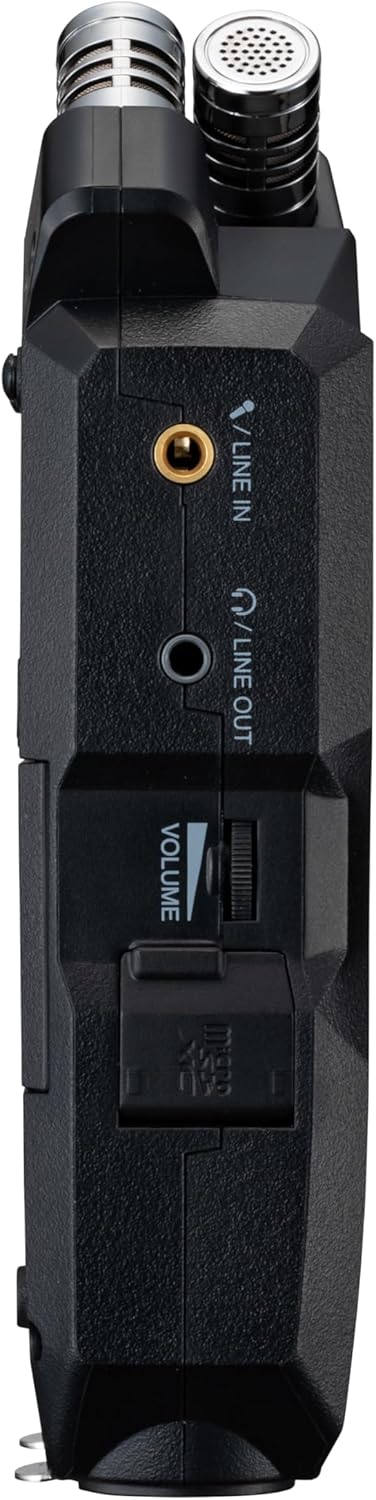
Slika 5: Desna strana view of the H4essential, showing the 3.5mm LINE IN and LINE OUT jacks, and the volume control wheel.

Slika 6: Pozadi view of the H4essential with the battery compartment open, revealing slots for two AA batteries.
Setup
1. Napajanje uređaja
The H4essential can be powered by two AA batteries or via USB power.
- Instalacija baterije: Open the battery compartment on the rear of the device (refer to Figure 6). Insert two AA batteries, ensuring correct polarity. Lithium batteries are recommended for extended operation, providing up to 20 hours of continuous recording.
- USB napajanje: Connect the H4essential to a USB power source (e.g., computer, USB wall adapter) using a compatible USB cable. The device can operate without batteries when connected to USB power.
2. Umetanje SD kartice
The H4essential records audio directly to an SD card. A compatible SD card (up to 1TB capacity) is required for recording.
- Pronađite utor za SD karticu na uređaju.
- Insert the SD card firmly until it clicks into place.
- To remove, push the SD card in again until it springs out.
Napomena: Ensure the SD card is formatted by the H4essential before first use to guarantee compatibility and optimal performance. Refer to the "Operating" section for formatting instructions.
3. Povezivanje mikrofona i linijskih izvora
The H4essential offers various input options:
- Ugrađeni stereo mikrofoni: The device features integrated X/Y stereo microphones for immediate recording.
- XLR/TRS Combo Inputs (Inputs 1 & 2): Connect external microphones or line-level sources using XLR or 1/4-inch TRS cables. These inputs are located at the bottom of the device (refer to Figure 3).
- Stereo Mini-Jack Input (LINE IN): Connect a 3.5mm stereo mini-jack cable for external line-level sources, such as a lavalier microphone receiver or a music player. This input is on the right side of the device (refer to Figure 5).

Slika 7: A user connecting XLR cables to the combo inputs of the H4essential, demonstrating external microphone connectivity.
Uputstvo za upotrebu
1. Osnovno snimanje
The H4essential utilizes 32-bit float recording, which significantly simplifies the recording process by eliminating the need for manual gain adjustment and preventing digital clipping.
- Uključeno: Press and hold the power button until the display illuminates.
- Odaberite ulaze: Use the dedicated buttons (e.g., "MIC" for built-in mics, "1" and "2" for XLR/TRS inputs) to arm the desired recording tracks. The armed tracks will show active level meters on the display.
- Započni snimanje: Pritisnite REC button (red circle) to begin recording. The recording indicator will illuminate, and the time counter will start.
- Zaustavi snimanje: Pritisnite REC ponovo pritisnite dugme da biste zaustavili snimanje. Snimljeni file will be saved to the SD card.
- Reprodukcija: Use the playback controls (Play/Pause, Fast Forward, Rewind) to review vaše snimke.

Slika 8: The H4essential display during recording, showing real-time audio waveforms and recording duration.
Benefit of 32-bit Float: With 32-bit float recording, you do not need to worry about setting input levels precisely. The recorder captures a vast dynamic range, allowing you to adjust levels in post-production without introducing noise or clipping.
2. Navigacija korisničkim interfejsom
The H4essential features a 2.0" full-color LCD and an intuitive interface for managing settings and files.
- Glavni ekran: Shows recording levels, time, battery status, and armed tracks.
- Kontrole navigacije: Use the directional buttons and "ENTER" button (typically a scroll wheel or joystick on the side, as suggested by reviews) to navigate menus and select options.
- MIXER Button: Accesses the internal mixer for monitoring and basic level adjustments.
- Značajke pristupačnosti: The device includes accessibility options for vision-impaired users, such as guide sounds. These can be configured in the system settings.

Slika 9: The H4essential display showing the "Accessibility" menu, which includes options like "Guide Sound" and "Volume".
3. File Management and USB Functions
Snimljeno files are automatically organized into folders by date and time on the SD card.
- Transfering Files: Connect the H4essential to a computer via USB. The device will appear as a mass storage device, allowing you to drag and drop filesa SD kartice na vaš računar.
- USB audio interfejs: The H4essential can function as a USB audio interface, enabling direct recording to a computer or use with live streaming applications. Select the "Audio Interface" mode when prompted upon USB connection.
4. Power Saving Modes
To conserve battery life, the H4essential offers power-saving features:
- Display Dimming: The display can be set to dim after a period of inactivity.
- Automatsko isključivanje: The device can be configured to automatically power off after a set duration of non-use.
These settings can be adjusted in the system menu.
Održavanje
- čišćenje: Za čišćenje vanjske strane uređaja koristite meku, suhu krpu. Ne koristite abrazivna sredstva za čišćenje ili rastvarače.
- Skladištenje: Store the H4essential in a cool, dry place away from direct sunlight and extreme temperatures. Remove batteries if the device will not be used for an extended period.
- Ažuriranja firmvera: Povremeno provjeravajte službenu Zoom aplikaciju. website for firmware updates. Keeping your device's firmware up-to-date can improve performance and add new features.
Rješavanje problema
| Problem | Mogući uzrok | Rješenje |
|---|---|---|
| Uređaj se ne uključuje. | Low or depleted batteries; incorrect battery installation; no USB power. | Replace batteries, ensure correct polarity, or connect to a reliable USB power source. |
| Nije snimljen audio. | Inputs not armed; microphone/line source not connected properly; SD card full or unformatted. | Ensure desired inputs are armed; check cable connections; format SD card or insert a new one. |
| Recorded audio sounds distorted or noisy. | External microphone issues; environmental noise; incorrect settings (less likely with 32-bit float). | Check external microphone functionality; record in a quieter environment; ensure proper input selection. While 32-bit float minimizes clipping, extreme input levels can still affect sound quality. |
| Device freezes or behaves unexpectedly. | Firmware issue; temporary software glitch. | Perform a soft reset (power off and on). If the issue persists, check for and install the latest firmware update from the official Zoom website. If problems continue, contact customer support. |
| SD card not recognized. | Incorrectly inserted; incompatible card; card corruption. | Reinsert the SD card; ensure it is a compatible type and capacity (up to 1TB); try formatting the card (this will erase all data); try a different SD card. |
Specifikacije
| Feature | Detalj |
|---|---|
| Broj modela | ZOZH4E |
| Format snimanja | 32-bit Float WAV |
| Mikrofoni | Built-in X/Y Stereo Microphones |
| Inputs | 2 x XLR/TRS Combo Jacks, 1 x 3.5mm Stereo Mini-Jack (LINE IN) |
| Izlazi | 1 x 3.5mm Stereo Mini-Jack (LINE OUT/Headphones) |
| Mediji za pohranu | SD Card (up to 1TB supported) |
| USB interfejs | USB-C for data transfer and audio interface functionality |
| Napajanje | 2 x AA Batteries (Lithium recommended), USB Bus Power |
| Trajanje baterije | Up to 20 hours (with lithium batteries) |
| Dimenzije (Š x D x V) | 7.87 x 3.9 x 1.8 inča |
| Težina | 5.1 unci (bez baterija) |
| Display | 2.0" Full-Color LCD |
| Boja | Crna |
| Kompatibilni uređaji | Personal Computer, Laptop, Tablet, Smartphone |
Garancija i podrška
Informacije o garanciji
For detailed warranty information, please refer to the warranty card included with your product or visit the official Zoom webSačuvajte dokaz o kupovini za slučaj reklamacije.
Korisnička podrška
If you encounter any issues not covered in this manual or require further assistance, please contact Zoom customer support. Support contact details can typically be found on the official Zoom webstranica:


