1. Uvod
Hvala na kupoviniasing the WiMiUS S27 Pro Mini Projector. This manual provides detailed instructions for setting up, operating, and maintaining your projector to ensure optimal performance and longevity. The S27 Pro features 4K support, 1080P native resolution, 18000LM brightness, 270° rotation, automatic keystone correction, Wi-Fi 6, and Bluetooth 5.3 connectivity, offering a versatile and immersive viewing iskustvo.
2. Sigurnosne informacije
- Ne gledajte direktno u sočivo projektora kada je lamp is on, as it may cause eye damage.
- Osigurajte odgovarajuću ventilaciju oko projektora kako biste spriječili pregrijavanje. Ne blokirajte ventilacijske otvore.
- Koristite samo adapter za napajanje koji dolazi s projektorom.
- Držite projektor dalje od vode, vlage i ekstremnih temperatura.
- Ne pokušavajte sami rastavljati ili popravljati projektor. Za pomoć se obratite kvalifikovanom servisnom osoblju.
- Projektor držite van dohvata djece.
3. Proizvod je gotovview
3.1. Komponente i portovi
The WiMiUS S27 Pro Mini Projector is designed for portability and ease of use. It features a compact design with various ports for connectivity.

Slika: Stražnja strana view of the WiMiUS S27 Pro Projector, highlighting the HDMI, USB, and Audio ports for connecting various devices.
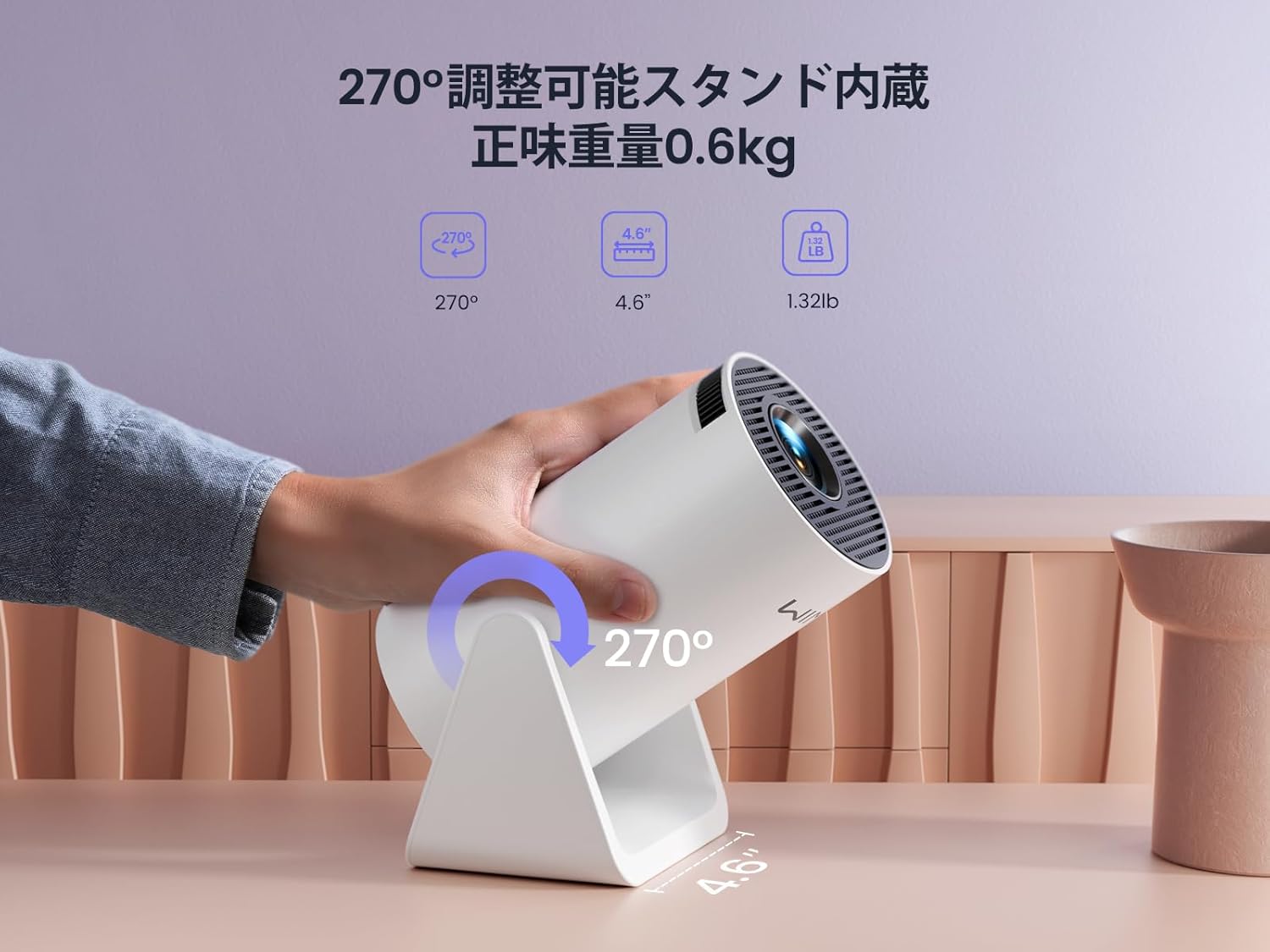
Image: The WiMiUS S27 Pro Projector on its integrated 270° adjustable stand, demonstrating its flexible projection angles and compact size (0.6kg).
4. Podešavanje
4.1. Plasman
The S27 Pro's 270° rotatable stand allows for flexible placement, including ceiling projection. Position the projector between 0.8 meters and 5 meters from the projection surface to achieve a screen size of 40 to 200 inches.

Image: The projector displaying an image on a wall, demonstrating its automatic vertical keystone correction feature for a perfectly rectangular picture.
4.2. Priključak za napajanje
Connect the provided power adapter to the projector's DC input port and then plug it into a power outlet.
4.3. Početno uključivanje
Press the power button on the projector or the remote control to turn on the device. The projector will display the main menu.
4.4. Fokus i korekcija trapezoidnog izobličenja
- Automatska vertikalna korekcija Keystone: Projektor automatski ispravlja vertikalno izobličenje slike.
- Ručno fokusiranje: Podesite prsten za fokusiranje na objektivu projektora dok slika ne postane jasna.
- Digitalni zum: Use the remote control to adjust the image size from 85% to 100% to fit your screen.

Image: A projected image demonstrating the 85% to 100% zoom function, allowing adjustment for various room sizes.
5. Uputstvo za upotrebu
5.1. Navigacija
Use the remote control to navigate through the projector's menu and select desired functions.
5.2. Wi-Fi veza
The S27 Pro supports ultra-fast Wi-Fi 6 (5G and 2.4G dual-band) for stable and quick streaming.
- From the homepage, select "Set" (Settings).
- Enter the "WiFi" menu and turn on the WiFi function.
- Wait for the projector to detect available WiFi networks.
- Select your home WiFi network and enter the password to connect.

Image: The projector's interface displaying options for Wi-Fi 6 and Bluetooth 5.3, indicating advanced wireless connectivity.
5.3. Bluetooth veza
The built-in Bluetooth 5.3 chip allows connection to headphones, speakers, and AirPods for enhanced audio.
- From the homepage, select "Set" (Settings).
- Enter the "BT Model" (Bluetooth) menu and turn on Bluetooth.
- Traži available Bluetooth devices and select your device to pair.

Image: The WiMiUS S27 Pro Projector connected wirelessly to headphones and a smart speaker via Bluetooth 5.2, illustrating its audio connectivity options.
5.4. Screen Mirroring
Bežično preslikajte sliku sa pametnog telefona, tableta ili računara na projektor.
- From the homepage, select "Mirroring".
- Choose "Wireless screen" for wireless mirroring.
- Za iOS uređaje: Connect your iPhone to the same Wi-Fi network as the projector. Open Control Center, tap "Screen Mirroring", and select the projector from the list (e.g., "VB6_3AF9_itv").
- Za Android uređaje: Connect your Android device to the same Wi-Fi network as the projector. Open the screen mirroring function (often called "Smart View", "Cast", "Wireless Display", etc.) and select the projector.

Image: A smartphone wirelessly mirroring its screen content to the WiMiUS S27 Pro Projector, demonstrating the seamless screen mirroring function.
Video: iPhone Screen Mirroring Method
Video: This video demonstrates the steps to connect your iPhone to the WiMiUS S27 Pro Projector using the screen mirroring function.
5.5. Povezivanje vanjskih uređaja
The projector supports various wired connections:
- HDMI: Connect devices like TV Sticks, PS5, Switch, iPad, or PCs.
- USB: Connect USB drives or smartphones for media playback.
- 3.5 mm audio izlaz: Connect external speakers, headphones, or earphones.
Video: Connecting with TV Stick
Video: This video illustrates how to connect a TV Stick to the WiMiUS S27 Pro Projector via the HDMI port for streaming content.
6. Održavanje
- Čišćenje sočiva: Use a soft, lint-free cloth and lens cleaning solution to gently wipe the lens. Avoid abrasive materials.
- ventilacija: Regularly check and clean the ventilation openings to prevent dust buildup, which can affect performance and lead to overheating. The projector features a dustproof design to minimize internal dust accumulation.
- Ažuriranja softvera (OTA): The projector supports Online Over-The-Air (OTA) updates. Check for new firmware versions in the settings menu to ensure your device has the latest features and improvements.
7. Otkrivanje problema
- Slika je mutna: Adjust the manual focus ring on the lens. Ensure the projector is within the recommended projection distance (0.8m-5m).
- Nema signala: Check if the correct input source (HDMI, USB) is selected. Verify all cables are securely connected.
- Problemi s Wi-Fi/Bluetooth vezom: Ensure the projector and your device are connected to the same Wi-Fi network. Restart both devices and try reconnecting.
- Cannot play copyrighted content (Netflix, Prime Video, Hulu): Due to copyright restrictions, these apps cannot be mirrored directly from a smartphone. Use an external streaming device like a TV Stick or Roku connected via HDMI.
- pregrijavanje: Ensure the projector has adequate ventilation and that the vents are not blocked. Allow the projector to cool down if it becomes excessively hot.
- Image distortion: The projector features automatic vertical keystone correction. If horizontal distortion occurs, adjust the projector's physical position.
8. Specifikacije
| Brand | WiMiUS |
| Model | S27 Pro |
| Veličina proizvoda | 9 x 11 x 17 cm |
| Težina | 600 g |
| Native Resolution | 1920 x 1080 (Full HD) |
| Podržana rezolucija | Do 3840 x 2160 (4K) |
| Osvetljenost | 18000LM (400 ANSI) |
| Povezivanje | Wi-Fi 6 (5G/2.4G), Bluetooth 5.3, HDMI, USB, 3.5mm Audio Out |
| Odnos projekcije | 1.26:1 (kratka udaljenost) |
| Veličina projekcije | 40-200 inča |
| Ispravka Keystone-a | Automatski vertikalni |
| Funkcija zumiranja | 50% Digital Zoom (85%-100%) |
| Potrošnja energije | 59.99 W |
9. Garancija i podrška
The WiMiUS S27 Pro Mini Projector comes with a 3 godine garancije. If you encounter any issues or have questions regarding your product, please contact our customer support team. For technical assistance or warranty claims, refer to the contact information provided in your purchase documentation or visit the official WiMiUS website.


