1. Uvod
The Baseus USB C Charger PowerCombo 100W is a versatile 6-in-1 charging station designed to provide efficient power delivery for multiple devices simultaneously. It integrates two AC outlets, two USB-C ports, and two USB-A ports, making it suitable for various electronic devices including laptops, smartphones, and tablets. This manual provides essential information for the safe and effective use of your PowerCombo 100W.

Figure 1: The Baseus USB C Charger PowerCombo 100W, showcasing its compact design, multiple ports, and flat angled power plug.
2. Ključne karakteristike
- 6-u-1 funkcionalnost: Equipped with 2 AC outlets, 2 USB-C ports, and 2 USB-A ports, allowing simultaneous charging of up to 6 devices.
- Brzo punjenje od 100 W: Delivers up to 100W power, capable of fast charging a MacBook Pro 16" M1 2021 from 0% to 33% in approximately 30 minutes.
- GaN III tehnologija: Utilizes advanced Gallium Nitride (GaN) technology for a compact, efficient, and safer charging experience.
- Dvozonsko hlađenje: Features advanced dual-zone cooling to prevent overheating during operation.
- 7 sigurnosnih zaštita: Built-in safeguards including over-current, over-voltage, zaštita od previsoke temperature i kratkog spoja.
- Produžni kabel od 4.9 m: Provides extended reach with a durable, thick power cord.
- 45° Angled Flat Plug: Space-saving design for easy access to wall outlets, even behind furniture.
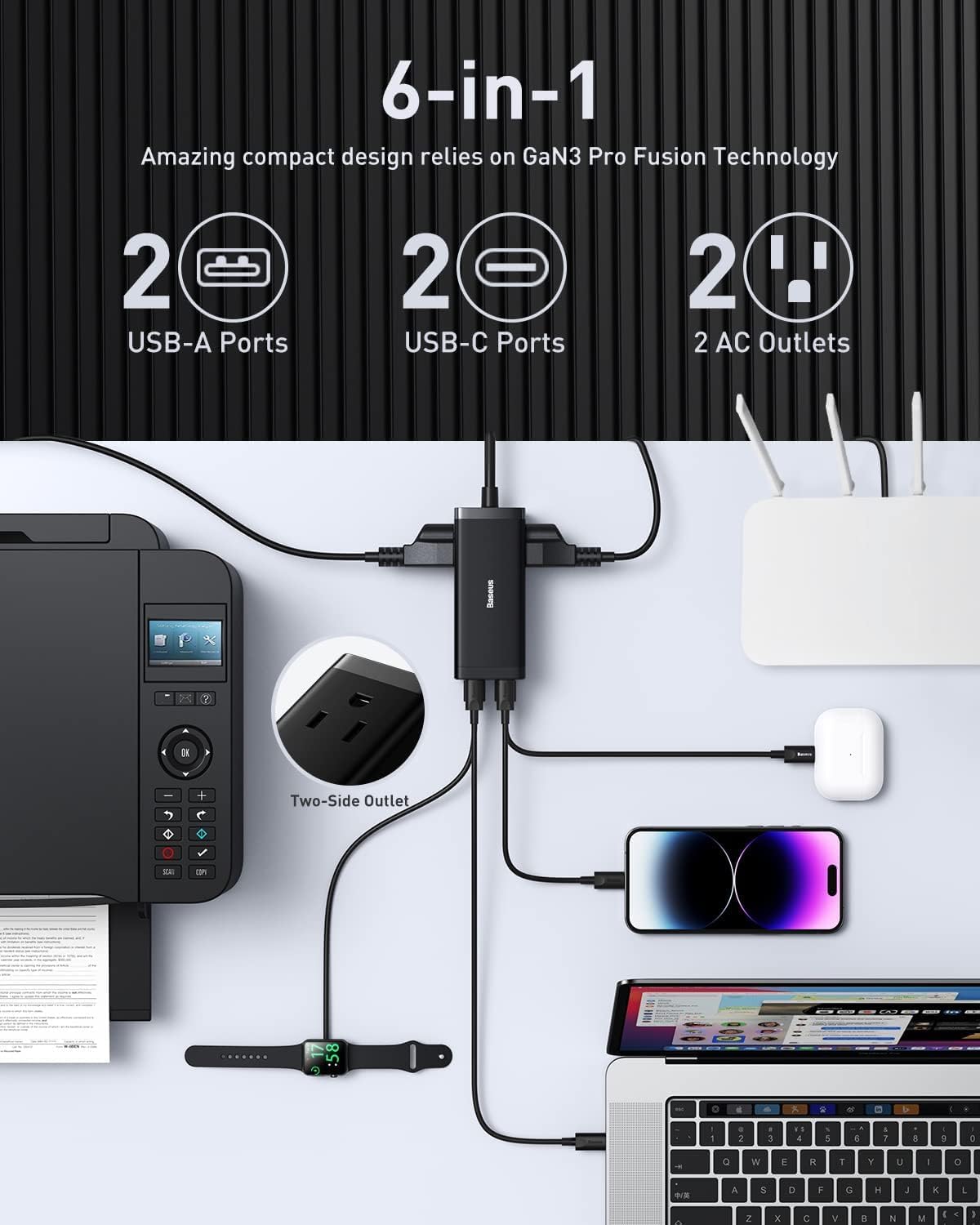
Slika 2: Gotovoview of the 6-in-1 charging capabilities, highlighting the various port types and their applications.
3. Podešavanje
- Raspakujte uređaj: Carefully remove the Baseus PowerCombo 100W and all included accessories from its packaging.
- Spojite na utičnicu: Plug the integrated 4.9 ft extension cord into a standard AC wall outlet. The 45° angled flat plug is designed for convenience in tight spaces.
- Indikator napajanja: A small LED indicator on the device will illuminate when it is successfully connected to power, indicating it is ready for use.

Figure 3: The compact size of the PowerCombo 100W, making it easy to handle and set up.
4. Uputstvo za upotrebu
The Baseus PowerCombo 100W intelligently distributes power across its ports based on the connected devices' needs. The total maximum output is 100W.
4.1 Povezivanje uređaja
- USB-C Ports (Type-C 1 & Type-C 2): Use these ports for high-power devices such as laptops (e.g., MacBook Pro, MacBook Air), tablets, and fast-charging smartphones. For optimal 100W charging, connect a single high-power device to one of the USB-C ports.
- USB-A Ports (USB 1 & USB 2): These ports are suitable for charging lower-power devices like older smartphones, smartwatches, headphones, and other USB-powered accessories.
- AC utičnice: Plug in devices requiring standard AC power, such as monitors, printers, lamps, or other small appliances.

Slika 4: Prample of the PowerCombo 100W charging a laptop, illustrating its practical application.
4.2 Distribucija energije
The PowerCombo 100W intelligently manages power output. When multiple devices are connected, the 100W total power is distributed. For example, if two USB-C ports are used simultaneously, the power may be split (e.g., 65W + 30W) to accommodate both devices efficiently.

Figure 5: Illustrates simultaneous charging of a laptop and a smartphone, showing power distribution.
4.3 Multi-Port Charging Guide
Refer to the table below for detailed power output configurations when using multiple ports:

Figure 6: Detailed power distribution guide for various port combinations.
| Scenario | Port(s) Used | Max Output (W) |
|---|---|---|
| Single-port Charging | Type-C 1 or Type-C 2 | 100W |
| Single-port Charging | USB 1 ili USB 2 | 30W |
| Dual-port Charging | Tip-C 1 + Tip-C 2 | 65W + 30W |
| Dual-port Charging | Type-C 1/2 + USB 1/2 | 65W + 30W |
| Three-port Charging | Type-C 1 + Type-C 2 + USB 1/2 | 60W + 20W + 18W |
| Four-port Charging | Type-C 1 + Type-C 2 + USB 1 + USB 2 | 60W + 20W + 15W + 15W |
5. Održavanje
- čišćenje: Disconnect the device from power before cleaning. Use a soft, dry cloth to wipe the surface. Do not use liquid cleaners or aerosols.
- Skladištenje: Store the PowerCombo in a cool, dry place away from direct sunlight and extreme temperatures when not in use.
- Rukovanje: Avoid dropping or subjecting the device to strong impacts. Do not attempt to disassemble or modify the product.
6. Otkrivanje problema
| Problem | Mogući uzrok | Rješenje |
|---|---|---|
| Uređaj se ne puni | Not properly plugged in; faulty cable; device not compatible. | Ensure the PowerCombo is securely plugged into a live outlet. Try a different charging cable. Verify device compatibility with the charger's output. |
| Sporo punjenje | Too many devices connected; using a lower-power port; cable not suitable. | Refer to the Multi-Port Charging Guide (Table 1) for optimal power distribution. Use a USB-C port for high-power devices. Ensure your cable supports fast charging. |
| Pregrijavanje | Excessive load; poor ventilation. | Unplug some devices to reduce the load. Ensure the PowerCombo is in a well-ventilated area and not covered. |
7. Specifikacije
| Feature | Detalj |
|---|---|
| Dimenzije proizvoda | 4.41 x 1.85 x 1.49 inča |
| Težina artikla | 15.4 unce |
| Broj modela | CCGAN100-2ACS |
| Tehnologija povezivanja | USB |
| Tip konektora | USB tip C |
| Kompatibilni uređaji | Laptops, Tablets, Cellular Phones, Projectors, Monitors, Printers, Lamp, Headphones, Smartwatches |
| Ulazni voltage | 125 Volts |
| Posebne karakteristike | Fast Charging, Lightweight Design |
8. Šta se nalazi u kutiji
- Baseus fast charging 100W USB C Charger
- 100W USB-C kabl
- 4.92ft produžni kabel
9. Garancija i podrška
The Baseus USB C Charger PowerCombo 100W comes with a worry-free 12-month warranty. For any product inquiries, technical assistance, or warranty claims, please contact Baseus customer service. Contact information can typically be found on the product packaging or the official Baseus website.


