Uvod
This manual provides essential information for the proper use and care of your GameSir USB-A to USB-C Cable. Please read these instructions carefully before use to ensure optimal performance and longevity of the product.
The GameSir USB-A to USB-C cable is designed for connecting GameSir controllers and other compatible USB-C devices to a USB-A port for data transfer and charging.
Karakteristike proizvoda
- Tip konektora: USB-A na USB-C
- Dužina kabla: 1.8 metara (5.9 stopa)
- Materijal: Durable PVC outer jacket
- Funkcionalnost: Prijenos podataka i punjenje
- Kompatibilnost: Compatible with all GameSir controllers that support wired connection, and other USB Type-C devices.

Slika: Krupni plan view of the USB-A and USB-C connectors of the GameSir cable.

Image: The GameSir USB-A to USB-C cable with "GAMESIR PVC CABLE" branding, highlighting its material.

Image: The GameSir USB-A to USB-C cable coiled, illustrating its 1.8-meter (5.9-foot) length.
Setup
- Identifikujte portove: Locate the USB-A port on your computer, gaming console, or power adapter, and the USB-C port on your GameSir controller or other compatible device.
- Povežite USB-A: Insert the USB-A end of the cable into the USB-A port of your host device (e.g., PC, console).
- Povežite USB-C: Insert the USB-C end of the cable into the USB-C port of your GameSir controller or other compatible device. Ensure the connection is firm.
- Plug and Play: The cable is designed for plug-and-play functionality. Your device should automatically recognize the connection for data transfer or charging.

Image: The GameSir USB-A to USB-C cable connected to various GameSir controllers, demonstrating wired connection support.
Uputstvo za upotrebu
Once connected, the GameSir USB-A to USB-C cable facilitates two primary functions:
- Prijenos podataka: For GameSir controllers, this enables a wired connection to your gaming platform, reducing input lag and ensuring a stable connection for gameplay. For other compatible devices, it allows for data synchronization.
- Punjenje: When connected to a power source (e.g., a USB wall adapter or a powered USB port on a computer/console), the cable will charge your compatible USB-C device.
Ensure your device's drivers are up-to-date if experiencing connectivity issues with a computer.
Održavanje i njega
To ensure the longevity and optimal performance of your GameSir USB-A to USB-C cable, follow these maintenance guidelines:
- Skladištenje: Store the cable in a cool, dry place away from direct sunlight and extreme temperatures. Avoid tightly coiling or bending the cable at sharp angles.
- čišćenje: Koristite meku, suhu krpu da nježno obrišete kabel i konektore. Nemojte koristiti jake hemikalije ili abrazivna sredstva za čišćenje.
- Rukovanje: Uvijek uhvatite za glavu konektora prilikom uključivanja ili isključivanja kabla. Izbjegavajte direktno povlačenje samog kabla, jer to može oštetiti unutrašnje žice.
- Trajnost: The cable features a clean and durable PVC outer jacket, rigorously tested for durability through plugging, suspension, and bending simulations. However, excessive force or improper handling can still cause damage.
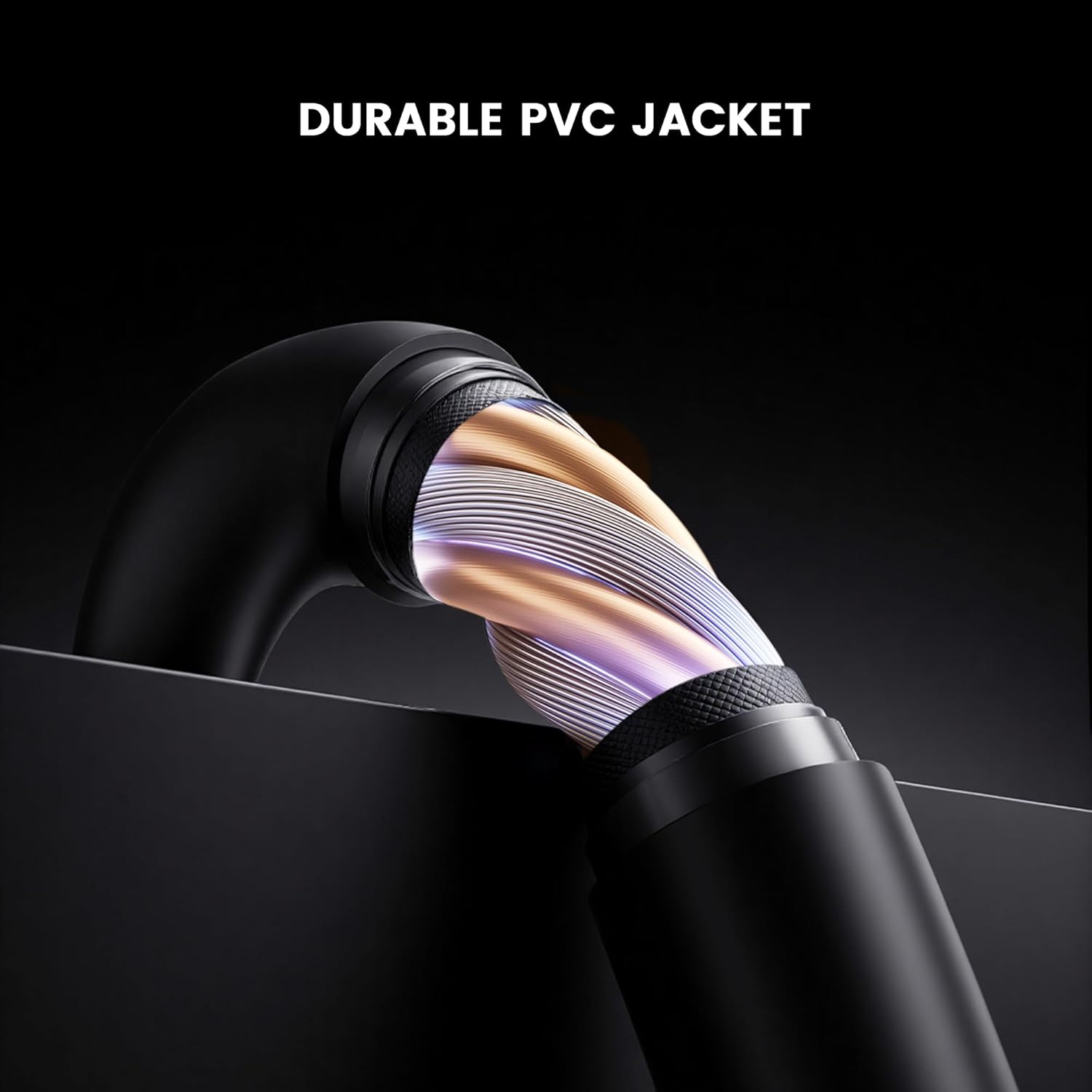
Slika: Presjek view of the GameSir USB-A to USB-C cable, highlighting its durable PVC jacket and internal construction.
Rješavanje problema
If you encounter issues with your GameSir USB-A to USB-C cable, refer to the following common troubleshooting steps:
- Uređaj nije prepoznat:
- Provjerite da li su oba kraja kabla sigurno povezana sa odgovarajućim portovima.
- Try connecting the cable to a different USB-A port on your host device.
- Test the cable with another compatible USB-C device to rule out an issue with the original device.
- If connecting to a computer, ensure necessary drivers for your GameSir controller or device are installed and up-to-date.
- Sporo punjenje ili bez punjenja:
- Verify that the power source (e.g., wall adapter, computer USB port) is providing sufficient power.
- Ensure the cable is fully inserted into both the power source and the device.
- Pokušajte s drugim izvorom napajanja ili adapterom za zidnu utičnicu.
- Intermitentna veza:
- Provjerite ima li vidljivih oštećenja na kabelu ili konektorima.
- Ensure there is no dust or debris in the USB ports of your devices or the cable connectors.
- Avoid bending or stressing the cable during use.
Specifikacije
| Brand | GameSir |
| Broj modela | 6936685221581 |
| Tip konektora | USB tip C (muški) na USB tip A (muški) |
| Vrsta kabla | USB |
| Dužina kabla | 1.8 metara (5.9 stopa) |
| Boja | Crna |
| Kompatibilni uređaji | GameSir Gaming Consoles/Controllers, other USB Type-C devices |
| Posebna karakteristika | Prijenos podataka |
| Materijal vanjske jakne | PVC |
| Unutrašnja/vanjska upotreba | Indoor |
| Težina artikla | 1.76 unce |
Garancija i podrška
For warranty information and technical support, please refer to the official GameSir website or contact GameSir customer service directly. Keep your purchase receipt for warranty claims.
GameSir Official Store US: Informacije o prodavcu


