1. Uvod
The IOOIOO A80 Portable Thermal Printer is a compact, inkless printing solution designed for various applications, including home, office, travel, and even tattoo stencil creation. This manual provides detailed instructions for setting up, operating, and maintaining your printer to ensure optimal performance.

Figure 1: IOOIOO A80 Portable Thermal Printer (White, 200 DPI model)
2. Podešavanje
2.1 Raspakivanje i komponente
Prilikom otvaranja pakovanja, provjerite da li su sve komponente prisutne:
- 1 x IOOIOO A80 Portable Thermal Printer
- 1 x Roll of A4 or Letter thermal paper
- 1 x torba
- 1 x Roll of 56mm width sticky paper
- 2 x Pages of continuous folded paper
- 1 x USB kabl
- 1 x QR code for manual download
Figure 2: Printer and included accessories, including thermal paper rolls and a bag.
2.2 Umetanje papira
The A80 printer supports various thermal paper types, including letter/A4 inkless folded thermal paper and rolled paper. To load paper:
- Otvorite poklopac odeljka za papir.
- Insert the thermal paper, ensuring the printable side (usually smoother) faces the print head.
- Gently push the paper until the printer mechanism grips it.
- Zatvorite poklopac odeljka za papir.

Figure 3: The IOOIOO A80 printer with thermal paper loaded and a printed sheet emerging, demonstrating its inkless operation.
2.3 Povezivanje na uređaje
The IOOIOO A80 offers both wireless (Bluetooth) and wired (USB) connectivity options.
2.3.1 Bluetooth Connection (for Mobile Phones and Windows PC)
For iPhone and Android mobile phones, download the "SharpFox" application from your respective app store. For Windows PC, Bluetooth connectivity is also supported without a USB cable.
- Ensure the printer is powered on and discoverable (refer to the printer's indicator light for status).
- On your mobile device or Windows PC, enable Bluetooth and search for available devices.
- Select "IOOIOO A80" (or similar name) from the list and pair.
- Open the "SharpFox" app (for mobile) or your printing application (for PC) and select the printer.
2.3.2 USB Connection (for Windows PC, Mac PC, Linux, Raspberry Pi)
For desktop computers, use the provided USB cable. Drivers may be required for certain operating systems. Refer to the QR code in the package for driver download links.
- Spojite jedan kraj USB kabla na štampač, a drugi kraj na USB port računara.
- Install the necessary drivers if prompted or if the printer is not recognized automatically.
- Once drivers are installed, the printer will be ready for use.
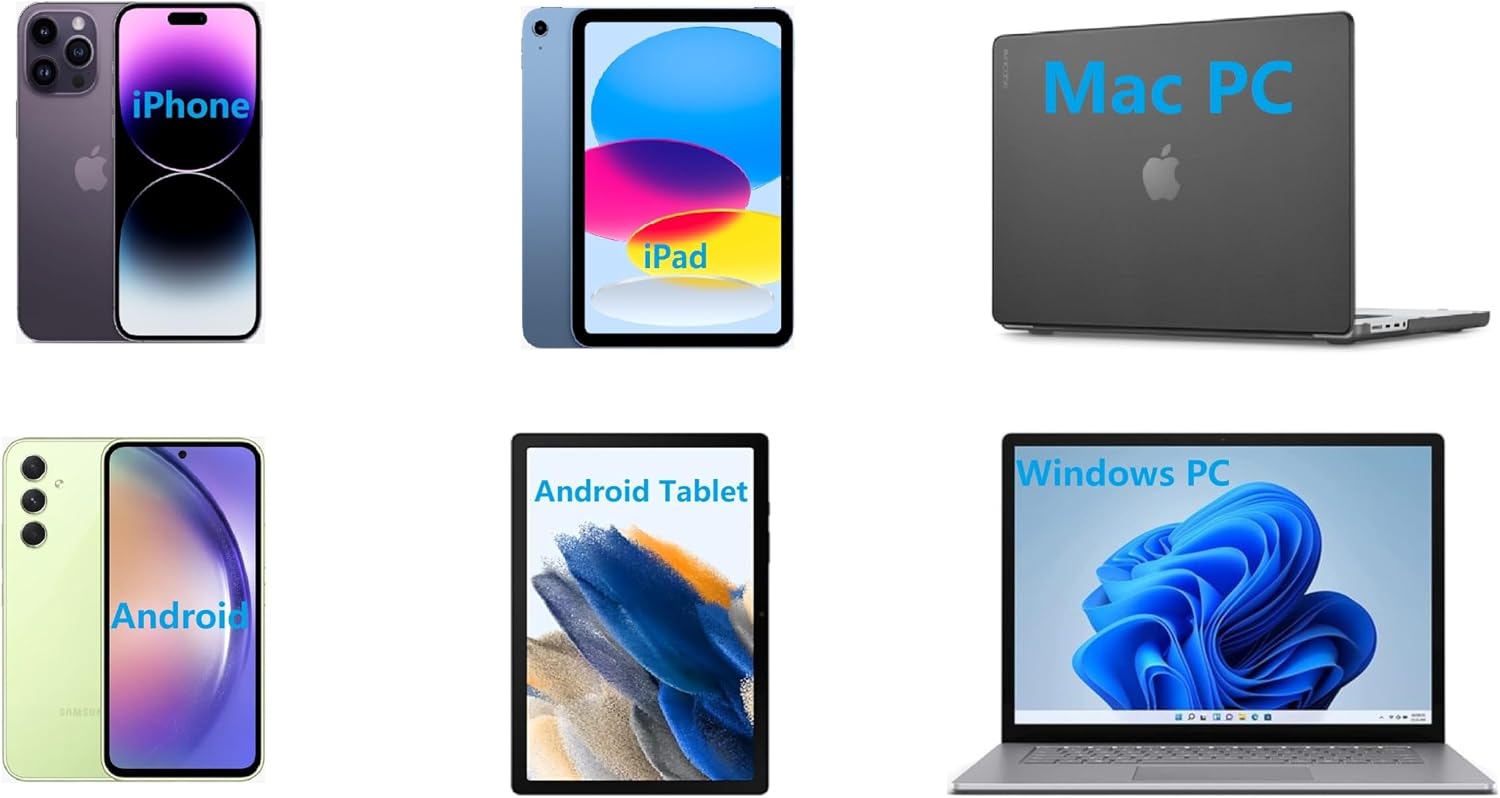
Figure 4: The IOOIOO A80 printer is compatible with a wide range of devices, including iPhones, iPads, Android phones, Android tablets, Mac PCs, and Windows PCs.
3. Operacija
3.1 General Printing
The A80 printer is designed for monochrome (black and white) thermal printing. It supports various paper sizes and types.
- Ensure the printer is connected to your device and paper is loaded correctly.
- Otvorite dokument ili sliku koju želite ispisati na svom uređaju.
- Odaberite opciju ispisa iz vaše aplikacije.
- Choose the IOOIOO A80 printer from the list of available printers.
- Adjust print settings (e.g., print density, orientation) as needed within the app or driver.
- Pokrenite zadatak štampanja.
Video 1: Demonstration of the IOOIOO A80 portable inkless printer, showcasing its ability to print letter/A4 folded thermal paper, rolled paper, 4-inch shipping labels, and 2-inch sticky thermal paper. It also highlights its compatibility with various devices and its compact size.
3.2 Supported Paper Types and Sizes
The A80 printer is versatile and supports:
- Letter/A4 Inkless Folded Thermal Paper: Ideal for standard documents.
- Rolled Thermal Paper: Supported for continuous printing needs.
- 4-inch Shipping Labels: For package labeling.
- 2-inch Sticky Thermal Paper: Suitable for small labels or creative uses.
Figure 5: The printer supports various paper types, including standard A4/Letter thermal paper, rolled paper, and sticky thermal paper.
3.3 Tattoo Stencil Printing
The A80 can also be used as a tattoo stencil machine. It is suitable for printing normal lines but not recommended for very small lines or large solid blocks.

Figure 6: A printed tattoo stencil design, demonstrating the printer's capability for line-based artwork.
3.4 Portability and Use Cases
Its compact size and inkless operation make the A80 highly portable, allowing you to print in various environments.
- putovanje: Print documents on the go.
- Home Office: Convenient for personal and professional use at home.
- škola: Ideal for students needing quick printouts.
- auto: Print directly from your vehicle.

Figure 7: The portable printer being used in diverse settings such as a beachside resort, inside a car, a home office, and a traditional office environment.
4. Održavanje
4.1 Print Head Life
The print head of the IOOIOO A80 is designed for longevity, with an estimated life of approximately 170,000 letter-sized pages. Regular use within recommended guidelines will help maximize its lifespan.
4.2 Čišćenje štampača
To maintain print quality and extend the printer's life, periodically clean the print head and paper path. Use a soft, lint-free cloth slightly dampened with isopropyl alcohol. Ensure the printer is off and disconnected from power before cleaning.
4.3 Skladištenje papira
Store thermal paper in a cool, dry place away from direct sunlight and heat to prevent premature fading or damage. Thermal paper can last from 2 to 15 years depending on type and storage conditions.
5. Otkrivanje problema
For common issues and solutions, please refer to the official Troubleshooting Guide provided by IOOIOO. This comprehensive guide covers various problems you might encounter and steps to resolve them.
6. Specifikacije
| Feature | Detalj |
|---|---|
| Dimenzije proizvoda | 3.6"D x 11.4"Š x 2.4"H |
| Težina artikla | 1.8 funte |
| Tehnologija štampe | Thermal |
| Izlaz štampača | Monohromatski (crno-bijelo) |
| Maksimalna rezolucija štampe | 200 x 200 DPI |
| Maksimalna brzina kopiranja (crno-bijelo) | 4 ppm (stranica u minuti) |
| Tehnologija povezivanja | Bluetooth (za telefon), USB (za računar) |
| Kompatibilni uređaji | PC, Smartphones |
| Maksimalna veličina medija | A4 (8.5 inches wide) |
| Vrsta tinte za printer | No Ink (Inkless) |
| Baterije | Potrebna je 1 litijum-jonska baterija (uključena) |
| Život glave za ispis | Approx. 170,000 letter pages |
7. Jamstvo i podrška
7.1 Informacije o garanciji
The IOOIOO A80 Portable Thermal Printer comes with a limited warranty. For specific terms and conditions of your warranty, please refer to the documentation included with your purchase or contact IOOIOO customer support.
7.2 Korisnička podrška
If you require further assistance, have questions not covered in this manual, or need to claim warranty service, please visit the official IOOIOO store or contact their customer support channels. You can find more information and contact details on the IOOIOO trgovina na Amazonu.


