1. Uvod
This manual provides essential information for the safe and efficient operation of your GOBOULT Drift+ Smart Watch. Please read it thoroughly before using the device to ensure proper functionality and to understand all features. The GOBOULT Drift+ Smart Watch features a 1.85-inch HD display, Bluetooth calling capabilities, comprehensive health monitoring, and multiple sports modes.

Image 1.1: GOBOULT Drift+ Smart Watch overview.

Image 1.2: Key features of the GOBOULT Drift+ Smart Watch.
2. Šta se nalazi u kutiji
Upon opening your GOBOULT Drift+ Smart Watch package, please verify that all the following items are included:
- GOBOULT Drift+ Smart Watch
- Kabel za punjenje
- Korisnički priručnik (ovaj dokument)
- Garantni list
3. Podešavanje
3.1. Punjenje uređaja
Before initial use, fully charge your GOBOULT Drift+ Smart Watch. Connect the provided charging cable to the charging port on the back of the watch and a standard USB power adapter (not included). The watch typically takes approximately 2.5 hours to fully charge.
3.2. Instalacija i uparivanje aplikacije
To unlock the full potential of your smart watch, download and install the companion application on your smartphone. The app is compatible with both iOS and Android operating systems.
- Scan the QR code in the quick start guide or search for the official GOBOULT app in your smartphone's app store (Google Play Store for Android, Apple App Store for iOS).
- Instalirajte aplikaciju i kreirajte račun ili se prijavite.
- Provjerite je li Bluetooth omogućen na vašem pametnom telefonu.
- Open the GOBOULT app, navigate to the device pairing section, and select your Drift+ Smart Watch from the list of available devices.
- Follow the on-screen prompts on both your watch and smartphone to complete the pairing process.
4. Upravljanje pametnim satom
4.1. Prikaz i navigacija
The GOBOULT Drift+ features a 1.85-inch HD display with 500 nits brightness, ensuring clear visibility even in bright outdoor conditions. Navigate through menus and functions by swiping across the touchscreen and using the physical button on the side.
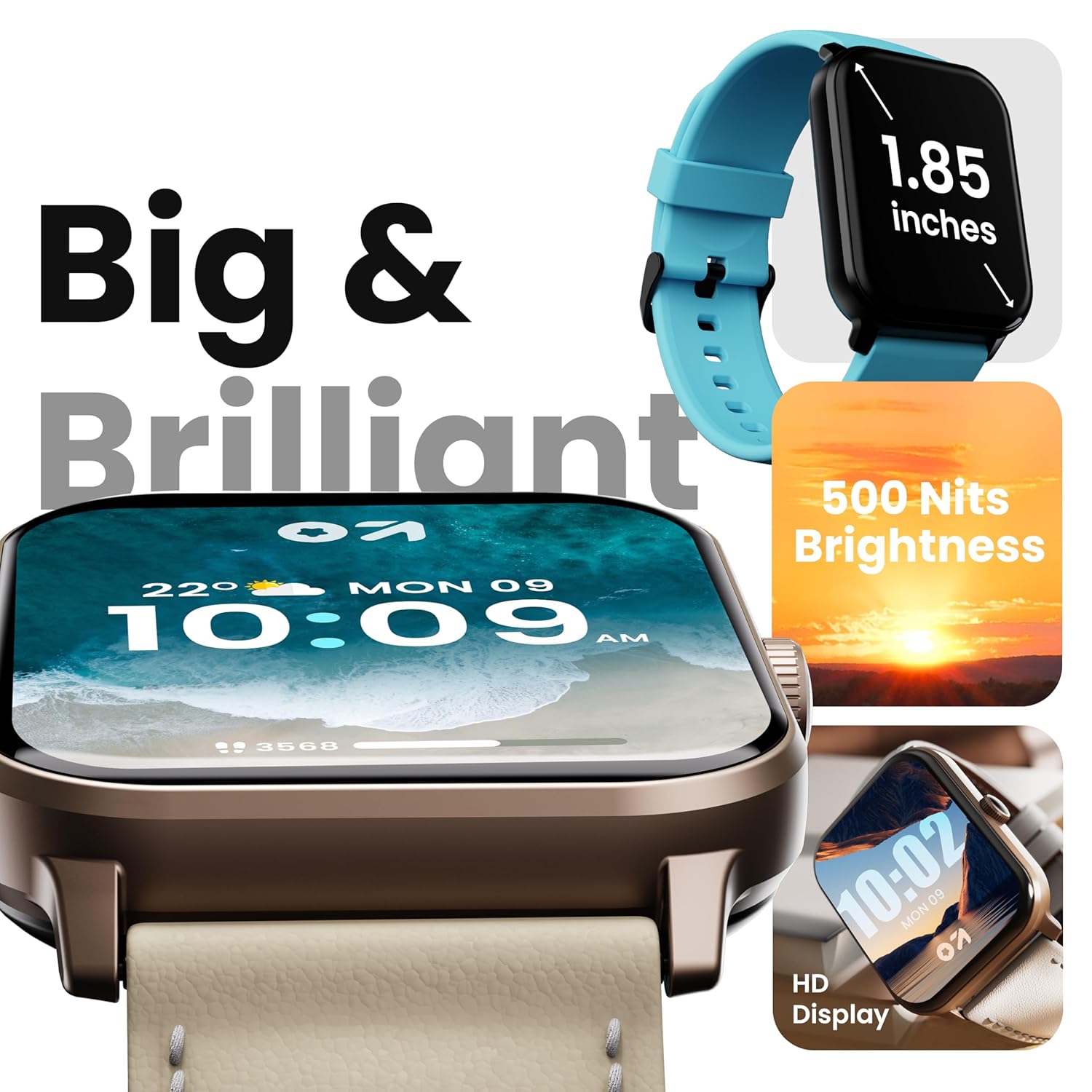
Image 4.1: High-definition display of the Drift+ Smart Watch.
4.2. Bluetooth pozivi
The smart watch supports seamless Bluetooth calling with a built-in speaker and microphone. Once paired with your smartphone, you can answer, reject, or make calls directly from your wrist.
- Odgovaranje na pozive: When an incoming call is received, tap the green icon on the watch screen.
- Upućivanje poziva: Access the dial pad or contact list through the watch interface to initiate a call.

Image 4.2: Bluetooth calling feature in action.
4.3. Praćenje zdravlja
The Drift+ Smart Watch provides comprehensive health insights through various sensors:
- Praćenje otkucaja srca 24/7: Neprekidno prati vaš puls tokom cijelog dana.
- SpO2 Blood Oxygen Tracking: Mjeri nivo zasićenosti krvi kisikom.
- Praćenje krvnog pritiska: Pruža procjene krvnog pritiska.
- Praćenje ženskog menstrualnog ciklusa: Pomaže u praćenju i predviđanju menstrualnih ciklusa.
- Podsjetnici za pijenje vode: Podstiče vas da ostanete hidrirani.
- Sedentarni podsjetnici: Encourages movement after periods of inactivity.
Note: Health monitoring data is for reference only and should not be used for medical diagnosis or treatment. Consult a medical professional for health-related concerns.

Image 4.3: Health monitoring features.
4.4. Sportski načini rada
The watch offers over 100 sports modes to track various physical activities. Select your desired sport from the watch menu to record data such as steps, distance, calories burned, and duration.

Image 4.4: Tracking activity with sports modes.
4.5. Brojčanici sata i prilagođavanje
Personalize your watch with over 150 cloud-based watch faces. You can also create custom watch faces through the companion app to match your style.

Image 4.5: Watch face customization options.
4.6. Smart Notifications and AI Voice Assistant
Receive notifications from your favorite social applications and messages directly on your watch. The integrated AI voice assistant provides hands-free assistance for various tasks.
5. Održavanje
5.1. Vodootpornost (IP68)
The GOBOULT Drift+ Smart Watch is IP68 water-resistant, meaning it is protected against dust and can withstand immersion in water up to 1.5 meters for up to 30 minutes. It is suitable for daily use, such as hand washing or light rain exposure. Avoid using it during swimming, diving, or in hot water/steam environments.

Image 5.1: IP68 water resistance.
5.2. Čišćenje i njega
Da biste održali izgled i funkcionalnost vašeg sata:
- Redovno brišite sat i remen mekom, suhom krpom.
- Ako je potrebno, koristite malo damp krpu za čišćenje, a zatim dobro osušite.
- Izbjegavajte upotrebu jakih hemikalija, abrazivnih sredstava za čišćenje ili rastvarača.
- Kontakte za punjenje održavajte čistima i suhima.
5.3. Upravljanje baterijom
The GOBOULT Drift+ offers extended battery life:
- Up to 7 days in regular usage mode.
- Up to 2-3 days with heavy Bluetooth calling.
- Do 25 dana u stanju pripravnosti.
To optimize battery life, consider adjusting screen brightness, limiting background app refresh, and disabling unnecessary notifications.

Image 5.2: Battery life details.
6. Otkrivanje problema
If you encounter issues with your GOBOULT Drift+ Smart Watch, refer to the following common solutions:
| Problem | Moguće rješenje |
|---|---|
| Sat se ne uključuje | Provjerite je li sat potpuno napunjen. Spojite ga na punjač na najmanje 30 minuta. |
| Nije moguće upariti uređaj sa pametnim telefonom | Ensure Bluetooth is enabled on your phone and watch. Restart both devices. Make sure the watch is within range of your phone. Check if the app is updated. |
| Netačni zdravstveni podaci | Pazite da sat čvrsto prianja uz zglob, ne previše stegnut ili previše labav. Očistite senzor na poleđini sata. Izbjegavajte pretjerano pomicanje tokom mjerenja. |
| Obavještenja nisu primljena | Check app permissions on your phone to ensure notifications are allowed. Verify that notifications are enabled within the GOBOULT app settings. Ensure the watch is connected via Bluetooth. |
| Bluetooth calling issues | Ensure the watch is properly connected for calls (sometimes a separate Bluetooth connection is needed for audio). Check volume settings on both watch and phone. |
7. Specifikacije
| Feature | Detalj |
|---|---|
| Brand | GOBOULT |
| Naziv modela | Drift+ |
| Broj modela stavke | 8906133851347 |
| Veličina ekrana | 1.85 inča |
| Osvetljenost | 500 gnjida |
| Otpornost na vodu | IP68 |
| Povezivanje | Bluetooth 5.1 |
| Kompatibilnost operativnog sistema | iOS, Android |
| Vrsta baterije | Lithium Polymer |
| Vrijeme punjenja baterije | 2.5 sata |
| Prosječno trajanje baterije | 7 Days (normal usage) |
| Težina artikla | 38 g |
| Uključene komponente | Smart Watch, Charging Cable, User Manual, Warranty Card |
8. Garancija i podrška
Your GOBOULT Drift+ Smart Watch comes with a standard manufacturer's warranty. Please refer to the included Warranty Card for specific terms, conditions, and duration of coverage. For technical support, service, or warranty claims, please contact GOBOULT customer service through the contact information provided on the warranty card or the official GOBOULT website.
Manufacturer: Exotic Mile Private Limited, Boult Audio, B-67 Wazirpur Industrial Area, New Delhi 110052


