Uvod
Dobrodošli u korisnički priručnik za vaš Blackview Active 8 Pro Rugged Tablet. This device is engineered for durability and performance, designed to withstand challenging environments while providing a robust computing experience. Featuring a 10.36-inch display, a powerful MediaTek Helio G99 Octa-core processor, and a massive 22000mAh battery, the Active 8 Pro is built for extended use and demanding tasks. It is MIL-STD-810H certified and boasts IP68 & IP69K waterproof ratings, ensuring resilience against water, dust, and drops.
Ovaj priručnik pruža bitne informacije o postavljanju, radu, održavanju i rješavanju problema vašeg tableta kako bi se osigurale optimalne performanse i dugotrajnost.
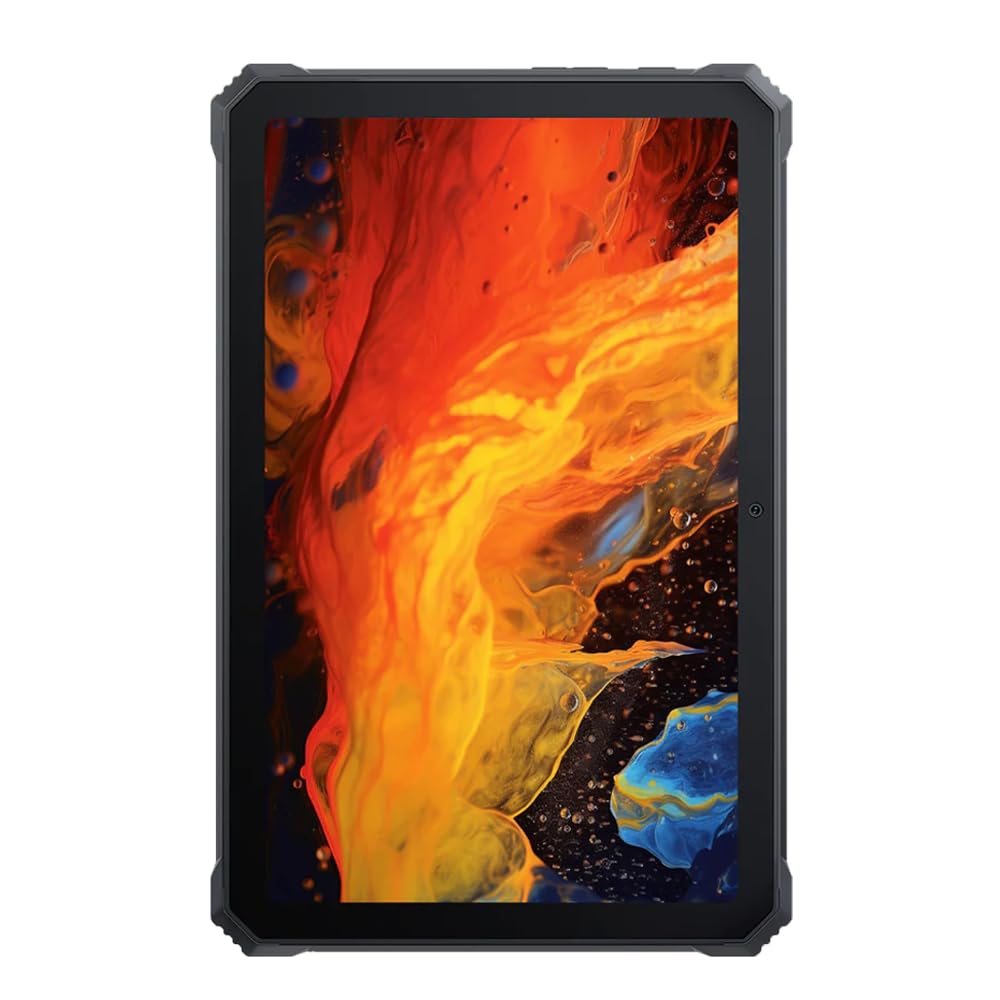
Slika: Front view Crnogview Active 8 Pro Rugged Tablet, showcasing its display and robust bezel.
Sadržaj paketa
Molimo Vas da provjerite da li se u paketu Vašeg proizvoda nalaze svi artikli:
- Crnaview Active 8 Pro robusni tablet
- Padded Leather Strap
- Kabel za punjenje
- Adapter za napajanje
- Alat za izbacivanje SIM kartice (ako je primjenjivo)
- Vodič za brzi početak
Izgled uređaja
Familiarize yourself with the physical components and ports of your Active 8 Pro tablet.

Slika: Front view Crnogview Active 8 Pro tablet, highlighting the display and front camera location.

Slika: Stražnja strana view Crnogview Active 8 Pro tablet, showing the camera module, speaker grilles, and the attached padded leather strap for secure handling.

Slika: Ugaoni zadnji dio view Crnogview Active 8 Pro tablet, providing a perspective of its ruggedized corners and the ergonomic padded leather strap.
Setup
1. Punjenje uređaja
Before first use, fully charge your Active 8 Pro tablet. Connect the provided charging cable to the tablet's charging port and the power adapter to a wall outlet. The tablet supports 33W fast charging for quick power replenishment.
- Use only the original Blackview charger and cable to ensure optimal charging speed and safety.
- Indikator punjenja će se pojaviti na ekranu.
2. Uključivanje / isključivanje napajanja
- Za uključivanje: Press and hold the Power button (typically located on the side) until the Blackview logo se pojavljuje na ekranu.
- Za isključivanje: Pritisnite i držite dugme za napajanje dok se ne pojavi meni za napajanje. Iz ponuđenih opcija odaberite "Isključivanje".
- Za ponovno pokretanje: Iz menija napajanja odaberite "Ponovno pokretanje".
3. Početna konfiguracija
Prilikom prvog uključivanja, tablet će vas voditi kroz proces početnog podešavanja. Slijedite upute na ekranu da biste:
- Odaberite svoj jezik.
- Povežite se na Wi-Fi mrežu.
- Prijavite se sa svojim Google računom ili kreirajte novi.
- Postavite zaključavanje ekrana (PIN, uzorak, lozinka ili otisak prsta).
- Review i prihvatite uslove i odredbe.
Uputstvo za upotrebu
1. Osnovna navigacija
Your Active 8 Pro runs on Android 14, offering an intuitive user interface. Use standard touchscreen gestures:
- Dodirnite: Odaberite stavku ili otvorite aplikaciju.
- Dodirnite i držite: Pristupite kontekstualnim menijima ili premjestite ikone.
- Prevucite: Scroll through pages, lists, or switch between home screens.
- Zumiranje štipanjem: Uvećavanje ili smanjivanje slika i web stranice.
2. Povezivanje
- Wi-Fi: Go to Settings > Network & internet > Wi-Fi to connect to available networks. The tablet supports 802.11ac, 802.11ax, 802.11g, and 802.11n standards.
- Bluetooth: Go to Settings > Connected devices > Connection preferences > Bluetooth to pair with Bluetooth accessories like headphones or speakers.
- Mobilni podaci (ako je primjenjivo): Insert a SIM card into the designated slot to access mobile data services.
3. Upotreba kamere
The tablet features a 48 MP rear camera. Open the Camera app to capture photos and videos. Tap on the screen to focus, and use the on-screen shutter button to take a picture.
4. Poboljšanje zvuka
Experience enhanced audio quality with Sound By Harman AudioEFX. Adjust audio settings in the tablet's sound preferences to optimize your listening experience for music, movies, or calls.
5. Using the Padded Leather Strap
The included padded leather strap is designed to provide extra grip and comfort, reducing hand fatigue during extended use. Securely attach the strap to the designated points on the back of the tablet. Adjust for a snug fit that allows for comfortable one-handed or two-handed holding.
Održavanje
1. Čišćenje tableta
- Use a soft, lint-free cloth to wipe the screen and body of the tablet.
- Za tvrdokornu prljavštinu, lagano dampobrišite krpu vodom ili sredstvom za čišćenje ekrana.
- Avoid using harsh chemicals, abrasive materials, or excessive moisture, especially near ports.
- Ensure all port covers are securely closed before cleaning if exposing to water.
2. Skladištenje
When not in use for extended periods, store your tablet in a cool, dry place away from direct sunlight and extreme temperatures. Ensure the battery is charged to approximately 50% before long-term storage to preserve battery health.
3. Ažuriranja softvera
Regularly check for and install software updates to ensure your tablet has the latest features, security patches, and performance improvements. Go to Settings > System > System update to check for available updates.
Rješavanje problema
Ovaj odjeljak se bavi uobičajenim problemima s kojima se možete susresti prilikom korištenja vašeg Blackview Active 8 Pro tablet.
- Uređaj se ne uključuje:
Ensure the tablet is sufficiently charged. Connect it to the charger for at least 30 minutes before attempting to power it on again. If it still doesn't power on, try holding the power button for 10-15 seconds to force a restart.
- Screen Unresponsive or Display Issues:
If the screen becomes unresponsive, try restarting the device. If the display fails or shows abnormalities, ensure the tablet has not sustained severe physical damage. Contact customer support if the issue persists after a restart.
- Problemi s punjenjem:
Verify that the charging cable and adapter are securely connected and undamaged. Try using a different compatible charger and cable if available. Ensure the charging port is free of debris.
- Problemi s Wi-Fi/Bluetooth povezivošću:
Toggle Wi-Fi or Bluetooth off and on. Restart your tablet and the router/Bluetooth device. Ensure you are within range and have the correct password for Wi-Fi networks.
- Spore performanse:
Close unnecessary background applications. Clear cache data for apps that are frequently used. Consider performing a factory reset as a last resort (back up your data first).
Specifikacije
| Feature | Specifikacija |
|---|---|
| Naziv modela | Active 8 Pro |
| Veličina ekrana | 10.36 inča |
| Rezolucija ekrana | 1920 x 1080 piksela |
| Procesor | MediaTek Helio G99 Octa-core (2.2 GHz) |
| RAM | 8 GB (DDR4 SDRAM) |
| Interna pohrana | 256 GB |
| Operativni sistem | Android 14 |
| Kapacitet baterije | 22000mAh |
| Brzo punjenje | 33W Support |
| Ocjene izdržljivosti | MIL-STD-810H Certified, IP68 & IP69K Waterproof |
| Zaštita ekrana | Corning Gorilla Glass 5 |
| Zadnja kamera | 48 MP |
| Bežično povezivanje | 802.11ac, 802.11ax, 802.11g, 802.11n |
| Dimenzije (DxŠxV) | 10.09 x 6.53 x 0.66 inča |
| Težina artikla | 3.34 funte |
Garancija i podrška
Tvoja Crnaview Active 8 Pro tablet comes with a limited warranty. Please refer to the warranty card included in your package for specific terms and conditions, including coverage duration and limitations. Keep your proof of purchase for warranty claims.
For technical support, service, or warranty inquiries, please visit the official Blackview podrška webweb-mjesto ili kontaktirajte njihovu službu za korisnike. Kontakt informacije se obično mogu pronaći na crnojview webweb-mjestu ili u dokumentaciji koja se isporučuje s vašim proizvodom.
Za više informacija možete posjetiti Crnaview Trgovina na Amazonu.


