1. Uvod
Thank you for choosing the BOTSLAB 2.5K Front Dash Cam. This device is designed to provide superior video quality and enhanced safety features for your vehicle. With its 2.5K HD resolution, 170° ultra-wide angle lens, and advanced functionalities like 24/7 parking mode, built-in GPS, and driver alerts, it ensures comprehensive coverage and peace of mind on the road. This manual will guide you through the setup, operation, and maintenance of your dash cam.
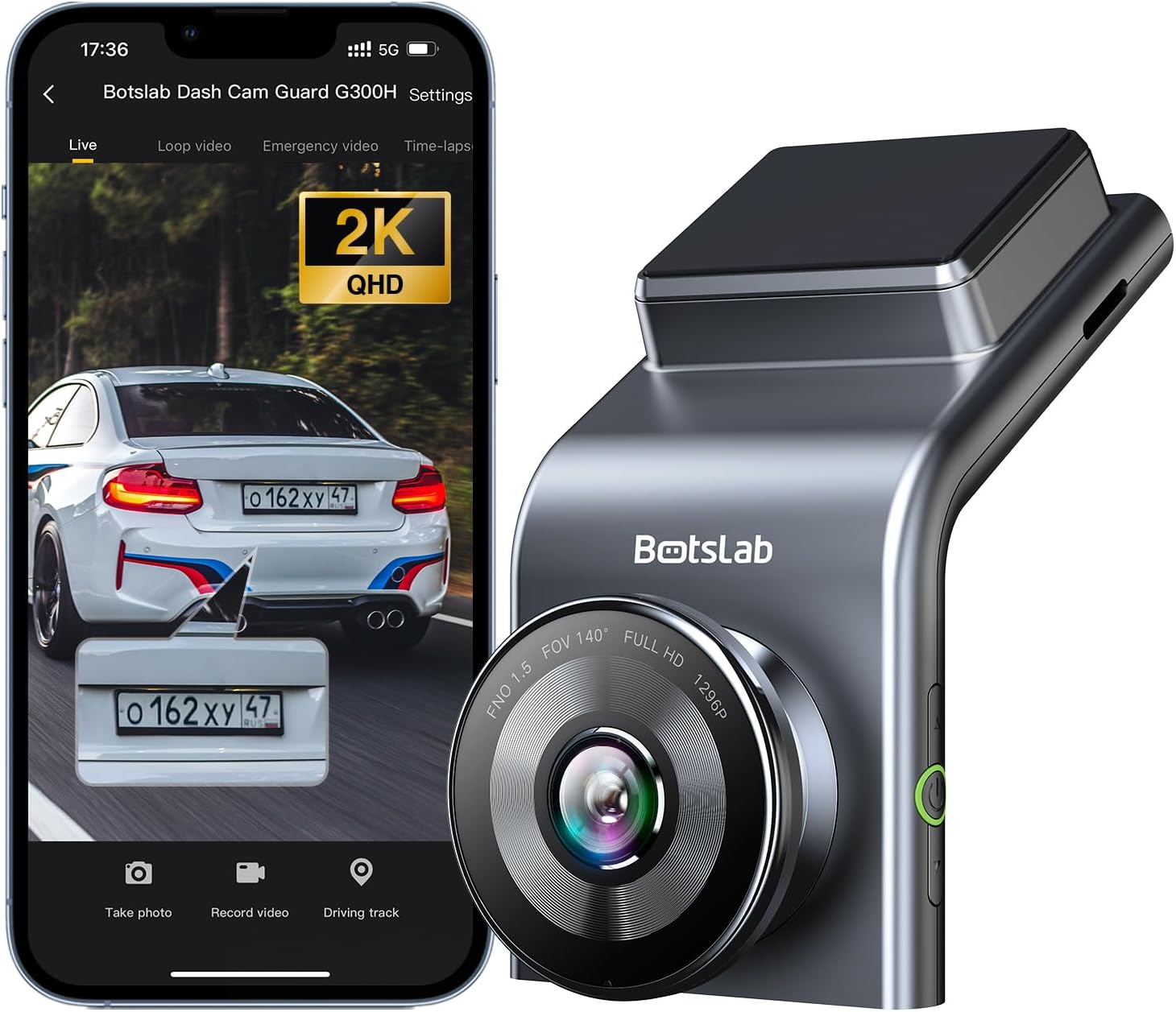
Figure 1: BOTSLAB 2.5K Front Dash Cam Overview
2. Šta se nalazi u kutiji
Molimo Vas da provjerite sadržaj paketa kako biste bili sigurni da su svi artikli prisutni:
- Front Camera (x1)
- Auto punjač (x1)
- USB Power Cord (x1)
- Installation Pry Bar (x1)
- Uputstvo za upotrebu (x1)
- Elektrostatički film (x1)

Slika 2: Sadržaj paketa
3. Postavljanje i instalacija
The BOTSLAB Dash Cam is designed for easy installation with invisible wiring, ensuring a clean and integrated look in your vehicle. Follow these steps for proper setup:
- Odaberite lokaciju za montažu: Odaberite mjesto na vjetrobranskom staklu koje vam ne zaklanja view ceste. Obično se to nalazi iza zadnjeg dijelaview ogledalo.
- Čisto vjetrobransko staklo: Osigurajte da je odabrano područje na vjetrobranskom staklu čisto i suho.
- Nanesite elektrostatički film: Peel off the protective layer from the electrostatic film and apply it to the cleaned area on your windshield. Smooth out any air bubbles. This film allows for easy removal of the dash cam mount without leaving residue.
- Attach Dash Cam Mount: Secure the dash cam mount to the electrostatic film. Ensure it is firmly attached.
- Montaža kamere za automobil: Slide the dash cam onto its mount until it clicks into place.
- Priključite napajanje: Connect the USB power cord to the dash cam and route the cable along the edge of the windshield and dashboard to the car charger. Use the installation pry bar to tuck the cable neatly into the gaps for an invisible wiring setup.
- Plug into Car Charger: Umetnite punjač za automobil u utičnicu za upaljač u vašem vozilu.
- Podesite ugao: Power on the dash cam and adjust its angle to ensure the camera captures the road ahead clearly, covering the desired field of view (170° ultra-wide angle).

Figure 3: Easy Installation and Cable Management
4. Uputstvo za upotrebu
4.1. Power On/Off and Basic Recording
The dash cam will automatically power on and begin recording when your vehicle starts. It will power off automatically when the vehicle is turned off. Ensure a microSD card (not included, supports up to 256GB) is inserted for recording.

Figure 4: MicroSD Card Slot for Storage
4.2. 2.5K HD Video Quality and Night Vision
Experience 2.5K superior HD video quality with a 170° ultra-wide view angle that fully covers all lanes without blind spots. Coupled with clear Night Vision, you'll have full-color, high-quality videos in any lighting condition.

Figure 5: Enhanced Clarity with 2.5K Resolution
4.3. 24/7 Parking Mode
When used with the G300H dedicated hard-wired kit (ASIN: B0D3QK86TQ, sold separately), the G300H front dash cam can achieve 24/7 uninterrupted recording. Video is recorded any time there is a collision or accident. Benefit from Time-lapse Recording for uninterrupted 24-hour parking monitoring, utilizing minimal memory space. The Loop Recording feature ensures continuous recording, preserving vital clips while overwriting older videos.

Figure 6: 24/7 Parking Monitoring
4.4. Enhanced Awareness and Safety Features
Stay in sync with traffic through the Front Vehicle Start Reminder and enhance safety with Pedestrian Collision Alert. These features keep you alert to movement around you, automatically triggering notifications for a seamless and vigilant driving experience.
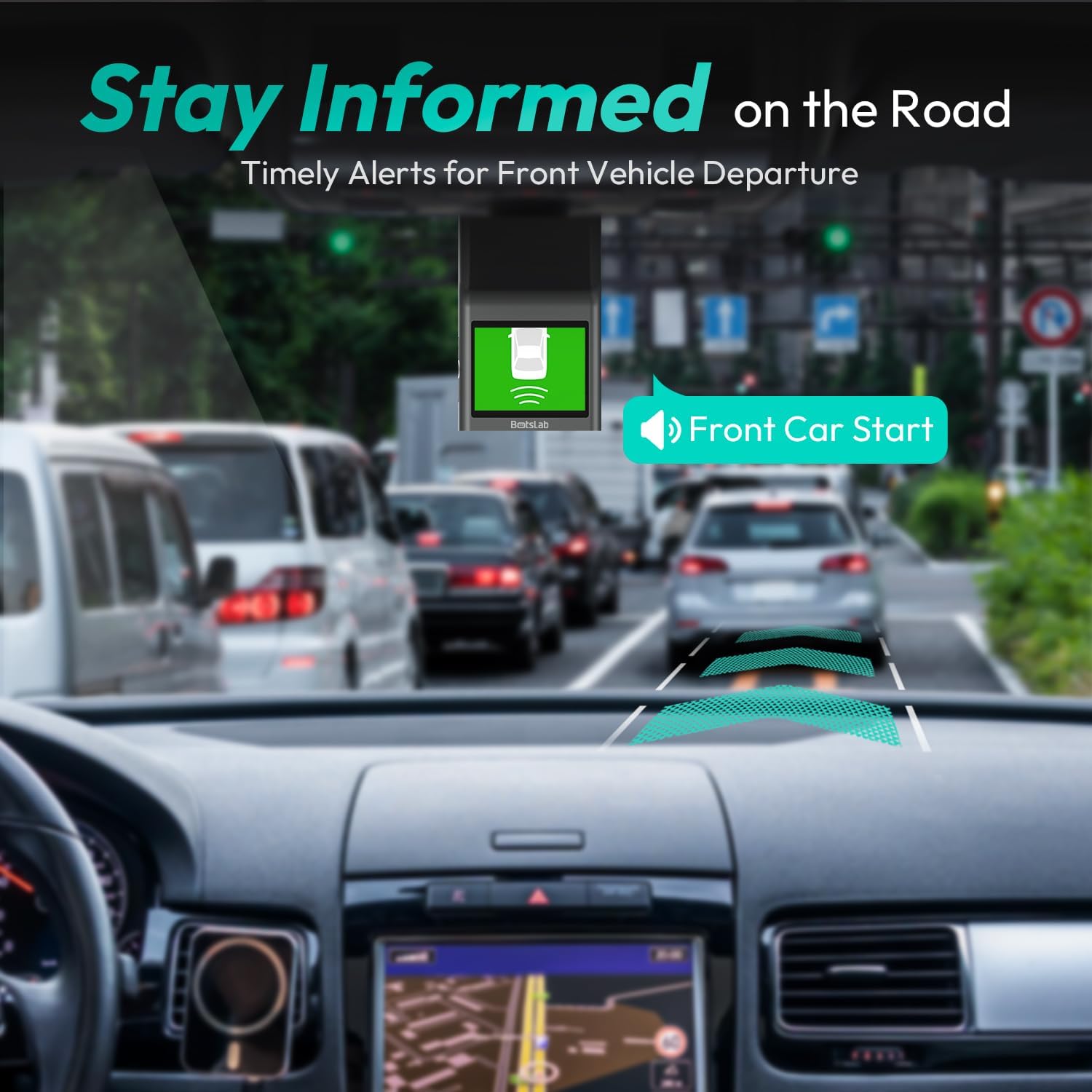
Figure 7: Front Vehicle Start Reminder

Figure 8: Pedestrian Collision Alert
4.5. GPS Integration
Built-in GPS functionality records every detail of your journey, from speed to location. View your personalized routes on Google Maps, right from your phone. It's not just about convenience; it's about keeping your travel data private and secure.

Figure 9: Precise Location Tracking with GPS
4.6. G-Sensor and Emergency Video Protection
In the event of a collision or sudden movement, the G-Sensor automatically locks videos, preventing overwriting. This feature provides the detailed evidence you need for insurance claims or traffic disputes.

Figure 10: Emergency Video Protection
5. Održavanje
To ensure the longevity and optimal performance of your BOTSLAB Dash Cam, follow these maintenance guidelines:
- Očistite sočivo: Regularly wipe the camera lens with a soft, lint-free cloth to ensure clear recordings. Avoid using abrasive cleaners.
- Provjerite MicroSD karticu: Periodically check the microSD card for errors or corruption. Format the card monthly to maintain optimal performance and prevent data loss. Back up any important footage prije formatiranja.
- Ažuriranja firmvera: Check the BOTSLAB app or website for available firmware updates. Keeping your dash cam's firmware up-to-date ensures you have the latest features and bug fixes.
- Kontrola temperature: Avoid exposing the dash cam to extreme temperatures for prolonged periods. If parked in direct sunlight, consider removing the dash cam or using a sunshade.
- Sigurna montaža: Ensure the dash cam remains securely mounted to prevent vibrations that could affect video quality or cause the device to fall.
6. Otkrivanje problema
Ako naiđete na probleme s kamerom za automobil, pogledajte sljedeće uobičajene probleme i rješenja:
| Problem | Mogući uzrok | Rješenje |
|---|---|---|
| Kamera za automobil se ne uključuje. | No power supply; faulty car charger/cable. | Check car charger connection and vehicle's power outlet. Try a different USB cable or car charger. |
| Snimanje se zaustavlja ili se zaustavljatage je oštećeno. | MicroSD card full, corrupted, or incompatible. | Format the microSD card regularly. Use a high-quality Class 10 or U3 microSD card. Replace the card if issues persist. |
| Problemi s Wi-Fi vezom. | Interference; incorrect app settings. | Ensure you are within range. Restart the dash cam and your smartphone. Reinstall the BOTSLAB app. |
| GPS not tracking location. | Poor satellite signal; dash cam not receiving GPS data. | Osigurajte da kamera za automobil ima jasan view neba. Udaljite se od visokih zgrada ili tunela. |
| Kvalitet videa je loš. | Prljavo sočivo; zaštitna folija je još uvijek na sočivu; uslovi slabog osvjetljenja. | Clean the camera lens. Remove any protective film. Ensure proper lighting for optimal recording. |
Za dodatnu pomoć, molimo pogledajte odjeljak za podršku ili kontaktirajte korisničku službu.
7. Specifikacije
| Feature | Detalj |
|---|---|
| Dimenzije proizvoda | 0.59 x 0.98 x 2.17 inča |
| Težina artikla | 14.9 unce |
| Broj modela | G300H |
| Tehnologija povezivanja | 2.4 GHz WiFi |
| Posebne karakteristike | Pedestrian Collision Alert, Built-In GPS, 24/7 Parking Monitoring |
| Rezolucija video snimanja | 2.5K |
| Boja | svijetlo plava |
| Proizvođač | 360 Smart Network |
| Datum prve dostupnosti | 23. novembra 2023 |
| Orijentacija | Front |
| Vrsta usluge vozila | Bus, Car, Truck |
| Vrsta montaže | Nosač vjetrobranskog stakla |
8. Garancija i podrška
BOTSLAB is committed to providing high-quality AI-Vision security products and excellent customer service. Your dash cam comes with comprehensive support to ensure your satisfaction.
8.1. Informacije o garanciji
The BOTSLAB Dash Cam G300H includes a 365-dnevna garancija kvalitete. For detailed terms and conditions, please refer to the official warranty documentation or contact customer support.
8.2. Tehnička podrška
Nudimo Doživotna tehnička pomoć for your product. If you encounter any issues or have questions, please utilize the following support channels:
- Live Chat: Download the Botslab APP, register and sign in, then navigate to 'Me' > 'Support' > 'Live Chat' for 24-hour assistance.
- Službeno Webstranica: Posjetite global.botslab.com za informacije o proizvodu, često postavljana pitanja i resurse za podršku.
- Podrška putem e-pošte: Pošaljite svoje upite na Service@botslab.com. We aim for Brza podrška u roku od 48 sati.
- Zajednica korisnika: Join the Botslab Users Group for peer support and discussions.


Figure 11: BOTSLAB Support and Care Information
For a complete digital version of this manual, you can access the Uputstvo za upotrebu (PDF).


