Uvod
This manual provides detailed instructions for the setup, operation, and maintenance of your Dexnor Keyboard Case for the Samsung Galaxy Tab S8 Ultra 14.6 Inch. Please read this manual thoroughly before using the product to ensure proper functionality and to maximize your user experience.

Image: The Dexnor Keyboard Case with a Samsung Galaxy Tab S8 Ultra tablet inserted, ready for use.
Kompatibilnost
The Dexnor Keyboard Case is designed exclusively for the Samsung Galaxy Tab S8 Ultra 14.6 inch (Model SM-X900/X906) 2022 Release. This product is not compatible with other tablet models, including the Samsung Galaxy Tab S9 Ultra.
Napomena: The Samsung Galaxy Tab S8 Ultra tablet and S Pen are not included with this keyboard case.

Image: A visual guide confirming compatibility with Samsung Galaxy Tab S8 Ultra (Models SM-X900/X906) and explicitly stating non-compatibility with Galaxy Tab S9 Ultra.
Sadržaj paketa
Molimo Vas da provjerite da li se u paketu nalaze svi artikli:
- 1 x Dexnor Bluetooth Keyboard Case
- 1 x USB-C kabel za punjenje
- 1 x Vodič za brzi početak
- 1 x Uputstvo za upotrebu (ovaj dokument)
Uputstva za postavljanje
1. Pričvršćivanje tableta na futrolu
The keyboard case features a two-piece design. The protective back panel attaches magnetically to your Samsung Galaxy Tab S8 Ultra. Align the tablet with the back panel and allow the magnets to secure it in place.
2. Pričvršćivanje tastature
The keyboard component also attaches magnetically to the protective back panel. Position the keyboard at the base of the tablet, ensuring the magnetic connection is firm. This allows for a laptop-like setup.
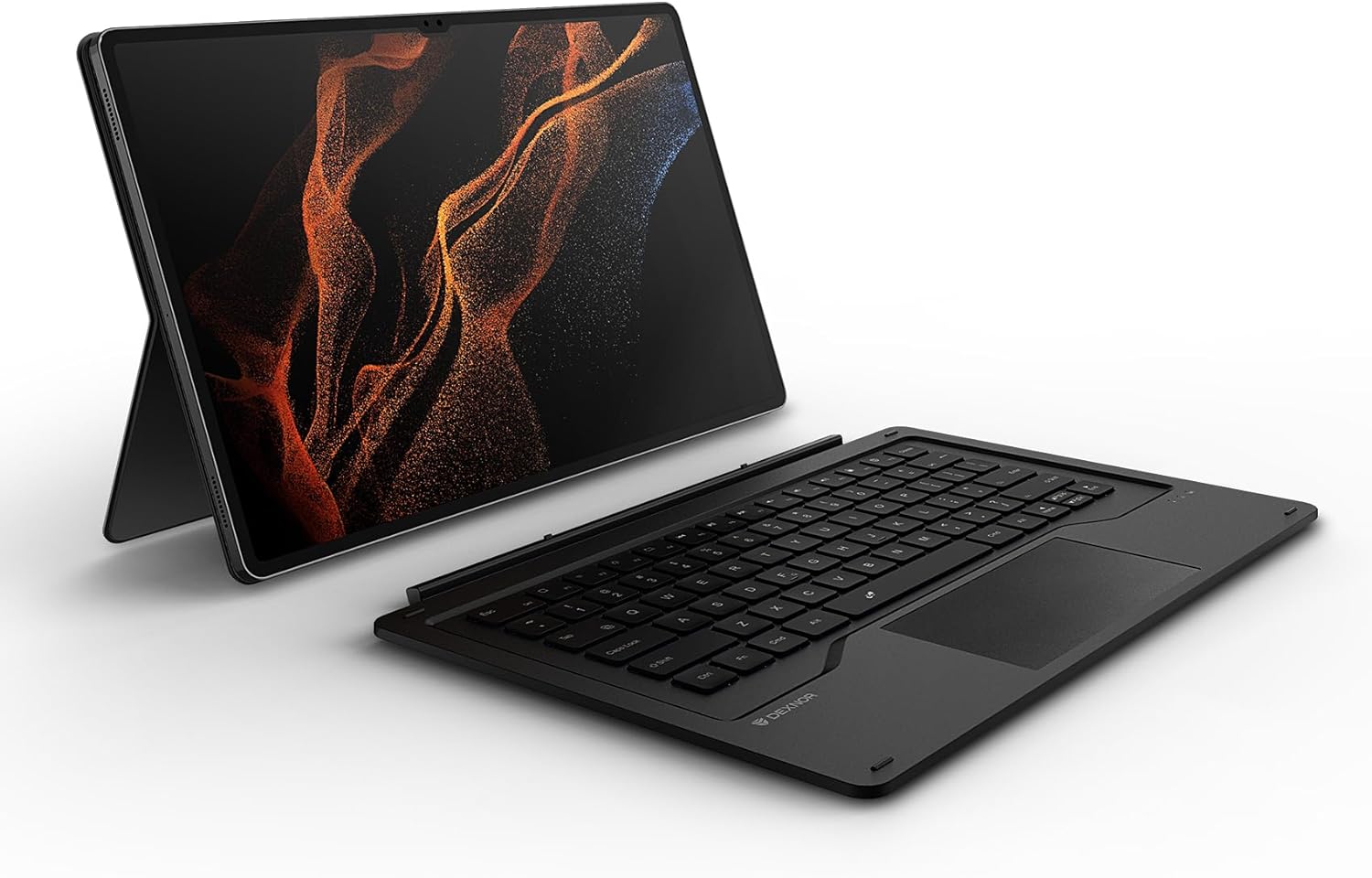
Image: The detachable keyboard and the tablet within its protective back cover, illustrating the two-piece design.
3. Bluetooth uparivanje
- Ensure the keyboard is charged (refer to the Charging section).
- Uključite tastaturu pomoću prekidača za napajanje.
- On your Samsung Galaxy Tab S8 Ultra, go to Postavke > Veze > Bluetooth.
- Omogućite Bluetooth i potražite dostupne uređaje.
- Select "Dexnor Keyboard" (or similar name) from the list of devices.
- Follow any on-screen prompts to complete the pairing process. The keyboard's indicator light will confirm successful pairing.
Uputstvo za upotrebu
Podešavanje postolja
The integrated kickstand on the back panel allows for multiple viewing angles. Adjust the stand to your preferred position for typing, drawing, or viewing content. The maximum angle between the stand and the back panel can be adjusted to 130 degrees, and the angle of the tablet to the keyboard can reach 155 degrees.

Image: Tablet with kickstand set to a 155-degree angle for typing.

Image: Tablet with kickstand set to a 130-degree angle for drawing or viewing.
Višestruki dodirni dodir
The large AG glass trackpad supports multi-gesture controls, providing precise navigation similar to a mouse. Use gestures such as scrolling, swiping, and pinching to interact with your tablet.

Slika: Krupni plan view of the keyboard's large multi-touch trackpad.
Tasteri sa pozadinskim osvetljenjem
The keyboard features 7 solid color backlights with 3 adjustable brightness levels. Press the backlight key (often indicated by a light bulb icon) to cycle through colors and brightness settings, allowing for comfortable typing in various lighting conditions.

Image: The keyboard with its keys illuminated by a blue backlight, demonstrating visibility in low light.
Function Keys and DeX Mode
The keyboard includes a 14-key function row for quick access to media controls and other shortcuts. When combined with Samsung DeX mode, the keyboard provides a laptop-like computing experience, enhancing productivity.

Image: A close-up of the keyboard highlighting the function keys and indicating DeX mode support.
S Pen Holder
The case features a precise opening on the back cover for secure storage and wireless charging of your S Pen. This design ensures easy access while preventing loss. Please note that the stylus may protrude slightly when stored, potentially touching the surface if the tablet is placed face down.

Slika: A view of the S Pen holder on the back of the case, showing the S Pen securely in place.
Punjenje
The keyboard is equipped with an 800mAh battery, providing extended usage. To charge the keyboard, connect the included USB-C charging cable to the keyboard's charging port and a suitable power source. A full charge typically takes approximately 4 hours.

Image: A USB-C cable connected to the keyboard's charging port, indicating the charging process.
Održavanje
- čišćenje: Koristite meku, damp cloth to clean the surface of the keyboard and case. Avoid using harsh chemicals or abrasive materials.
- Skladištenje: Kada se ne koristi, futrolu za tastaturu čuvajte na hladnom i suhom mjestu, dalje od direktne sunčeve svjetlosti i ekstremnih temperatura.
- Održavanje baterije: Da biste produžili vijek trajanja baterije, izbjegavajte često potpuno pražnjenje tastature. Redovno je punite, čak i ako je ne koristite stalno.
Rješavanje problema
| Issue | Moguće rješenje |
|---|---|
| Tastatura se ne uključuje | Ensure the keyboard is charged. Connect it to a power source using the USB-C cable. |
| Keyboard does not connect via Bluetooth | 1. Ensure Bluetooth is enabled on your tablet. 2. Make sure the keyboard is in pairing mode. 3. Forget the device in your tablet's Bluetooth settings and attempt to re-pair. 4. Restart both the tablet and the keyboard. |
| Ključevi ne reagiraju | 1. Check if the keyboard is connected via Bluetooth. 2. Provjerite da li je tastatura napunjena. 3. Restart the keyboard and tablet. |
| Trackpad is unresponsive | 1. Ensure the keyboard is connected. 2. Clean the trackpad surface. 3. Restart the keyboard and tablet. |
| Pozadinsko osvetljenje ne radi | Press the backlight key to cycle through brightness levels and colors. Ensure the keyboard is charged. |
Ako naiđete na probleme koji nisu ovdje navedeni ili ako predložena rješenja ne riješe problem, obratite se korisničkoj podršci.
Specifikacije
| Feature | Detalj |
|---|---|
| Broj modela | DK002 |
| Kompatibilnost | Samsung Galaxy Tab S8 Ultra 14.6 Inch (SM-X900/X906) |
| Povezivanje | Bluetooth |
| Kapacitet baterije | 800mAh Lithium Ion |
| Vrijeme punjenja | Približno 4 sata |
| Pozadinsko osvetljenje | 7 solid colors, 3 adjustable brightness levels |
| Trackpad | Large multi-touch AG glass trackpad |
| Dimenzije (D x Š x V) | 13.01 x 8.56 x 0.71 inča |
| Težina artikla | 2.29 funte |
Garancija i podrška
This Dexnor Keyboard Case comes with a 1-year manufacturer's warranty. Lifetime technical support is also provided. For warranty claims, technical assistance, or any product-related inquiries, please contact Dexnor customer support through the official webweb-stranicu ili vašu platformu za kupovinu.