Uvod
Thank you for choosing the R-MUSIC KARADUO Complete Karaoke Pack. This manual provides detailed instructions for the safe and efficient use of your new karaoke system, which includes a portable RGB speaker and two wireless microphones. Please read this manual thoroughly before operation and retain it for future reference.
Sadržaj paketa
Prilikom raspakivanja provjerite da li su svi predmeti prisutni i u dobrom stanju:
- 1 x R-MUSIC KARADUO Portable RGB Speaker
- 2 x bežična mikrofona
- 1 x USB-C kabel za punjenje
- 1 x Korisnički priručnik (ovaj dokument)

Image: The R-MUSIC KARADUO portable RGB speaker and two wireless microphones, as included in the package.
Product Overview
Komponente i kontrole zvučnika

Slika: Vrh view of the R-MUSIC KARADUO speaker, showing the control buttons.
- LED Animation Button: Press to cycle through 5 different LED light animations.
- Dugme za jačinu zvuka + / Sljedeća pjesma: Kratki pritisak za povećanje jačine zvuka. Dugi pritisak za prelazak na sljedeću pjesmu.
- ON / OFF / Pause / Play Button: Long press to power the speaker on or off. Short press to play or pause music.
- Dugme za jačinu zvuka / prethodnu pjesmu: Kratki pritisak za smanjenje jačine zvuka. Dugi pritisak za prelazak na prethodnu pjesmu.
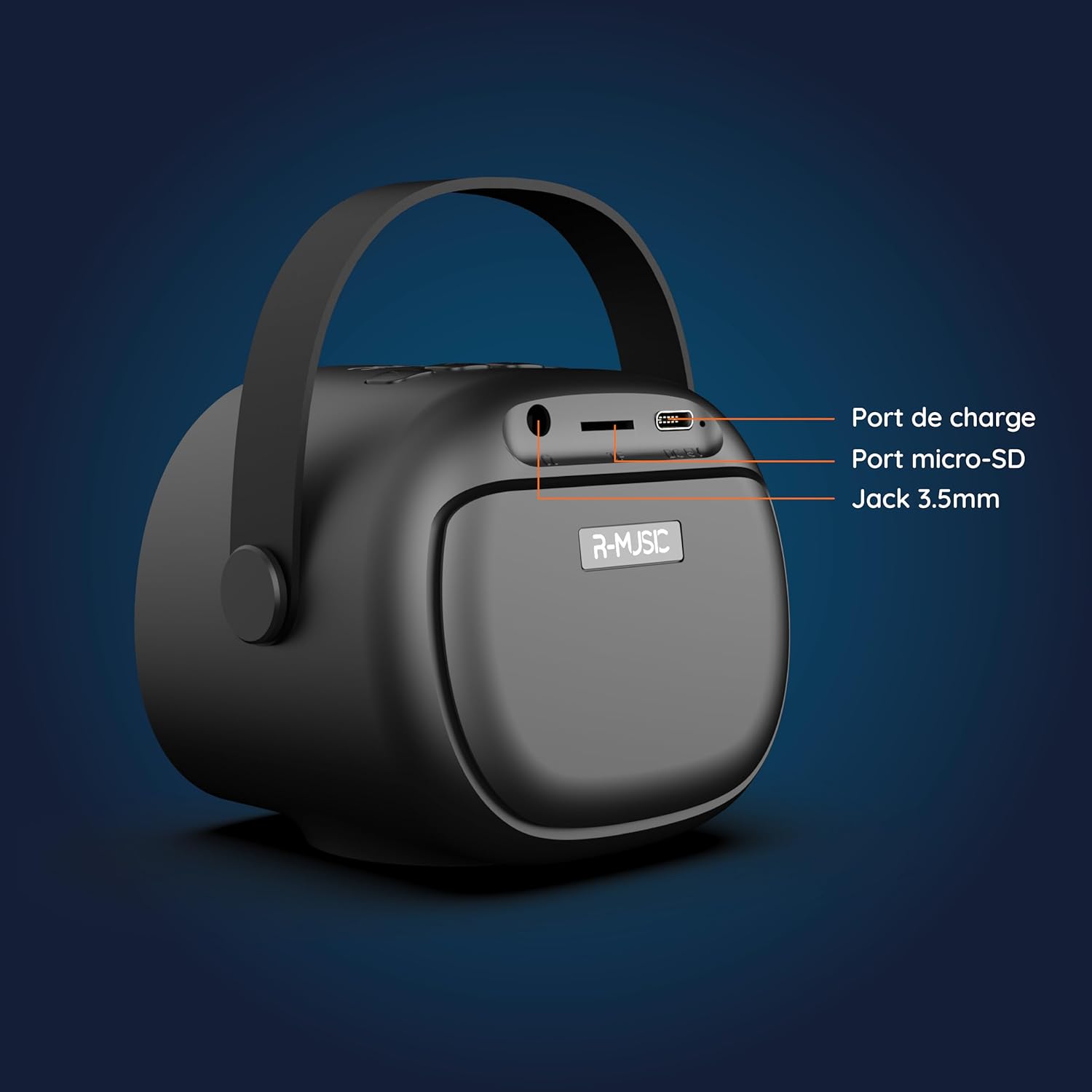
Slika: Nazad view of the R-MUSIC KARADUO speaker, highlighting the charging port, Micro-SD card slot, and 3.5mm Jack port.
- Port za punjenje (USB-C): Connect the provided USB-C cable for charging.
- Utor za mikro-SD karticu: Insert a Micro-SD card for direct music playback.
- 3.5 mm AUX priključak: Povežite eksterne audio uređaje pomoću 3.5 mm audio kabla (nije uključen).
Kontrole mikrofona

Image: Close-up of the R-MUSIC wireless microphones, illustrating the power, volume, and mode buttons.
- Dugme za napajanje: Long press to power the microphone on or off.
- Jačina zvuka + dugme: Povećajte jačinu mikrofona.
- Dugme za jačinu zvuka: Smanjite jačinu mikrofona.
- Dugme za način rada (M): Short press to cycle through 5 voice deformation effects and 3 karaoke modes.
Setup
1. Charging the Speaker and Microphones
Prije prve upotrebe, potpuno napunite zvučnik i oba mikrofona.
- govornik: Connect the provided USB-C charging cable to the speaker's charging port and a compatible USB power adapter (not included). The charging indicator will show the charging status.
- mikrofoni: Each microphone has its own charging port (usually Micro-USB, check the microphone itself). Connect them to a USB power source using appropriate cables (not included, or check if included with microphones).
A full charge provides approximately 14 hours of speaker playback without LED lights, or 7 hours with LED lights activated.
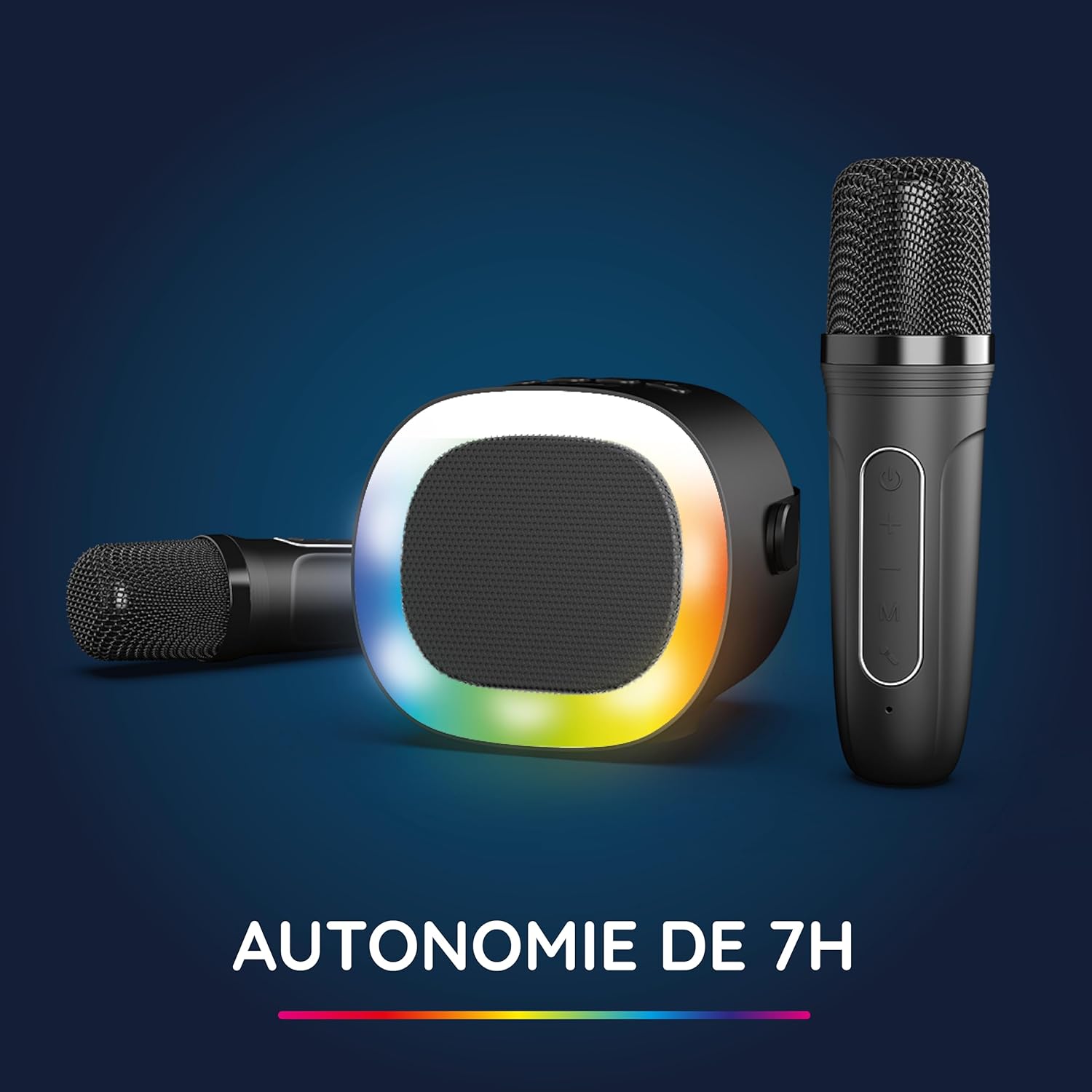
Image: The R-MUSIC speaker and microphones, illustrating the battery life with LED lights active.
2. Uključivanje i uparivanje mikrofona
- Zvučnik pri uključivanju: Long press the ON/OFF button on the speaker until it powers on.
- Mikrofoni pri uključivanju: Long press the Power button on each microphone until they power on.
- The microphones should automatically pair with the speaker. If not, ensure they are within close proximity and try powering them off and on again.
Uputstvo za upotrebu
1. Povezivanje s audio izvorima
The KARADUO speaker offers multiple connectivity options:
- Bluetooth 5.0:
- Uvjerite se da je zvučnik uključen.
- Activate Bluetooth on your smartphone, tablet, PC, or other compatible device.
- Traži "KARADUO" in your device's Bluetooth settings and select it to pair. A confirmation sound will indicate a successful connection.
- The Bluetooth 5.0 technology ensures optimal sound quality and a stable connection up to 10 meters.
- AUX ulaz:
- Connect a 3.5mm audio cable (not included) from your audio device's headphone jack to the speaker's 3.5mm AUX port.
- Zvučnik će se automatski prebaciti u AUX način rada.
- Micro-SD Card Playback:
- Umetnite Micro-SD karticu koja sadrži MP3 audio zapise files into the Micro-SD card slot on the back of the speaker.
- The speaker will automatically detect the card and begin playing music.
2. Speaker Operation
- Pusti/pauza: Short press the ON/OFF/Pause/Play button.
- Podešavanje jačine zvuka: Short press the Volume + or Volume - buttons.
- Sljedeći / Prethodni zapis: Long press the Volume + (next) or Volume - (previous) buttons.
- Načini LED svjetla: Press the LED Animation button to cycle through 5 different LED light animations.

Image: The R-MUSIC speaker showcasing its dynamic LED light animations.
3. Rad mikrofona
- Jačina zvuka mikrofona: Use the Volume + and Volume - buttons on the microphone to adjust your vocal volume.
- Voice Deformation Effects: Short press the 'M' (Mode) button on the microphone to cycle through 5 different voice deformation effects.
- Načini karaoke: Continue pressing the 'M' button to cycle through 3 distinct karaoke modes.
Održavanje
To ensure the longevity and optimal performance of your R-MUSIC KARADUO system, follow these maintenance guidelines:
- čišćenje: Use a soft, dry cloth to clean the speaker and microphones. Do not use abrasive cleaners, solvents, or harsh chemicals.
- Skladištenje: Uređaj čuvajte na hladnom i suhom mjestu, dalje od direktne sunčeve svjetlosti i ekstremnih temperatura kada se ne koristi.
- Izloženost vodi: This product is not waterproof. Avoid exposure to water or excessive moisture.
- Punjenje: Only use the provided charging cable and a compatible USB power adapter. Do not overcharge the device.
Rješavanje problema
If you encounter issues with your KARADUO system, please refer to the following common problems and solutions:
| Problem | Mogući uzrok | Rješenje |
|---|---|---|
| Nema struje | Slaba baterija ili je uređaj isključen. | Charge the speaker/microphones. Long press the power button to turn on. |
| Nema zvuka iz zvučnika | Jačina zvuka je preniska, pogrešan način unosa ili uređaj nije povezan. | Increase speaker volume. Ensure correct input (Bluetooth, AUX, Micro-SD). Reconnect Bluetooth or check AUX cable. |
| Mikrofoni ne rade | Microphones off, low battery, or not paired. | Ensure microphones are charged and powered on. They should automatically pair with the speaker. If not, power cycle them. |
| Bluetooth prekid veze | Device out of range, interference, or low battery. | Move the connected device closer to the speaker (within 10m). Ensure no major obstacles. Recharge the speaker. |
If the problem persists after trying these solutions, please contact R-MUSIC customer support.
Specifikacije
| Feature | Detalj |
|---|---|
| Brand | R-MUSIC |
| Broj modela | RM484437 |
| Boja | Crna |
| Tehnologija povezivanja | Bluetooth 5.0 |
| Connection Ports | 3.5mm Jack, USB Type-C (charging), Micro-SD Card Slot |
| Posebne karakteristike | 2 Wireless Microphones, Universal Connectivity, 5 Voice Deformation Effects, LED Lights |
| Kompatibilni uređaji | PC, Smartphone, Tablet, TV (via AUX) |
| Izvor napajanja | Battery Powered |
| Speaker Battery Life | Up to 14 hours (without LED), 7 hours (with LED) |
| Bluetooth domet | Do 10 metara |

Image: Technical dimensions of the R-MUSIC KARADUO speaker, showing its height, width, and depth.
Garancija i podrška
Information regarding specific warranty terms and conditions for the R-MUSIC KARADUO Complete Karaoke Pack is not available in this document. Please refer to the product packaging or the retailer's webstranica za detalje o garanciji.
For technical support or further assistance, please contact R-MUSIC customer service through their official webweb stranicu ili kontakt informacije koje ste dobili uz kupovinu.


