1. Uvod
The Hugolog 3K 5MP Indoor Pan/Tilt Security Camera is designed to provide comprehensive indoor surveillance for your home, ideal for monitoring babies, pets, or general home security. It features advanced capabilities such as 3K 5MP resolution, Starlight Color Night Vision, AI-powered human and pet detection, two-way audio, and smart motion tracking.

Image: The Hugolog 3K 5MP Indoor Pan/Tilt Security Camera shown alongside its mobile application interface, demonstrating live view i opcije kontrole.
2. Sigurnosne informacije
- Ensure the camera is powered by the original power adapter provided.
- Ne izlažite kameru ekstremnim temperaturama, vlazi ili direktnoj sunčevoj svjetlosti.
- Izbjegavajte postavljanje kamere u blizinu jakih magnetskih polja.
- Držite kameru van dohvata djece i kućnih ljubimaca.
- Ne pokušavajte rastavljati ili modificirati kameru.
- Samo za unutrašnju upotrebu.
3. Sadržaj paketa
Molimo Vas da provjerite da li se u Vašem paketu nalaze svi artikli:
- Hugolog 3K 5MP unutrašnja panoramska/nagibna sigurnosna kamera
- Adapter za napajanje
- USB kabel
- Montažni nosač
- Vijci i zidni čepovi
- Korisnički priručnik (ovaj dokument)
4. Dijagram proizvoda
Familiarize yourself with the components of your Hugolog camera:
| Komponenta | Opis |
|---|---|
| Objektiv kamere | Snima video footage. |
| Lampica indikatora statusa | Indicates camera status (e.g., connected, recording). |
| Mikrofon | Captures audio for two-way talk and sound detection. |
| Zvučnik | Outputs audio for two-way talk and alerts. |
| Slot za MicroSD karticu | Za lokalnu pohranu videa (podržava do 128 GB, kartica nije uključena). |
| Reset dugme | Koristi se za resetovanje kamere na fabrička podešavanja. |
| Napajanje | Povezuje se na strujni adapter. |
5. Podešavanje
5.1 Uključivanje
Connect the camera to a power outlet using the provided power adapter and USB cable. The camera will power on automatically, and the status indicator light will begin to flash, indicating it is ready for setup.
5.2 Preuzimanje aplikacije i kreiranje računa
- Download the Hugolog app from your smartphone's app store (iOS App Store or Google Play Store).
- Otvorite aplikaciju i kreirajte novi račun ili se prijavite ako ga već imate.
5.3 Povezivanje na Wi-Fi
- In the Hugolog app, tap the '+' icon to add a new device.
- Izaberite model vašeg fotoaparata sa liste.
- Follow the on-screen instructions to connect the camera to your 2.4GHz Wi-Fi network. Ensure your Wi-Fi password is correct.
- The camera will confirm successful connection, and the status indicator light will turn solid blue.
5.4 Opcije montaže
The camera can be placed on a flat surface or mounted to a wall or ceiling using the included mounting bracket.
- Položaj stola: Simply place the camera on a stable, flat surface in your desired monitoring area.
- Montaža na zid/strop:
- Attach the mounting bracket to the wall or ceiling using the provided screws and wall plugs.
- Sigurno pričvrstite kameru na držač za montiranje.
- In the app settings, enable 'Image Rotation' if mounting upside down to ensure correct video orientation.
6. Upravljanje kamerom
6.1 Uživo View
Open the Hugolog app and select your camera to access the live video feed. You can view the area in real-time.

Image: A smartphone screen showing the live view from the Hugolog camera, monitoring a pet.

Image: Multiple devices (laptop, desktop, tablet, smartphone) simultaneously displaying live streams from Hugolog cameras, illustrating multi-device support.
6.2 Kontrola panoramiranja, nagiba i zumiranja
Use the directional controls within the app to remotely pan (355° horizontally) and tilt (90° vertically) the camera lens to adjust the viewing angle. The camera also supports digital zoom up to 3X for closer inspection of details.
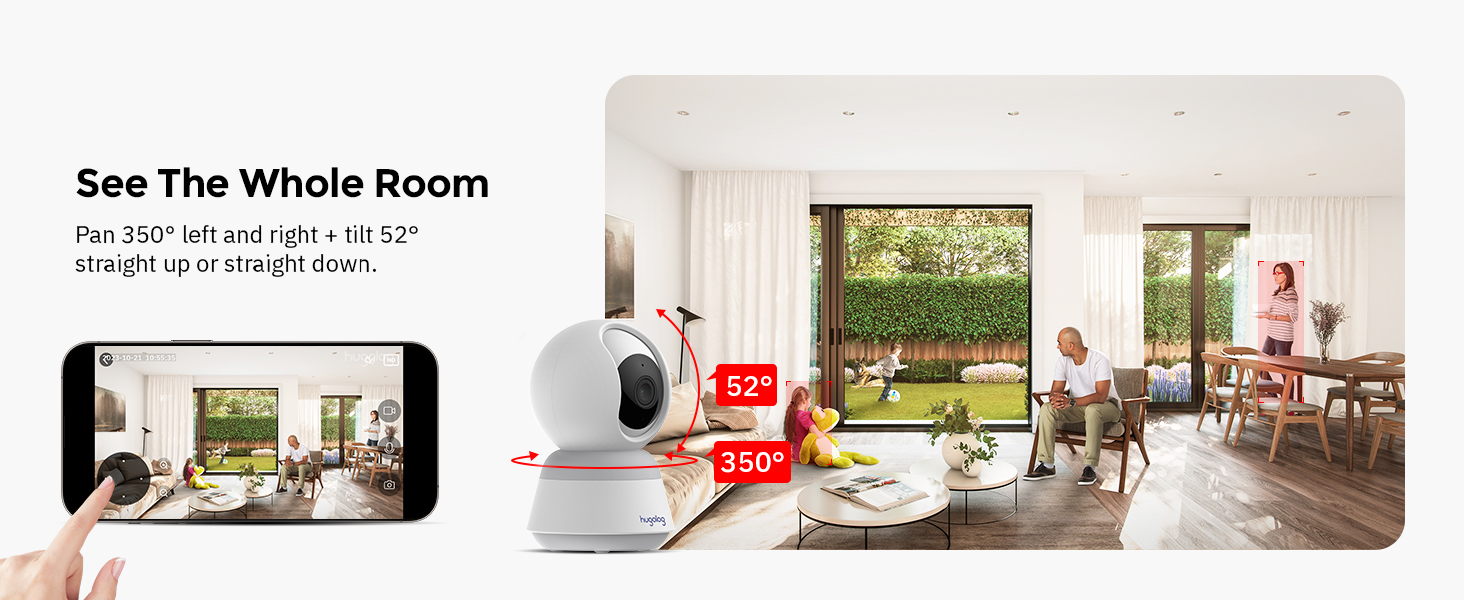
Image: A visual representation of the camera's 355-degree pan and 52-degree tilt capabilities, showing its wide coverage.
6.3 Dvosmjerni audio
Tap the microphone icon in the app to speak through the camera's speaker. This allows for real-time communication with individuals near the camera. The camera features noise cancellation for clear audio.

Image: A child and a dog at a table, with a speech bubble indicating two-way audio communication via the camera.
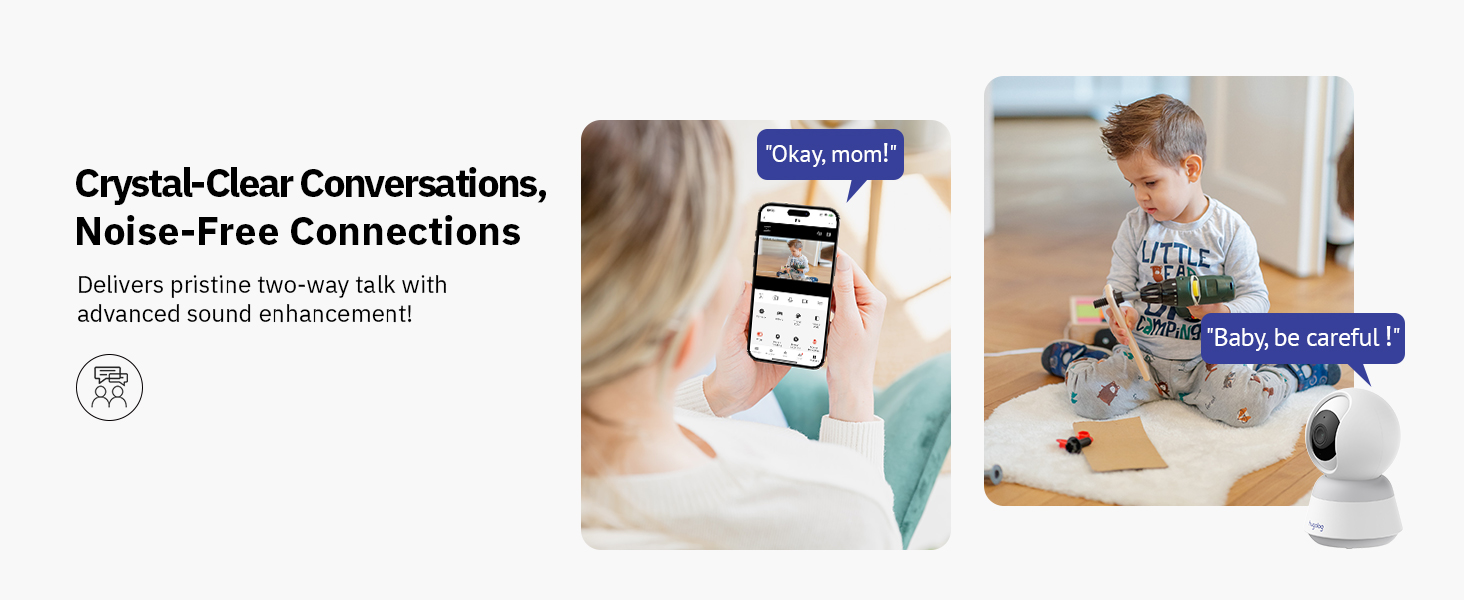
Image: A person interacting with a child and a camera via two-way audio, highlighting clear conversations and noise-free connections.
6.4 Detekcija pokreta i upozorenja
The camera utilizes advanced AI to detect human and pet movement, reducing false alarms. When motion is detected, the camera records the event and sends instant notifications to your smartphone.

Image: A child on a toy motorcycle and a dog, with overlays indicating the camera's ability to track persons and pets.

Image: A scene with a child and a cat, demonstrating the camera's AI detection capabilities for human and pet movement, with on-screen notifications.
6.5 Detekcija zvuka
The camera is equipped with sound detection, alerting you to significant audio events such as a crying baby. Notifications are sent to your device when sound is detected.

Image: A crying baby in a crib, with a smartphone notification indicating that the smart camera has detected sound.

Image: A crying child sitting on the floor, with a smartphone notification showing that sound has been detected by the camera.
6.6 Noćni vid
The camera features Starlight Color Night Vision, providing clear, full-color video even in low-light conditions, superior to traditional infrared night vision.

Image: A split image showing a baby sleeping, comparing the clear color view of Starlight Night Vision on one side with a standard black and white night vision on the other.

Image: A comparison demonstrating the clarity and color retention of Hugolog's Starlight Color Night Vision versus other IR night vision in low-light conditions.
6.7 Snimanje i reprodukcija
The camera supports both local storage via a microSD card (up to 128GB, not included) and encrypted US cloud storage. You can review snimljeno footage through the app's playback feature, with smart event filters for easy navigation.

Image: A close-up of the camera's microSD card slot and illustrations representing 24/7 video recording and 30 days of free cloud storage trial.

Image: The Hugolog app's playback interface, showing a timeline and smart event filters for easily reviewing recorded moments.
6.8 Dijeljenje pristupa
You can share live view access with up to 20 users, allowing multiple family members to monitor the camera simultaneously.

Image: A collage showing multiple camera feeds on a large monitor and various users accessing the camera feed on their smartphones, illustrating multi-user and multi-camera live view sposobnosti.

Image: A smartphone displaying a live camera feed, surrounded by circular images of various family members, indicating the ability to share camera access.
6.9 Radi s Alexom
Integrate your Hugolog camera with Amazon Alexa for convenient voice control and live view na kompatibilnim pametnim ekranima.
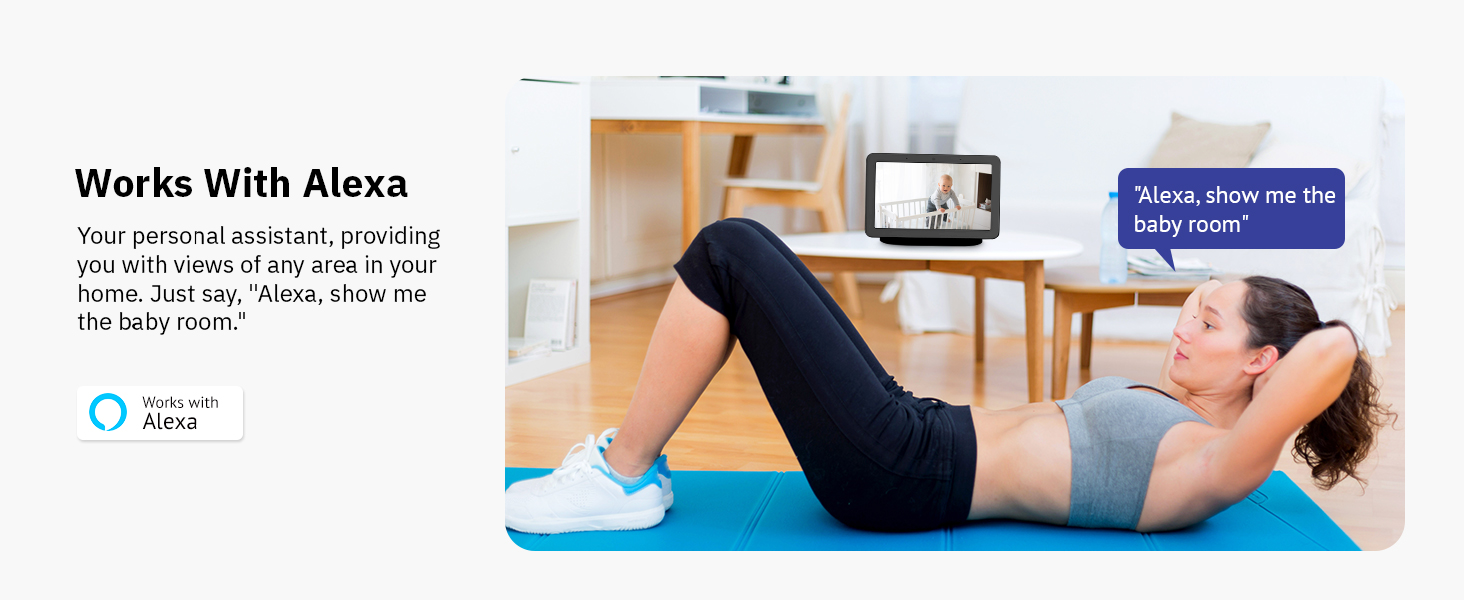
Image: A woman exercising, with an Amazon Echo Show displaying a live camera feed of a baby, demonstrating integration with Alexa for voice commands like "Alexa, show me the baby room."
6.10 Režim spavanja
Utilize the Sleep Mode feature in the Hugolog App to set specific periods when the camera is inactive, or manually rotate the camera lens down for privacy when monitoring is not needed.

Image: A woman sleeping in bed, with a smartphone displaying the Hugolog app in 'Sleep Mode', indicating the camera can be set to inactive periods for privacy.
7. Održavanje
7.1 Čišćenje
Pažljivo obrišite objektiv i kućište kamere mekom, suhom krpom. Ne koristite tekuća sredstva za čišćenje ili abrazivne materijale.
7.2 Ažuriranja firmvera
Periodically check the Hugolog app for available firmware updates. Keeping your camera's firmware up-to-date ensures optimal performance and access to new features.
7.3 Upravljanje skladištem
If using a microSD card, regularly back up important footage and format the card to maintain performance. For cloud storage, manage your subscription and review storage limits within the app.
8. Otkrivanje problema
| Problem | Moguće rješenje |
|---|---|
| Kamera van mreže | Check power connection. Ensure Wi-Fi signal is strong. Restart camera and router. |
| Nije moguće povezati se na Wi-Fi | Ensure you are connecting to a 2.4GHz network. Verify Wi-Fi password. Move camera closer to router. Reset camera and try again. |
| Nema upozorenja o detekciji pokreta | Check motion detection settings in the app. Ensure notifications are enabled on your phone. Adjust sensitivity. |
| Loš kvalitet videa | Ensure camera lens is clean. Check network speed. Adjust video resolution settings in the app. |
| Problemi s dvosmjernim zvukom | Check microphone and speaker permissions for the app. Ensure volume is up on your device. Reduce background noise. |
| MicroSD kartica ne snima | Ensure card is inserted correctly. Format the card in the app. Check card capacity and health. |
9. Specifikacije
| Feature | Detalj |
|---|---|
| Broj modela | HU-PWR6P-W |
| Video Rezolucija | 3K (efektivna rezolucija fotografija od 5MP) |
| Opseg pomeranja/nagiba | 355° Pan, 90° Tilt |
| Night Vision | Starlight Color Night Vision (up to 50 feet) |
| Povezivanje | Wi-Fi (samo 2.4 GHz) |
| Opcije skladištenja | MicroSD kartica (do 128 GB), pohrana u oblaku |
| Dvosmjerni audio | Yes, with Noise Cancellation |
| Detekcija pokreta | AI Human/Pet Detection, Auto-Tracking |
| Detekcija zvuka | Da |
| Kompatibilni uređaji | Amazon Alexa |
| Izvor napajanja | Električni sa kablom (5 vata) |
| Dimenzije (D x Š x V) | 3.74 x 3.74 x 6.99 inča |
| Težina artikla | 13.4 unce |
| UPC | 192728013957 |
10. Garancija i podrška
10.1 Informacije o garanciji
Your Hugolog camera comes with a limited warranty. Please refer to the warranty card included in your package or visit the official Hugolog webstranicu za detaljne uslove i odredbe garancije.
10.2 Korisnička podrška
For technical assistance, troubleshooting, or any product-related inquiries, please contact Hugolog Customer Support:
- Visit the Hugolog Store on Amazon: Hugolog Store
- Refer to the official Hugolog webweb mjesto za kontakt detalje.


