1. Uvod
Thank you for choosing the Baseus E13 TWS Bowie Headphones. This manual provides essential information for setting up, operating, and maintaining your new wireless earbuds. Please read it carefully before use to ensure optimal performance and longevity of your device.
2. Sadržaj paketa
Provjerite da li se sve stavke nalaze u vašem paketu:
- Baseus E13 TWS Bowie Headphones (Left and Right Earbuds)
- Futrola za punjenje
- USB kabl za punjenje
- Jastučići za uši (različite veličine)
- Korisnički priručnik (ovaj dokument)

Image: The Baseus E13 TWS Bowie Headphones, including the earbuds, charging case, and the included USB charging cable.
3. Proizvod je gotovview
The Baseus E13 TWS Bowie Headphones feature a compact design with a charging case for portability and extended battery life.

Image: The Baseus E13 TWS Bowie Headphones, showing both earbuds resting in their open charging case.
4. Podešavanje
4.1 Punjenje slušalica i kutijice
- Početna naplata: Prije prve upotrebe, potpuno napunite slušalice i kutijicu za punjenje.
- Punjenje kućišta: Connect the provided USB charging cable to the charging port on the case and a compatible USB power source. The indicator light on the case will show charging status.
- Punjenje slušalica: Place the earbuds into the charging case. Ensure they are correctly seated; the indicator lights on the earbuds will confirm charging.
Potpuno punjenje omogućava do 30 sata ukupnog vremena reprodukcije s kućištem za punjenje.
4.2 Bluetooth uparivanje
- Uključeno: Otvorite kutijicu za punjenje. Slušalice će se automatski uključiti i ući u način rada za uparivanje.
- Aktivirajte Bluetooth: Na svom uređaju (pametnom telefonu, tabletu itd.) omogućite Bluetooth.
- Odaberite uređaj: Traži "Baseus E13" na listi dostupnih Bluetooth uređaja i odaberite ga za povezivanje.
- Potvrda: Glasovni odziv će potvrditi uspješno uparivanje.
Slušalice će se automatski ponovo povezati s posljednjim uparenim uređajem kada se izvade iz kutijice, ako je Bluetooth omogućen na uređaju.
4.3 Kontrola aplikacija
Enhance your experience by downloading the official Baseus app. The app allows for customizable controls, EQ settings, and other features.
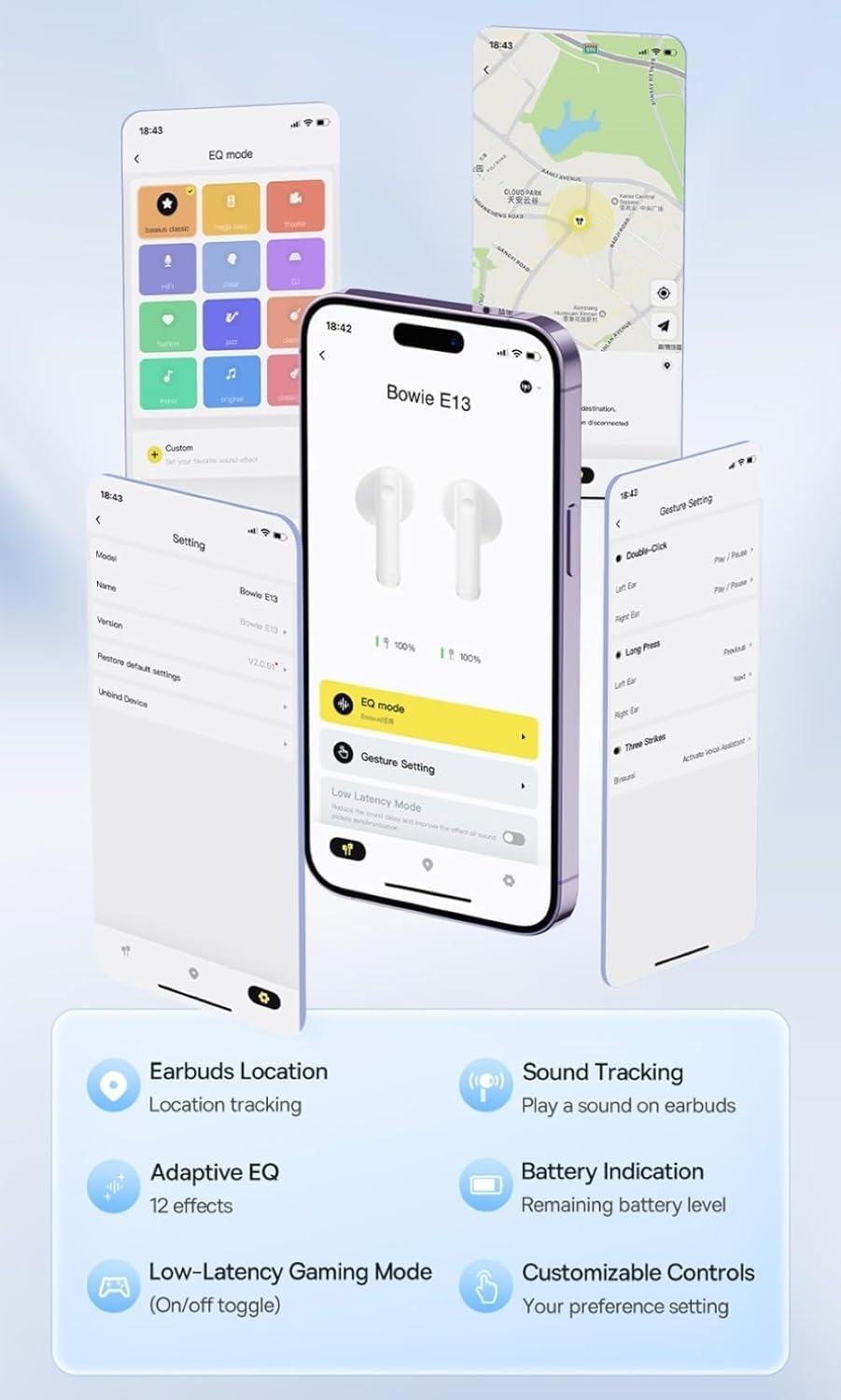
Image: Multiple smartphone screens displaying the Baseus app interface, highlighting features such as EQ mode, gesture settings, low-latency gaming mode, earbud location tracking, sound tracking, adaptive EQ with 12 effects, battery indication, and customizable controls.
5. Operacija
5.1 Osnovne kontrole
The Baseus E13 TWS Bowie Headphones feature touch controls for easy management of audio and calls. Specific gestures can be customized via the Baseus app.
- Pusti/pauza: Jednim dodirom na bilo koju slušalicu.
- Sljedeća pjesma: Dvaput dodirnite desnu slušalicu.
- Prethodni zapis: Dvaput dodirnite lijevu slušalicu.
- Odgovori/Završi poziv: Jednim dodirom na bilo koju slušalicu.
- odbiti poziv: Dugo pritisnite bilo koju slušalicu.
- Aktivirajte glasovnog asistenta: Triput dodirnite bilo koju slušalicu.
5.2 Režim igranja sa niskom latencijom
For an optimized gaming experience, activate the 0.06s ultra-low latency gaming mode through the Baseus app. This reduces audio delay, providing faster response times.
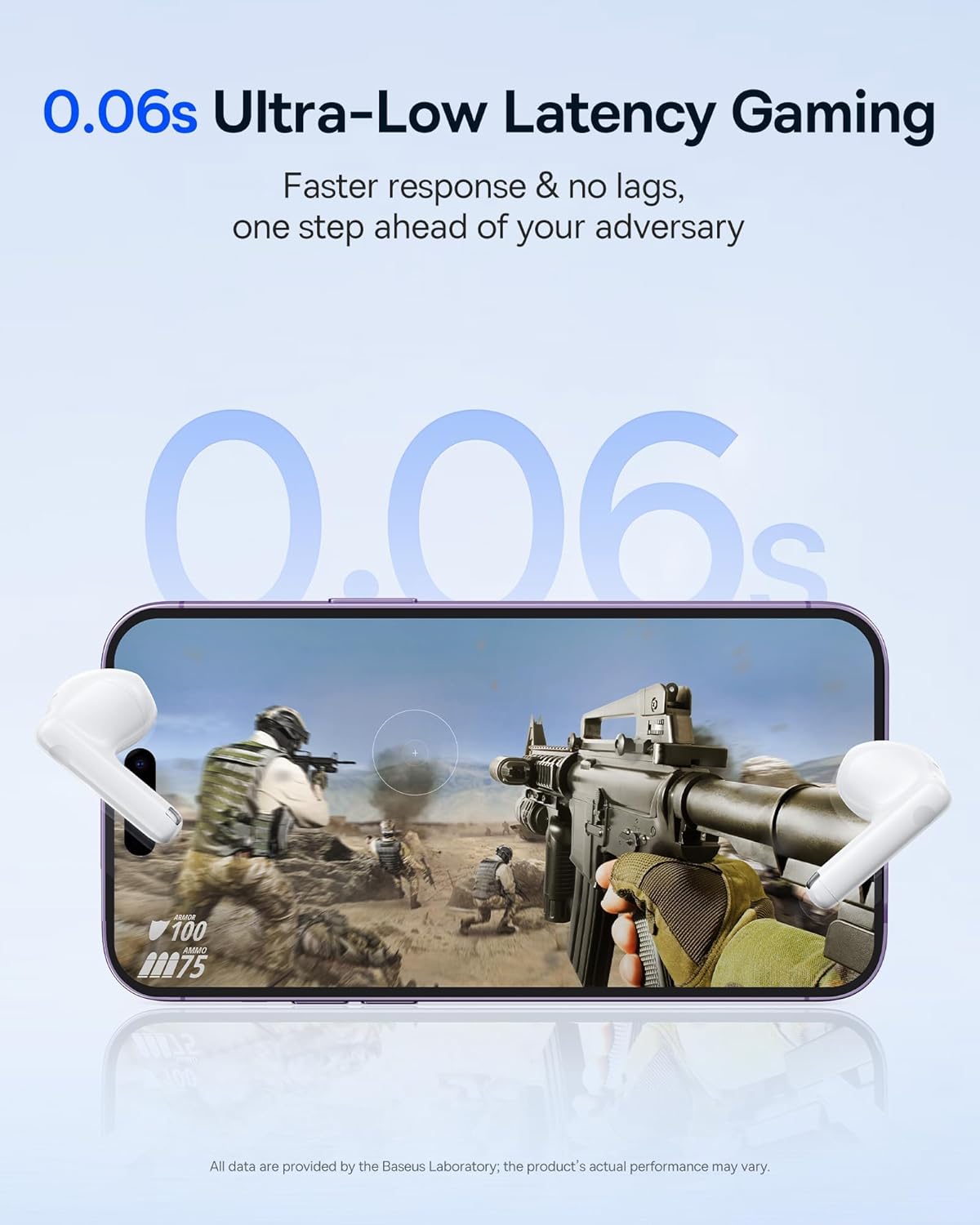
Image: The Baseus E13 TWS Bowie Headphones positioned near a smartphone screen displaying a fast-paced first-person shooter game, emphasizing the 0.06s ultra-low latency feature for gaming.
5.3 Audio reprodukcija
Enjoy up to 30 hours of continuous audio playback with the assistance of the charging case. Each earbud provides several hours of playback on a single charge, with the case offering multiple recharges.

Image: The Baseus E13 TWS Bowie Headphones and their charging case, overlaid with a graphic prominently displaying '30H', signifying the total audio playback time achievable with the case.
5.4 Kvalitet zvuka
The earbuds are equipped with a large 12mm diaphragm, designed to restore each note with remarkable depth and accuracy, providing a powerful low-frequency audio experience.

Image: A detailed cutaway diagram of a Baseus E13 TWS earbud, focusing on the internal structure of the large 12mm diaphragm and its contribution to sound quality.
5.5 Povezivanje
Utilizing Bluetooth 5.3 technology, the headphones offer a faster and more stable wireless connection, ensuring smooth audio transmission and enhanced sound quality.

Slika: Prozirni view of a Baseus E13 TWS earbud, revealing its internal circuitry and specifically highlighting the integrated Bluetooth 5.3 chip for advanced wireless connectivity.
6. Nošenje slušalica
The earbuds are designed with a mini stem and a lightweight profile, featuring a 45° wearing angle for a comfortable and secure fit.

Image: A woman wearing a Baseus E13 TWS earbud, illustrating the ergonomic design with a mini stem and lightweight construction for a comfortable user experience.
7. Održavanje
- čišćenje: Redovno čistite slušalice i kućište za punjenje mekom, suhom krpom koja ne ostavlja dlačice. Nemojte koristiti jake hemikalije ili abrazivne materijale.
- Otpornost na vodu: The earbuds are water resistant. Avoid submerging them in water or exposing them to excessive moisture. Dry thoroughly if they come into contact with liquids.
- Skladištenje: Kada se ne koriste, slušalice čuvajte u njihovoj kutijici za punjenje kako biste ih zaštitili i održali napunjenima. Čuvajte ih na hladnom i suhom mjestu, dalje od ekstremnih temperatura.
- Održavanje baterije: Da biste produžili vijek trajanja baterije, izbjegavajte često potpuno pražnjenje slušalica i kutijice. Redovno ih punite, čak i ako ih ne koristite stalno.
8. Otkrivanje problema
If you encounter issues with your Baseus E13 TWS Bowie Headphones, refer to the following common solutions:
- Nema zvuka:
- Provjerite jesu li slušalice napunjene.
- Check Bluetooth connection to your device.
- Podesite jačinu zvuka na slušalicama i povezanom uređaju.
- Slušalice se ne uparuju:
- Vratite slušalice u kutijicu, zatvorite ih, a zatim ih ponovo otvorite da biste ponovo ušli u način uparivanja.
- Forget "Baseus E13" from your device's Bluetooth list and attempt to pair again.
- Ensure earbuds are within range of your device.
- Problemi s punjenjem:
- Provjerite je li kabel za punjenje sigurno spojen i na kućište i na izvor napajanja.
- Pokušajte s drugim USB portom ili adapterom za napajanje.
- Ensure charging contacts on earbuds and in case are clean and free of debris.
- Jedna slušalica ne radi:
- Uvjerite se da su obje slušalice napunjene.
- Try resetting the earbuds (refer to app or Baseus support for specific instructions).
9. Specifikacije
| Brand | Baseus |
| Naziv modela | E13 TWS |
| Tehnologija povezivanja | Bežično (Bluetooth 5.3) |
| Postavljanje uha | U uhu |
| Form Factor | True Wireless |
| Impedansa | 32 Ohm |
| Tip kontrole | Touch controls, App |
| Materijal | Plastika |
| Težina artikla | 0.07 kilograma |
| Nivo vodootpornosti | Otporan na vodu |
| Maksimalna radna udaljenost | 10 metara |
| Prosječni vijek trajanja baterije | Do 30 sata (sa futrolom za punjenje) |
| Posebne karakteristike | 0.06s ultra-low latency, Faster and more stable 5.3 wireless chip, Lightweight and Mini Design, Powerful low frequency controller |
10. Garancija i podrška
Baseus products are designed for reliability and performance. For warranty information, please refer to the warranty card included with your purchase or visit the official Baseus website. For technical support or further assistance, please contact Baseus customer service or visit the Baseus prodavnica na Amazonu.


